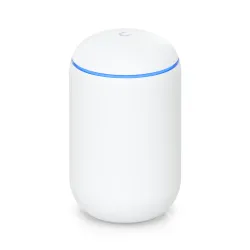



UniFi Dream Machine | all-in-one from Ubiquiti Inc.
Ubiquiti Dream Machine (UDM) is a multifunctional device that combines the capabilities of an access point, switch, security gateway and UniFi OS Console. An extremely powerful ARM Cortex-A57 Quad-Core processor with 1.7GHz, 2GB DDR system memory and 16GB flash memory makes the UDM from Ubiquiti Inc. a really powerful and functional unit.
Dream machine
As previously mentioned, Ubiquiti UDM has a very powerful processor that can process over 800Mbps of traffic with IDP/IPS enabled. This is much more than the average Internet user needs. Therefore, it can be assumed that UniFi Dream Machine is a solution designed for companies, due to the wide possibilities of VPN configuration. But we are already familiar with all solutions from Ubiquiti Inc., so we can definitely say that The Dream Machine can be useful in any location, including home solutions.
All-in-one
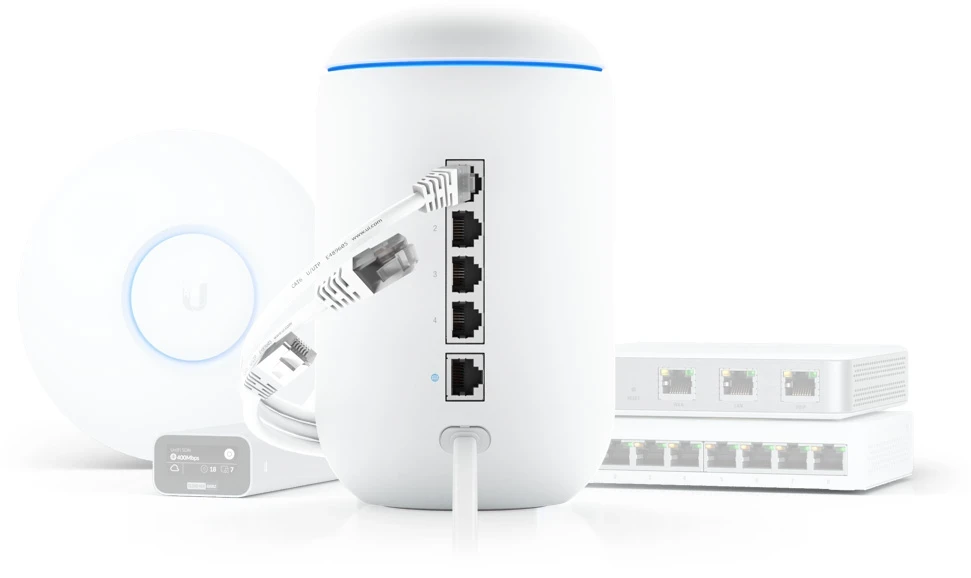
Ubiquiti UniFi Dream Machine is a typical all-in-one device that combines many features:
- access point 802.11ac Wave2 4x4 Mu-Mimo
- managed, gigabit, 4-port switch
- Advanced security gateway with IDS/IPS and DPI
- UNIFi network controller with intuitive user interface
Ubiquiti UDM configuration - UniFi Network
Mobile Application
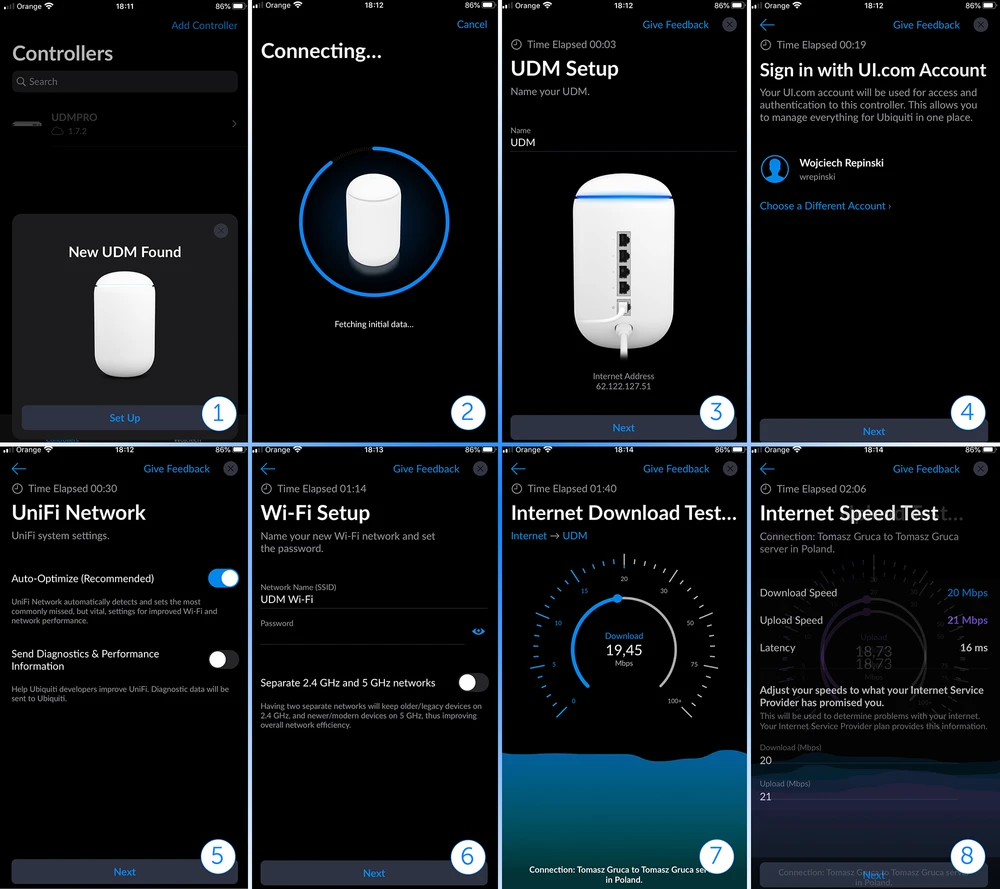
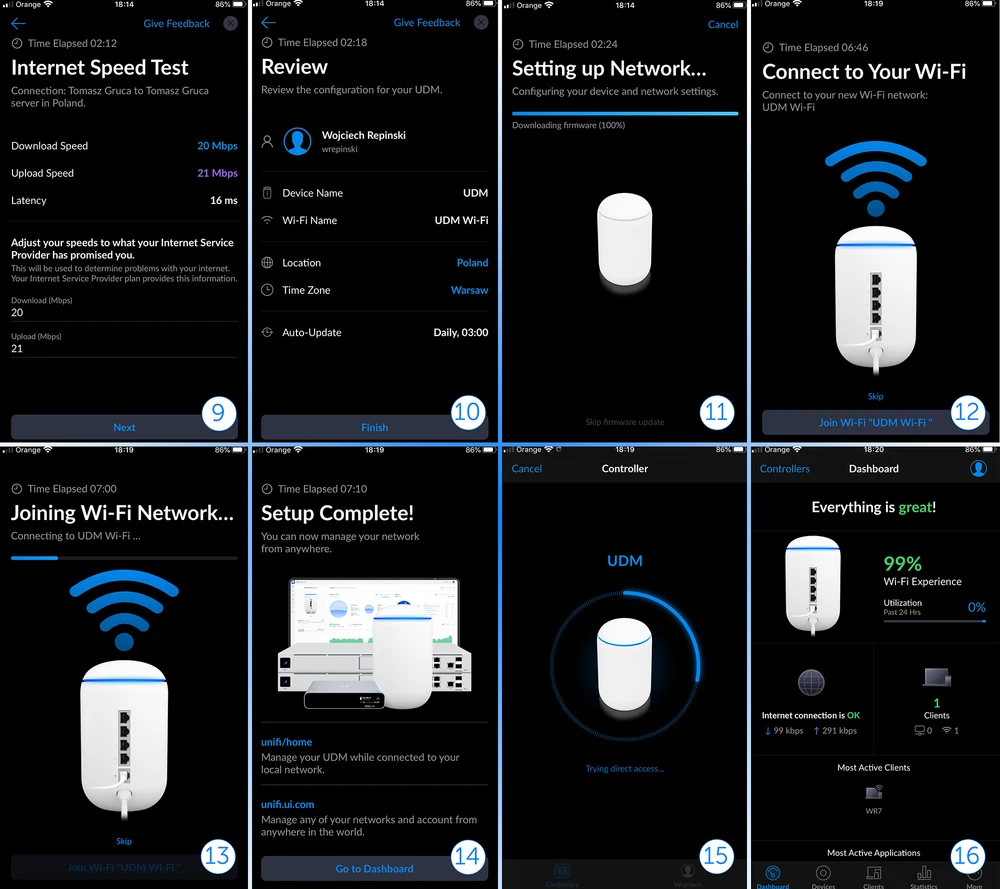
And this time Ubiquiti Inc. meets the expectations of UniFi series users and allows you to configure UDM using a very intuitive and convenient mobile application UniFi Network. The application can be downloaded for free from Google Play or App Store. And we have to admit that the configuration process is extremely fast and pleasant, in a few minutes we set the device up. The process of setting up UniFi Dream Machine on Mobile Application is available below. Of course, we owe all screenshots to the irreplaceable Wojtek Repiński.
Antenna measurements and transmitter performance characteristics
Of course we also checked how the UDM works as a wireless network transmitter. The measurement with a radio analyzer shows that the wireless module does not generate noise outside the transmission channel.
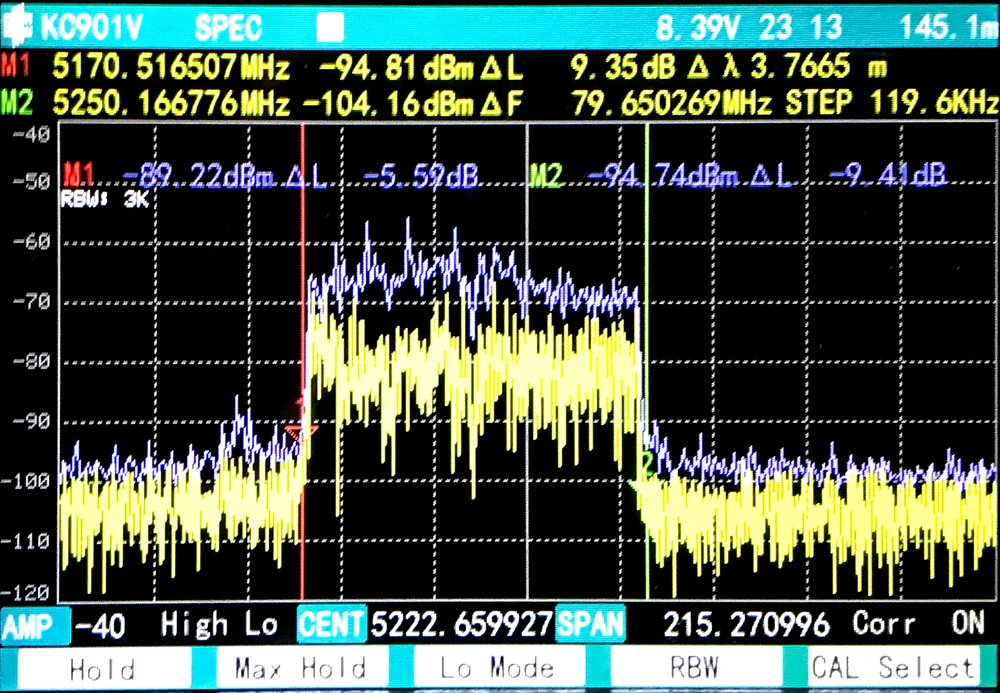
WiFi coverage map - HeatMap
Although the readout of the radio characteristics of UniFi Dream Machine is very correct and the UDM transmits very "cleanly", without any noise near the transmitting channel... But, the results of WiFi coverage leave much to be desired, which may be due to power limitations. To make a reliable signal map we used the AirSurvey software, which is well known to all MacOS users.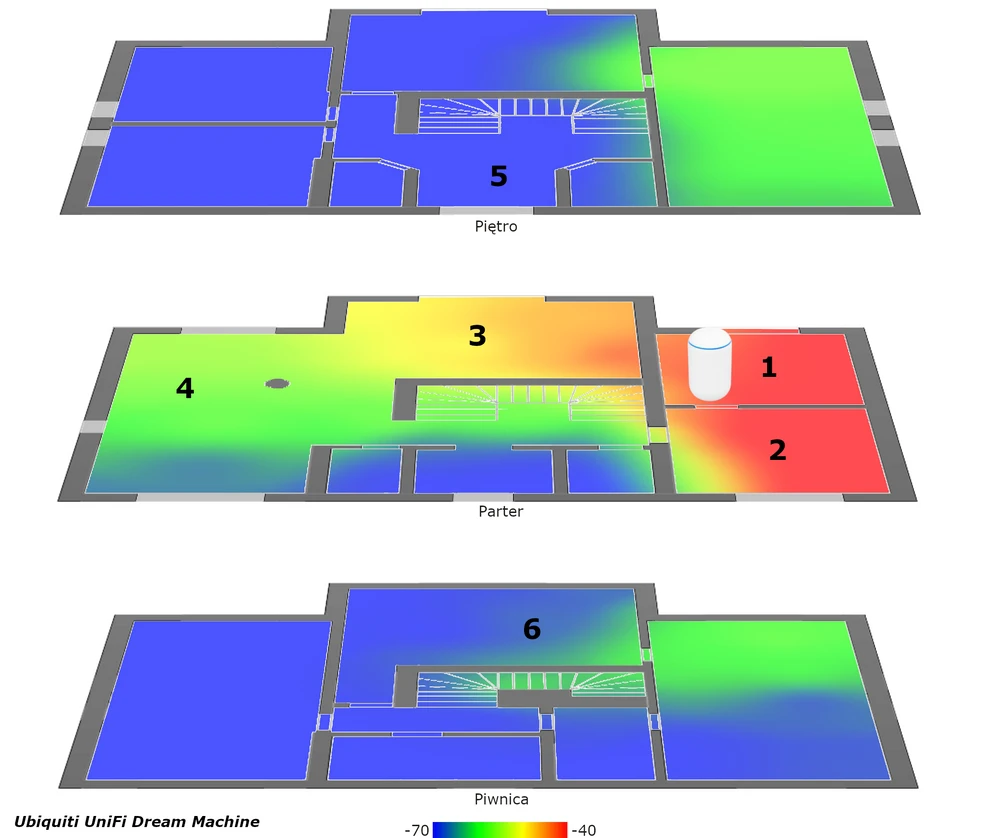
Ubiquiti UniFi UDM - performance tests
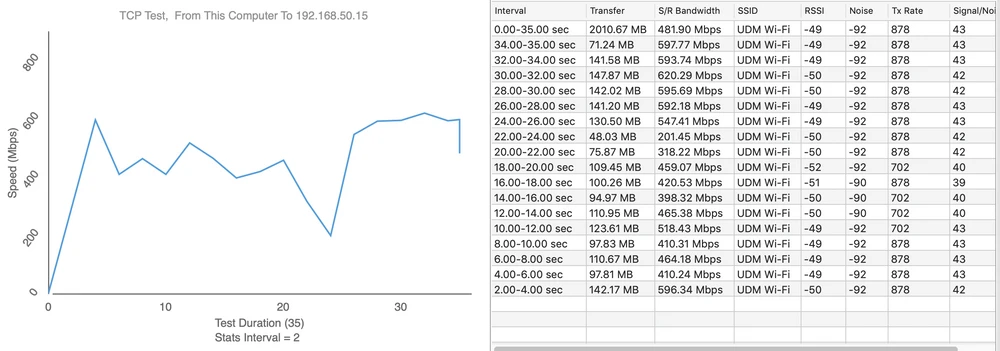
Speed tests were performed using the WiFiPerf software, while the speed test server was running the iperf3 software. A series of tests were performed using the TCP, protocol with the duration cycle of 35s. Below we present the obtained results of the wireless network throughput created with the dream machine from Ubiquiti Inc. The given throughput results in individual measurement cycles are the highest obtained measurement value. Download 620Mbps
- measuring point No. 1
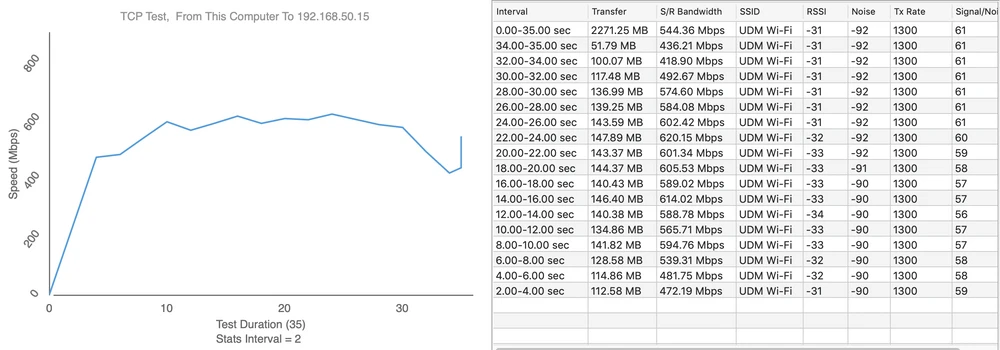
Upload 752Mbps
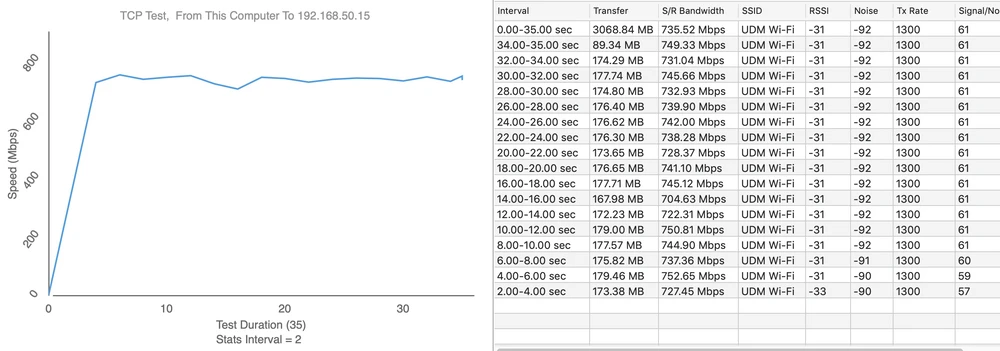
- measuring point No. 2
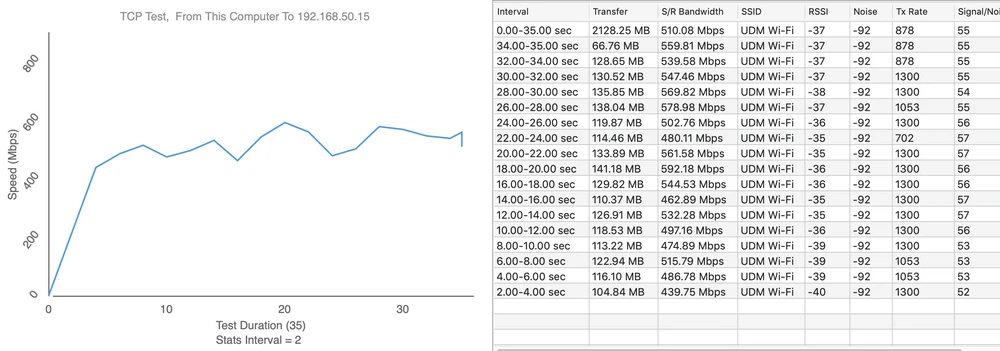
Upload 677Mbps
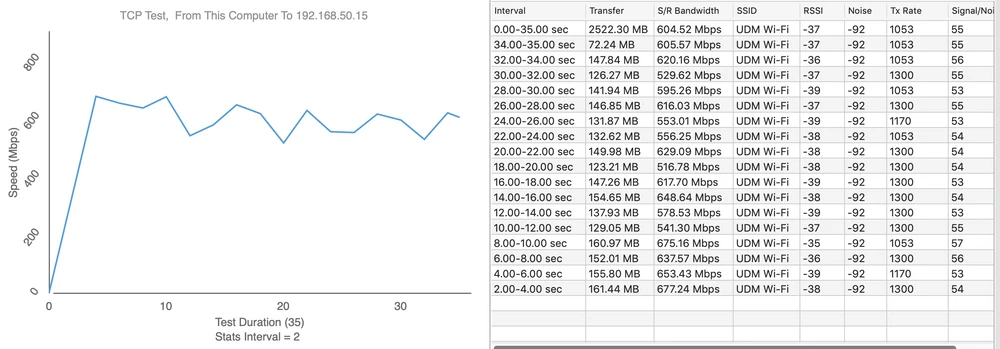
- measuring point No. 3
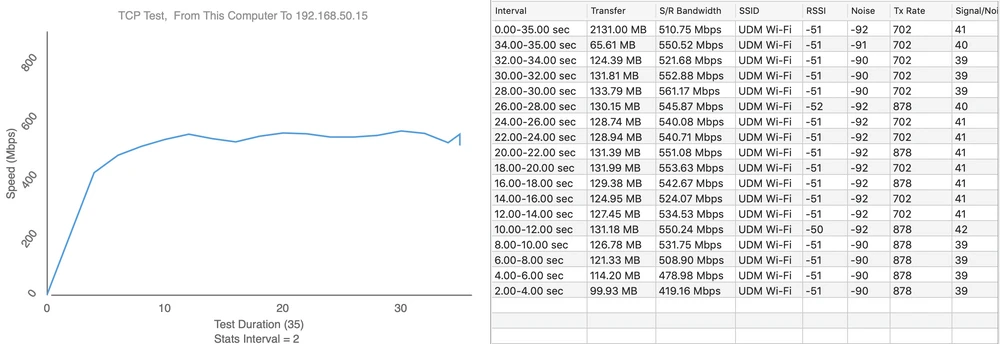
Upload 597Mbps
- measuring point No. 4
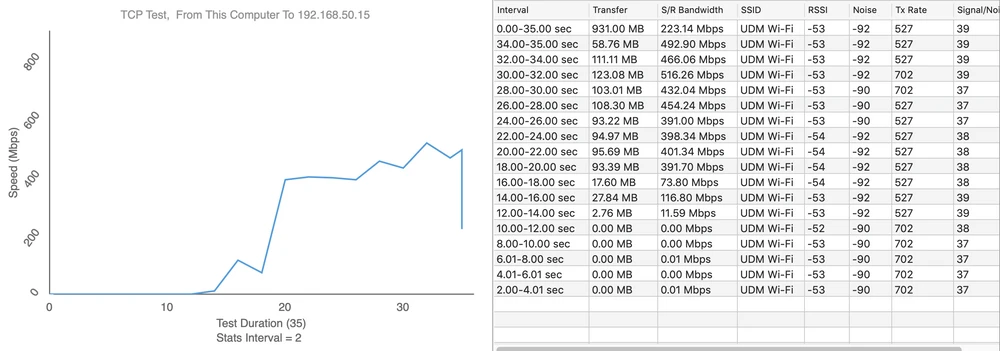
Upload 439Mbps
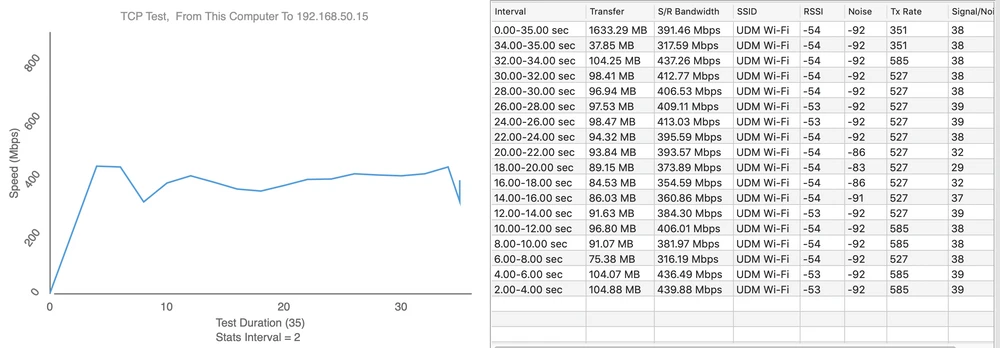
- measuring point No. 5
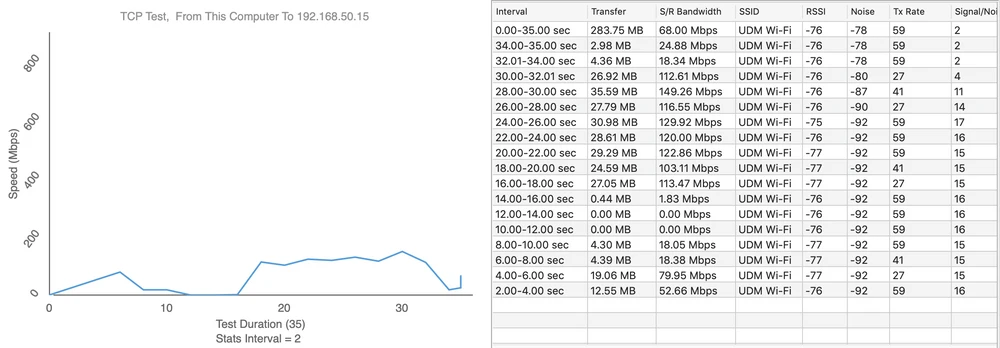
Upload 42Mbps
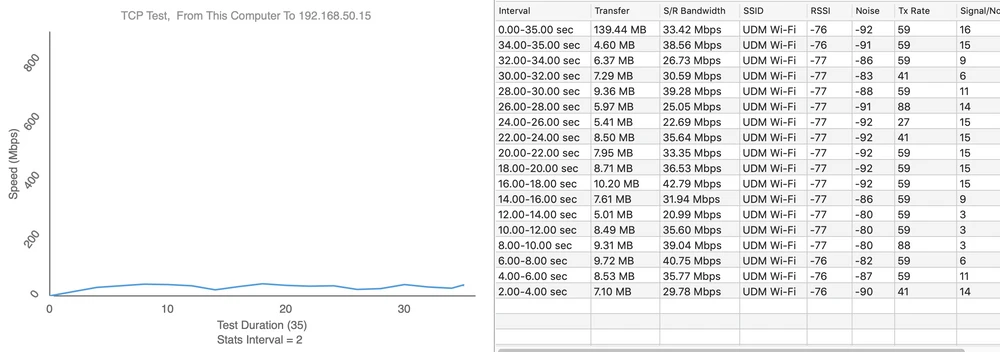
- measuring point No. 6
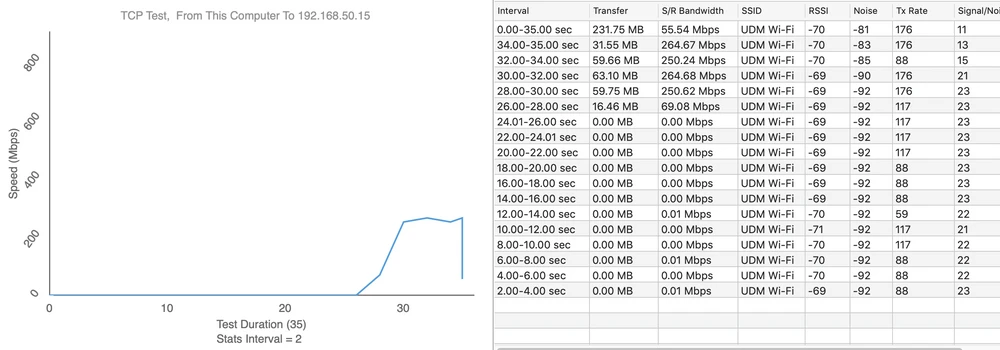
Upload 135Mbps
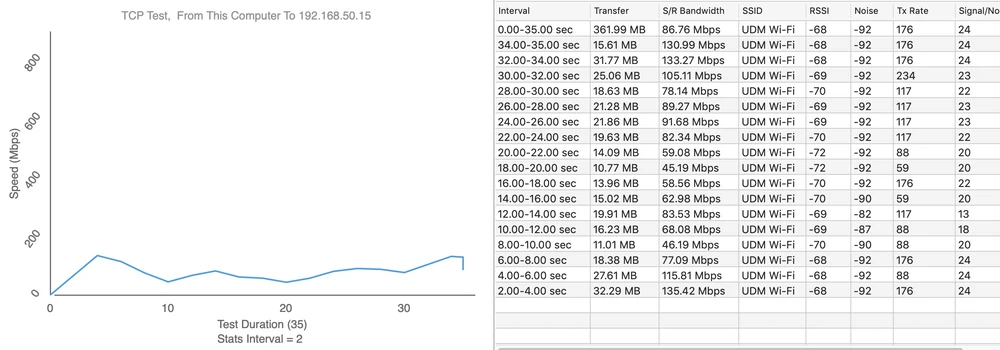
Summary and conclusions
It's hard to clearly assess the Dream Machine (UDM) from Ubiquiti Inc. The device has hardware with great potential, but you can see some small things that limit its functionality. Surely the device would be more suited to the needs of "home clients" if it was expanded with at least a USB 3.0 port. Then we could attach a NAS disk or backup LTE to the UniFi Dream Machine. To summarise, on the one hand, UDM is ideally suited as the main device for operating conference rooms or HotSpots, while on the other hand it can be used by individual customers, which makes the dream machine a universal solution. And since we already tested the base version, we will check if the Pro version from Ubiquiti Inc. is equally efficient. We invite you to another article.