Great AP Test part1 UAP-AC-M
In a nutshell
What access point to choose in 2020? Which access point is the most efficient?
These questions are asked very often by wireless users, both those more and less advanced. Therefore, we decided to carry out reliable tests of several Access Points offered by the top companies on the market.We have performed (www.batna24.com) a whole series of tests of wireless devices for home, office and industry. A properly selected test procedure allowed to make a precise comparison of all devices under identical conditions and similar configuration.Of course, Wojtek Repiński, who was responsible for the technical part of the tests and their analysis, helped us in all tests. You know him well from a publication about Ubiquiti LTU.
Ubiquiti UniFi AC Mesh (UAP-AC-M)
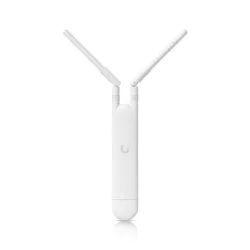
We were the first to test the UniFi AC Mesh (UAP-AC-M) Access Point from Ubiquiti Inc.. A small access point, dedicated to work in the Mesh network topology, but of course it can work like any other access point in the Ubiquiti UniFi series. Additionally, UAP-AC-M has received WiFi Alliance certification and has been admitted to the European Union's Wifi4EU project. Which is what made us want to add this Access Point to our test series...
Specification and management
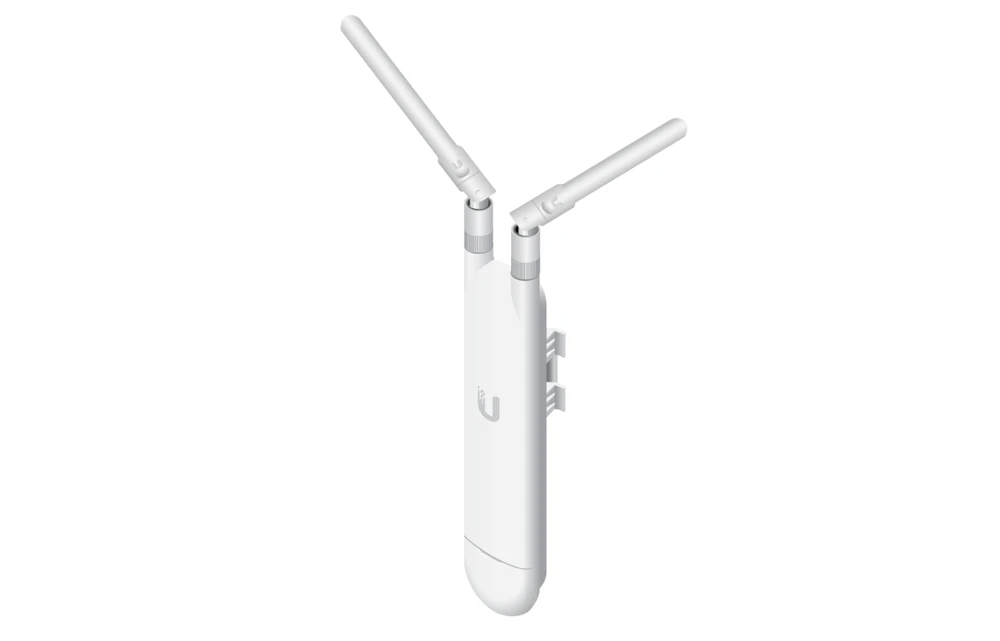
Ubiquiti UniFi AC Mesh may not be the prettiest Access Point, but it is made of very good quality plastic and can also be used outdoor. Also noteworthy is the very good quality seal for the Ethernet cable. It is so stretchable that we can easily pass the turned RJ45 tip through it (which greatly simplifies assembly).
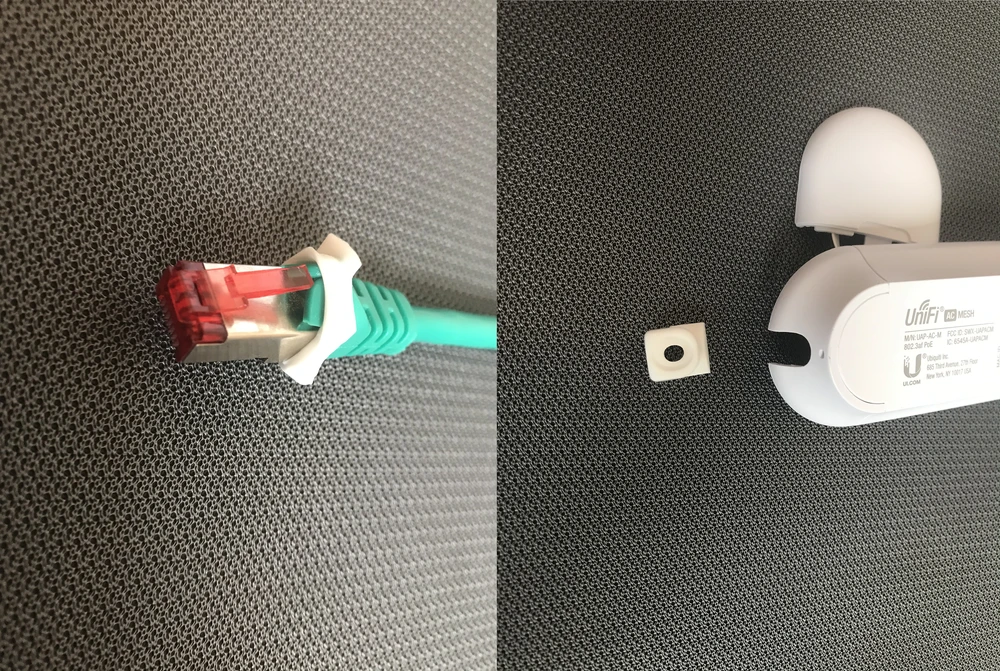
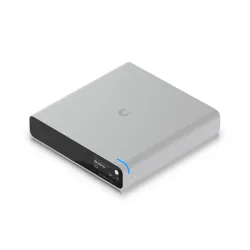
As part of the specification, it is worth mentioning that this small Access Point supports the 802.11ac protocol (2x2 MU-Mimo for both 2.4GHz and 5GHz), has a 1 Ethernet 10/100/1000 port and is powered by the PoE 802.af standard. We have a whole range of controllers to manage from Ubiquiti Inc.: UniFi Cloud Key, UCK-G2, UniFi Dream Machine and a software controller (for Linux platforms, Windows 7/8/10, Mac OS X) in version 5.4 or later.
Ubiquiti UniFi AC MESH Mounting positions
The device is suitable for wall mounting and two types of pole brackets (smaller and larger). Thanks to the integrated bracket, we can mount Access Point on a relatively small diameter tube. To mount on a larger diameter mast, the adapter is included in the kit.
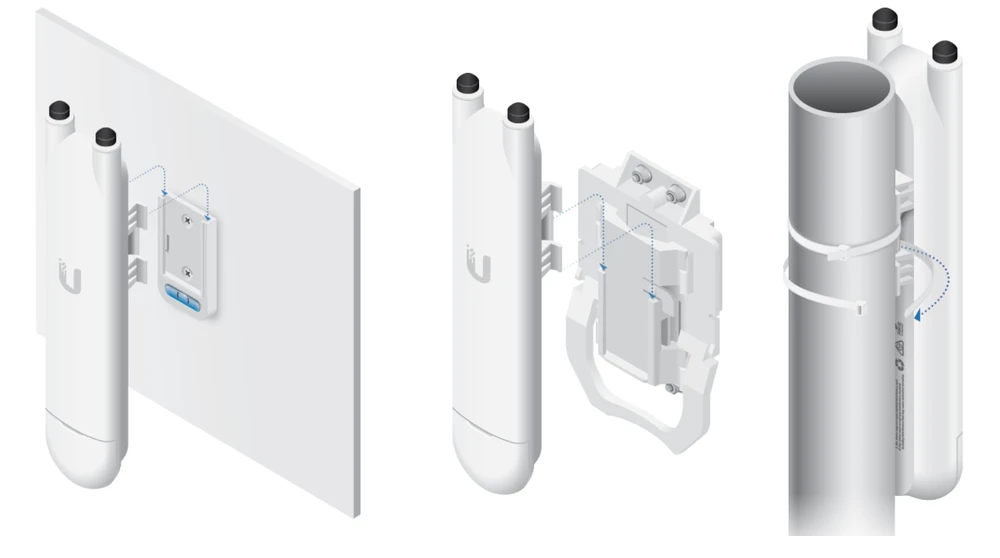
Such like the wall-mounting option... A very practical adapter with a built-in level is included, so that our AccessPoint can be mounted very precisely and aesthetically. And this is very useful for indoor installation.
Antenna and transmitter measurements
The manufacturer provides two antennas in the package by default. It is most likely not a typical dipole, but a microstrip dual band antenna operating at 2.4GHz and 5GHz. We conclude this from the flattened shape of the antennas and very good vSWR measurements.
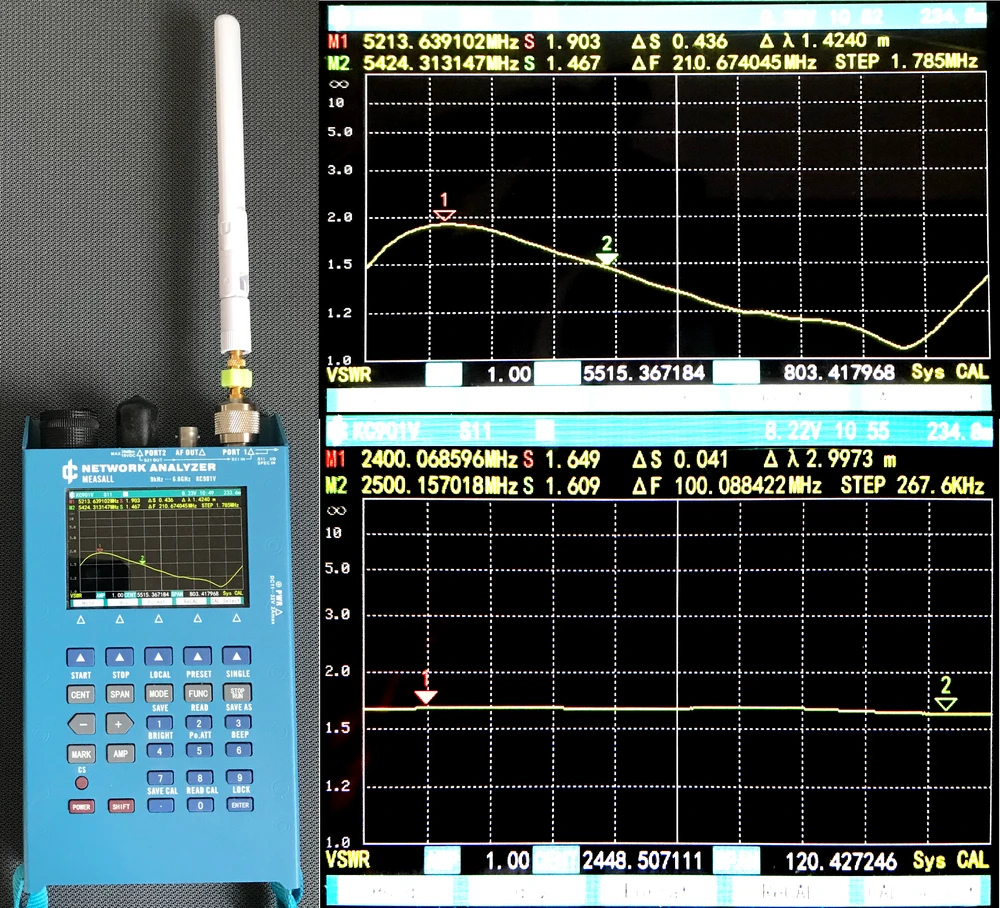
As you can see, measurements of antennas in the 5GHz band showed even ideal parameters in the range 5400-5900MHz (vSWR below 1.5) and correct results for the range 5120-5400MHz (vSWR below 2.0).Equally good results were obtained in the 2.4GHz band. In the whole range, the vSWR parameter remained between 1.6-1.65.
Transmitter performance characteristics
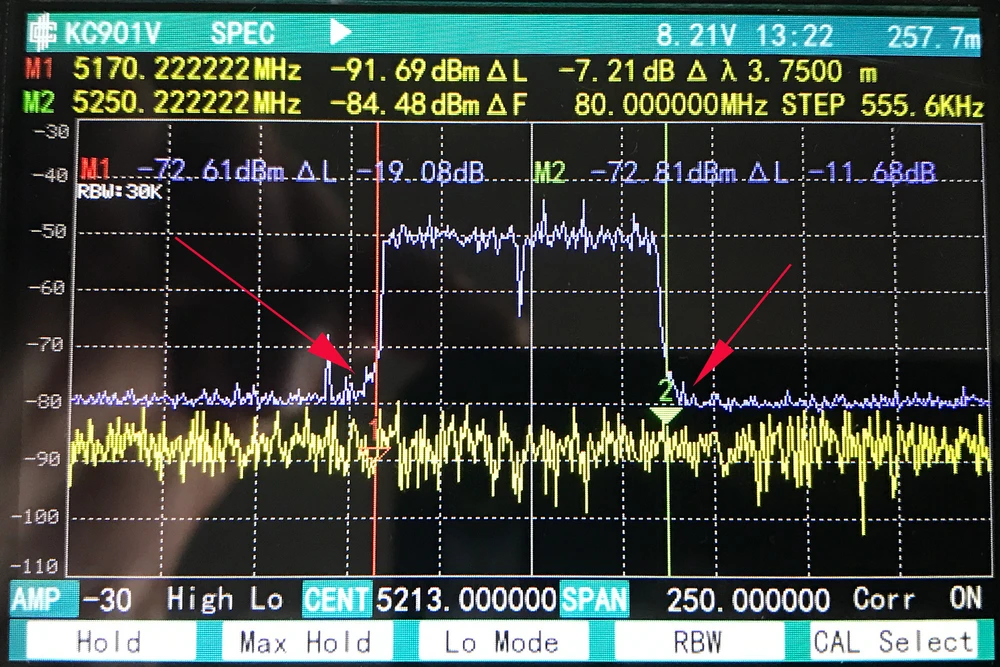
The measurement of the transmitter performance characteristics using a spectrum analyzer, showed low noise generation outside the transmitting channel. This is extremely important because many times transmitters tend to interfere with other frequencies. Therefore UniFi AC Mesh is ideally suited for building high density wireless networks (with a large number of Access Points). And, of course, for building wireless networks based on MESH topology.
Test environment
The purpose of our tests is to verify the performance of the wireless mesh network created by two Ubiquiti UniFi AC Mesh devices. We check the network for both signal coverage and real speeds obtained in the building.Let's go! For 2,4GHz connections, we have assumed a maximum channel width of 40MHz, and for 5GHz, a maximum channel width of 80MHz. Although some devices in the 5GHz band can operate at 160MHz, due to the limited number of terminal devices (phones/laptops) supporting such a channel width, we have omitted these tests.
Network diagram
The testing device was a MacBook Pro A1502, equipped with an AirPort Extreme WiFi card (Broadcom BCM4360 3x3, 1.3 Gbps PHY). Built-in wireless card supports 802.11a/b/g/n/ac standards.
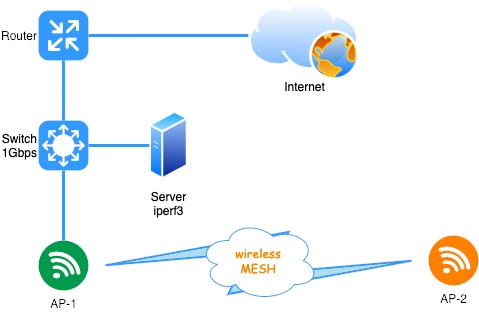
Before testing the wireless network, we verified maximum performance of the LAN and iperf3 server. The aforementioned laptop was connected with a 10/100/1000Mbps network card to the switch. We obtained the following speeds for a single TCP stream:
The UniFi AC Mesh Access Points (AP-1 and AP-2) have been connected to each other in Mesh mode only, i.e. only wirelessly.- download 894Mbps
- upload 958Mbps
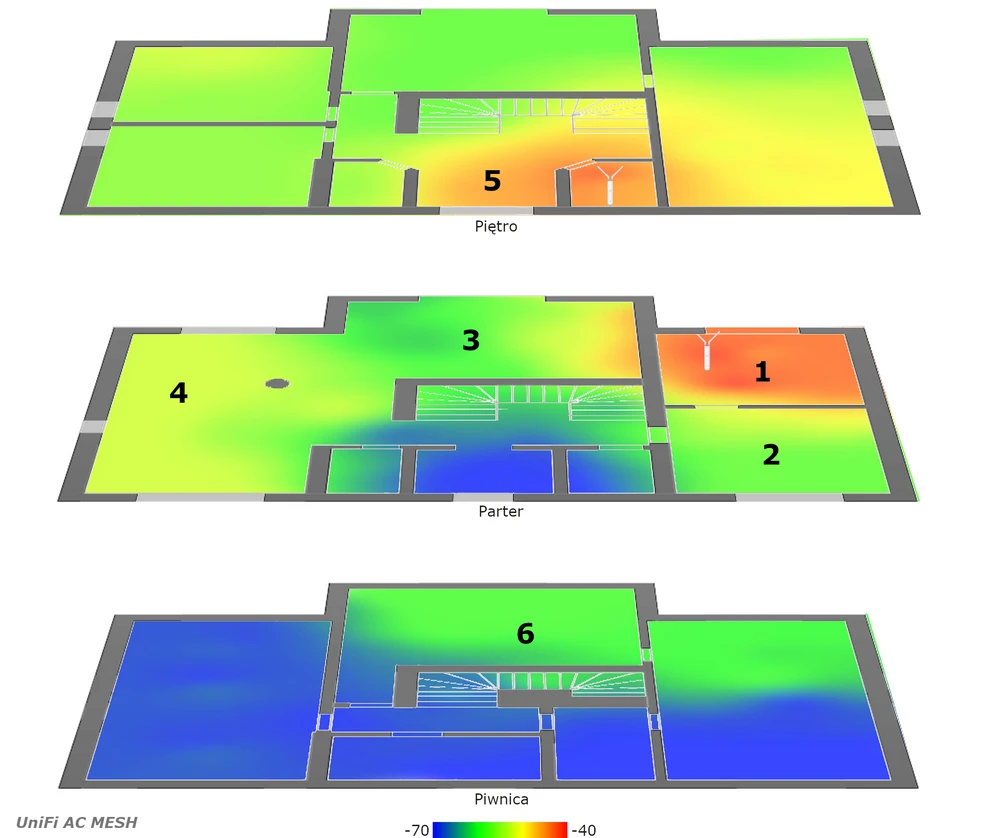
AirSurvey signal map
We used the AirSurvey software to make a reliable signal map - which is well known to MacOS users.
- To correctly read the levels of individual signals, please refer to the color legend at the bottom of the picture.
- The location of individual AccessPoints has been marked with appropriate icons.
- The device on the "ground floor" has been connected to the switch via Ethernet port 1Gbps.
Ubiquiti UniFi AC Mesh performance tests
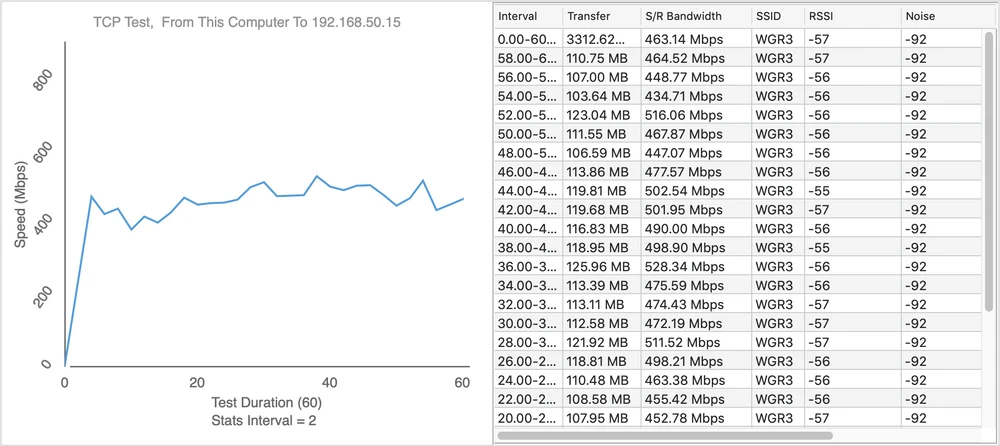
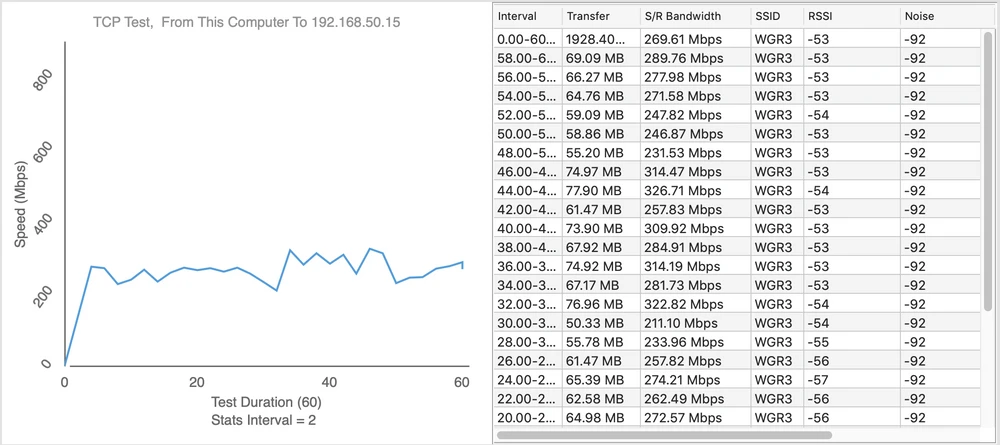
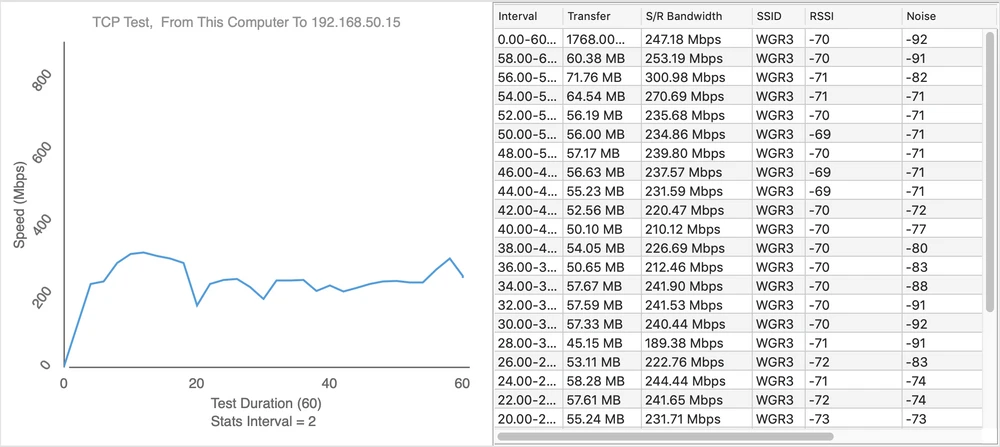
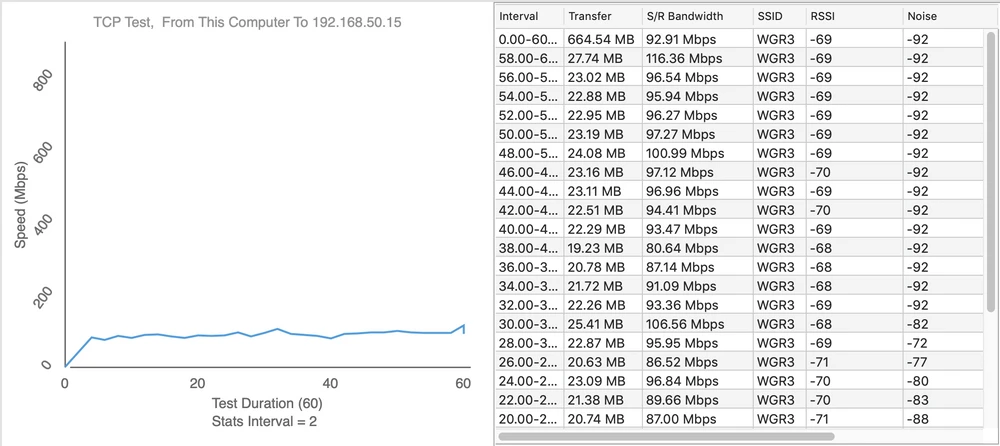
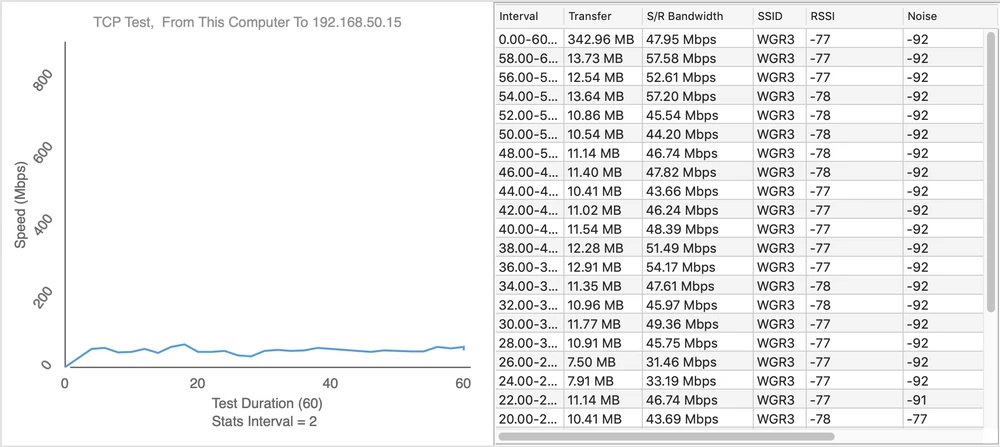
Speed tests were performed using the WiFiPerf software, while the speed test server was running iperf3 software. A series of tests were carried out using the TCP protocol, and the duration cycle was 60s.Below are the results of the speed tests for individual measuring points.
- measuring point No. 1
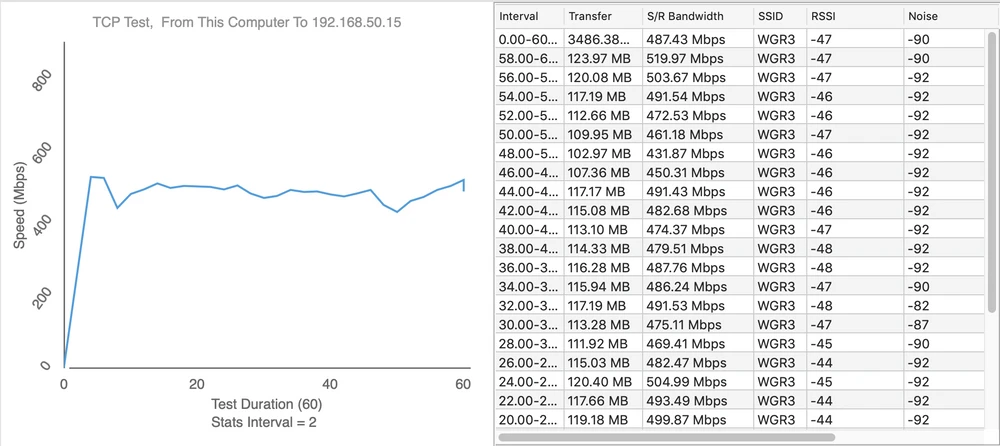
Upload 437Mbps
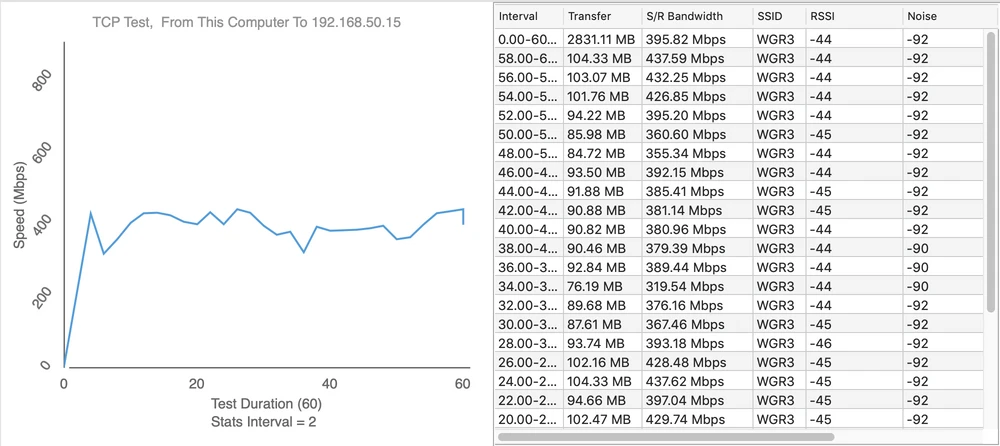
- measuring point No. 2
Upload 326Mbps
- measuring point No. 3
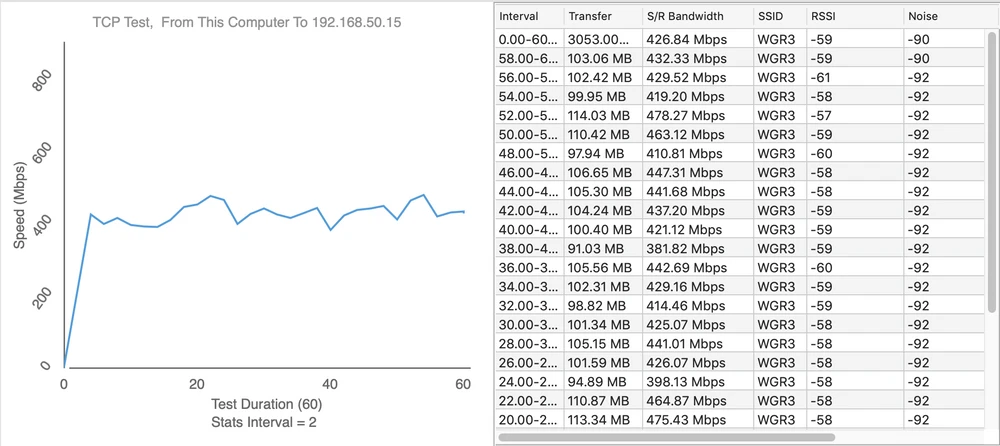
Upload 273Mbps
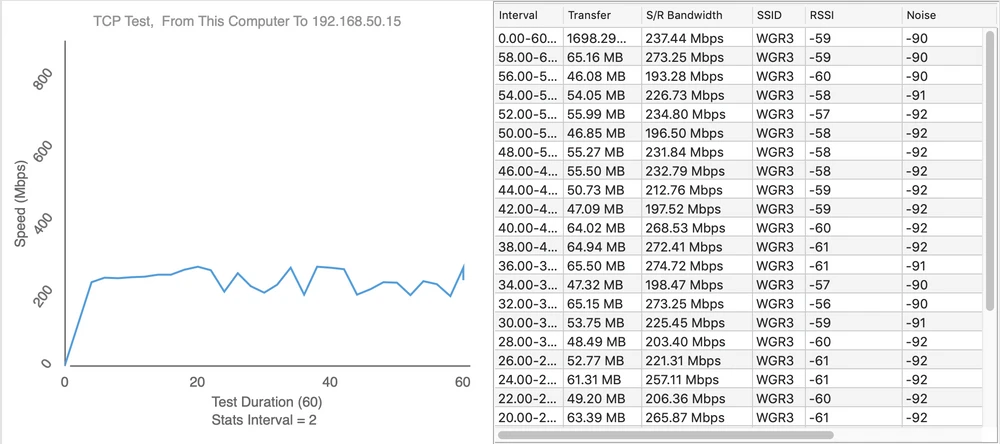
- measuring point No. 4
Upload 116Mbps
- measuring point No. 5
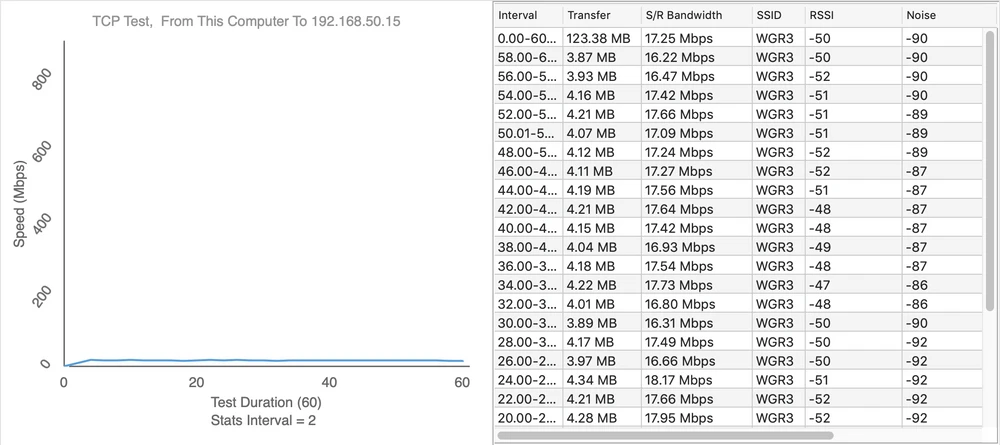
Upload 14Mbps
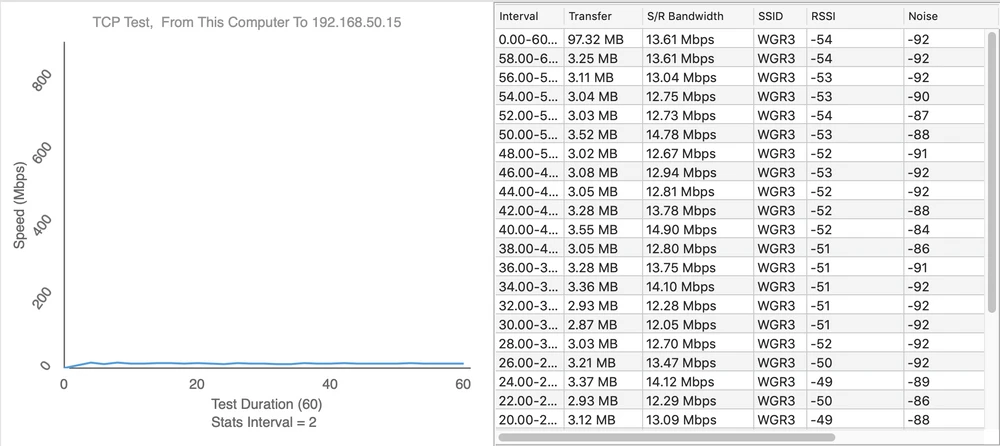
- measuring point No. 6
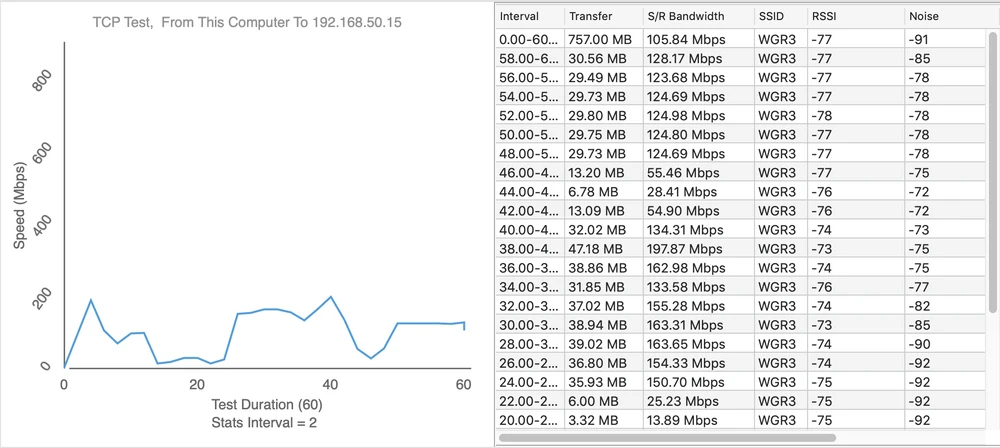
Upload 57Mbps
Summary
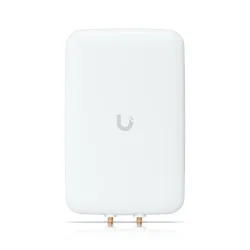
In summary. It is quite difficult to present the pros and cons of a mesh network based on Ubiquiti UAP-AC-M access points, but ... The antennas included in the kit will not stand the test of time when used in locations exposed to weather conditions. But you can use a dedicated dual-band Ubiquiti UMA-D antenna, which will probably survive outdoor work without any problems. You could also point out its unattractive look, but is that the most important ? After all, there are many devices on the market that do not impress with their appearance, but are very efficient.The need to use UniFi OS Console should be an advantage. After all, with the UniFi OS Console, we can manage the entire structure of our network and all Unifi devices. Additionally, all hardware controllers (UC-CK, UCK-G2, UCK-G2-Plus) can be connected to the UniFi Cloud and always have remote access to every network we manage.The lack of noise generation, outside the actual broadcasting channel is a huge advantage, it allows to create high density wireless networks (e.g. Mesh). It is also worth mentioning the possibility of creating up to 8 BSSIDs on each device and VLAN support, which helps to isolate traffic in our wireless network.
You are all welcome to visit our FORUM , where you can exchange your thoughts on our test and the device itself.UniFi AC Mesh as the first of the devices tested, came out very well. Ubiquiti Inc. showed that UniFi UAP-AC-M is properly qualified for the WiFi4EU project and will be ideal for any wireless network at home, office or industry. We will see how other companies' devices will work in the next parts of our tests...