


great ap test part2 UAP-AC-FlexHD
Introduction
In our previous test we have seen how Ubiquiti UniFi AC MESH performs. We checked the performance, throughput and functionality of the access point. Continuing with that, we considered to test another device from Ubiquiti Inc. This time it is the Ubiquiti UniFi FlexHD Access Point that is sent to our test-lab. In order to make a precise comparison of all tested devices, the test procedure and device configuration is analogous to the one we used in part 1 of our test series. The technical part of the tests and their analysis is of course done by Wojtek Repiński.
Ubiquiti UniFi FlexHD
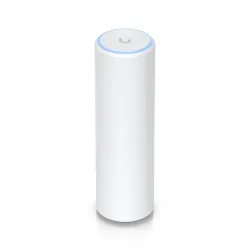
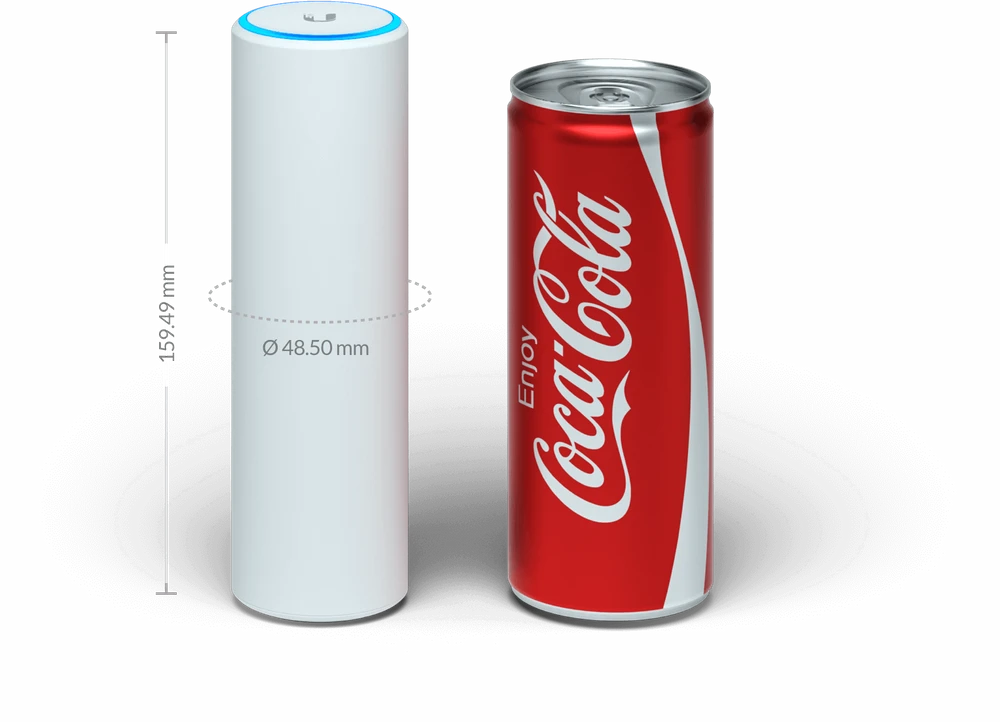
One of the smaller devices available on the wireless market, and with admirable capabilities. Ubiquiti Unifi AC FlexHD clearly resembles a Coca-Cola can in size and appearance. Besides, Ubiquiti Inc. itself promotes a new device from the UniFi series in such a way.
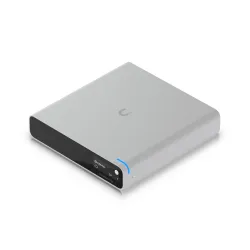
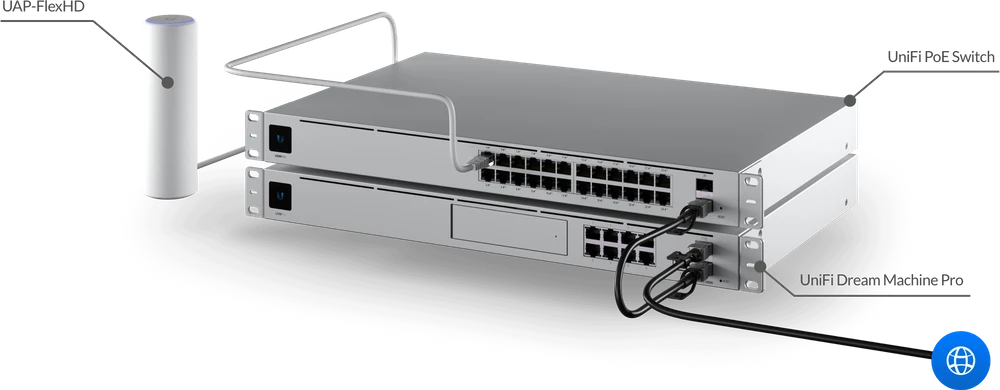
It is worth to remember that Unifi FlexHD is managed through the UniFi OS Console, UC-CK and UCK-G2, UCK-G2-Plus and Unifi Dream Machine Pro. However, by connecting the whole system with Ubiquiti Unifi Switch, we have a complete network at our disposal, over which we always have fine control.
UniFi FlexHD - specification
A small, elegant, yet extremely powerful Access Point! This is how you can briefly present UniFi FlexHD. This access point from Ubiquiti Inc. supports the 802.11ac wave2 4x4 MU-MIMO protocol and is weather resistant. All of this makes the UAP-FlexHD ideal for installation in small businesses, corporations and of course in homes.
MU-MIMO what?
The MU-MIMO (Multi-User MIMO) technology was developed on the basis of an earlier (SU-MIMO) solution, which has been in operation for many years, based on the 802.11n standard. Multi-User MIMO (Multiple In Multiple Out) allows several devices to transmit multiple data streams simultaneously. Of course, there are some important facts that you should know in order to understand how MU-MIMO works.

- First of all, MU-MIMO only works in the 5GHZ band! The 2.4GHz lower frequency does not support this technology.
- MU-MIMO only supports downlink stream, i.e. it only works in the client direction.
- Multi-User MIMO is most useful in wireless networks, where client devices download more data than they send. The 802.11ax standard also provides an uplink.
- The client devices do not have multiple antennas, but can receive a MIMO stream. Although they have one antenna, they can receive one MU-MIMO stream coming from the access point.
- The majority of MU-MIMO tasks are performed by the access point. In addition to generating several data streams, the function of directing the beam towards a specific receiver is also important. This function is called beamforming.
UAP FlexHD mounting methods
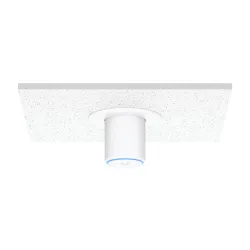
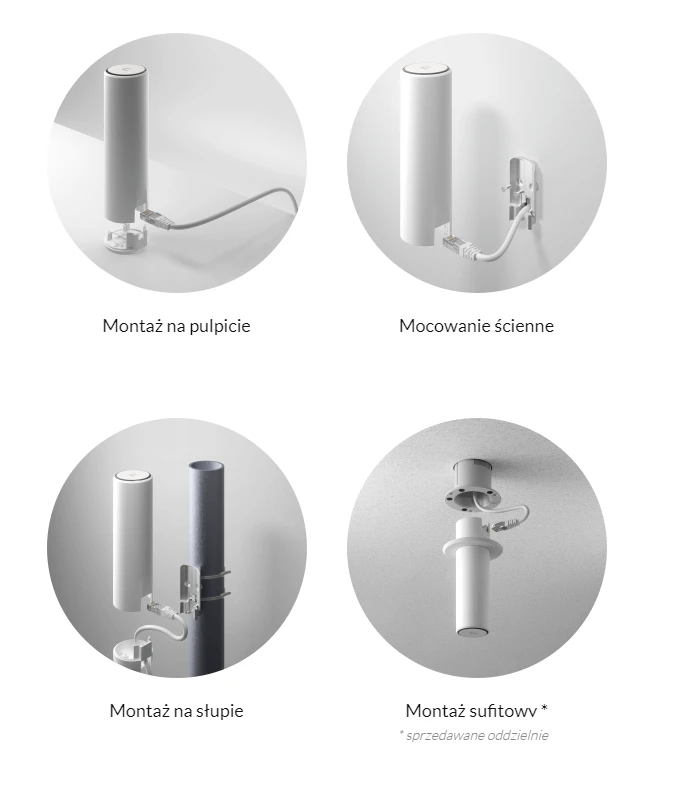
Access Point from Ubiquiti Inc. is a very elegant and compact device. This allows UniFi AP Flex HD to be mounted in any way you want. Particularly noteworthy is the option of mounting it on a suspended ceiling. Thanks to the additional UniFi FlexHD-CM adapter our Access Point can be mounted in a very aesthetic way.
Performance characteristics of the UniFi FlexHD transmitter
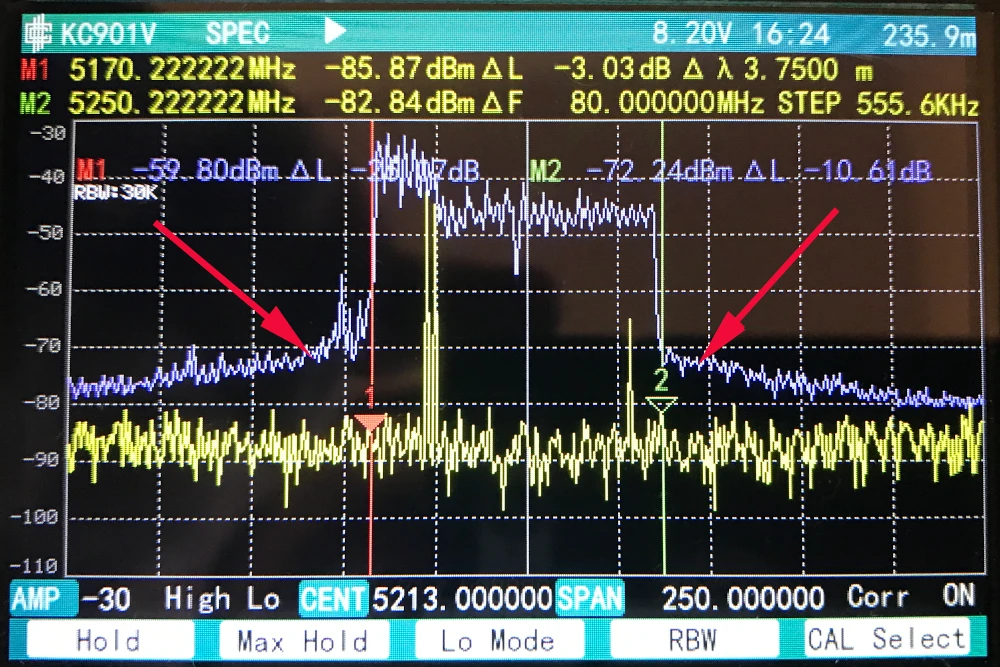
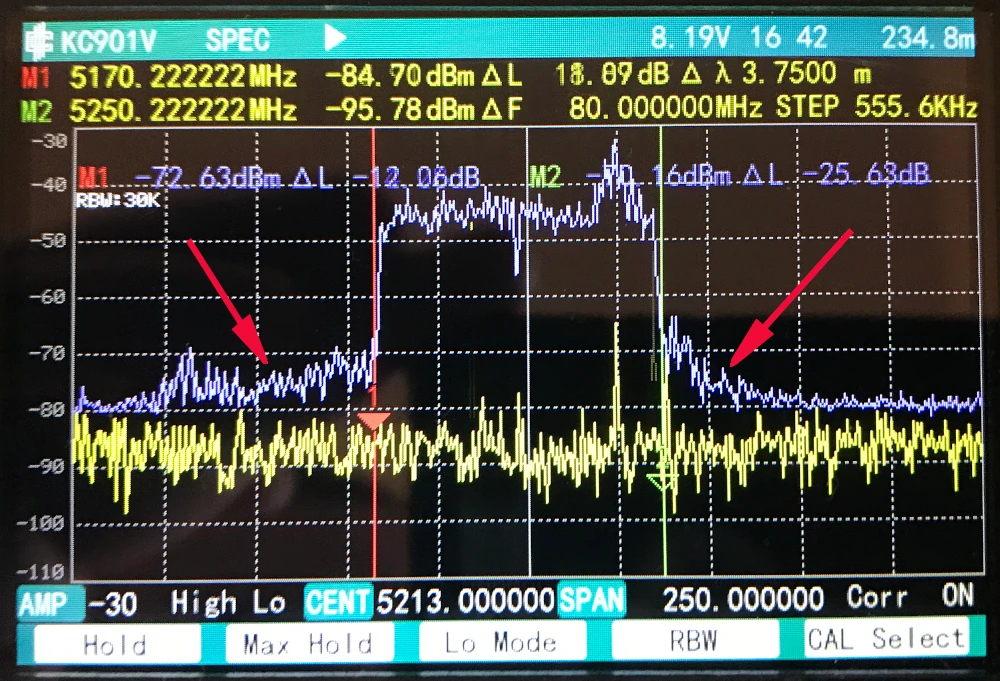
The measurements of the transmitter's performance characteristics carried out with the help of a spectrum analyzer undoubtedly surprised us. Well, during operation on the 80MHz channel width in the 5GHz band UniFi FlexHD generated noise outside the transmitting channel. Therefore, there is a risk that when building a dense network of transmitters, devices may interfere with each other.
Test environment
The purpose of our tests is to check the performance of the wireless mesh network created by the two UniFi UAP FlexHD Access Points. We check the network for both signal coverage and the real speeds obtained in the building. For 2.4GHz connections we have assumed maximum channel width at 40MHz, and for 5GHz channel width 80MHz. Although some devices in the 5GHz band can operate at 160MHz, due to the still limited number of terminal devices (phones/laptops) supporting such a channel width, we have omitted these tests.
Network diagram
The testing device was a MacBook Pro A1502, equipped with an AirPort Extreme WiFi card (Broadcom BCM4360 3x3, 1.3 Gbps PHY). The built-in wireless card supports 802.11a/b/g/n/ac standards.
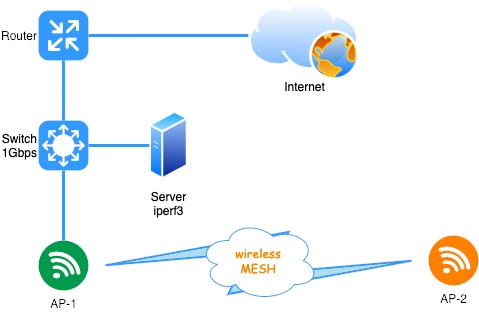
Before testing the wireless network, we verified the maximum performance of the LAN and iperf3 server. The aforementioned laptop was connected with a 10/100/1000Mbps network card to the switch. For one TCP stream we obtained the following speeds:
Access The UniFi AC Mesh Points (AP-1 and AP-2) have been connected to each other in Mesh mode only, i.e. only wirelessly.- downloading 894Mbps
- downloading 958Mbps
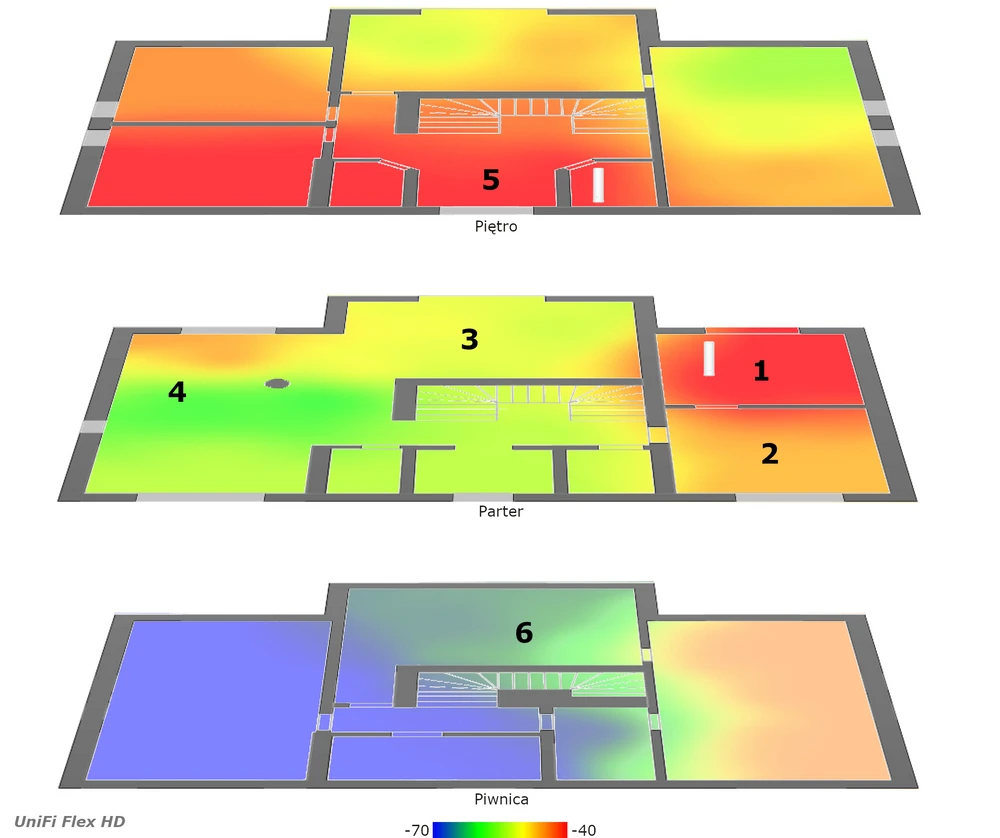
AirSurvey signal map
We used AirSurvey software, which we already used in part one to make a reliable signal map. To correctly read the levels of individual signals you should read the color legend at the bottom of the picture.
- Location of individual Access Points has been marked with appropriate icons.
- The device on the "ground floor" has been connected to the switch via Ethernet port 1Gbps.
Ubiquiti UniFi AC FlexHD performance tests
To make the performance tests of network built with UniFi FlexHD as reliable as possible, we performed an analogous series of speed measurements, just as we did in part 1 of our test cycle. Speed tests were performed using WiFiPerf software, while the speed test server was running iperf3 software. A series of tests were carried out using the TCP protocol and the duration cycle 60s. Below are the results of UniFi FlexHD speed test with respect to individual measurement points
- measuring point No. 1
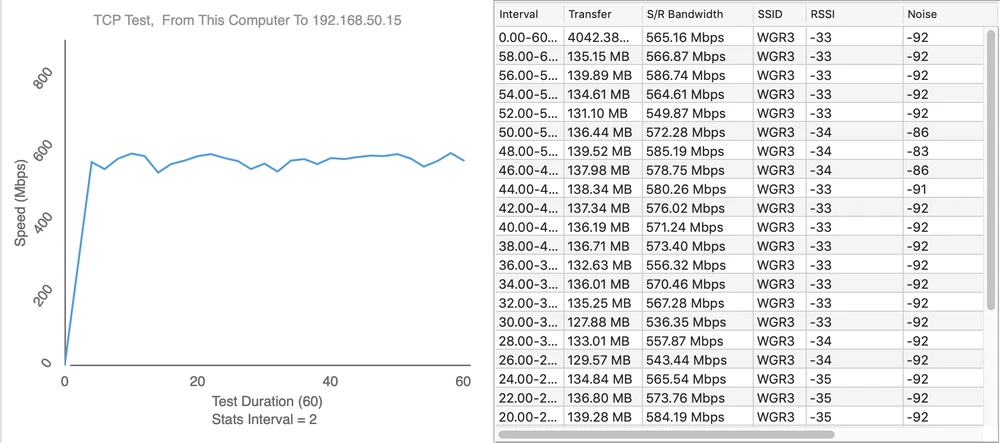
Upload 649Mbps
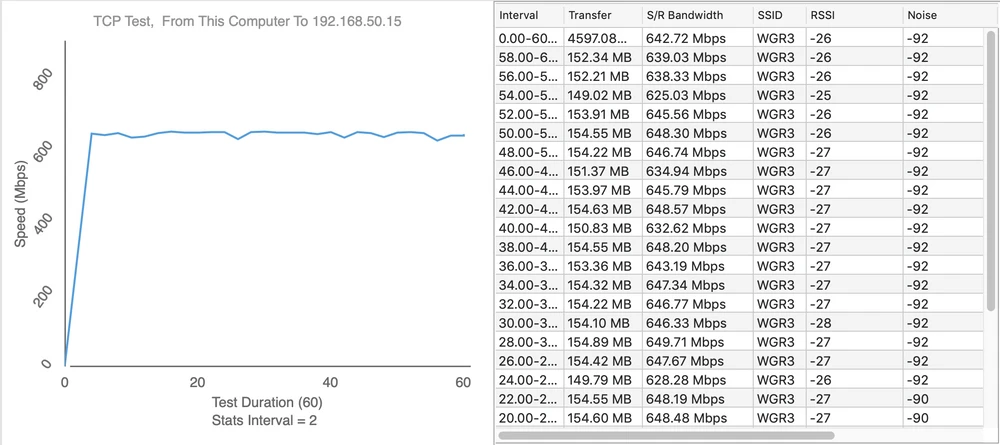
- measuring point No. 2
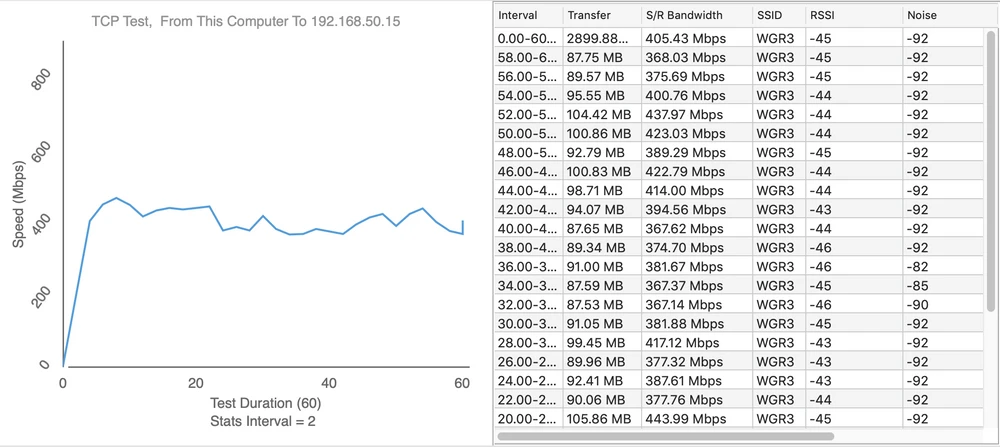
Upload 386Mbps
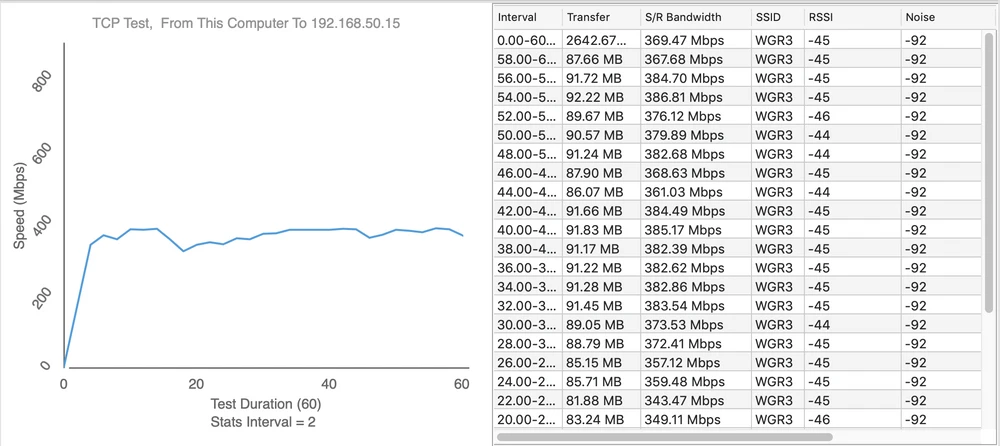
- measuring point No. 3
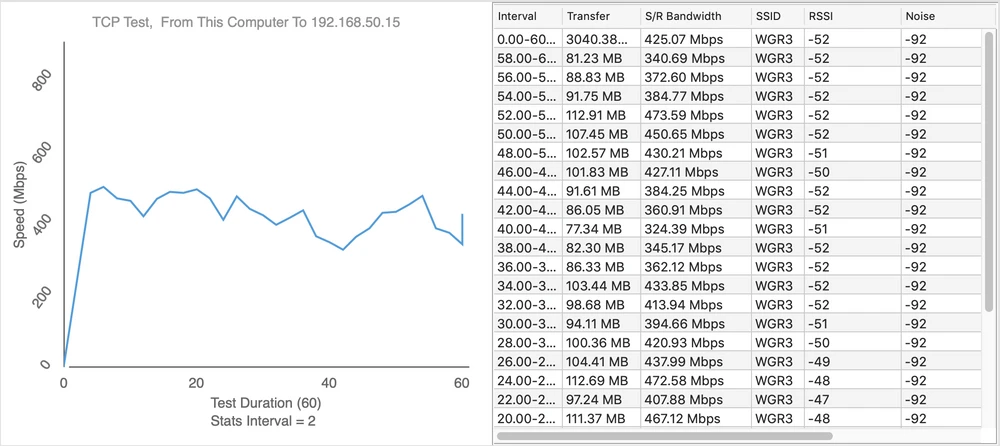
Upload 201Mbps
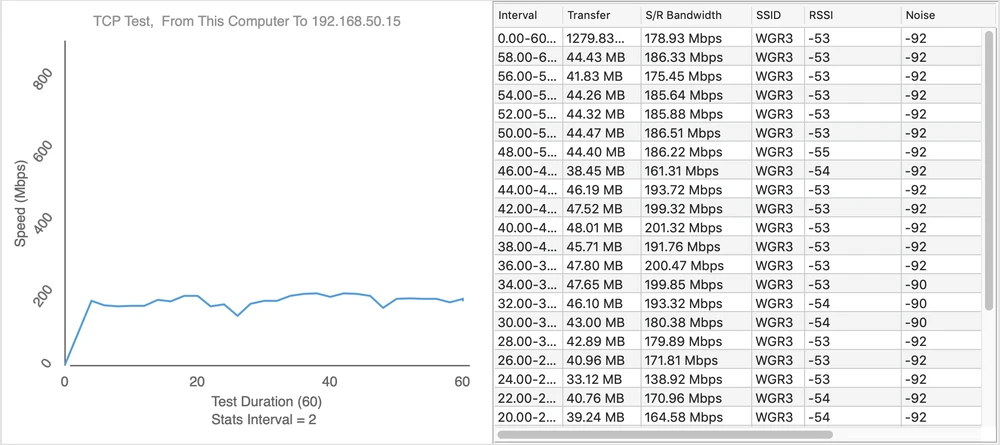
- measuring point No. 4
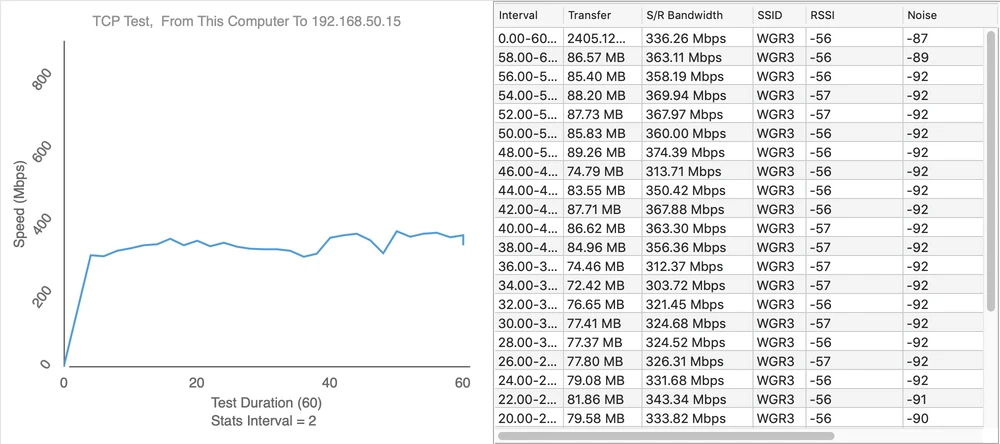
Upload 81Mbps
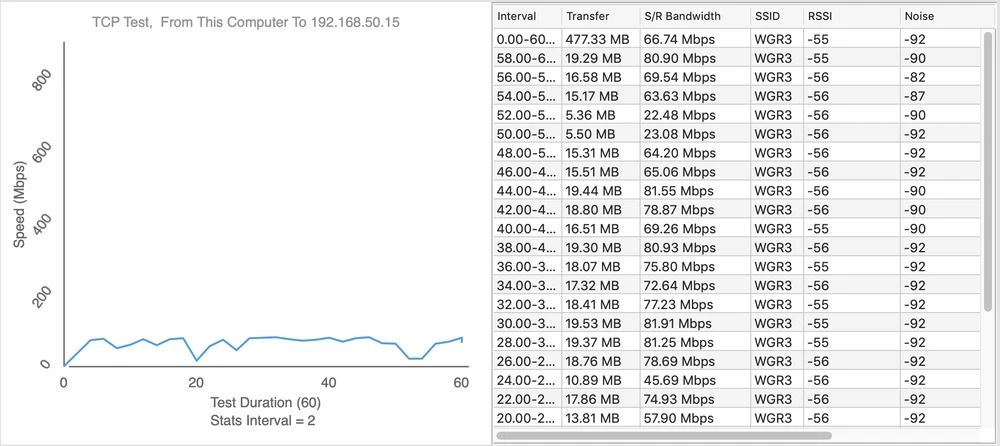
- measuring point No. 5
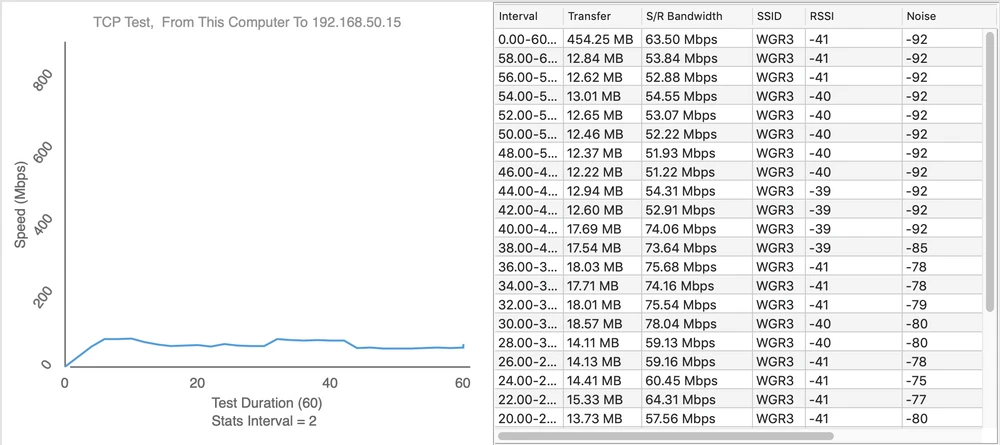
Upload 35Mbps
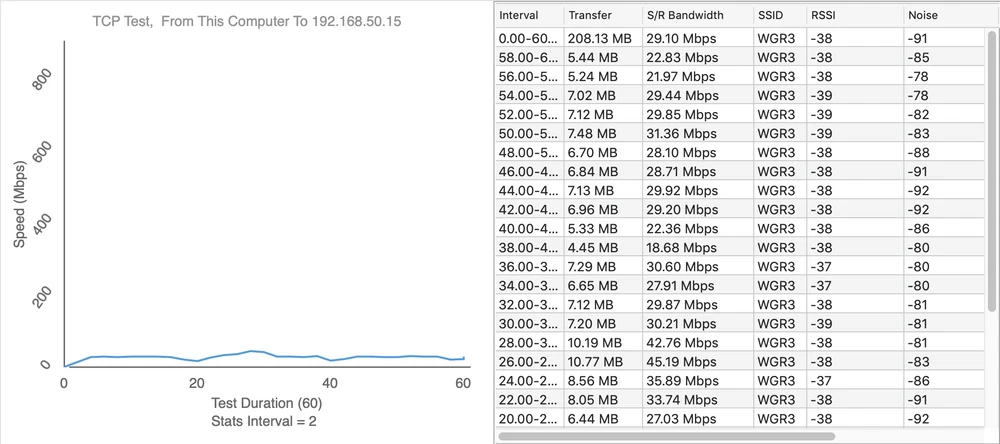
- measuring point No. 6
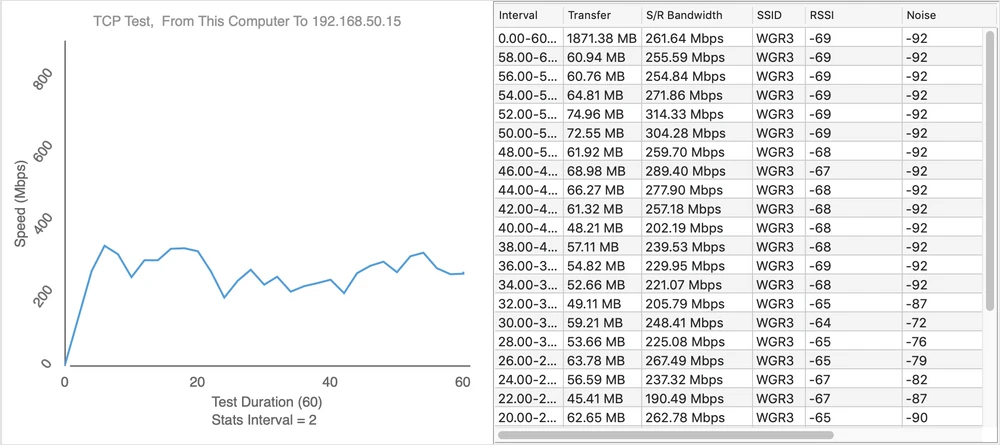
Upload 121Mbps
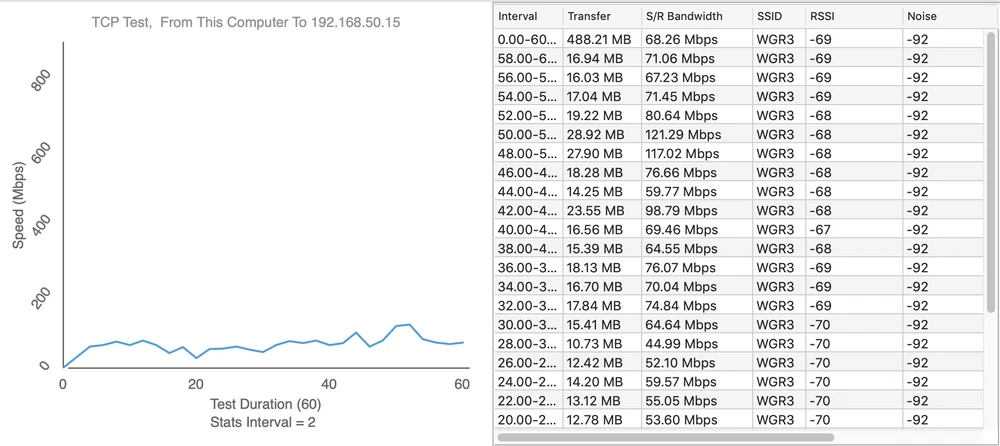
Summary
Ubiquiti UniFi FlexHD certainly deserves recognition. This extremely aesthetic, elegant, and yet very efficient access point from Ubiquiti Inc. will surely be great in any location. The achieved bandwidth in the mesh topology (Download 600Mbps, Upload 600Mbps) proves very high performance of this small access point. The only thing that could negatively affect the rating of UniFi FlexHD is the fact that the access point, compared to Ubiquiti AC Mesh generates a slight noise, outside the broadcast channel.Although this is practically imperceptible for wireless users, it is of course worth mentioning. In conclusion... we already know the results of access point tests from Ubiquiti Inc. so in the next parts of our test they checked how efficient the access points of other companies are...
If you want to add something from yourself to the UAP-FLEXHD test, you are welcome to our FORUM.