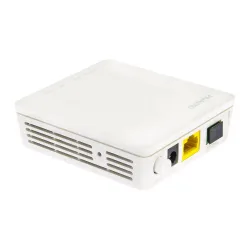
Sfp modules Extralink SFP 1.25G | SFP to RJ45 Module | 1,25Gbps, 100/1000BASE-T, 100m
92.53 zł gross gross / meter gross / piece
How to configure the OLT Huawei 5608T with ONT Huawei
We present a short video tutorial showing quick OLT configuration Huawei MA5608T and connecting ONT Huawei HG8010 and HG8546M.
The working environment:
OLT Huawei MA5608T
ONU HG8546M GPON (1POTS+3FE+1GE+1USB+1WIFI) B+
Used commands:
>>User name:root
>>User password:
MA5608T>enable
MA5608T#config
MA5608T(config)#
MA5608T(config)#display board 0
--------------------------------------------------------------------------------------
SlotID BoardName Status SubType0 SubType1 Online/Offline
--------------------------------------------------------------------------------------
0
1 H807GPBD Auto_find
2 H801MCUD Active_normal CPCA
3
4 H801MPWD Normal
5
---------------------------------------------------------------------------------------
MA5608T(config)#board confirm 0
0 frame 4 slot board has been confirmed
MA5608T(config)#board confirm 0/1
0 frame 1 slot board has been confirmed
MA5608T(config)#board confirm 0/2
0 frame 2 slot board has been confirmed
###################################################
## Adres IP dla OLT
###################################################
MA5608T(config)#interface vlanif 1
MA5608T(config-if-vlanif1)#ip address 192.168.0.207 255.255.255.0
MA5608T(config-if-vlanif1)#quit
MA5608T(config)#ip route-static 0.0.0.0 0 192.168.0.1
###################################################
## Profil DBA
###################################################
MA5608T(config)#dba-profile add profile-id 10 type4 max 1024000
###################################################
## Lineprofil
###################################################
MA5608T(config)#ont-lineprofile gpon profile-id 10
MA5608T(config-gpon-lineprofile-10)#tcont 4 dba-profile-id 10
MA5608T(config-gpon-lineprofile-10)#gem add 1 eth tcont 4
MA5608T(config-gpon-lineprofile-10)#mapping-mode vlan
MA5608T(config-gpon-lineprofile-10)#gem mapping 1 0 vlan 1
MA5608T(config-gpon-lineprofile-10)#commit
MA5608T(config-gpon-lineprofile-10)#quit
###################################################
## Srvprofil
###################################################
MA5608T(config)#ont-srvprofile gpon profile-id 10
MA5608T(config-gpon-srvprofile-10)#ont-port eth 1
MA5608T(config-gpon-srvprofile-10)#port vlan eth 1 1
MA5608T(config-gpon-srvprofile-10)#commit
MA5608T(config-gpon-srvprofile-10)#quit
###################################################
## ONU Autofind
###################################################
MA5680T(config)#interface gpon 0/1
MA5680T(config-if-gpon-0/1)#port 0 ont-auto-find enable
MA5680T(config-if-gpon-0/1)#display ont autofind 0
--------------------------------------------------------------------
--------------------------------------------------------------------
MA5608T(config-if-gpon-0/1)#ont confirm 0 ontid 0 sn-auth 4857544311E70E9A omci ont-lineprofile-id 10 ont-srvprofile-id 10 desc huawei_1
Number of ONTs that can be added: 1, success: 1
PortID :0, ONTID :0
MA5608T(config-if-gpon-0/1)#ont confirm 0 ontid 1 sn-auth 48575443DE135E2D omci ont-lineprofile-id 10 ont-srvprofile-id 10 desc huawei_2
Number of ONTs that can be added: 1, success: 1
PortID :0, ONTID :1
###################################################
## ONU Service-port
###################################################
MA5608T(config)#service-port 1 vlan 1 gpon 0/1/0 ont 0 gemport 1 multi-service user-vlan 1
MA5608T(config)#service-port 2 vlan 1 gpon 0/1/0 ont 1 gemport 1 multi-service user-vlan 1
And in such a simple and fast way we can enjoy using the Internet on our ONTs connected under OLT Huawei MA5608T :)
In the next tutorial we will show more advanced configuration based on vlans and division into different services (IPtv, VoIP etc.).
Author
Leszek Błaszczyk
leszek@anteny24.pl