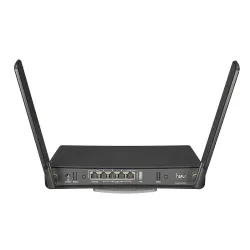



MikroTik hAP AC3 Wifi - performance test


New enclosure - Even more possibilities
Is your old home Wifi router struggling to reach every corner of the house? Forget it! Here comes MikroTik hAP ac3 as a successor to the successful MikroTik hAP ac2 - The manufacturer has included external wireless antennas with high gain and exceptional range. From now on, only strong and stable wireless connection in every room!
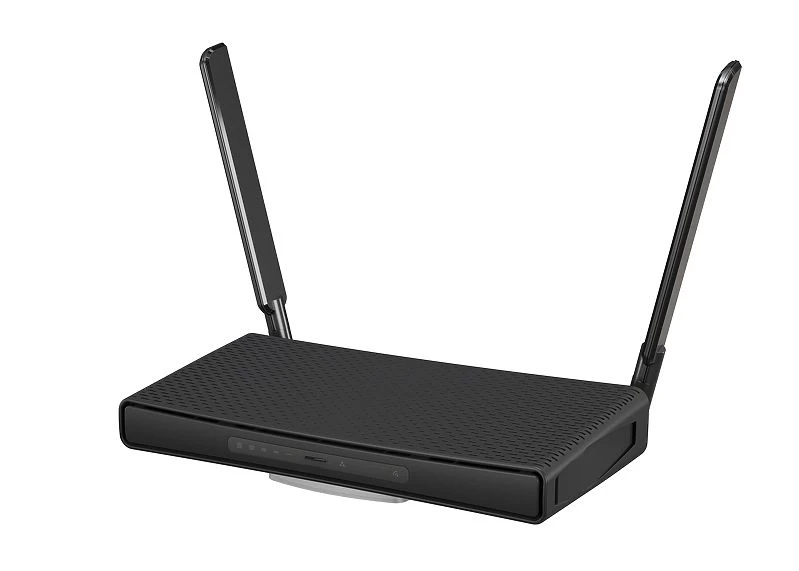
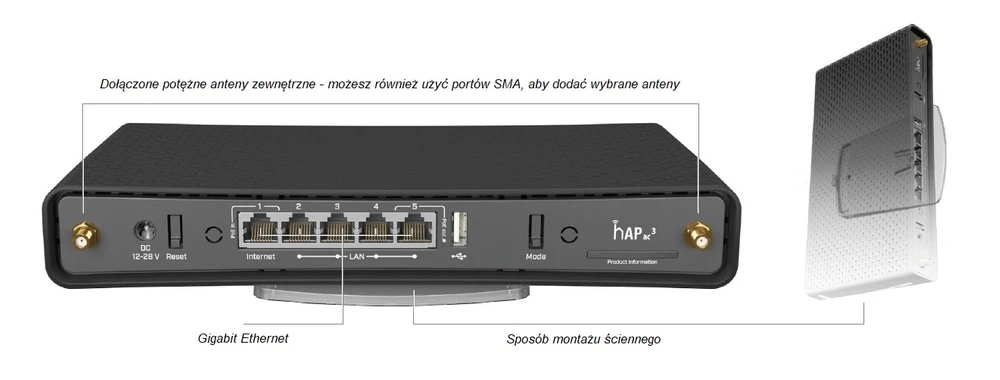
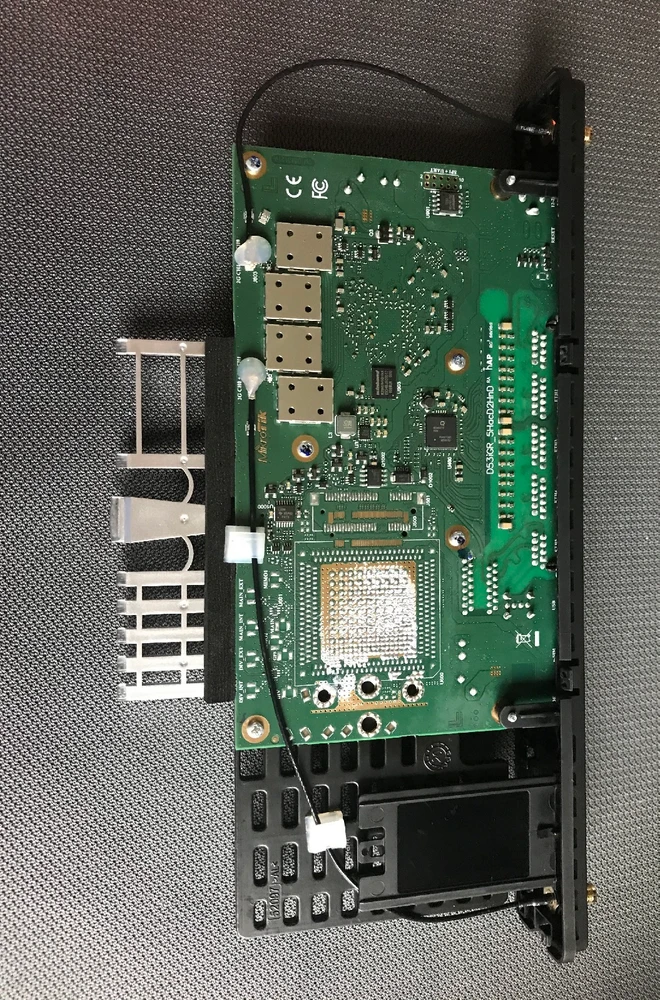
The hAP AC3 with its 5 Gigabit Ethernet ports, 256 MB RAM and four-core ARM 32 bir IPQ-4019 processor clocked at 716MHz, can satisfy even the largest and most demanding households. With PoE support, it can power or be powered by other devices. There's 128MB NAND and a full-size USB port that you can use to add additional memory. The new housing allows the unit to be mounted vertically or horizontally as before. A wall mount kit is included..
According to the manufacturer with the basic configuration of the firewall has a performance for packets 1518 bytes 1.9Gbps, Of course, for smaller packets 64 bytes performance is less and oscillates at 112-912Mbps.
According to the manufacturer with the basic configuration of the firewall has a performance for packets 1518 bytes 1.9Gbps, Of course, for smaller packets 64 bytes performance is less and oscillates at 112-912Mbps.
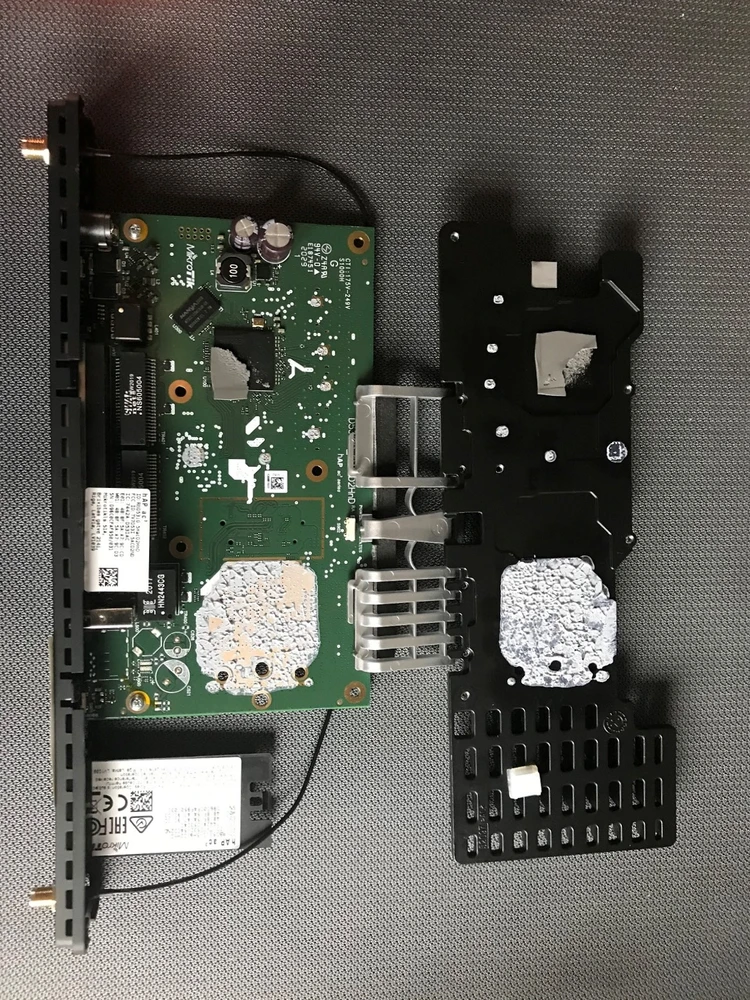
Device performance
The processor can be overclocked to 896MHz, which is up 25% from factory value, this is not recommended, but in some situations it may be necessary. When overclocking, make sure that the whole device has the best possible heat exchange! According to the manufacturer, with basic firewall configuration it has a performance of 1.9Gbps for packets of 1518 bytes. Of course for smaller packets of 64 bytes performance is lower and oscillates around 112-912Mbps.
IPSEC performance osculates around 400Mbps for 1400byte packets, please refer to the manufacturer's documentation for details.
The device can work in wireless mode in the following configurations:
IPSEC performance osculates around 400Mbps for 1400byte packets, please refer to the manufacturer's documentation for details.
The device can work in wireless mode in the following configurations:
- A standalone WiFi transmitter or WiFi network client
- As a repeater
- As a WiFi station and transmitter in MESH mode with dynamic WDS
- As station and transmitter in full mesh mode
- As a WiFi transceiver under the management of CAPSMan.
Configuration of MikroTik hAP ac3

MikroTik mobile application.
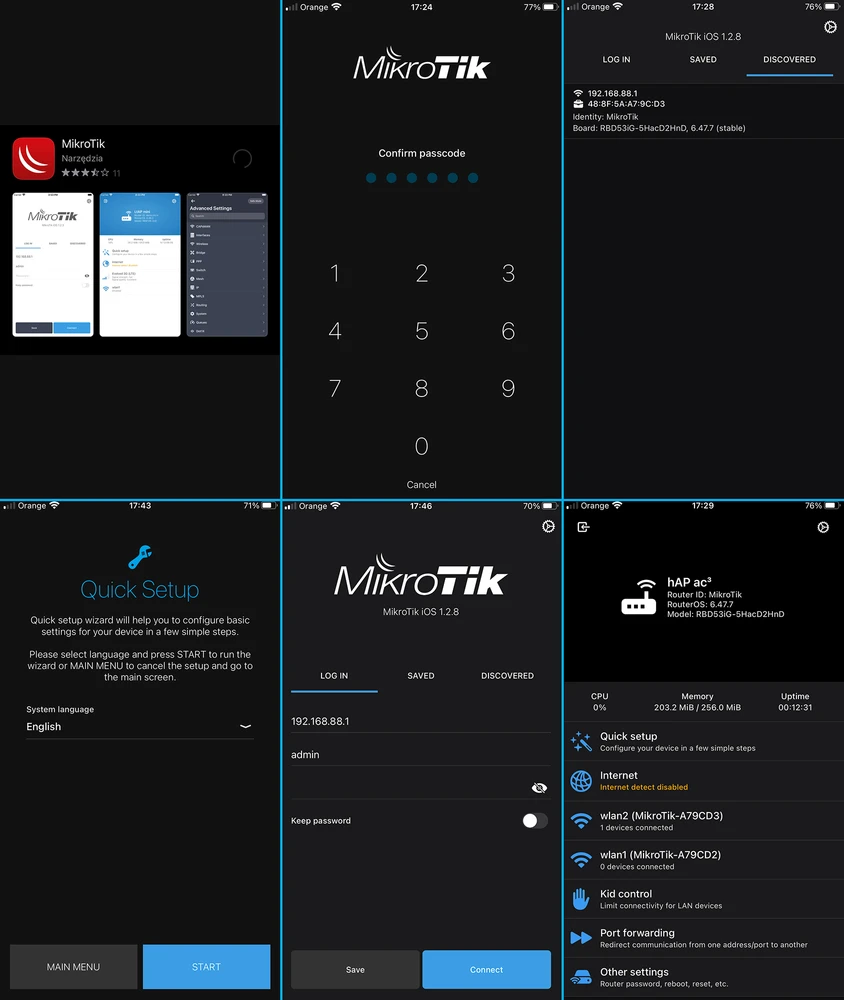
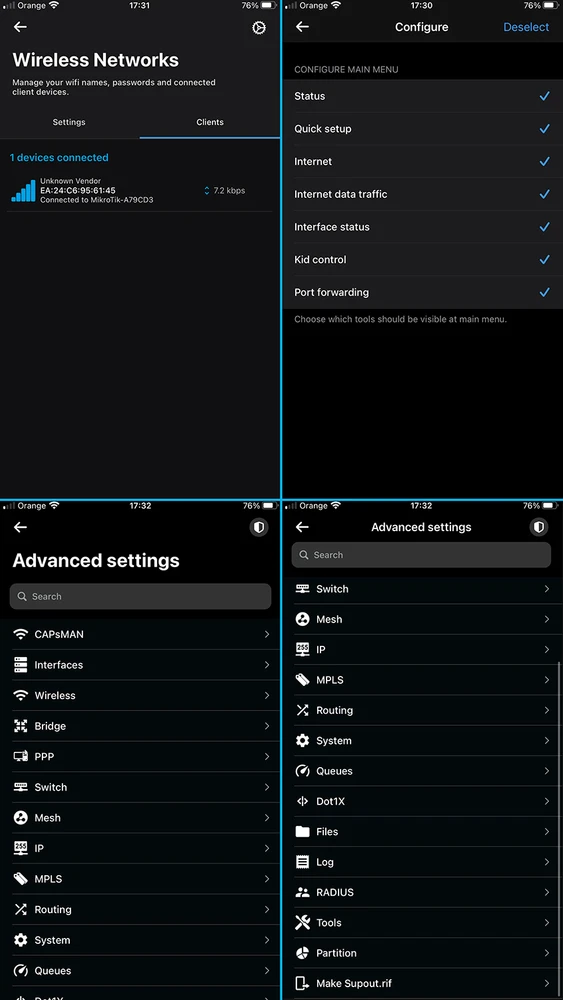
Since recently, MikroTik provides a mobile application that supports configuration of the device, it is undoubtedly a strong asset for novice users. The prepared installer allows you to configure most of the popular settings. On the screens below I will show you the appearance of the application.
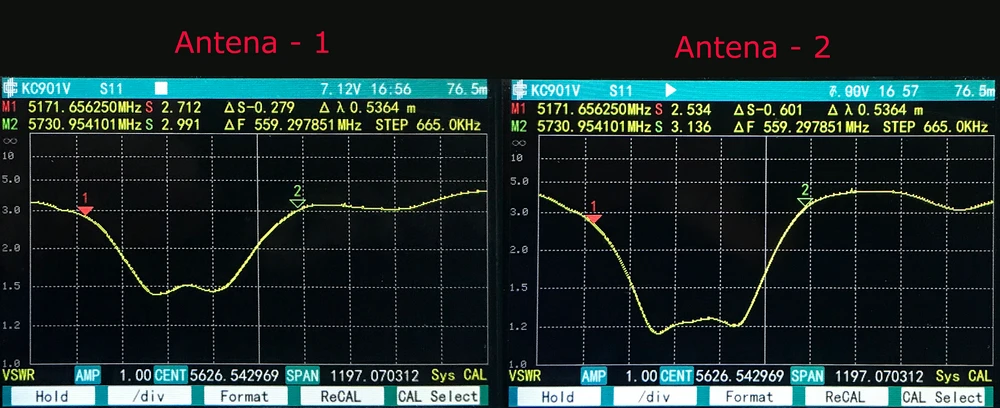
Measurement with radio analyser
Comparing MikroTik's hAP ac2 and hAP ac3 models, I get the impression that changing the name to ac3 does not bring much. How do we understand "ac squared", "ac cubed"? Looking at the number of radio lanes in hAP ac2 (it has two) one could expect that the name hAP ac3 will already provide us with three radio lanes and instead of maximum speed (PHY) 867Mbps it will provide us with 1300Mbps. Unfortunately, hAP ac3 provides us with only two radio lanes, and only in the flagship model external antennas, which frankly did not satisfy me. MikroTik hAP ac2 wireless router differs from hAP ac3 series with slightly different processor (IPQ-4018 vs IPQ-4019) - parameters are the same, but the newer model has more RAM and storage, and WiFi version has one PoE IN and OUT port each. Other than that, throughput is the same. Judge for yourself. As for me the price would speak for the choice since they are not much different.
Signal map
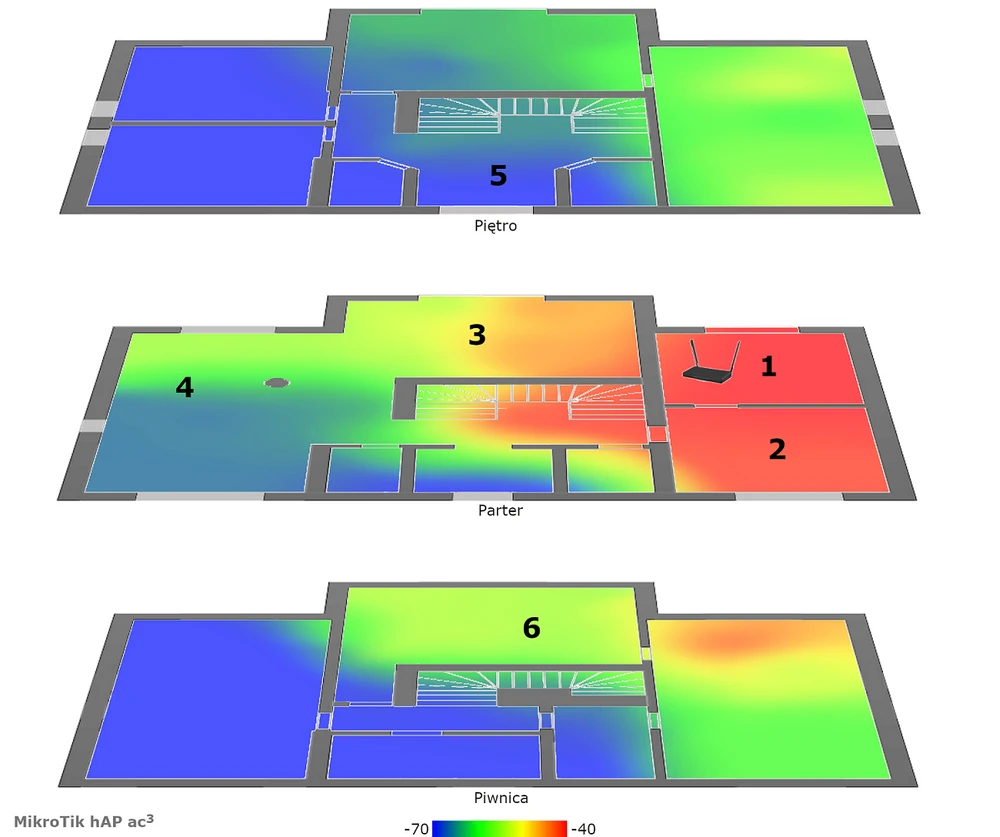
To make a signal map we used the AirSurvey software. To read the signal levels, please pay attention to the color legend at the bottom of the picture. The location of accesspoints is marked with an appropriate icon.
Accesspoints marked on the map.
Speed tests
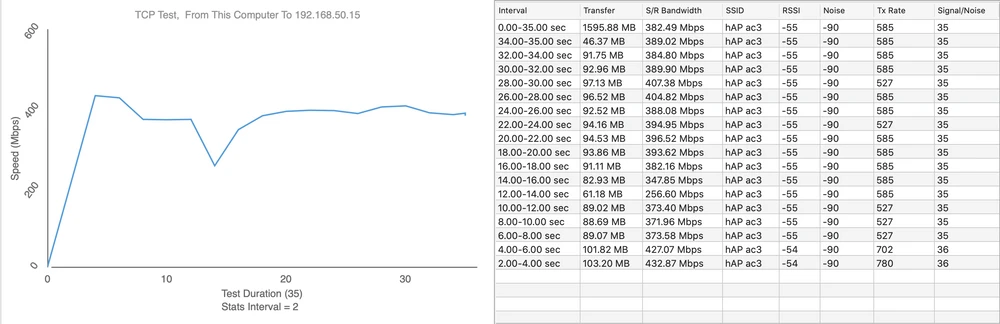
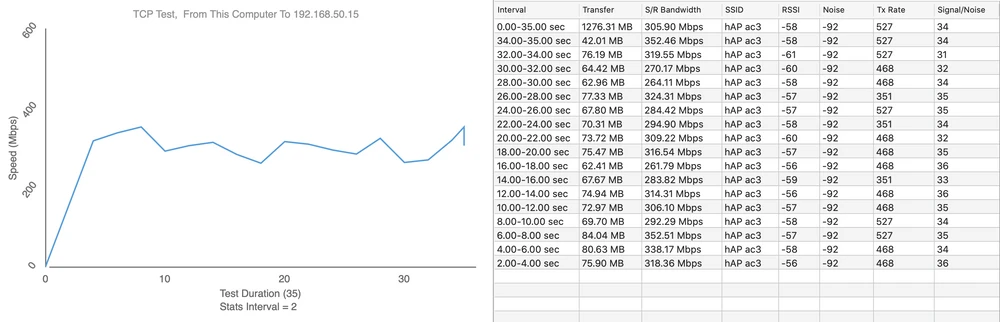
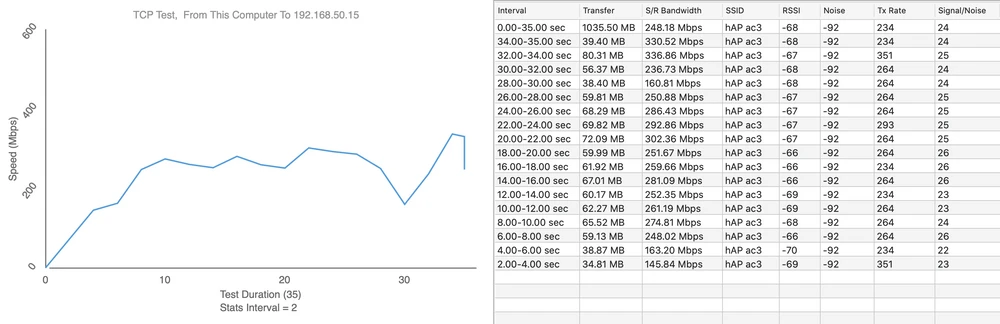
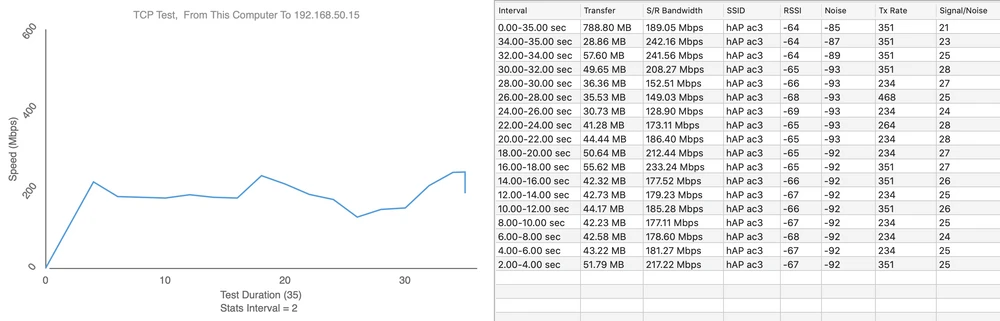
We performed the speed tests using WiFiPerf software, and the speed test server was iperf3. Below I present the data from 6 measurement points.
- Measurement Point No. 1
Download 433Mbps
.
Upload 355Mbps
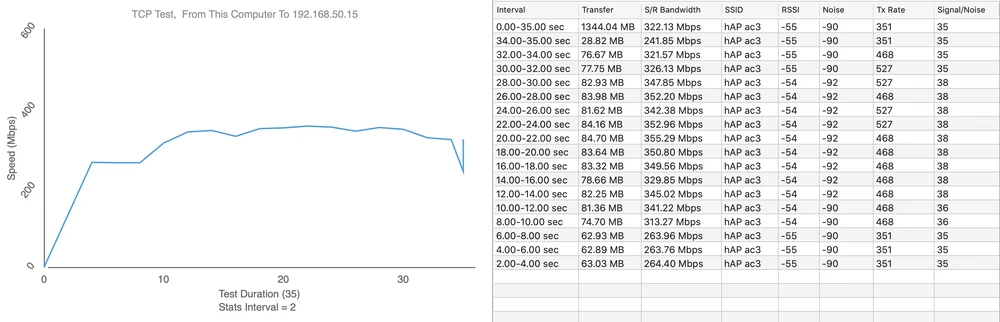
- Measurement Point No. 2
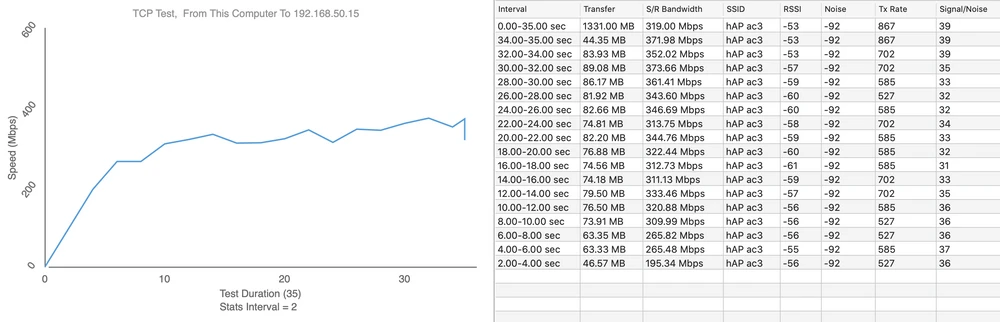
Upload 353Mbps
- Measurement Point No. 3
Upload 242Mbps
- Measurement Point No. 4
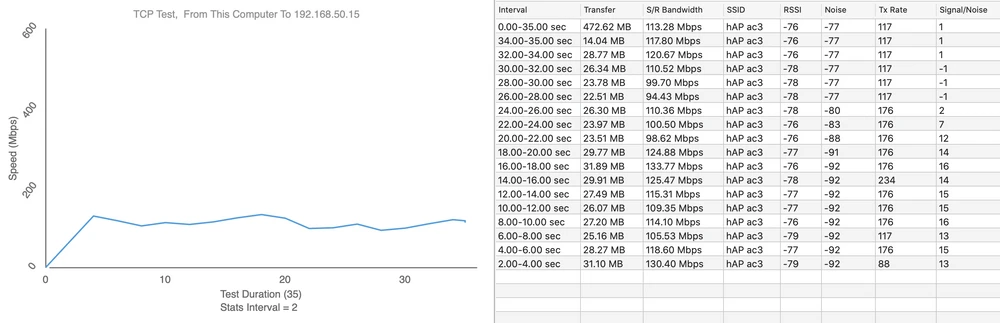
Upload 99Mbps
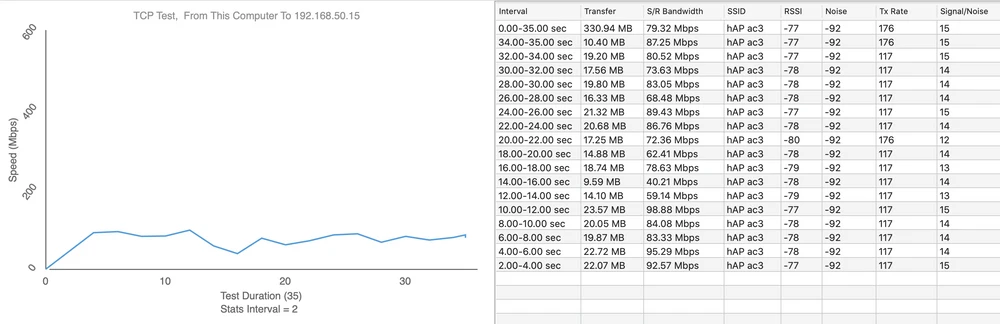
- Measurement Point No. 5
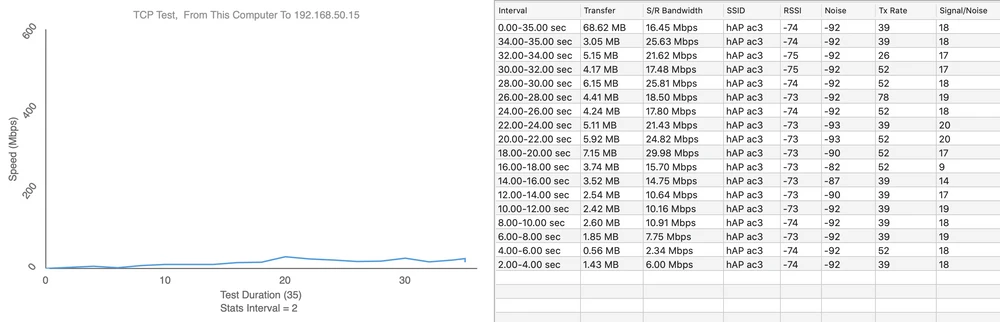
Upload 6.5Mbps
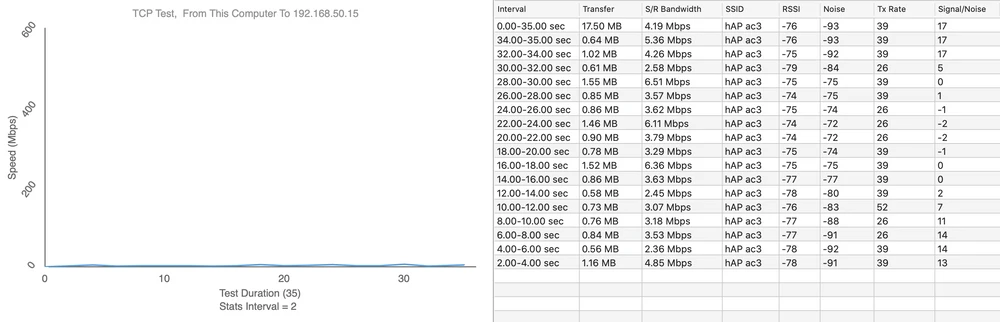
- Measurement Point No. 6
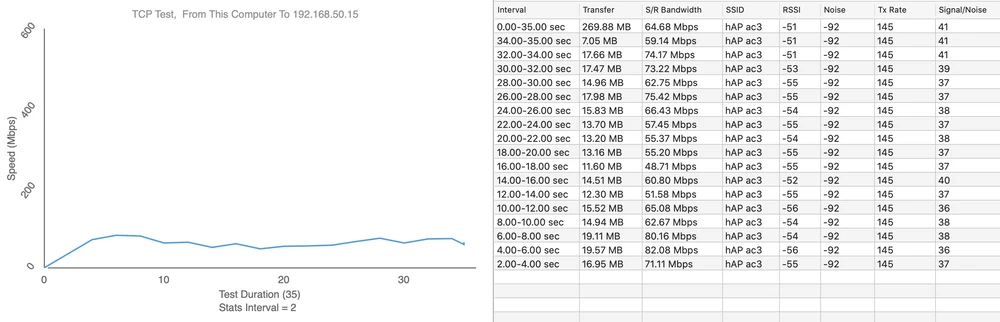
Upload 77Mbps
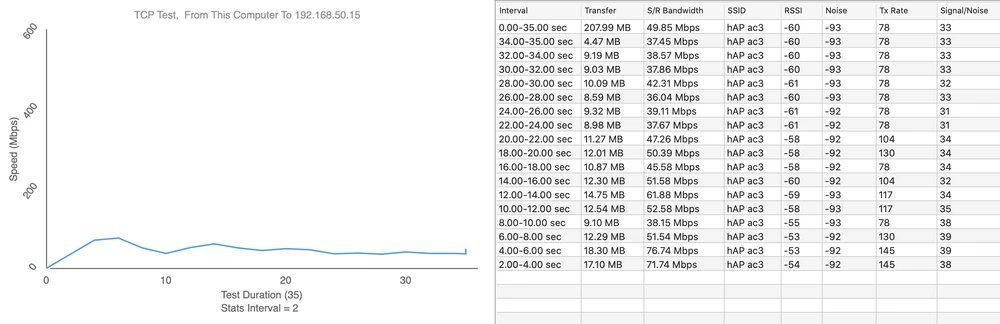
SUMMARY
MikroTik hAP ac3 despite some minor flaws is equally successful and a worthy successor to the MikroTik hAP ac2 model. This is a very efficient unit with a newer processor, and more RAM. Proof can be the very fact that the device works great with increased CPU clocking by 25% compared to the factory value. During the tests we did not observe any problems with overheating or hanging at maximum processor frequencies, however, raising this value must be done carefully, because it may lead to suspension of the device or other irregularities in work. Each user should do it at their own risk. Additional antennas are another plus of this device. The manufacturer has again added wall mount components which many may find useful. In our opinion, it can satisfy even the largest and most demanding households. Below I will present the advantages and disadvantages:
- Benefits:
- Ability to overclock the CPU from 716MHz all the way up to 896MHz
- Mobile application for settings including installer
- PoE out port, enables connection of additional AP
- Wall mounting accessories included
- More RAM and storage than previous model
- Disadvantages:
- It is hard to screw the antennas on so that they do not unscrew at the connector when aligning
- Long "detecting radar" time on default settings
- No lock to rotate the antenna beyond 360 degrees, which can lead to cable twisting and damage to the transmitter
- No support for 160MHz channel width
- Complicated installation process for the average user