


Mimosa B5 series devices configuration
Configuration of Mimosa devices from line B5
1. The device must be connected to an Ethernet network. The address will then be downloaded from DHCP. If no address is assigned, an IP fallback will be performed and the device address will be set to 192.168.1.20.
2. The device is factory locked. To unlock it you need to create an account on the mimosa page (home page) and then confirm the registration by clicking on the link received at the given e-mail address.
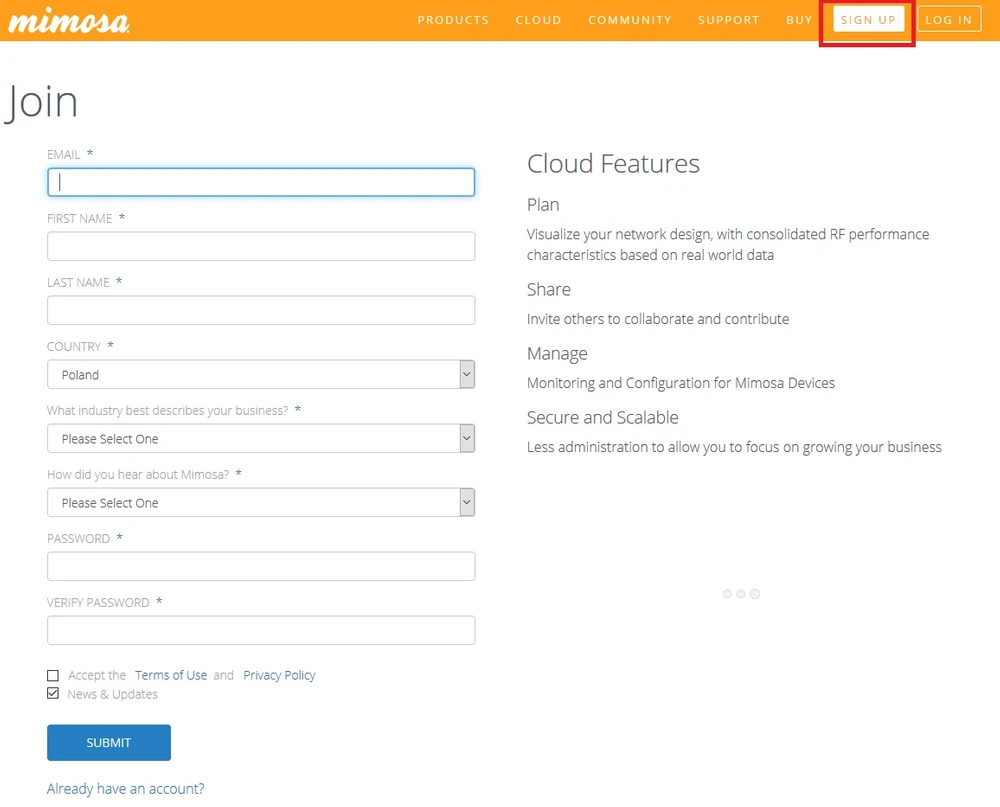
3. After logging in to your account, go to Unlock settings, where you enter the Serial Number of the device. Unlocking the device begins the 12 months warranty period.
4. In the account settings we select the location, country where the device is to be used. By selecting the location we define on which frequencies the device will work. For example:
- by selecting Poland (Poland) - the frequencies and powers are available by law.
- by choosing Poland Licensed (Licensed Poland) - you get the full range of the device and power:
B5 - frequency 5150-5875
B5 Lite and B5c - frequency 4900-5990 (upper limit increased to 6200 in software version 1.3.1)
5. After entering the data in the Unlock menu we get an unlock key (unlock key), which we paste directly in the control panel of the device (logging in through a web browser to the address of the device). Location data is hidden in the unlock key. You can later freely change the location and generate a new unlock key for your device at Mimosa webpage.
6. After logging in to the device the following view is shown
The device has the ability to work in manual and automatic mode. In automatic mode, the device is able to adjust the transmitting power, sensitivity, bandwidth, and additionally, it is able to select the operating frequency itself. The software continuously analyses the spectrum and changes the frequency when it detects interference or dfs radar. The manual mode can be set according to your preferences.
B5 Solid - a device with one radio, when the frequency changes, the connection is temporarily broken.
B5 and B5c - models with two radios, one CPU and one software to support two radios. They work on two frequencies simultaneously. Thanks to working on two radios, the connection is not broken when changing frequencies, but only slowed down.
The software in all models analyses the spectrum in real time and detects a disturbance or dfs radar reacts.
The two radio models do not break the link but slow down for a short while when the frequency shifts.
B5 Lite will make a temporary break, but thanks to real-time spectrum scanning it does so for a short time.
More information at https://mimosa.co/support
Author:
Leszek Błaszczyk