

OLT BDCOM P3310 - First start-up
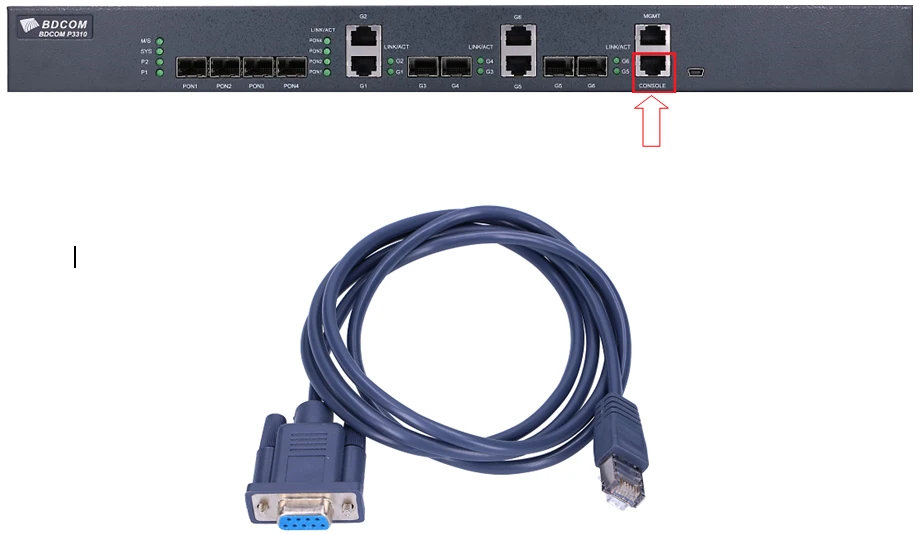
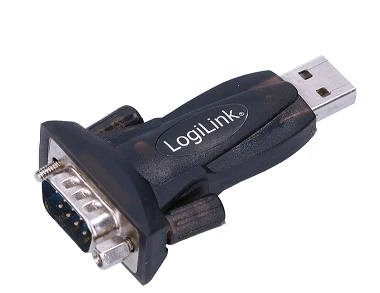
If you don't have an RS232 port on your computer, you must use a USB<->RS232 adapter:
In the "Device Manager" we find what COM port number was connected:
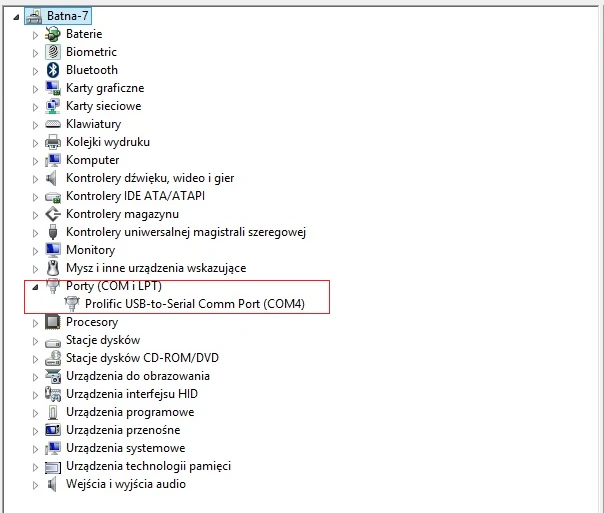
With the knowledge of what COM we have connected (in this case it is COM4) we can use the Putty terminal to log in to the device:
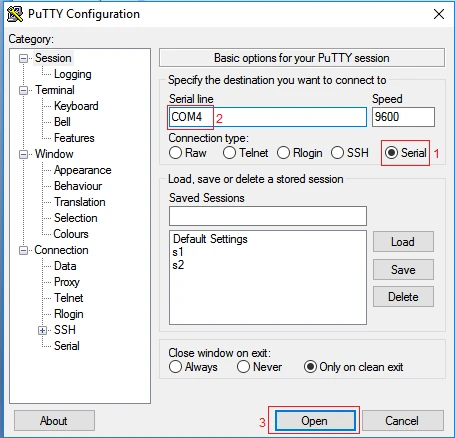
- Select "Serial" as the connection type
- Enter the appropriate COM port number
- Click "Open"
When we get to OLT then we enter the following commands:
- We're going into privileged mode
Switch>enable
- We're going into configuration mode
Switch#config
- We're going into G1 interface configurations because by default all ports are down
Switch_config#interface gigaEthernet 0/1
- On port G1 we set the "no shutdown" mode
Switch_config_g0/1#no shutdown
And that's how we got the GigabiEthernet G1 port raised.
- We're leaving the G01 interface
Switch_config_g0/1#exit
- Similarly, we enter the PON1 interface configuration, because these ports are also down by default
Switch_config#interface epoN 0/1
- Set the "no shutdown" mode on the e-port 0/1.
Switch_config_epon0/1#no shutdown
And we already have the PON1 port raised.
- We're leaving the PON1 interface.
Switch_config_epon0/1#exit
- We go into VLAN interface 1 configuration - where we set the IP address
Switch_config#interface vlAN 1
- Set the IP address and the network mask
Switch_config_v1#ip address 192.168.1.100 255.255.255.0
- We leave the VLAN1 interface configuration.
Switch_config_v1#exit
- Enable http server (access via www)
Switch_config#ip http server
- Set your login and password (admin admin :)
Switch_config#aaa authentication login default local
Switch_config#aaa authentication enable default none
Switch_config#aaa authorization exec default local
Switch_config#username admin password 0 admin
Switch_config#enable password 0 admin
Switch_config#service password-encryption
- We save the configuration, because if we don't do that after the reboot the settings will be default again
Switch_config#write
Now you have to set any address from the 192.168.1.0/24 subnet on your network card.
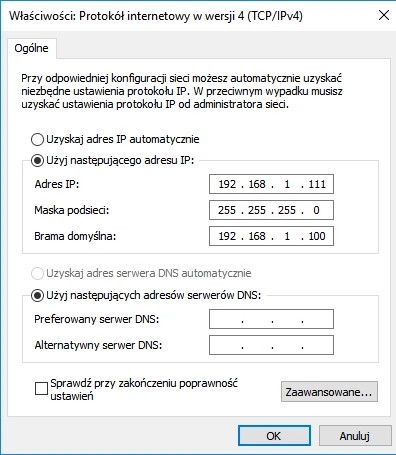
and we already have access to OLT through a web interface.
After logging in to the device, it is recommended to update the firmware, which can be downloaded from our product page: BDCOM
Of course it is important what exactly model of BDCOM we have, because there are two types of OLTs and at the same time two types of firmware to download:
- 3310B
- 3310C
Author:
Leszek Błaszczyk