



Overview Totolink T8 - Wi-Fi Router
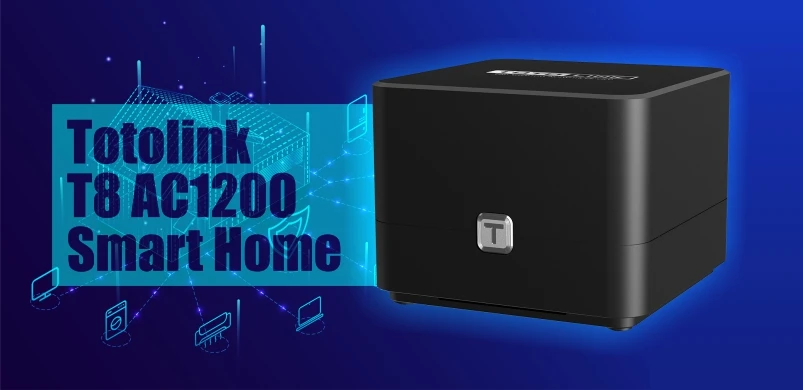
Totolink T8 AC1200 Smart Home Wi-FI Router is the latest and most advanced router from Totolink. What are the features of this Wi-FI Mesh device? And what are its disadvantages?

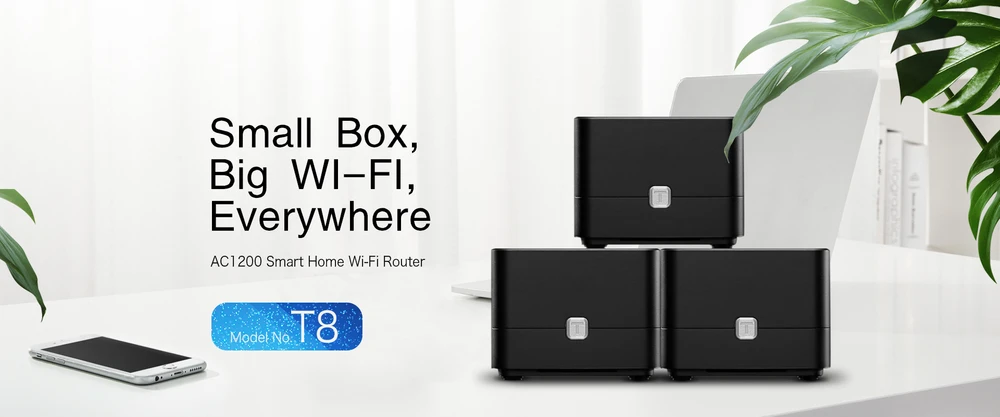
AC 1200 Smart Home Wi-Fi Router T8 Totolink
Totolink T8 router is specifically designed to create a smart home Wi-FI system. The device is equipped with dual-band Wi-Fi speeds of 1167 MB/s and automatic network connection with a single button press. Totolink T8 easily and efficiently realizes WI-FI coverage even in large apartments with multiple floors. At the same time, the Wireless Roaming feature helps to exchange better signal source between devices. All these features together provide better connectivity and high speed wireless network throughout the house.
Totolink T8 Special Features:
- IEEE 802.11ac Wave2 Wi-Fi Compliant.
- 867 MB/s in 5GHz band and 300 MB/s in 2.4GHz band.
- Mesh function for easy Wi-Fi extension and seamless Roaming
- MU-MIMO and Beamforming features help to intensively transmit wireless signals while improving bandwidth efficiency.
- Gigabit WAN and LAN ports for efficient data transmission.
- Supports DHCP, Static IP, PPPoE, PPTP and L2TP broadband functions.
- QoS: Bandwidth control based on IP address.
- Parental Controls
Mesh system - what is it?
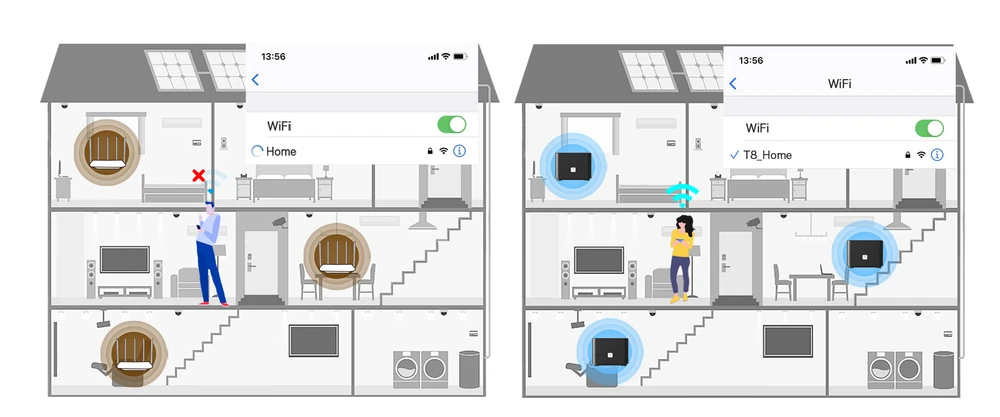
Mesh WI-Fi is a Peer to Peer access point network where one access point connects directly to a modem or router (called Master AP), and neighboring satellite access points are connected to the Master AP via radio waves (coverage). All devices of this type are a part of a single wireless network and share the same SSID and password, unlike traditional WI-FI routers.
Mesh Wi-FI system is widely used in shopping malls, airports, hotels, and multi-story offices. All this is to provide WI-FI over a large area. In conclusion, the main purpose of Mesh WI-FI system is to provide the best wireless network connection in every corner. This is a technology that is becoming more and more popular and it will be widely used in the future.
Advantages of Mesh Network Wi-Fi System
- Easy setup and management.
- Use of only 1 SSD ID and support of automatic signal transfer between access points in the whole system (seamless Roaming).
- Stable operation due to intelligent routing.
- Can be used in various environments with obstacles.
- No need to connect cables to APs (APs: Access Points)
Totolink T8 project
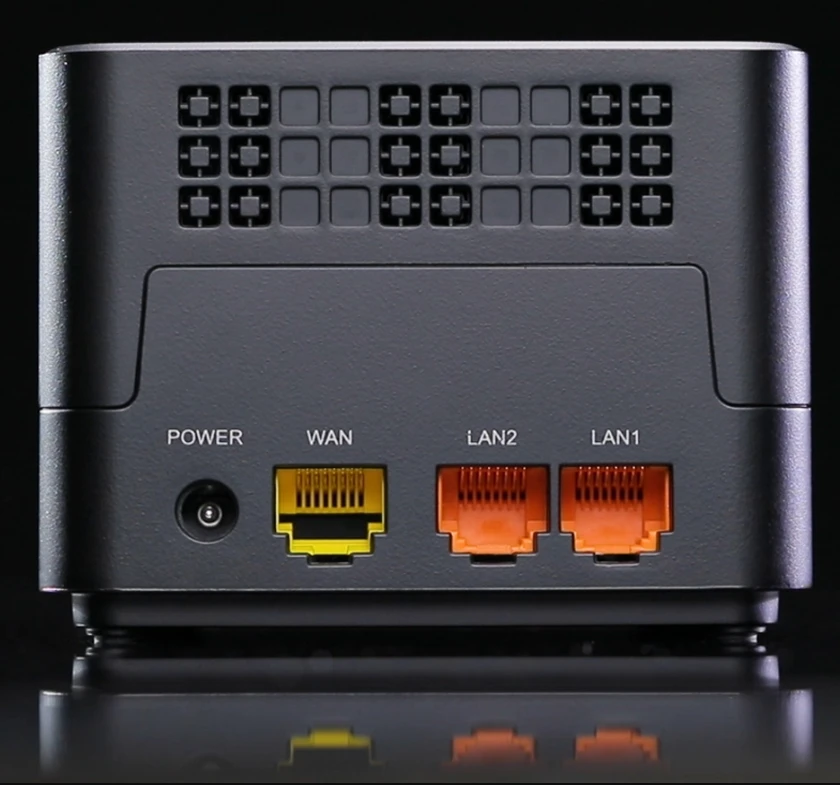
The Totolink T8 is a black cube made of decent plastic. The device itself has a power socket, two LAN ports, and one Gigabit WAN port. The router operates in IEEE 802.11ac Wave2 standard. The maximum speed it can reach is 867 MB/s at 5GHz band and 300 MB/s at 2.4GHz band. The total dual band speed can reach up to 1167 MB/s. Additionally, Totolink T8 device supports DHCP, static IP and PPOE, PPTP, and L2TP functions. The WPA/WPA2 standard is responsible for network protection, complemented by IPTV and parental control functions.
Inside the package you will find; 2 devices, one of which is the so called Master Router, and the other - Satellite Router. There are also two PoE adapters, a 28AWG4P xCat 5E UTP cable (80 cm long), and a quick manual and installation diagram.
Web based configuration - Totolink T8
- Connect your Totolink device to power and the Internet.
- Connect the device via the internet cable to your laptop or computer
- Select Totolink WI-FI network and connect.
- Go to the website: https://www.itotolink.net/

- Enter the manufacturer's password that is set on the device, i.e. admin. After entering and logging in, you will see a desktop for configuring the device.
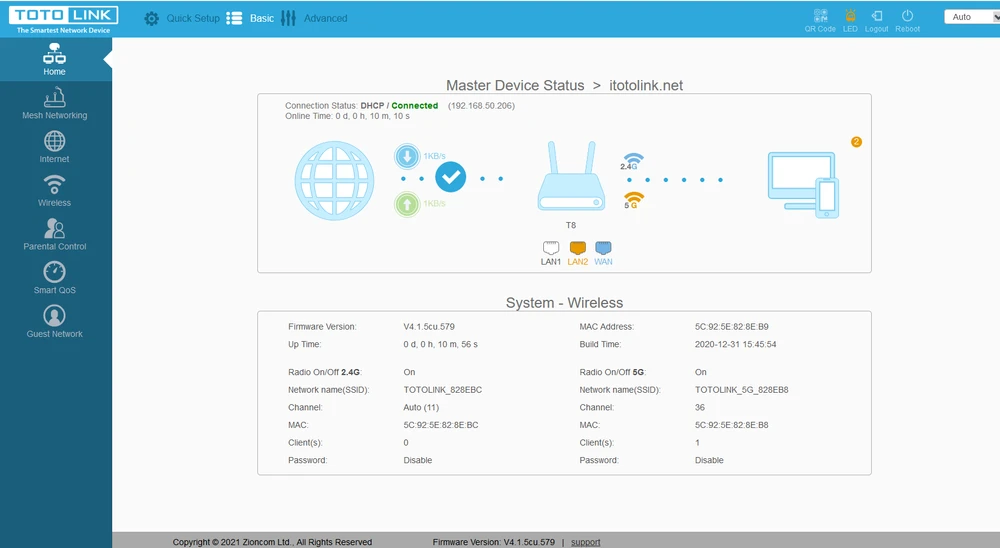
Configuration via mobile application - Totolink T8
- Connect your Totolink devices to power and the Internet.
- Select the Totolink network and connect via your mobile device.
- Search for the TOTOLINK Router app in the Google Store or AP Store:
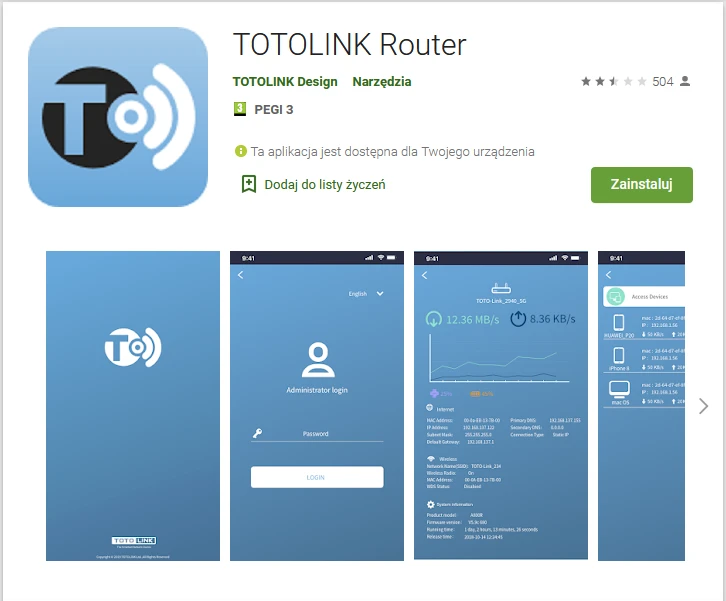
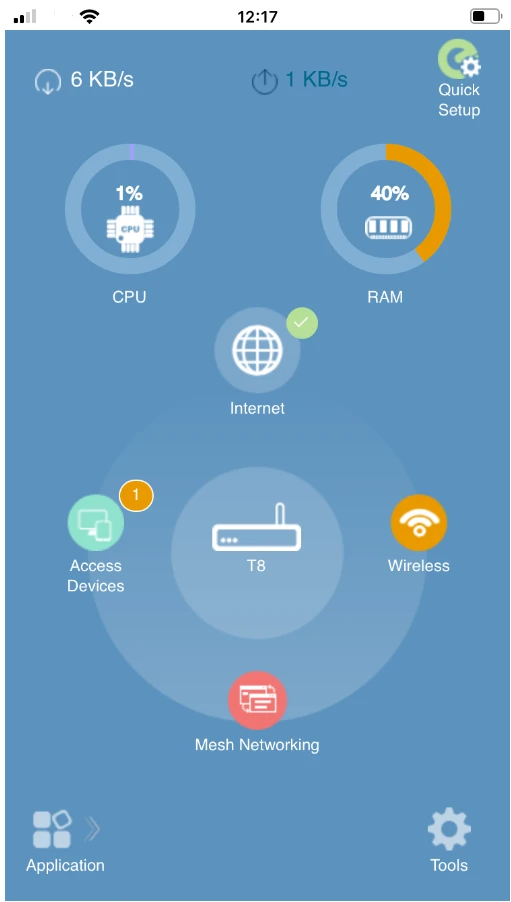
Installation of the application is very simple and does not require any specialist knowledge. On the other hand, the navigation and configuration on a small screen is difficult and seems to have less features than the configuration via the website.
Performance Test - Totolink T8
The test device was a MacBook ProA1502 with built-in AirPort Extreme (Broadcom BCM4360 3x3, 1.3 Gbps PHY) wireless adapter running 802.11a/b/g/n/ac.
Measurement with the analyzer
In the measurement with the analyzer, the device very nicely kept the model characteristics. You can definitely see that the device was designed to provide adequate separation between the channels of neighboring networks.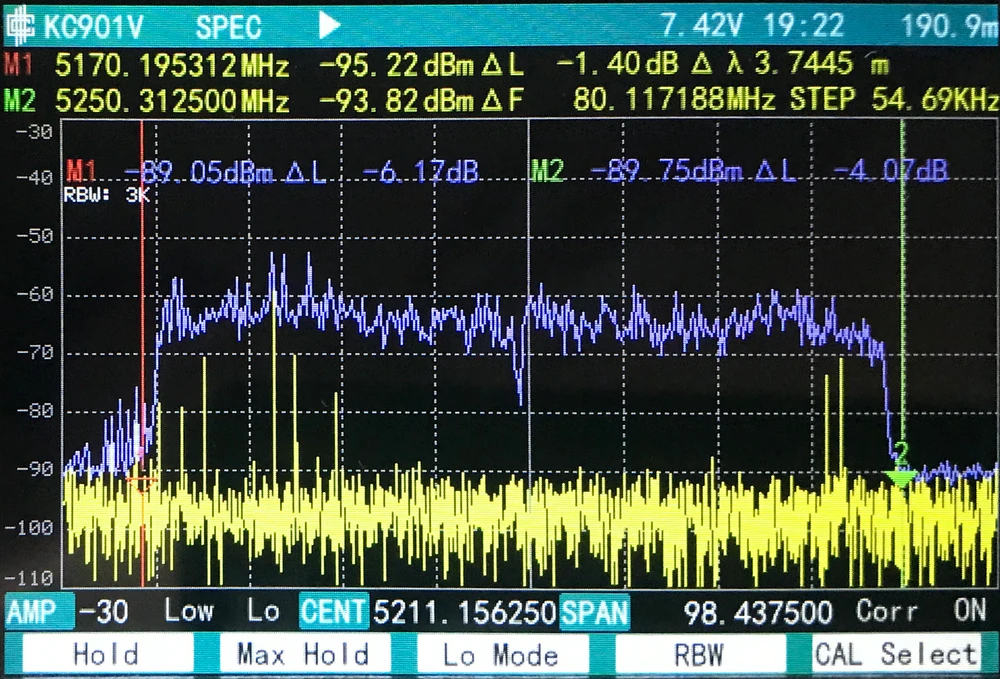
Signal Map
AirSurvey software was used to make signal map. For a correct reading of the signal levels, please pay attention to the color legend at the bottom of the picture. The location of Totolink T8 AC1200 is marked with icons. The device on the "ground floor" was connected to the Switch via Ethernet 1Gbps port.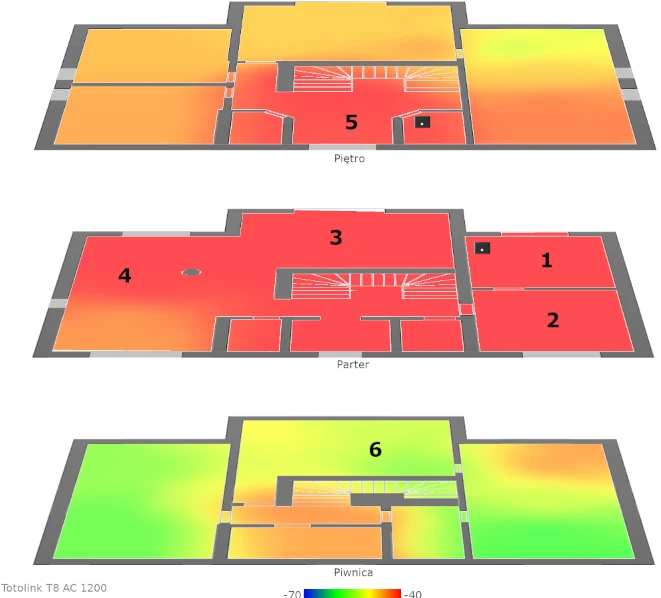
Speed test
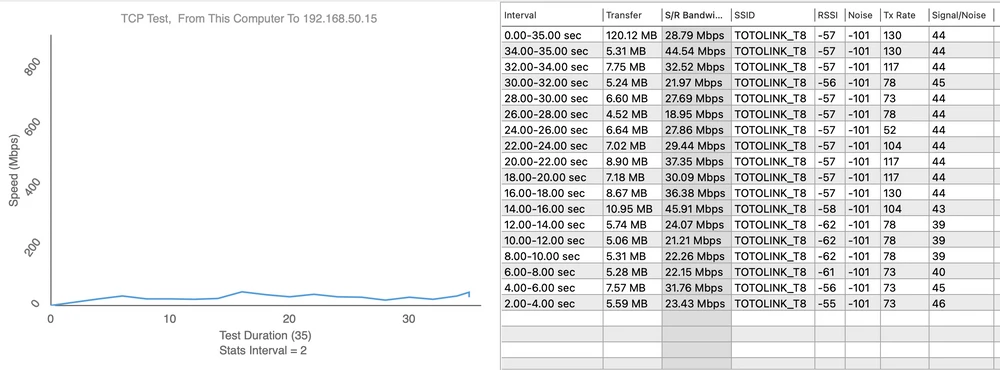
We performed speed tests using WiFiPerf software, and the speed test server was iperf3 software. Before the speed tests, we verified the maximum performance of the LAN and the iperf3 server:- Download 894Mbps,
- Upload 958Mbps.
- Measurement point no. 1
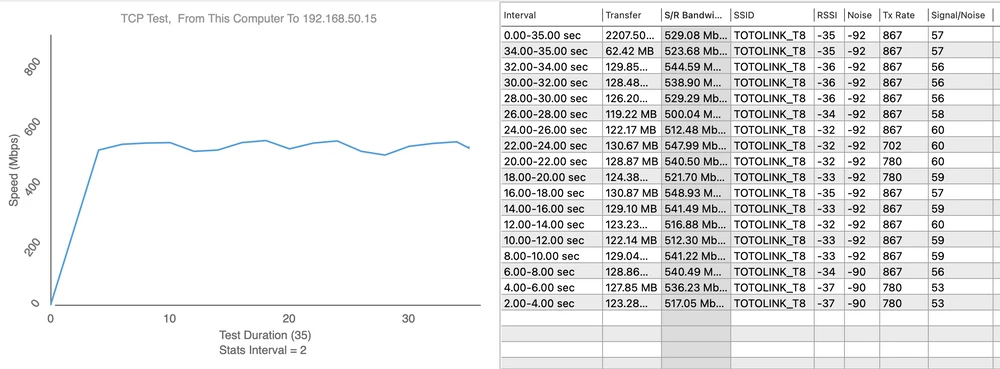
Upload 618Mbps
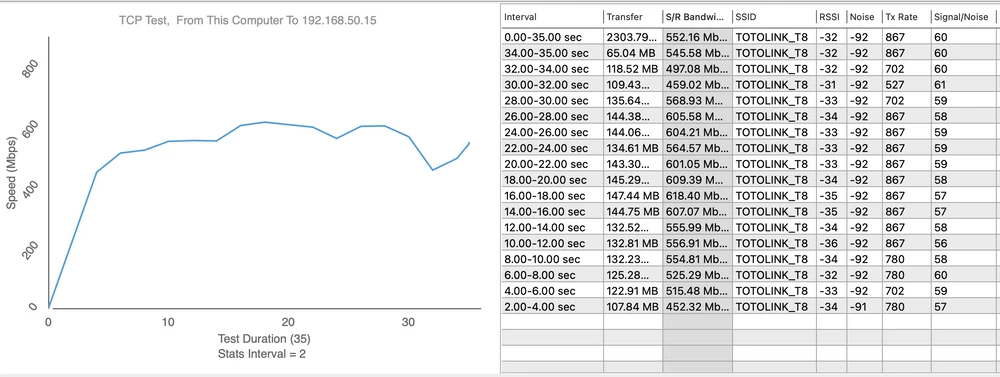
- Measurement point no. 2
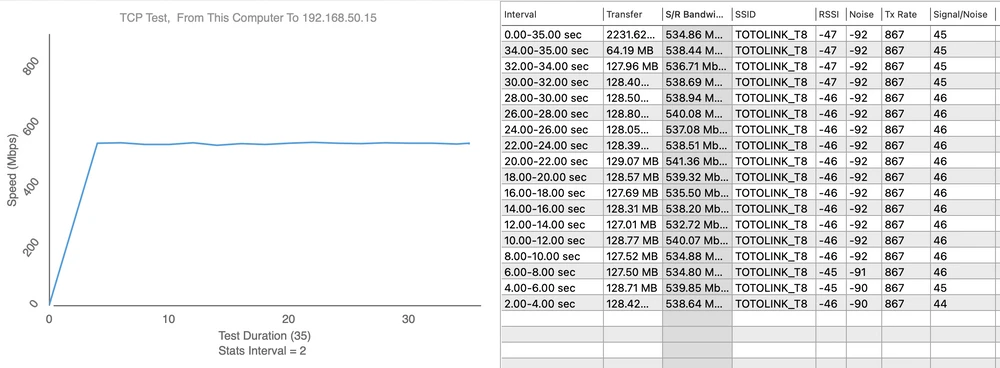
Upload 627Mbps
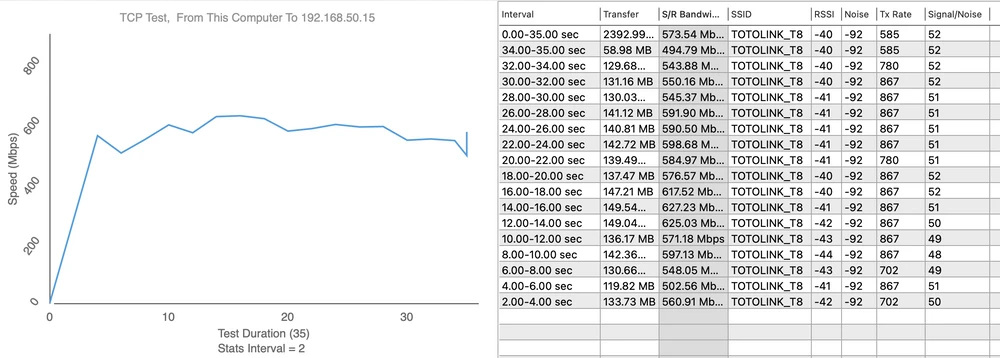
- Measurement point no. 3
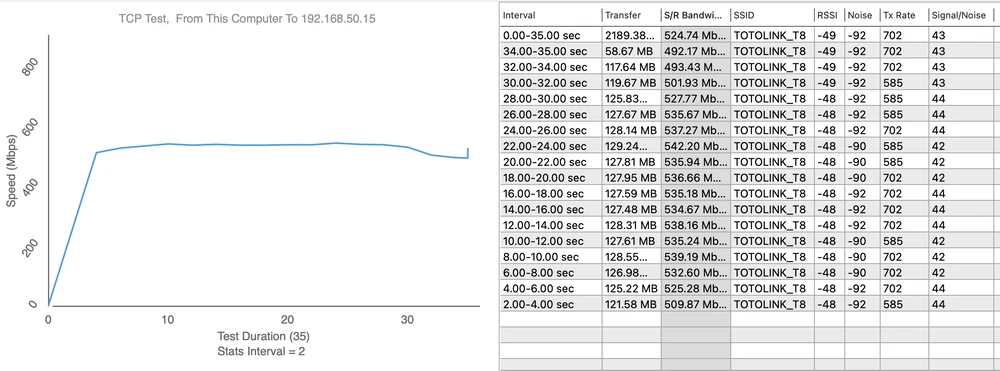
Upload 528Mbps
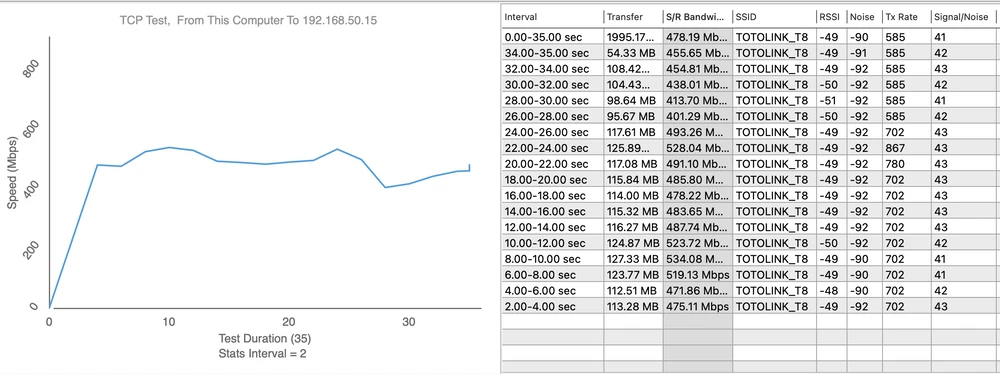
- Measurement point No. 4
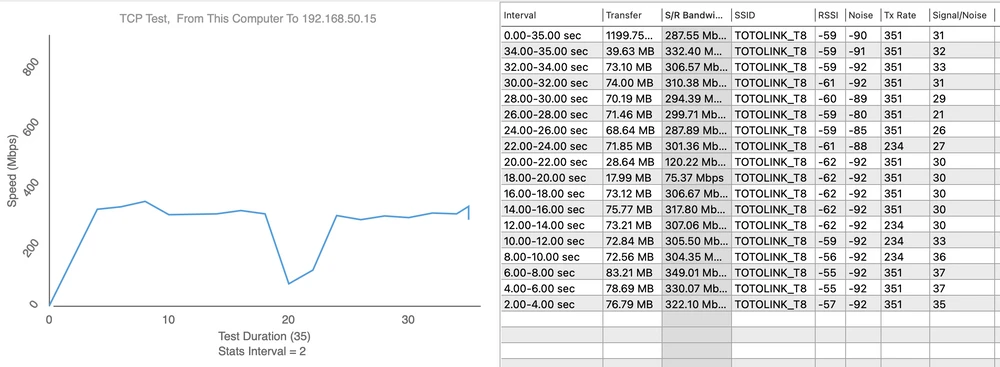
Upload 374Mbps
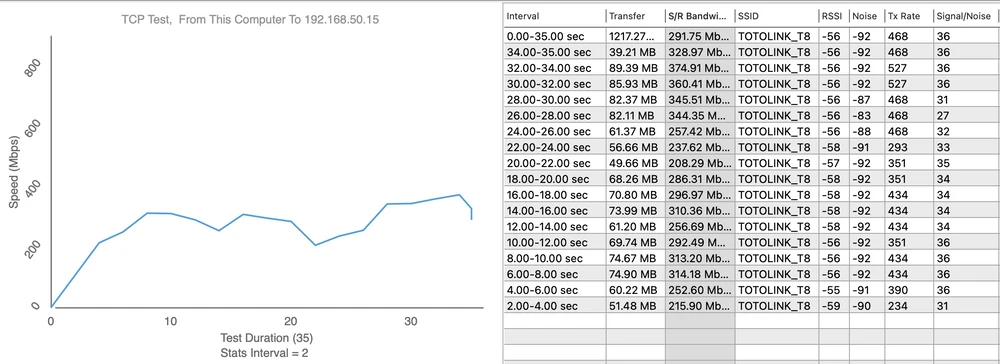
- Measurement point no. 5
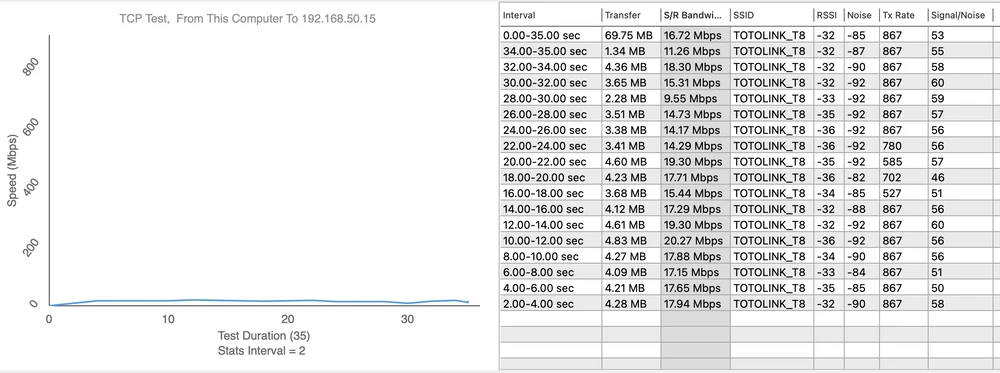
Upload 40Mbps
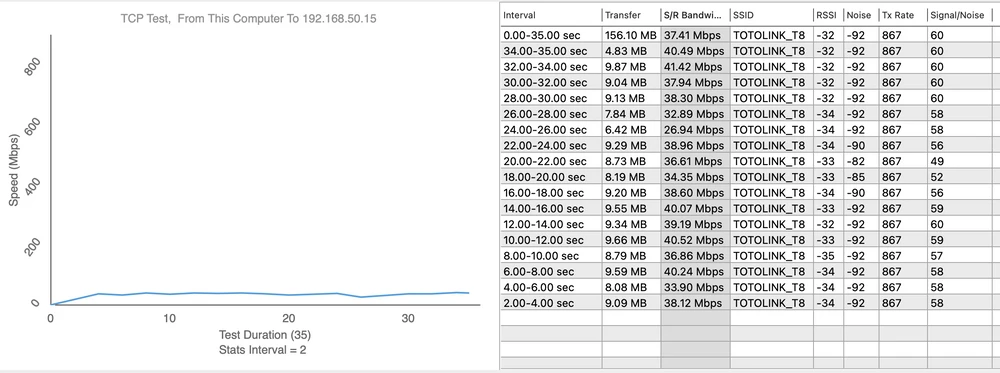
- Measurement point No. 6
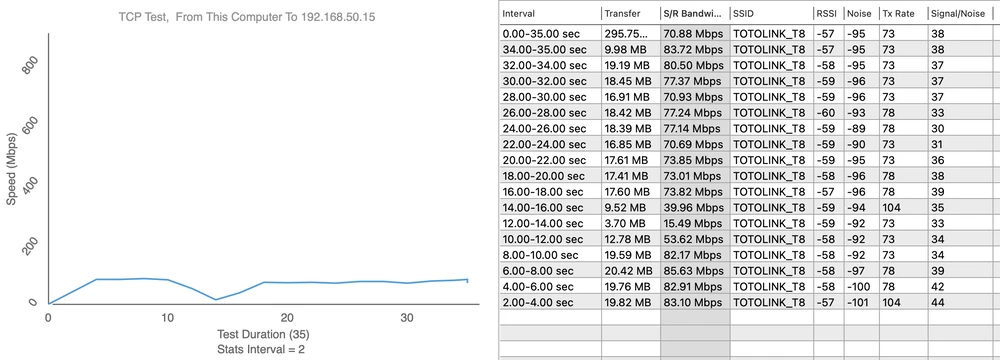
Upload 45Mbps
Summary
Totolink T8 is an intelligent Wi-FI router using the world's most advanced network transmission technology (WI-FI Mesh). This system provides greater technological advantages over previous generations of Wi-FI. The highlight of this system is the intelligence in the connection, automatically switching signals and routing the shortest path to the central system to increase the transmission speed and reduce local congestion.
Pros:
- Very easy to set up.
- Devices work very smoothly switching between each other.
- Simple design.
- Configuration via web and app.
- Beam shaping improves bandwidth efficiency.
- Roaming support.
- Small icons for mobile configuration.