Ranking of WiFi Mesh routers | Comparison of mesh systems
A good WiFi router working in the MESH topology, perfectly solves low coverage problems. I guess that every one of us is already aware that the specifics of wireless network operation is that many times, in our home, there are places where we have low signal. Sometimes even the newest and "best" WiFi routers are not able to cope with this. That's why devices working in mesh topology come to our aid.
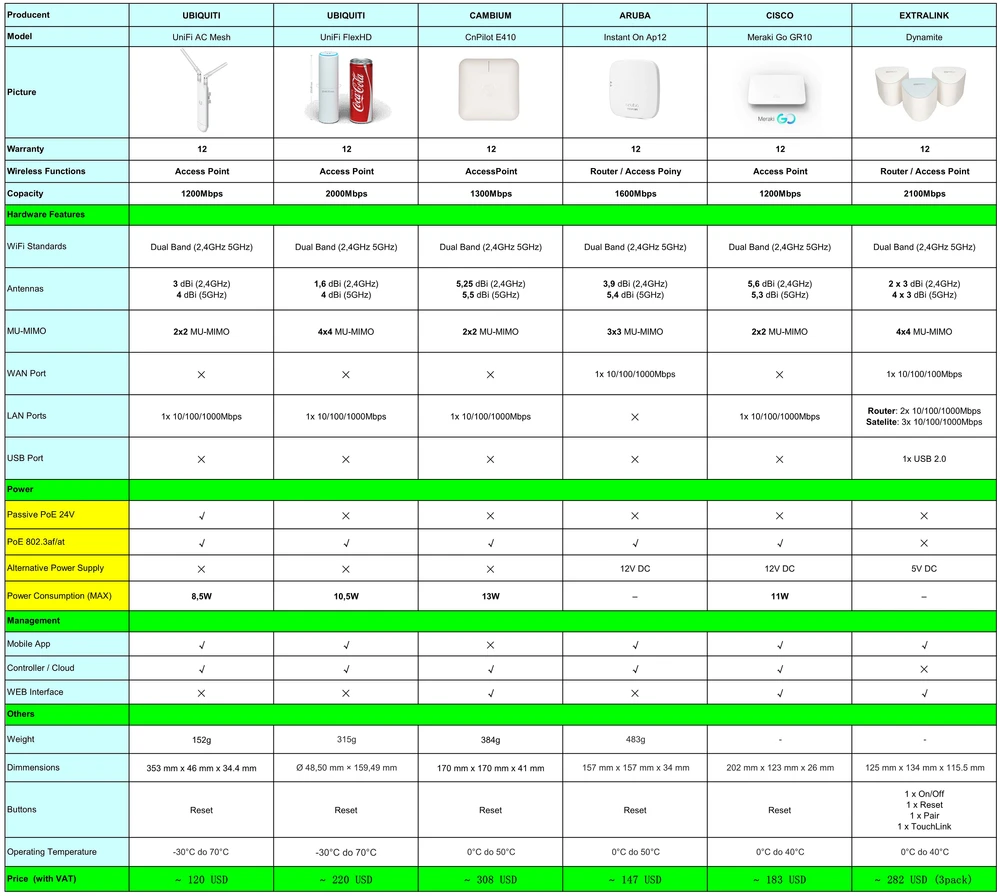
Based on our previous tests of wireless devices, we have prepared a list of the best WiFi routers working in the mesh topology. Below we present a list of tested devices, and even further you will find all the information that will help you choose the best wifi mesh system.
Which WiFi mesh router should I choose?
The mesh system. What is it?
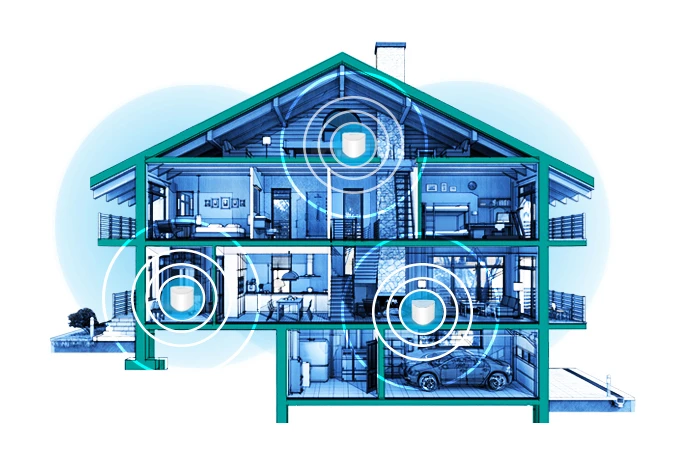
As a brief reminder. The Wireless Mesh System is a mesh network where individual nodes communicate with each other, creating a single, cohesive wireless network. Individual nodes communicate with each other in a dynamic way, which results in a very efficient wireless structure. The ideal application for systems supported by mesh technology are intelligent houses, where practically all devices use the wireless network. The mesh network provides continuous access to the Internet, and all devices use 100% of their capabilities. In short, the mesh network topology creates a very efficient structure while eliminating "dead zones" where there is no access to the Internet.
What should I look at?
There are many mesh systems available on the market and it is worth knowing what to pay attention to when buying the right devices. The main factor that we are guided when buying is of course the price. But is it really the most important thing? Sometimes even the most expensive devices do not work properly, and by trying to save some money we can buy an unreliable system. Therefore, in our ranking we will focus on the following factors:
- wireless network range
- throughput
- price
Wireless signal comparison - HeatMap
We checked the strength of the wireless signal using the AirSurvey tool, which is well known to Apple users. Each mesh system was tested in the same location (2-storey detached house + basement), and the devices each time were at exactly the same point.

As you can see on the plan above, we divided our object into 6 measurement points in order to better illustrate how the wireless signal coverage looks like. There was no underfloor heating between the individual floors, so the signal was not limited by anything. In each test cycle we used two devices that communicated wirelessly.
Signal coverage
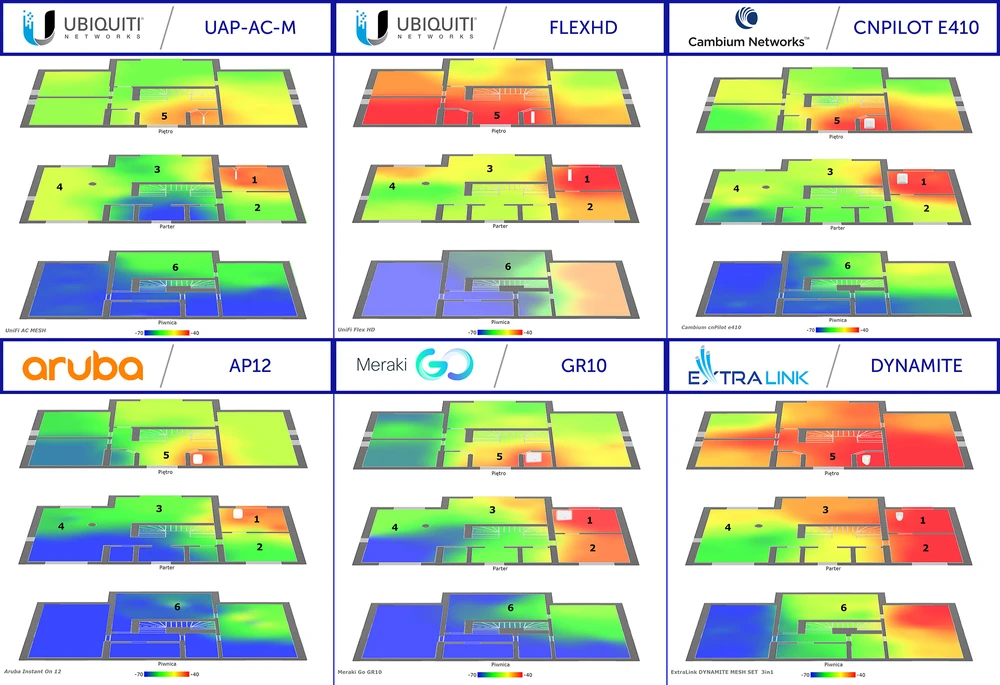
You should also know how to read the above wireless coverage maps. Well, red means excellent signal quality, at about -40dBm. Next, orange, yellow and green indicate that the signal is getting weaker, but still at a good level. The darker the color (green, blue), the weaker the signal coverage. Dark blue indicates a signal at -70dBm level. So formally, the closer to zero the signal is, the better.

Maximum throughput
What interests us most is of course the performance of our home routers wifi. Each of us cares about a very good image quality when using the Netflix platform, or when talking through Skype or another communicator. More so, as more and more devices are connected to the wireless network in our homes. Game consoles, laptops, telephones, monitoring system are just some of the devices. After all, in the age of IoT even AGD equipment needs access to the Internet. In our ranking we checked the performance of individual devices using the WiFiPerf software, and the speed test server was using the iperf3 software. We conducted speed tests in the TCP protocol. We checked the speed of both Download and Upload.
Highest wireless speed
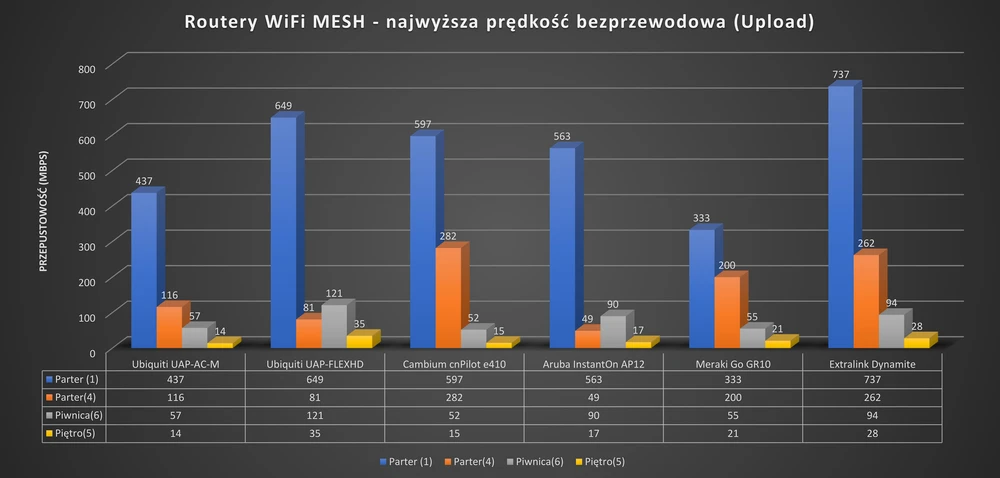
As you can see in the previous graphics, we had a 2-storey single-family house (+ basement), which we divided into 6 measurement points. First of all we checked the performance of mesh systems on each floor.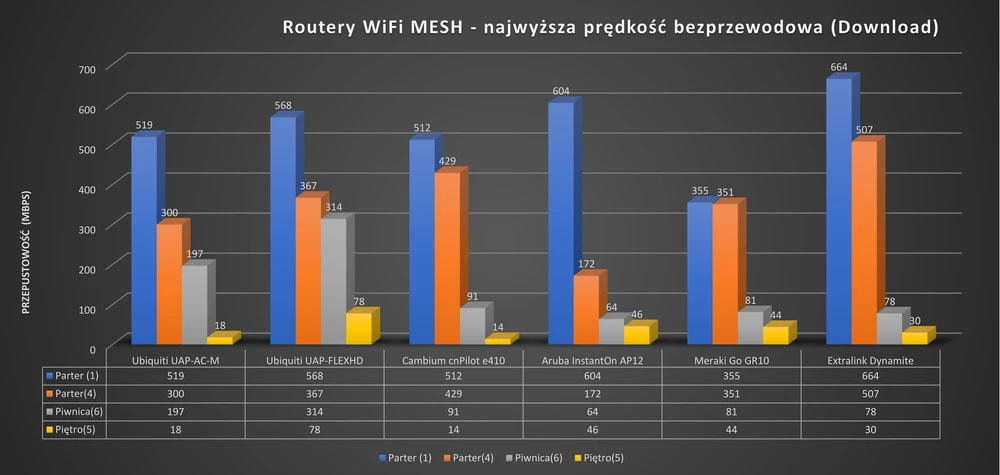
Speed at measuring points
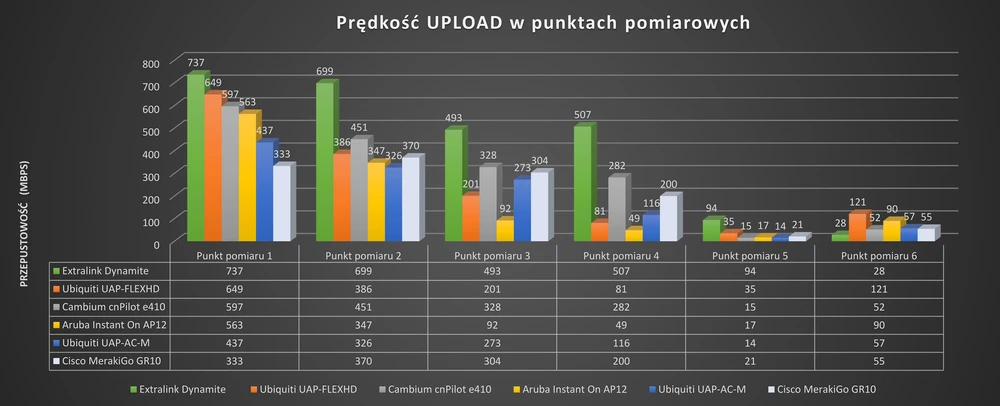
Then we made capacity measurements at individual measurement points. This gave us a detailed picture of the performance of all devices. Of course, this time too, we took both Download and Upload measurements. Below are the results obtained from each measuring point.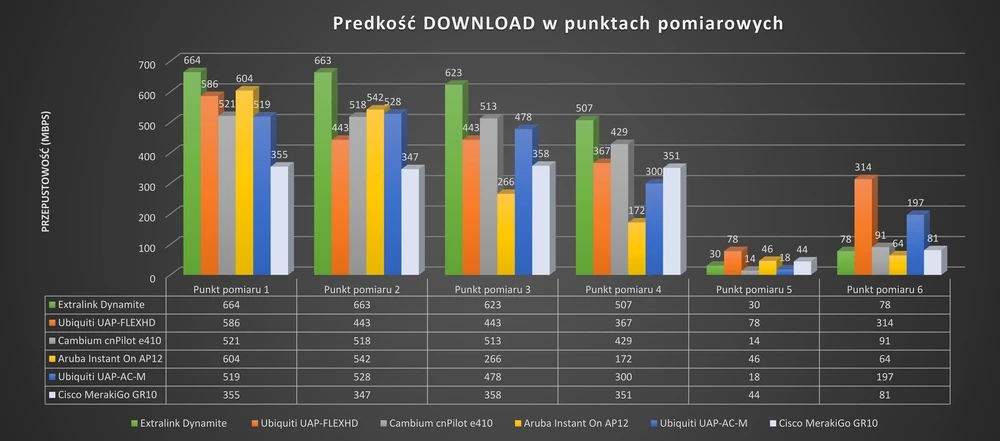
Summary and conclusions
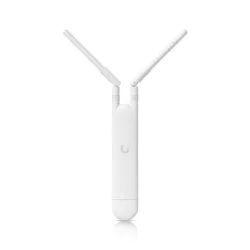
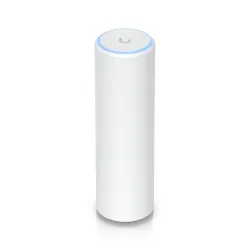
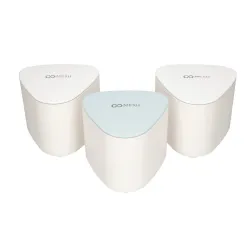
As you can see in the graphs above, on the ground floor practically all devices have achieved throughput over 500Mbps, both for Download and Upload options. The Ubiquiti UAP-FlexHD, Cambium CnPilot e410 and Extralink Dynamite deserve special attention. They were the only ones to show the best wireless coverage, which can be seen on Heatmaps above, and we have to admit that these 3 mesh systems showed much better throughput than the other devices. In case of Extralink Dynamite it was over 730Mbps, which is the best result obtained, but UAP-FlexHD and Cambium CnPilot E410 had very similar results - within 600Mbps. The situation changes dramatically in measuring point 5. In this situation the devices, which were connected in mesh topology (wirelessly), were separated by a thick ceiling, which significantly affected the capacity. But still, on some mesh systems, we managed to get enough throughput to use mail, instant messaging or web browsing. Generalizing. all systems tested by us have proven themselves in our test location. Some of them turned out better, others a bit worse, but we leave the choice of the best solution to you, Dear WiFi Users. It all depends on what financial resources you have at our disposal, in what environment you want to install the devices and what performance you expect. You can find all tested devices on www.batna24.com! You are welcome!
If you want to add any comments, or your conclusions about our ranking, we invite you to our FORUM!
If you want to add any comments, or your conclusions about our ranking, we invite you to our FORUM!
Author: Leszek Błaszczyk