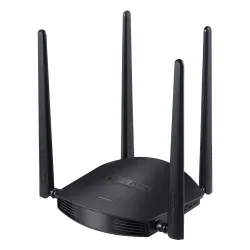
Totolink A800R router - Budget router performance test
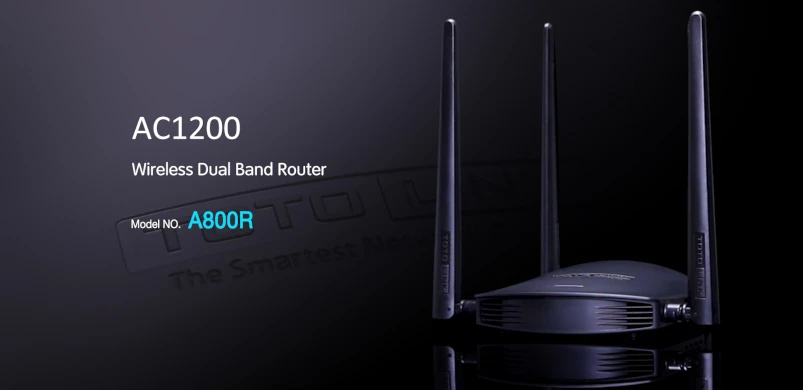
TheTotolink A800R is a wireless router that supports the IEEE 802.11ac standard, delivering wireless speeds of up to 1167 Mbps. The device is optimized for bandwidth-intensive Internet activities such as HD movies and online gaming. Combined with the MU-MIMO standard, the A800R allows multiple devices to share faster and more powerful Wi-Fi than the 802.11ac routers typically deliver.
Special Features:
- Optimal power on both bands, up to 867 Mbps in the 5GHz band and 300 Mbps in the 2.4GHz band.
- Four 5dBi antennas with MU-MIMO technology ensures data transmission to multiple devices simultaneously.
- 1 GHz processor for smooth data processing.
- Multi-SSID allows you to create multiple SSIDs depending on your needs.
- Universal repeater and WDS function for easy Wi-Fi expansion.
- Supports IP, MAC, URL filtering and port forwarding.
- QoS: bandwidth management based on IP / MAC.
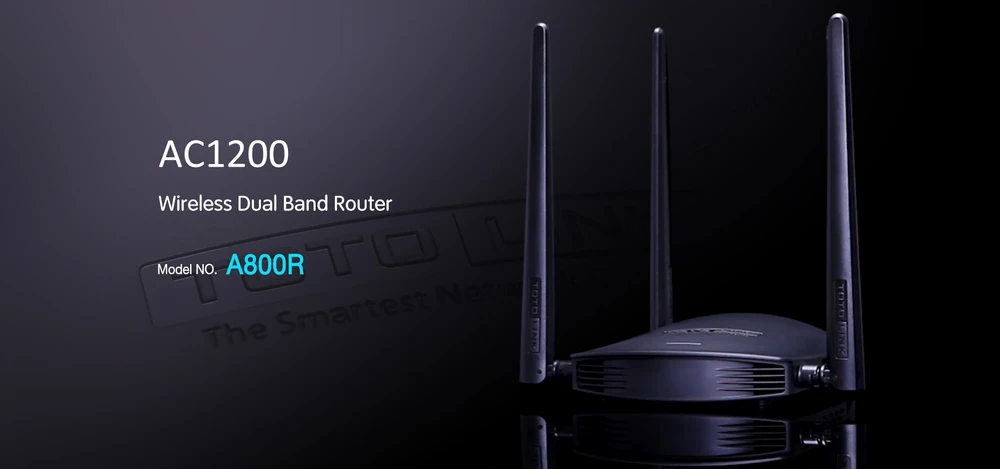
Operating simultaneously in the 2.4GHz and 5GHz bands, the A800R provides access to two separate Wi-Fi networks, with the 2.4GHz band exhibiting high compatibility and the 5GHz band reducing interference - ideal for lag-free gaming and large file downloads. The optimized user interface for smartphones allows you to easily and quickly configure the basic settings in a few steps. These are all assurances of the manufacturer, how will it actually perform in our tests? Let's check!
Technical Specifications Totolink A800R
Totolink A800R is a multifunctional and powerful AC1200-class wireless router with full Wi-FI 5 support. The device runs on a 1GHz RTL819F processor with a RTL8197FN RTL8812BR chipset and 64 MB RAM. This configuration is a significant improvement over previous Totolink models. Additionally, A800R is equipped with 4 LAN ports and 1 WAN port. Unfortunately, it should be emphasized that the speed of the ports is only 100 MB/s, although for a residential space such data transmission is fully acceptable.
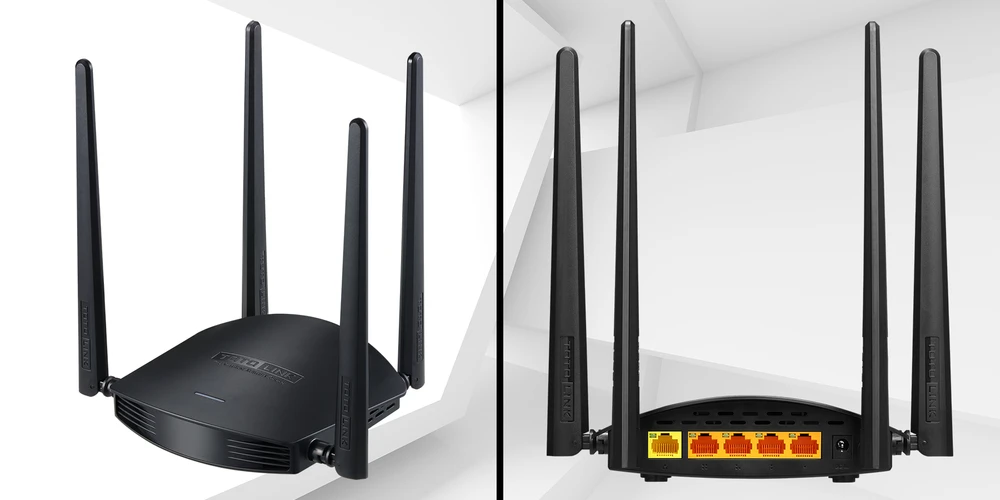
The whole device looks really good, at first glance the A800R resembles its predecessor, the Totolink N600R. The main difference between the two models is the color scheme of the housing. This time, the manufacturer used black for the A800R. This is a significant change, since black is definitely less susceptible to getting dirty. On the front of the A800R there are slots that give a decorative touch and are responsible for heat dissipation. On the left side of the device, you'll find the standard RTS and WPS buttons for quick connection and reset. Another significant change is the disappearance of the Turbo button on the right side, this is fully explainable as the A800R does not have a Turbo Boost function like the N600R. A bit of a shame, since we really liked that feature. Hopefully Totolink will upgrade the A800R to Turbo Boost in the future.

Device configuration
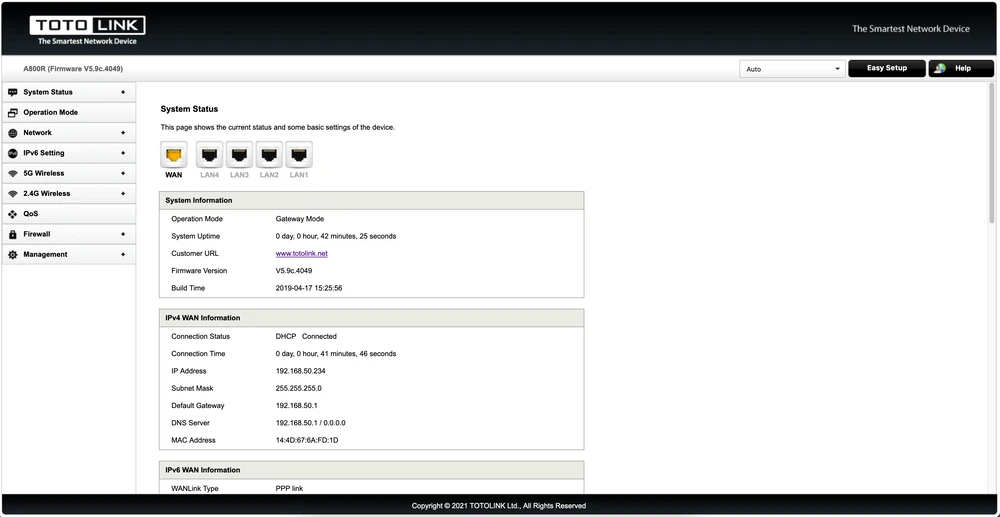
The Totolink A800R still uses the familiar one-page interface for easy setup. The installation process itself is quick and intuitive.
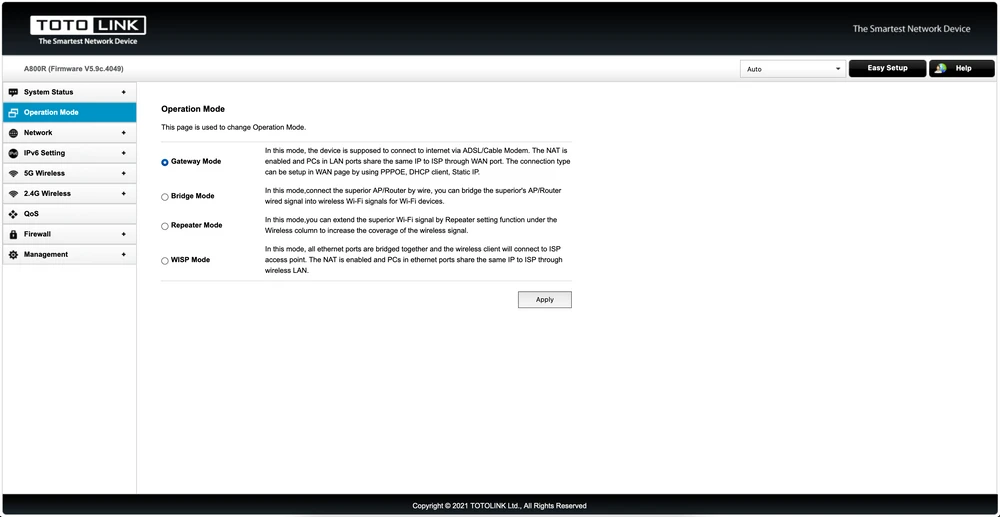
Totolink A800R has 4 main modes of operation:Gateway Mode - This mode we use it as a Wi-FI router, in this mode we will also find the most management features. Bridge Mode - In this mode the A800R is able to work as an Access Point. Repeater Mode and WISPMode - These are 2 modes to extend Wi-Fi coverage.
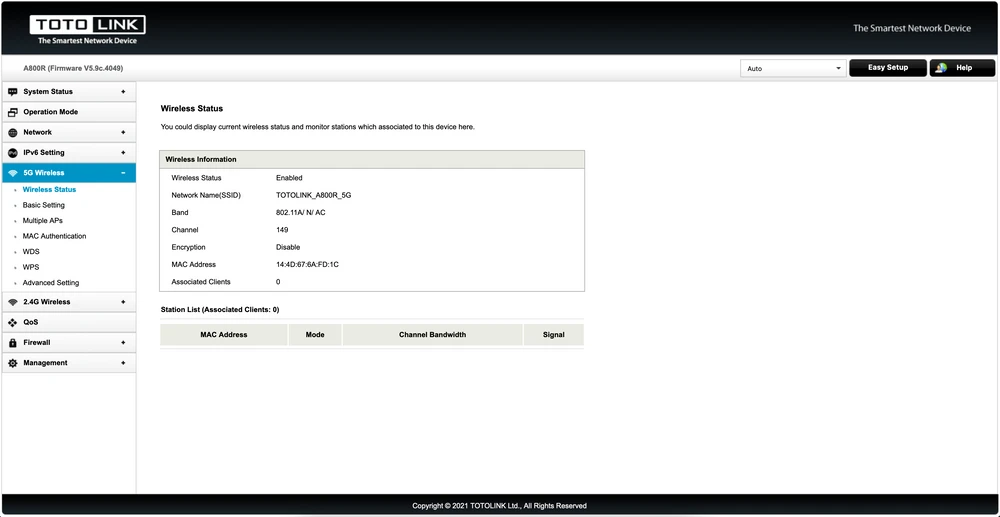
Wireless network status - In this tab we will find all information about current clients connected to our router. It is worth paying attention to the "Wireless Status" tab, where we will find the strength of Wi-Fi coverage for each client. This is an extremely interesting function for setting and selecting the optimal location for the router.
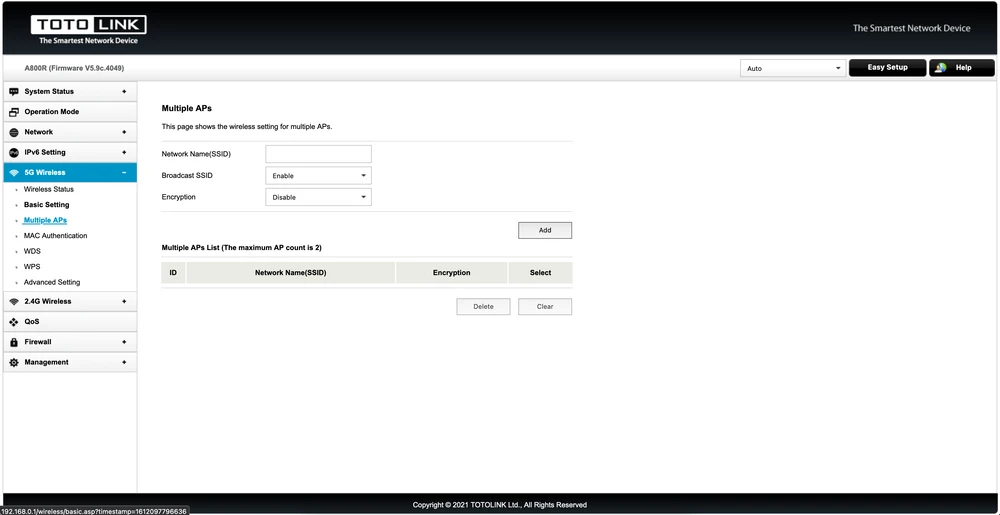
Multiple APs, in this tab we can create up to 2 additional Wi-FI network names on each band to facilitate Wi-FI sharing.
MAC Authentication - With this feature, we can easily control uninvited guests who connected to our Wi-Fi.
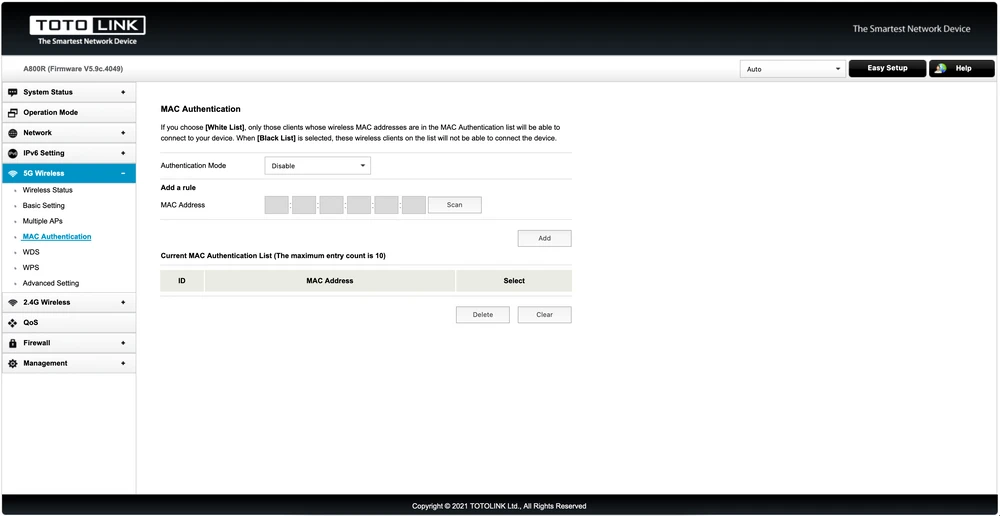
The settings and functions in the 2.4 GHz band are similar:
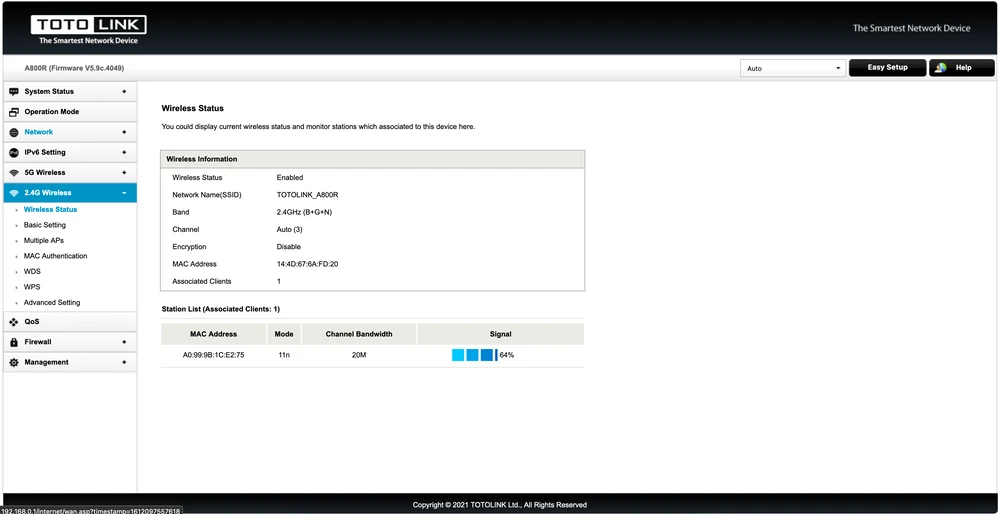
Quality of Service (QoS) - This feature will help us to completely control the Internet bandwidth on the network, you can apply and assign a specific bandwidth to each IP address on the network.
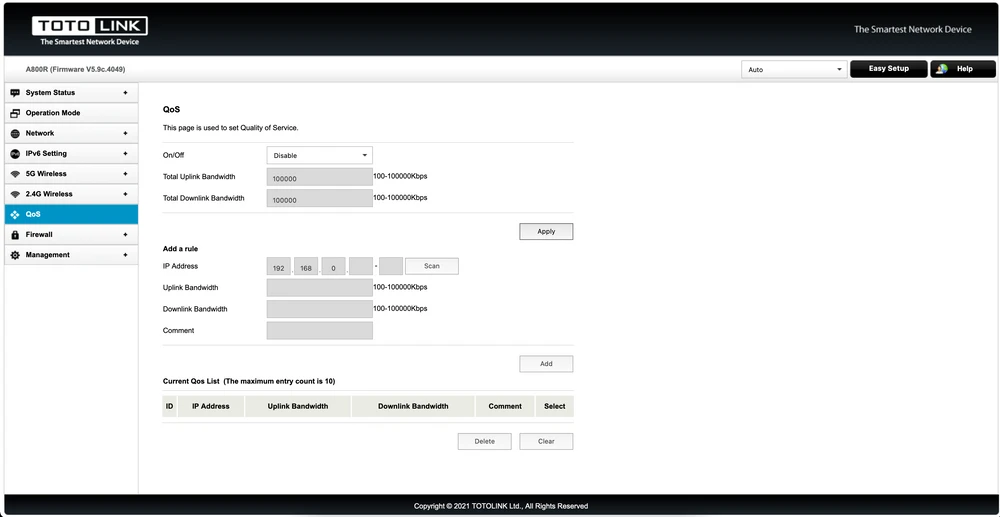
Firewall - Here you will find a full range of advanced features for your firewall, from basic management applications to port forwarding, VPN Passthrough, DMZ.
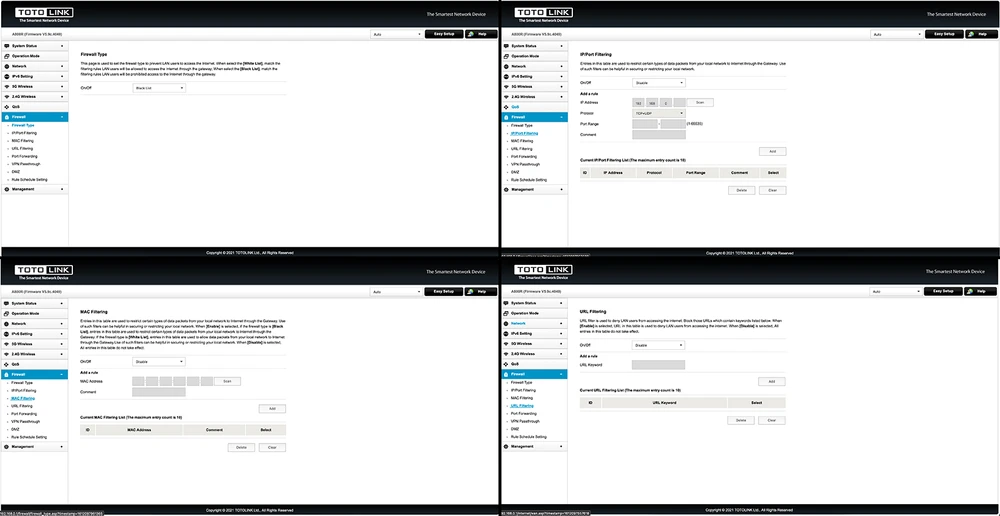
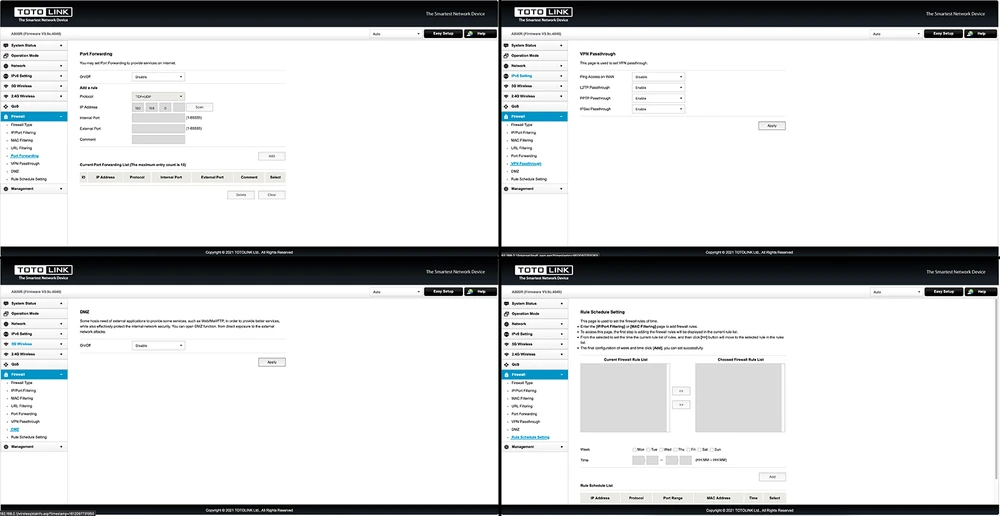
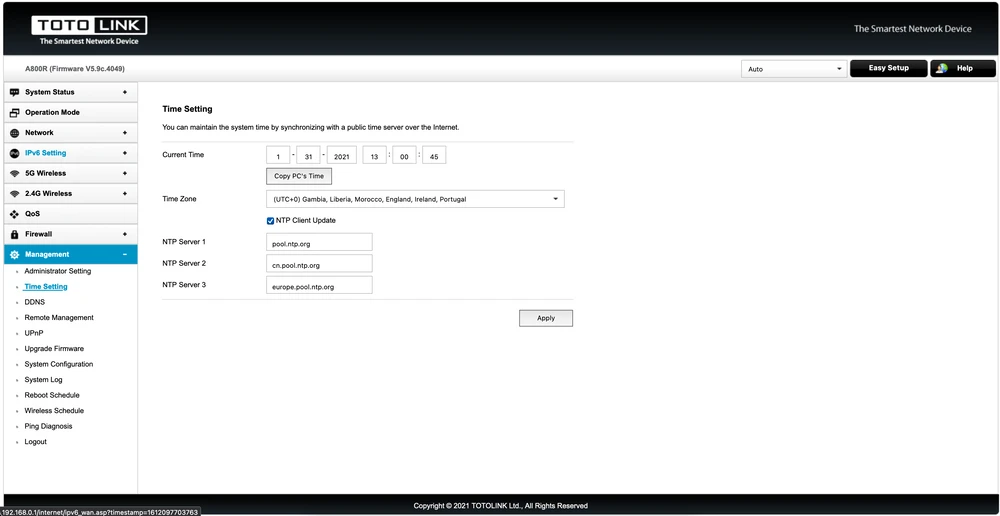
One of the features that Totolink has always been proud of, and one I use in most of my devices, is the ability to configure router restart schedules and schedule Wi-FI on and off. In addition to turning the Wi-FI on and off, Time Setting helps parents to more easily manage their kids' time online.
Totolink A800R performance test
The purpose of our tests is to verify the range of the wireless network both in terms of signal coverage and real speeds available in the building.For 2.4GHz connections we assumed maximum channel width of 20MHz. The testing device was MacBook Pro A1502 equipped with built-in wireless card AirPort Extreme (Broadcom BCM4360 3x3, 1.3 Gbps PHY) working in 802.11a/b/g/n/ac standards.
Performance measurement
We tested the Totolink A800R with a wireless device meter. The device transmits with uneven power in the 80MHz channel width. The 20MHz wide lead channel has significantly more power than the other 60MHz.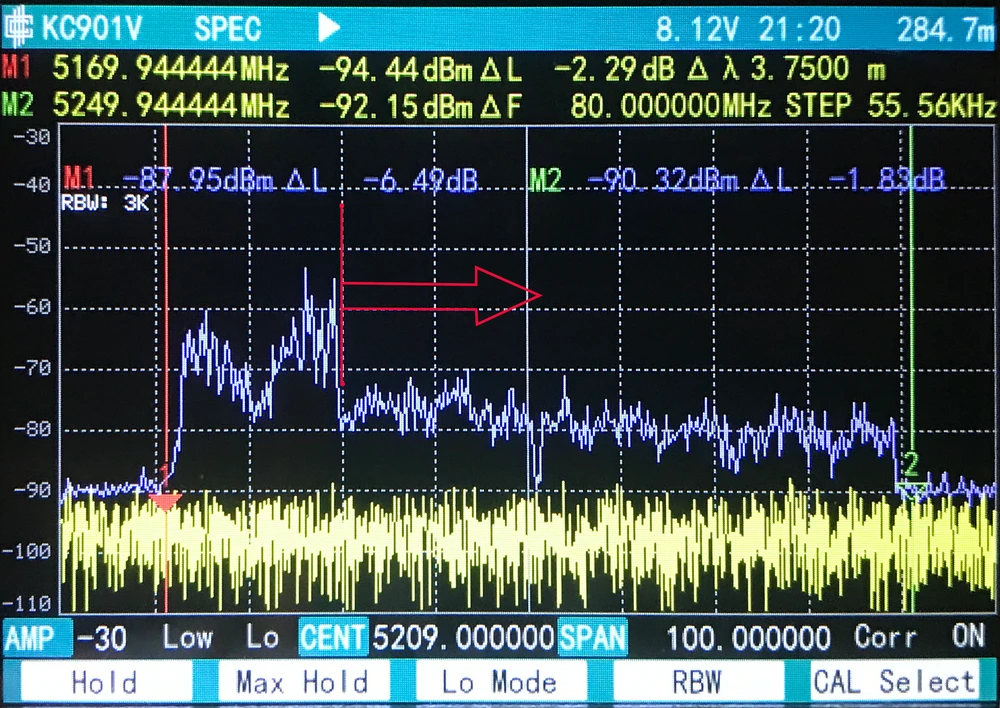
We used the AirSurvey software to make the signal map. To read signal levels correctly, pay attention to the color legend at the bottom of the picture. The location of accespoints is marked with an icon.
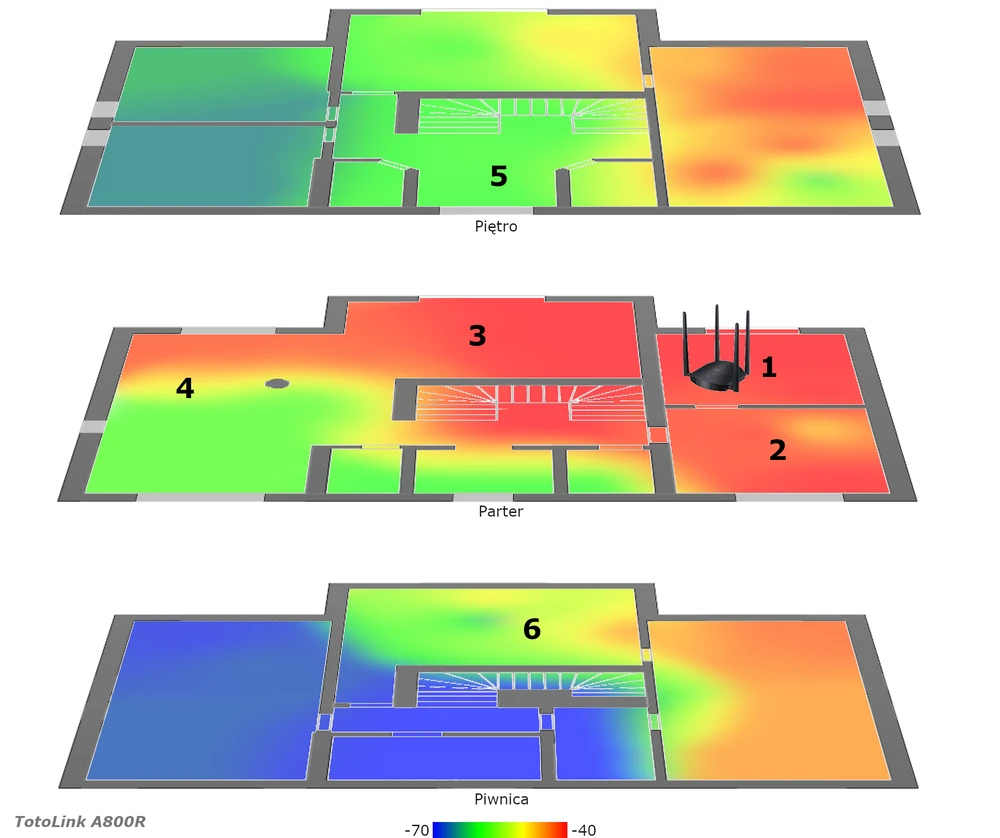
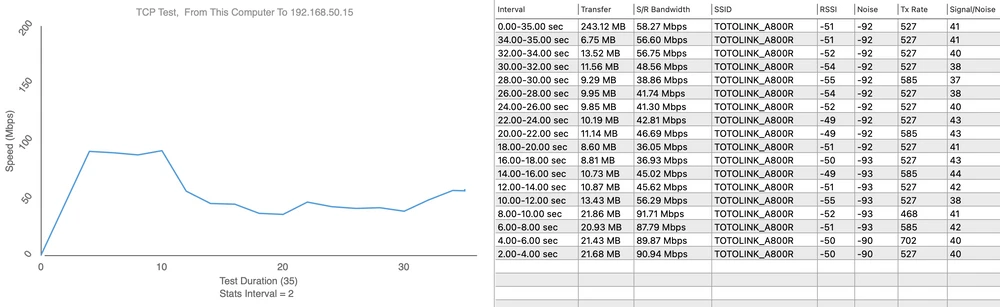
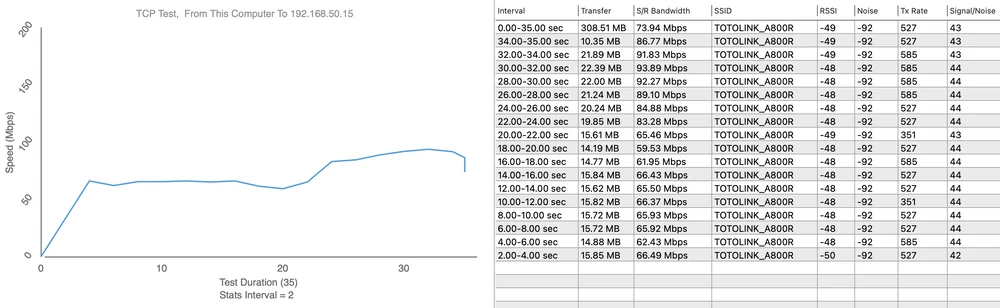
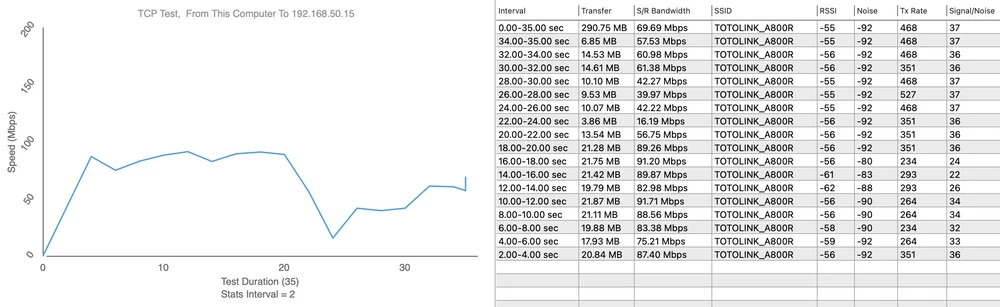
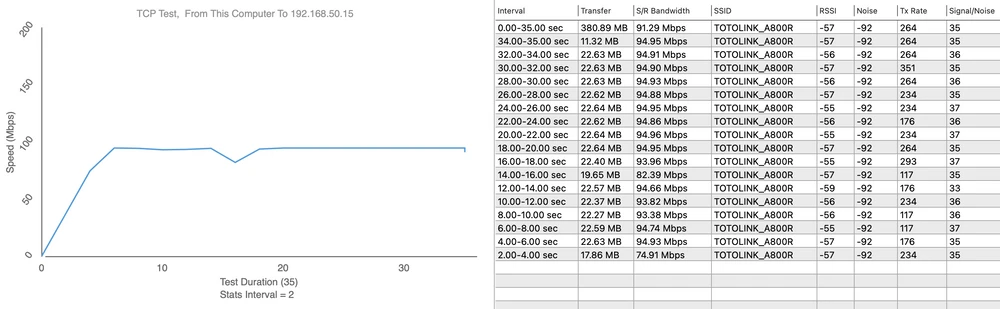
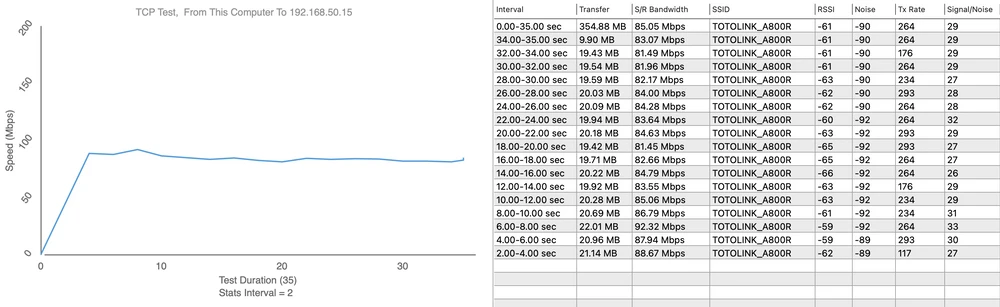
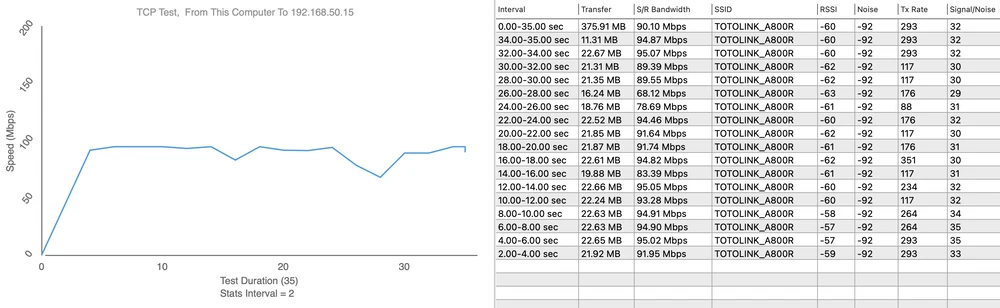
Before speed testing, we verified the maximum performance of the LAN and iperf3 server. The aforementioned laptop was connected with a 10/100/1000Mbps network card to a switch. We obtained the following maximum speeds for a single TCP stream:
- Measurement point no. 1
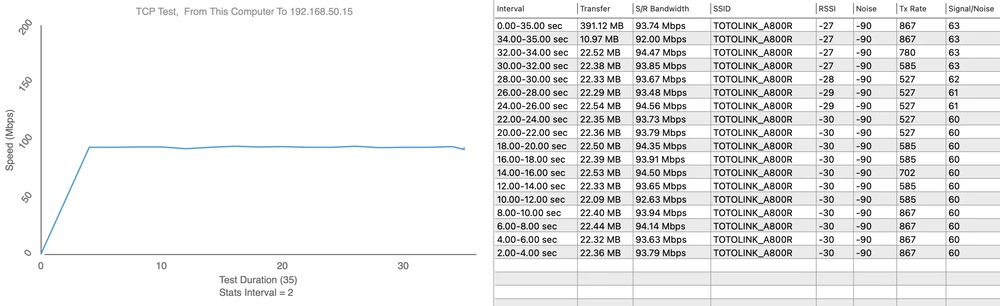
Upload 91Mbps
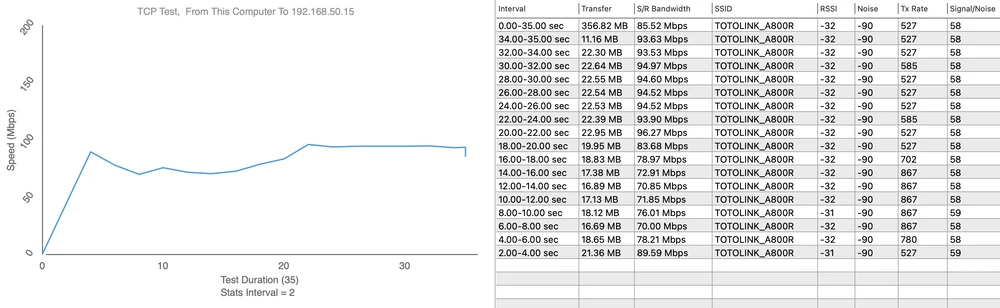
- Measurement point No. 2
Upload 93Mbps
- Measurement point no. 3
Upload 94Mbps
- Measurement point no. 4
Upload 95Mbps
- Measurement point no. 5
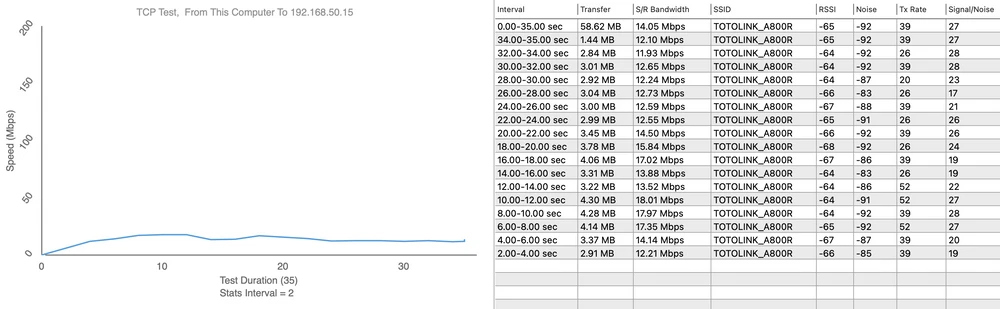
Upload 7Mbps
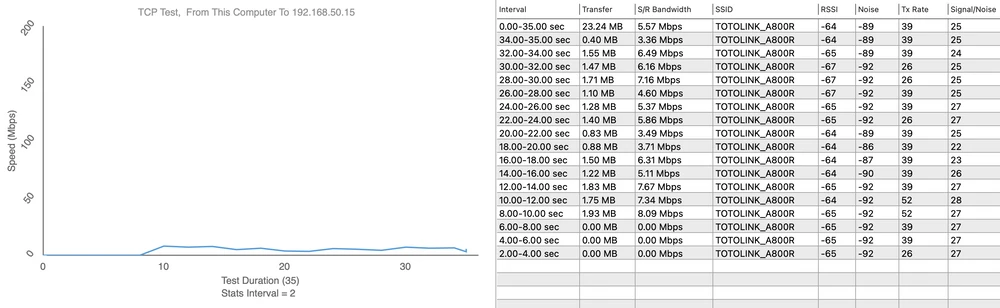
- Measurement point No. 6
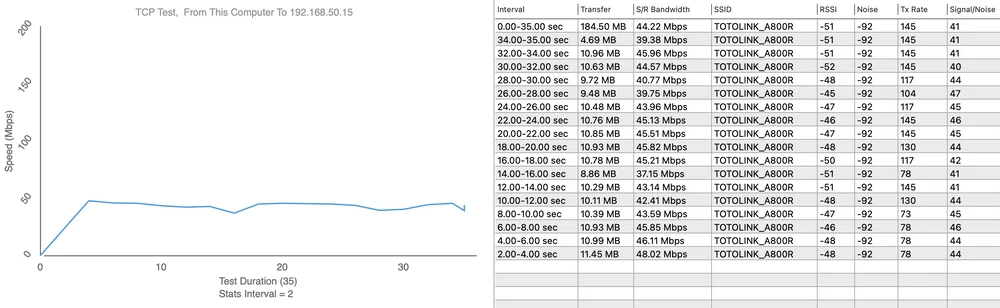
Upload 41Mbps
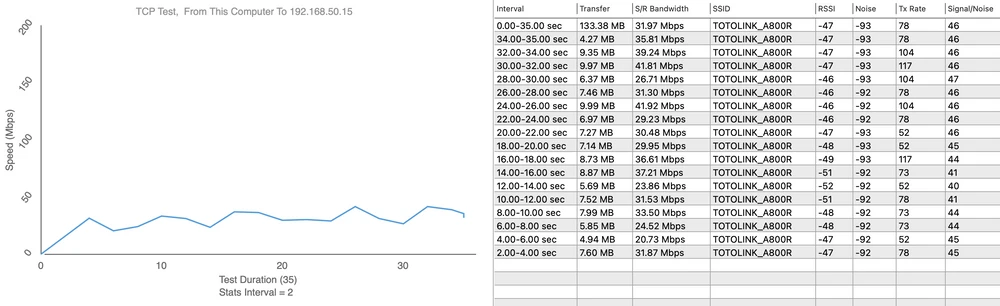
Summary
Totolink A800R is an extremely competitive model in the market due to inheriting features from many previous models. The MU-MIMO technology used significantly improves WI-FI speeds compared to the same segment of routers without MU-MIMO. The device has all the features of a dual-band router, including performance and adaptability for use in different operating environments. With extremely low pricing, the Totolink A800R is within the reach of all users. No Polish language in WEB GUI. No 1GB LAN ports. No Turbo Boost function. Significant improvement in both specification and design. Pretty good Wi-Fi performance. IPv6 support. Support for operating modes: Router, Repeater, Bridge, WISP. Possibility of assigning wireless interfaces to a specific VLAN.
Disadvantages:
Pros: