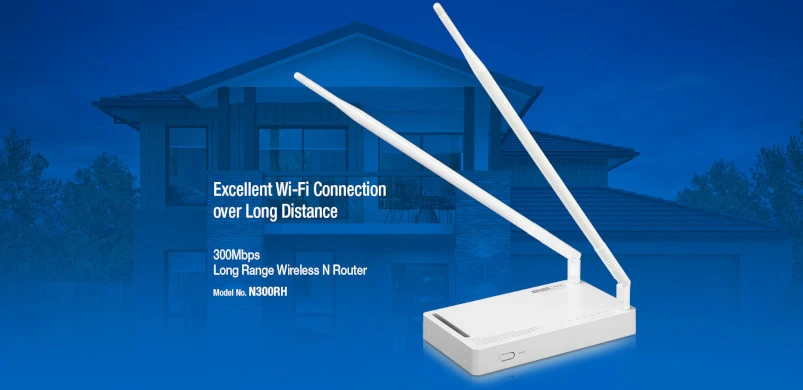
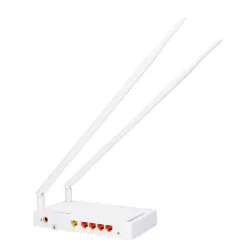
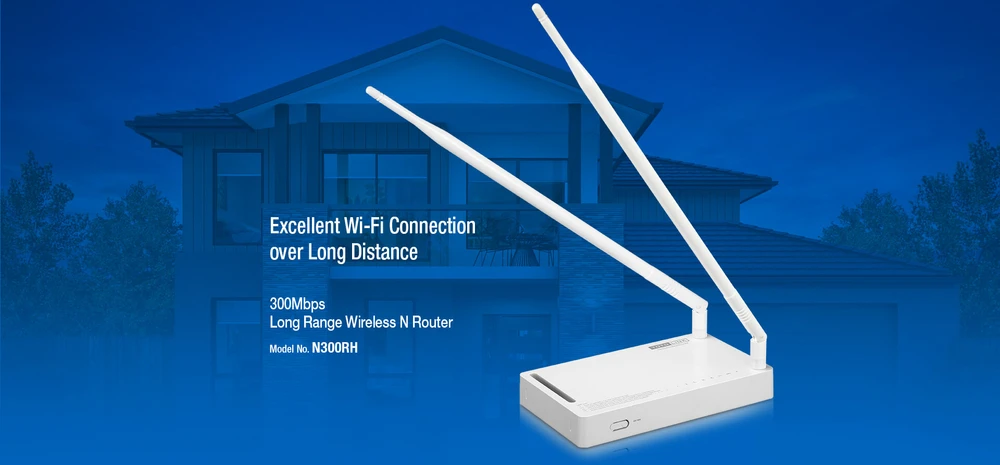
Today we will take a look at a very interesting router - Totolink N300RH. The manufacturer used a unique antenna system in the device that is designed to cover the whole apartment. This router works in the 802.11 b/g/n standard and is responsible for providing Internet connection to other devices in the network. The product itself is extremely compact and lightweight, and uses two omnidirectional antennas to spread the network, providing simultaneous data transfer to a device at a speed of 300 MB/s.
N300RH not only fully supports 128-bit
WPA, WPA2 security mode, but also WPS function, which greatly simplifies the authentication procedure when logging into the network. Additionally, the router utilizes several basic functions such as connection quality management and network congestion troubleshooting.
Main features:- Supports the WiFi b/g/n standard, with speeds up to 300 Mbps.
- Support for 5 SSIDs (5 different WI-FI names).
- LAN isolation (Wireless and LAN isolation).
- Supports multiple VLANs for IPTV.
- Simultaneous connection of up to 25 wireless devices.
Totolink N300RH project
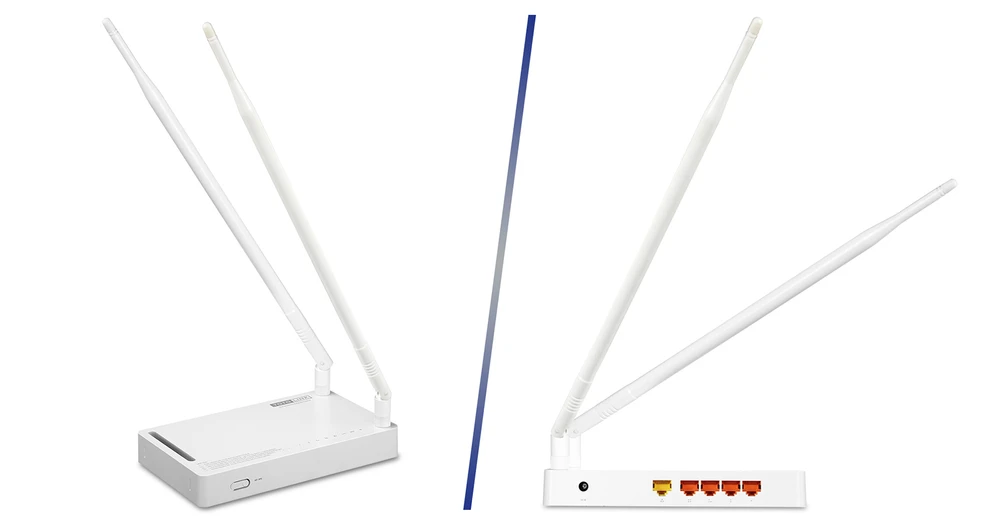
Wireless router N300RH is characterized by very simple configuration. On the top we find two antenna mounts that can be used for attaching the antennas included in the package. Near one of the mounts we'll find a number of indicator lights, they'll be particularly helpful in indicating the router's operational status.
At the back of the device there are 5 Ethernet ports, namely
Unfortunately these are only 10/100 Mbps ports.
The front of the N300RH is equipped with a WPS (WI-FI Proteced Setup) button and a hard reboot function that restores the settings to default factory values.
The antennas of N300RH are especially interesting, they measure 40cm. The signal amplification is 11 dBi, in comparison with the older version N300RA which had only 5 dBi. It is worth mentioning that with higher dBI values - the sensitivity of the antenna and coverage area increase. This type of antenna with large dBi signal allows to cover a wide area.
Technical Specification Totolink N300RH
Totolink N300RH configuration
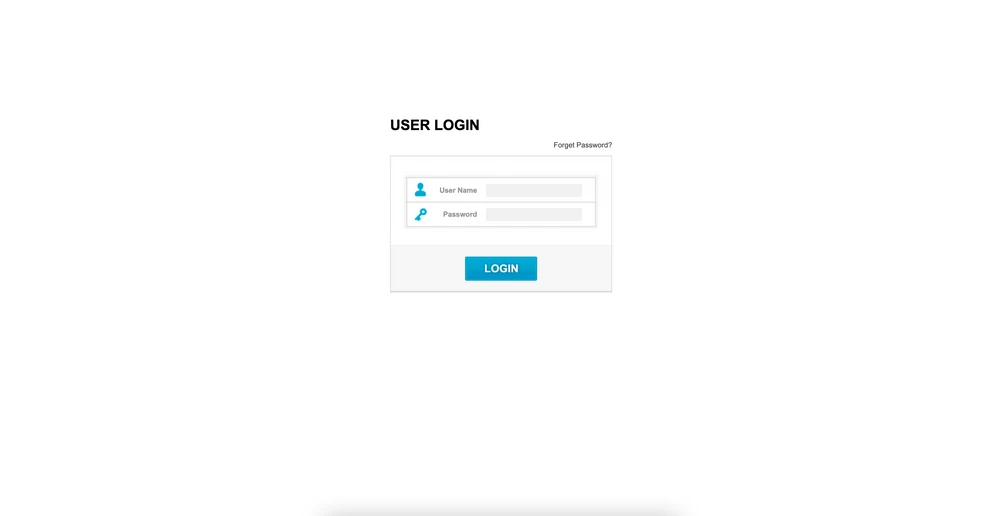
The first step in the configuration process is to log on to the N300RH interface. Start your web browser and enter the default IP address of the router, 192.168.1.1. Next, in the "User Name" and "Password" sections enter admin / admin.
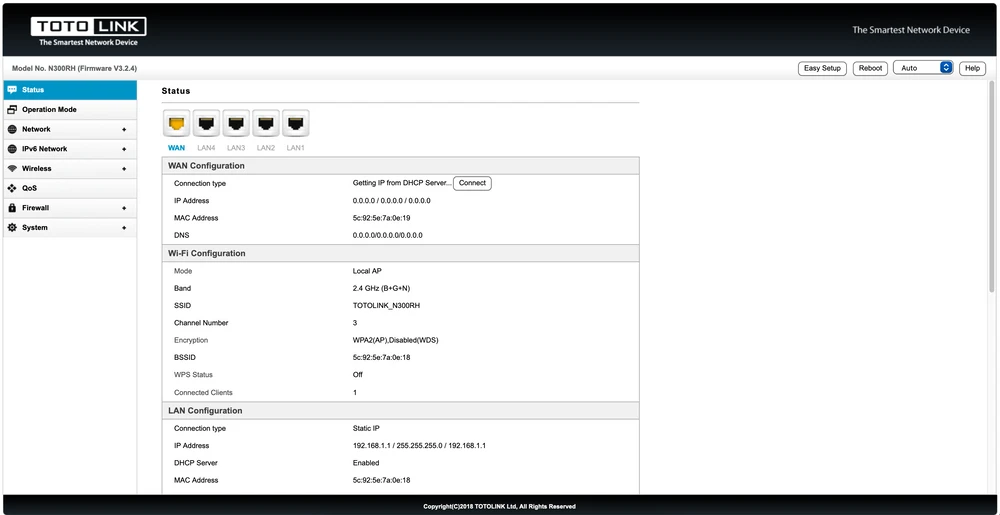
After logging in we get access to the main configuration page of the N300RH router. In the first section "Status" we can see the configuration overview of the router. Basically, the device management interface is quite intuitive with a tree-like directory structure.
In the
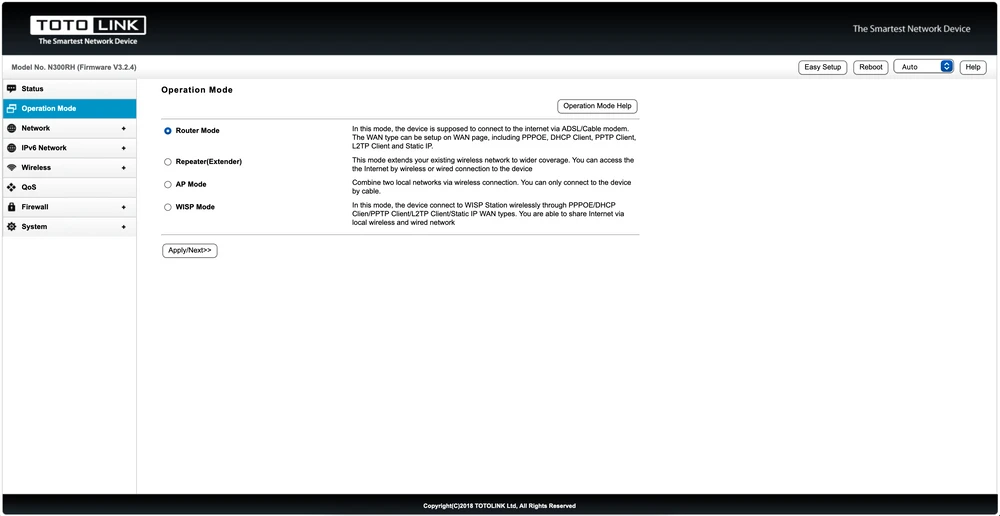
"Operation Mode" section we get access to any operation mode of the N300RH, we can adjust the router to our needs. Usually N300RH is configured in router mode by default, but we can also set it to work in:
- Repeater mode
- AP mode
- WISP mode
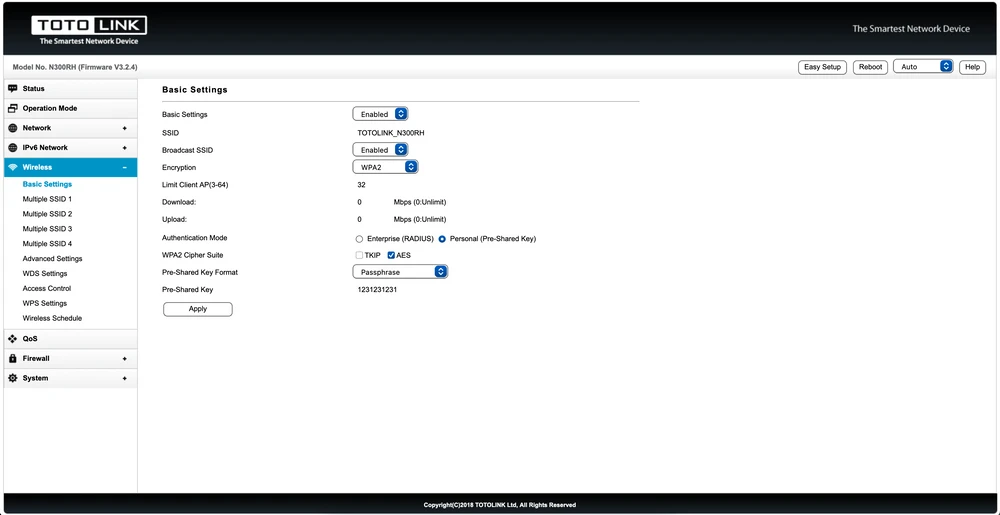
Of course, the Totolink N300RH also fully supports encryption standards to further protect your data as it travels over the network and limit strangers from taking up your internet bandwidth. If you need a higher level of security, you can configure additional filtering for Wi-Fi access by MAC address (Media Access Control). A MAC address is a unique sequence of numbers and characters on each network device, so MAC address filtering helps you determine which computer can access your Wi-Fi network and which cannot.
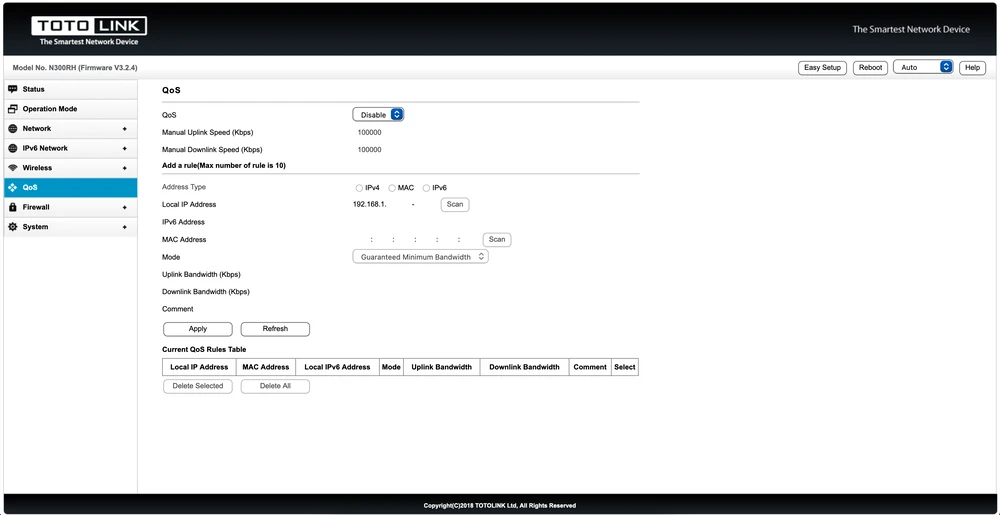
In addition, the N300RH also allows users to use the QoS feature to limit the Internet bandwidth for devices participating in the network. This option is particularly useful when the link is used by too many users at the same time.
Totolink N300RH performance test
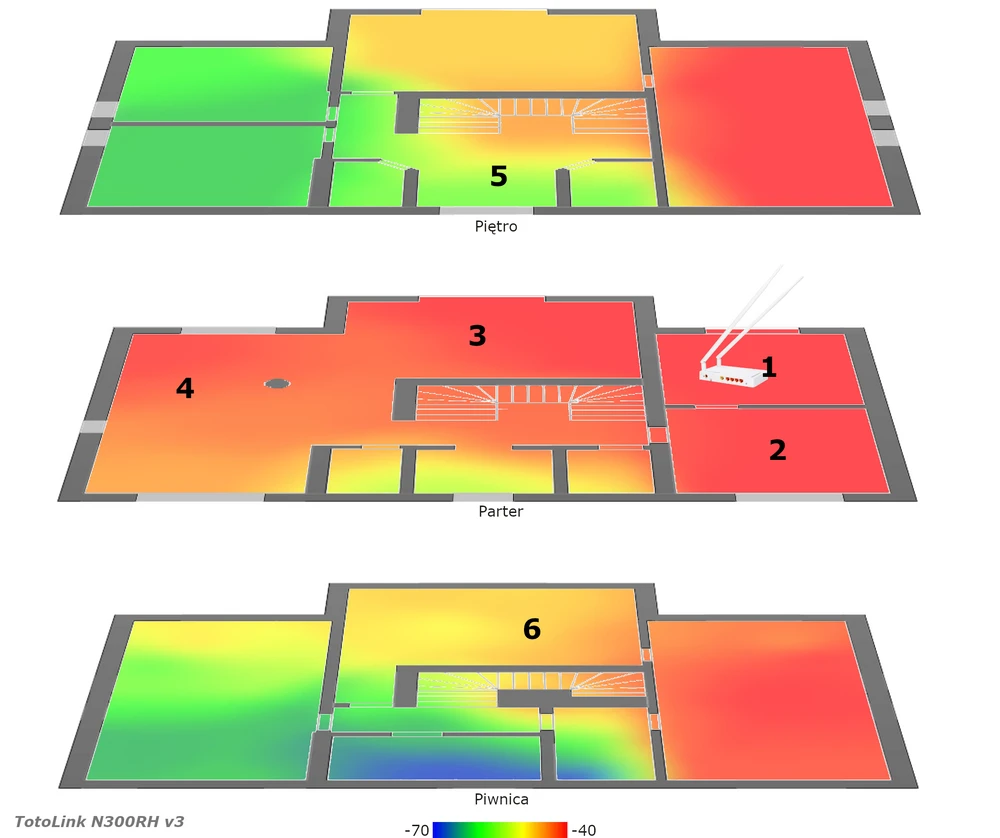
The goal of our tests is to verify the range of wireless network both in terms of signal coverage and real speeds available in the building. For 2.4GHz connections we assumed maximum channel width of 20MHz.
The testing device was MacBook Pro A1502 equipped with a built-in wireless card AirPort Extreme (Broadcom BCM4360 3x3, 1.3 Gbps PHY) working in the 802.11a/b/g/n/ac standards.
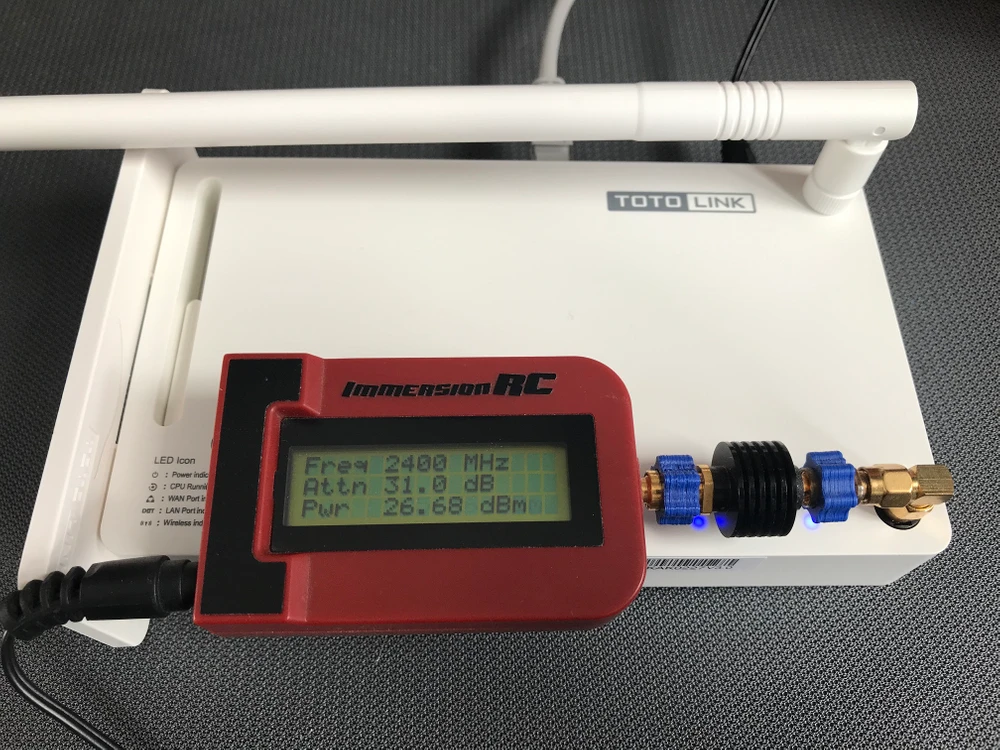
The power of the transmitters
The first thing we did was to measure the power of the transmitters. Usually the average oscillated around 19 dBm, but at times we could see a value of 26/27 dBm. We wonder if such big antennas meet the legal requirements for EIRP powerSignal map
To make a signal map we used the
AirSurvey software. For correct reading of signal levels, please pay attention to the color legend at the bottom of the picture.
The placed Access Points are marked with a suitable icon.
Speed test
Before the speed tests, we verified the maximum performance of the LAN and the iperf3 server. The aforementioned laptop was connected with a 10/100/1000Mbps network card to a switch. We obtained the following maximum speeds for a single TCP stream:
- Download 894Mbps,
- 958Mbps upload.
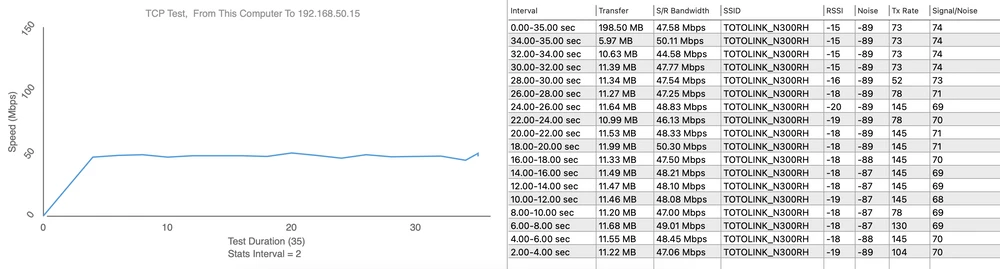
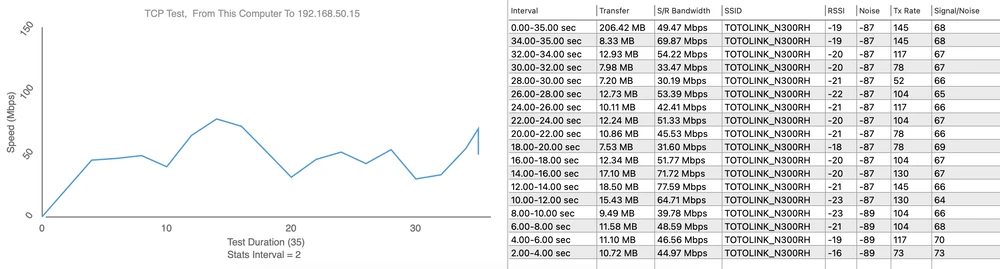
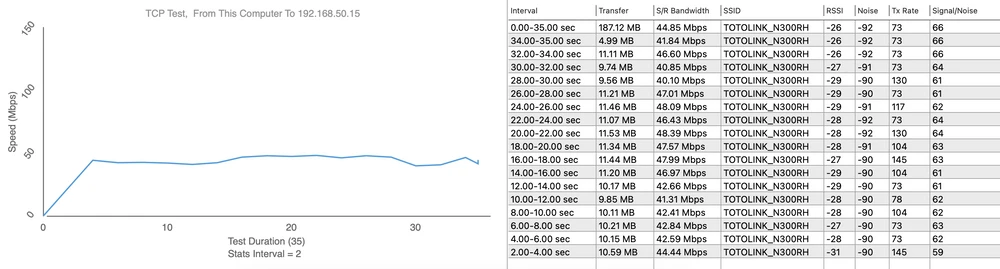
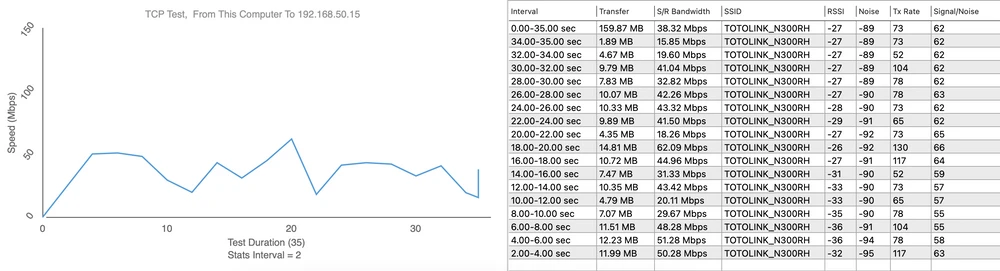
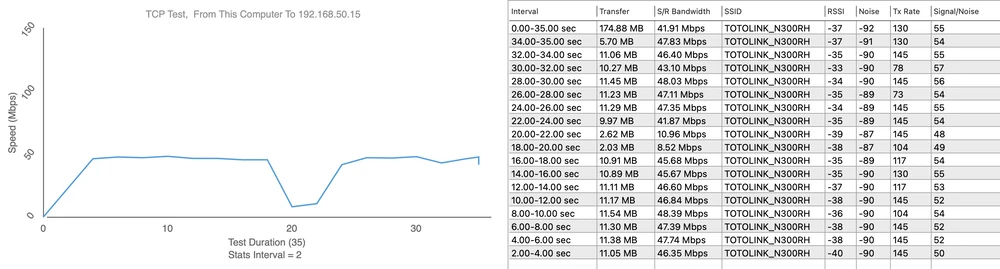
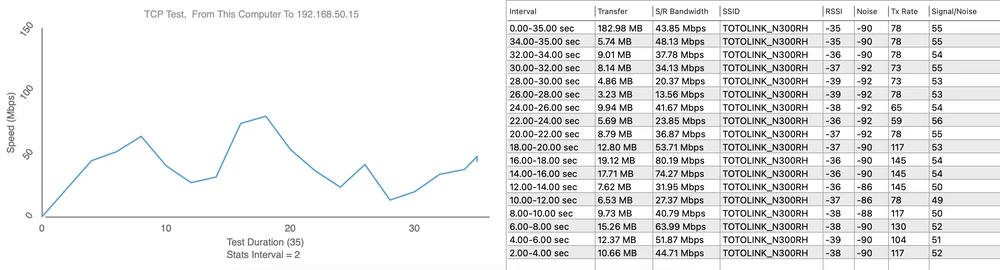
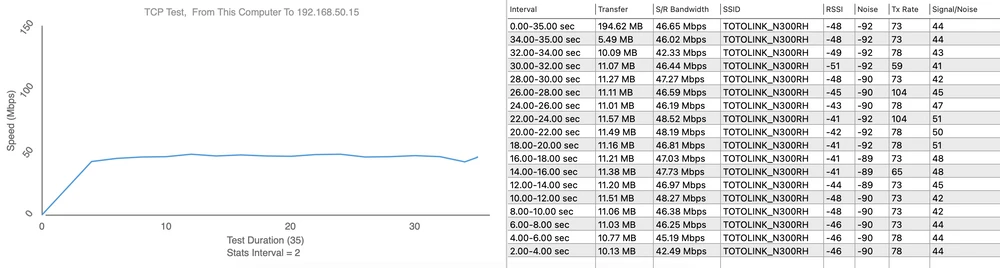
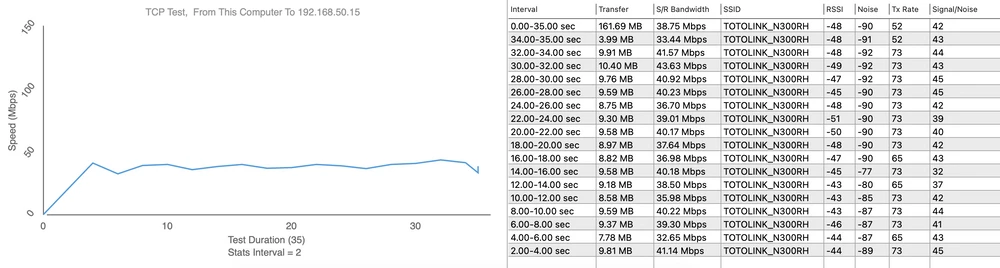
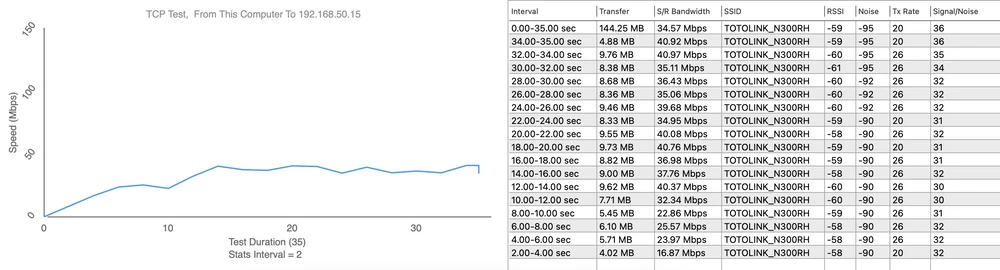
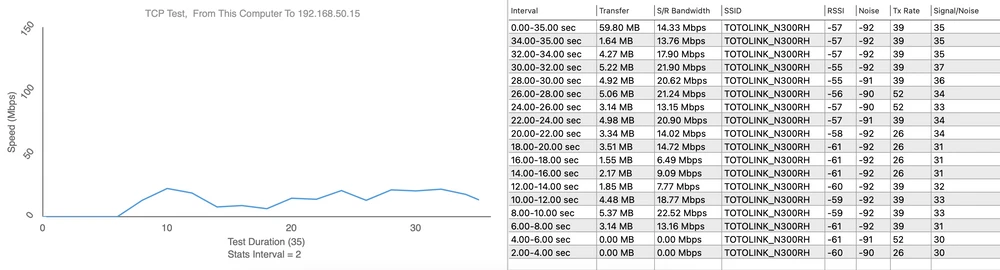
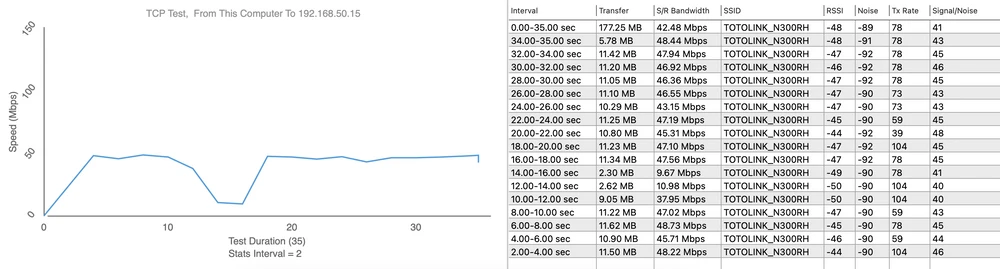
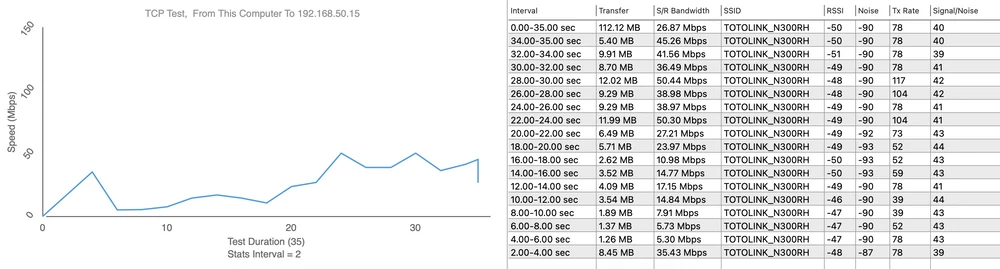
We performed the speed tests using WiFiPerf software, and the speed test server was iperf3 software.
Measurement point 1 - Download 49 Mbps / Upload 77 Mbps
Measurement point 2 - Download 48 Mbps / Upload 62 Mbps
Measurement point 3 - Download 48 Mbps / Upload 80 Mbps
Measurement point 4 - Download 47 Mbps / Upload 43 Mbps
Measurement point 5 - Download 48 Mbps / Upload 50 Mbps
Measurement point 6 - Download 48 Mbps / Upload 50 Mbps
Summary
We can safely say that the
Totolink N300RH is a pretty reliable device for small scale local networks with not very high data transfer requirements. The lack of Gigabit Ethernet ports in this router indicates that this device is not the best solution for use in networks with high data transfer requirements. Considering that recently high data transfer rates are commonly required even by home users, not having a Gigabit Ethernet port can be a nuisance.
The simple design of the N300RH along with the user interface makes it an ideal router for undemanding individuals.
Advantages:
- Polish manual.
- Rich security settings against attacks.
- VLAN and IPTV support.
- IGMP support.
- QoS support.
- TR-069 support.
Disadvantages:
- Antennas are heavy enough to unscrew on their own.
- Ethernet ports only 10/100 Mbps.