



great ap test part4 aruba instant on
Foreword
Next part of our grand Access Point test. We have already had a chance to get acquainted with the products from Ubiquiti and Cambium, while this time our "test-lab" received Aruba's indoor access point called Instant On AP12.. The test procedure is analogous to Part 1, Part 2 and Part 3 of our test series. And this time the technical side of the test and the analysis of the results is handled by Wojtek Repiński.
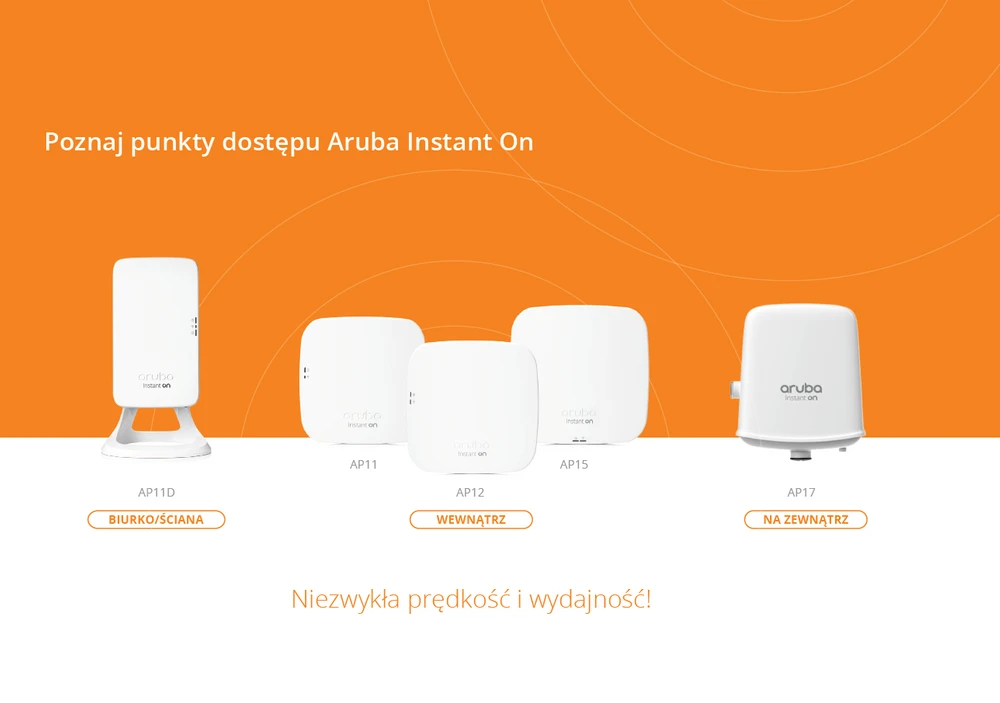
Aruba Instant ON
Aruba Instant On is a wide range of wireless solutions for small and growing businesses which have little technical support. They offer products for both indoor and outdoor use.
The Aruba Instant On product range is distinguished by its very modern technology, best-in-class service and advanced security features.
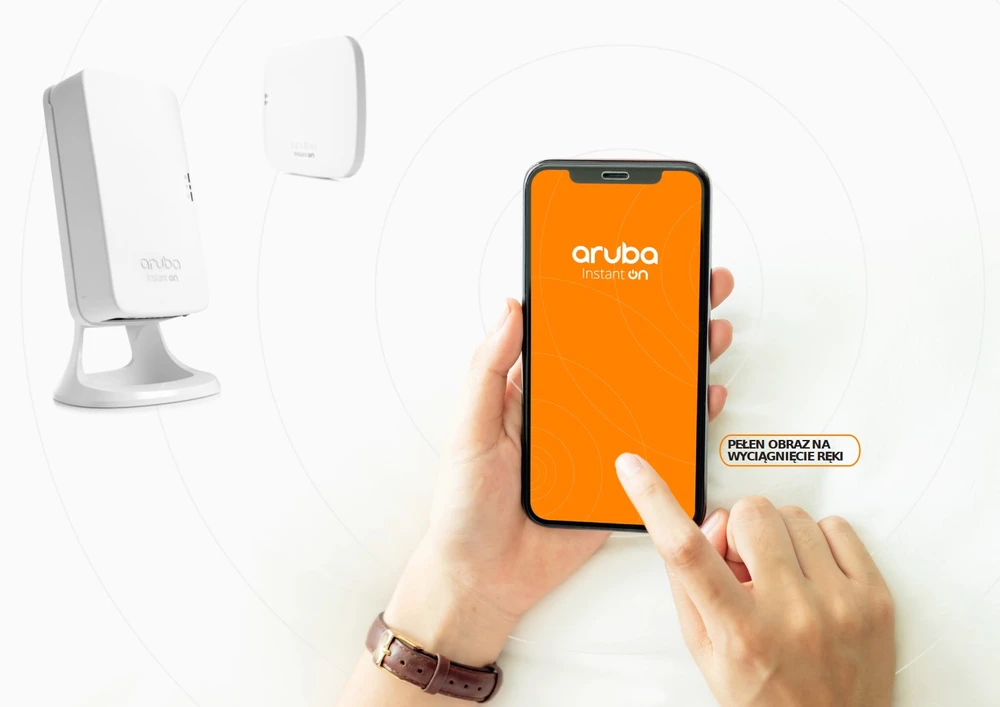
Mobile Application
With the mobile application, setting up, monitoring and managing your wireless network is trivially simple. To configure Aruba Instant On you only need a device with iOS or Android. In short, the installation process also requires downloading a mobile application for smartphones. Thanks to this, the installation is very simplified and does not require any technical knowledge.
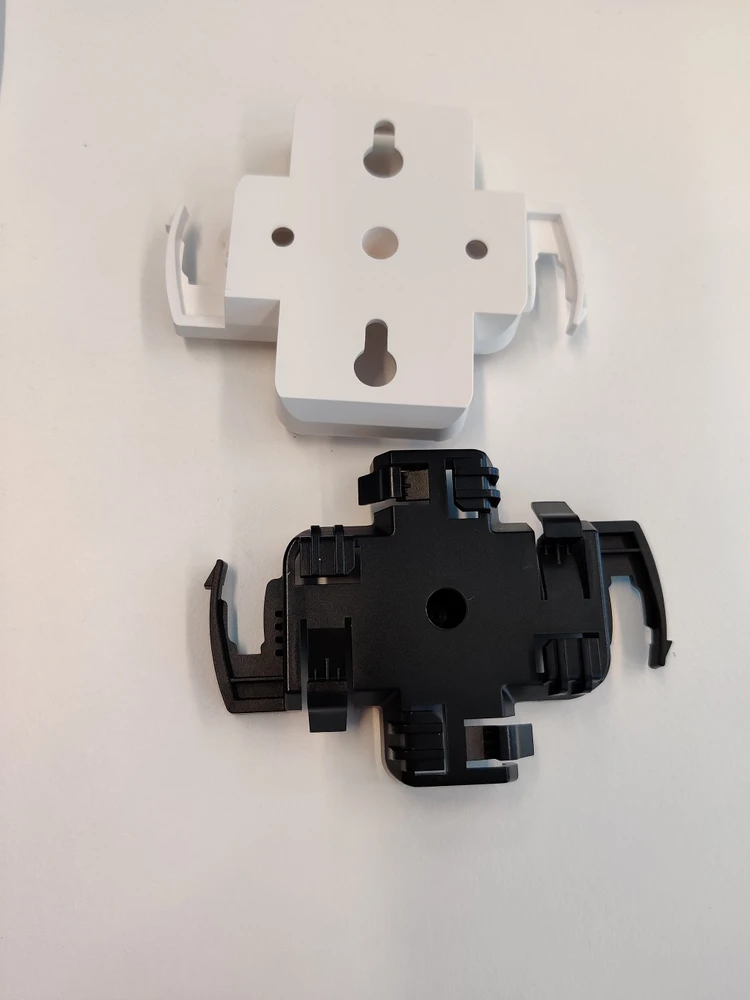
Installation and workmanship quality
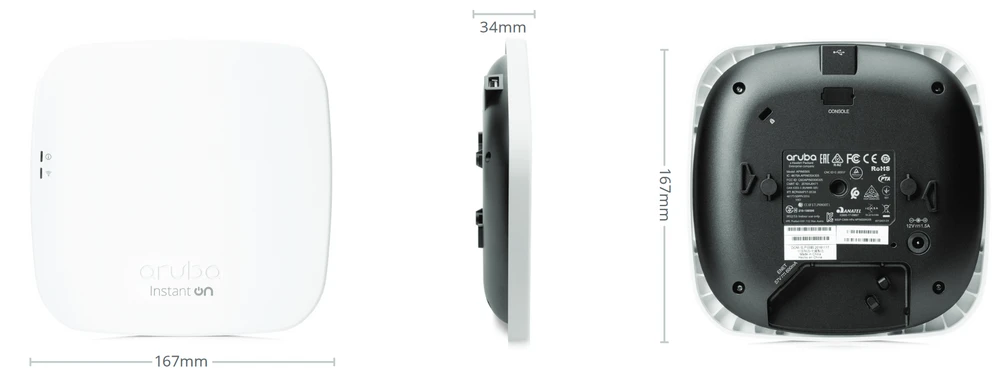
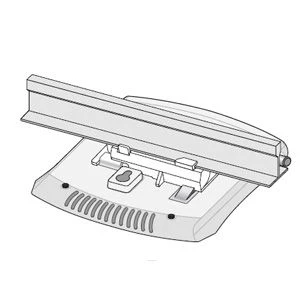
You have to admit that the Aruba Instant On AP12 access point is visually nice and the quality of its construction is at the highest level. The set includes two mounting brackets, one for mounting on wall/ceiling using wall plugs, and the other for mounting under suspended ceilings (directly to the structural beam). And in general, everything would be very beautiful visually, if it wasn't for the fact that the manufacturer probably skimmed a little bit on plastic and the access point visually stands out by approx. 27mm from the wall or ceiling surface, which makes the device look rather poor.
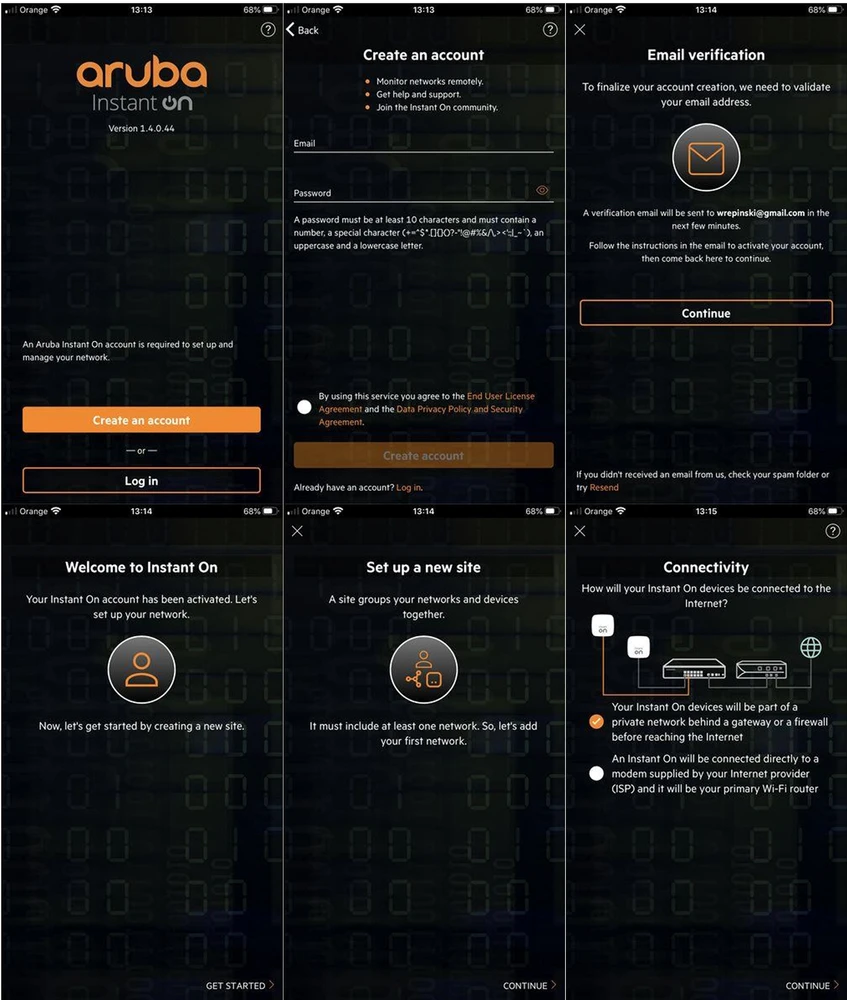
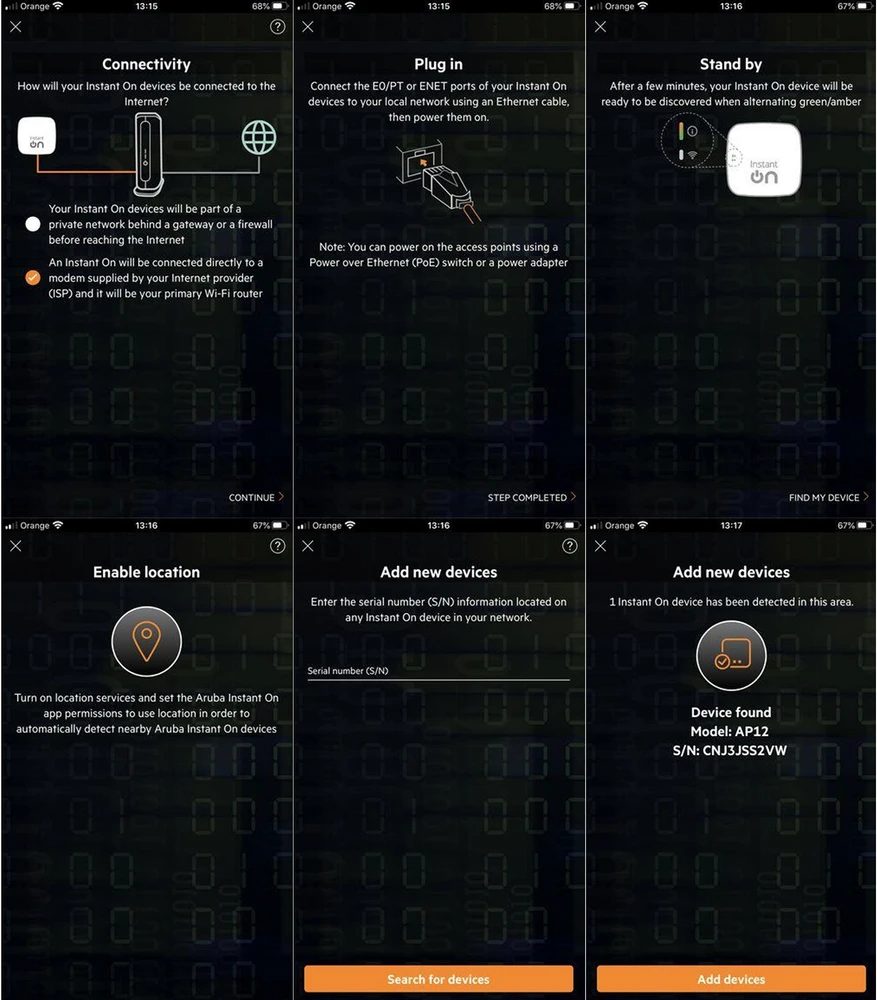
Aruba Instant On - configuration
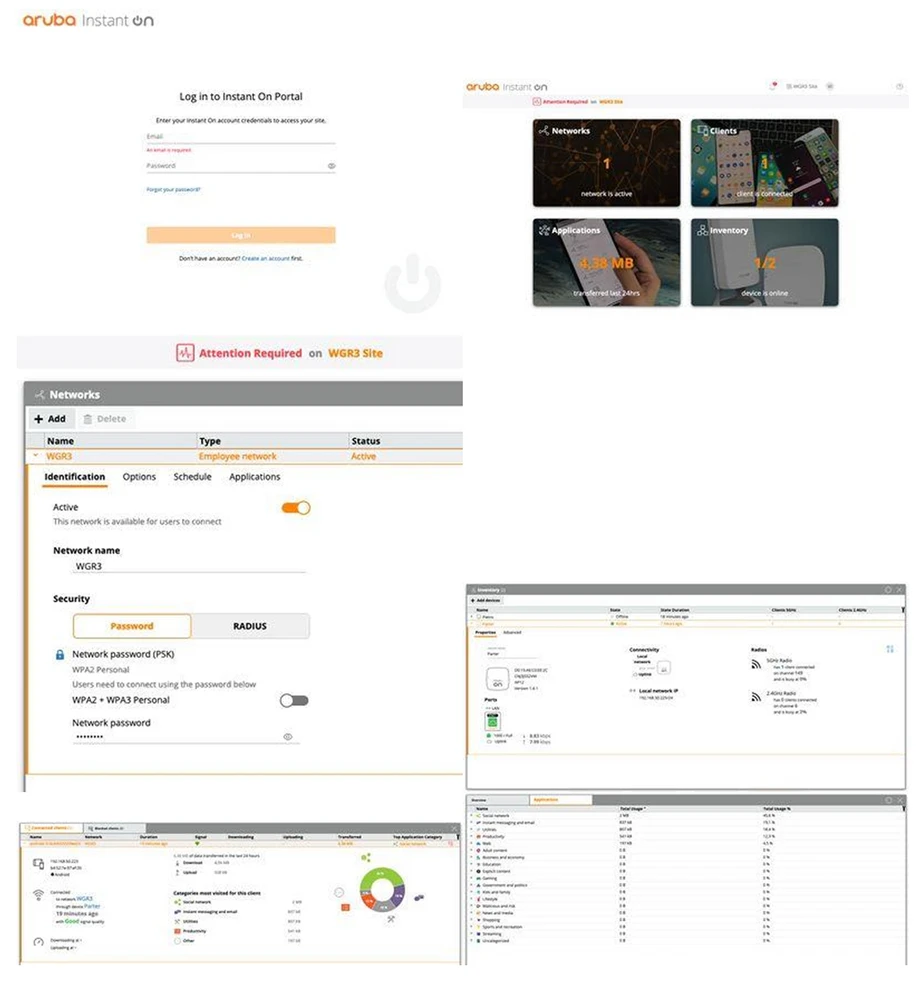
As mentioned earlier, the Aruba Instant On series devices are configured using a mobile application. (iOS, Android). The first start-up and configuration process is trivially simple. Even users with no technical knowledge will be able to handle the configuration without any problems.
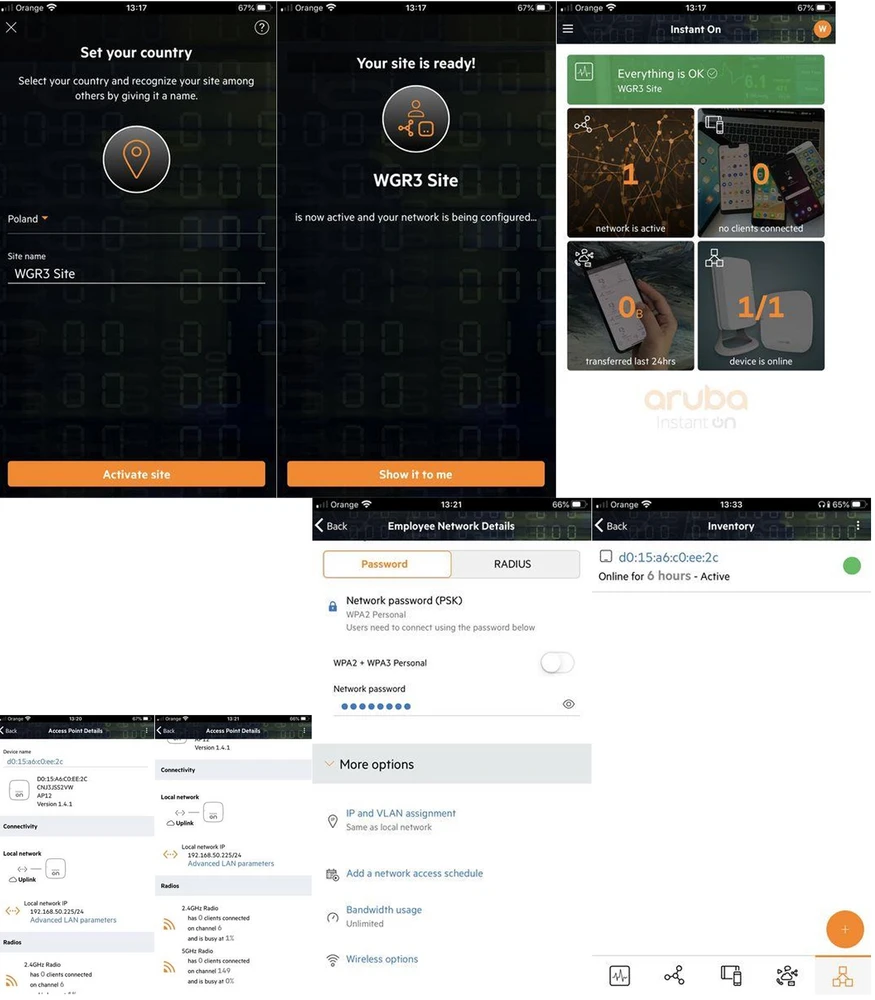
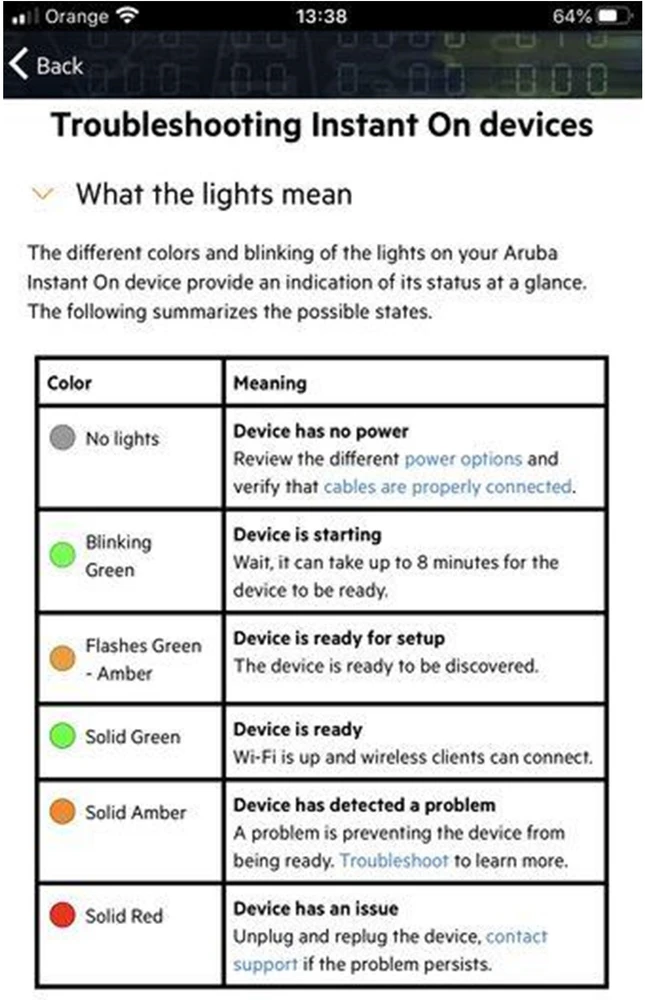
Aruba Instant On - graphic interface
Aruba Instant On Ap12's graphical interface is extremely simplified and limited to a single screen. There we can choose the basic configuration parameters e.g. whether the device downloads network parameters via DHCP client or PPPoE server. It may be a little strange that the change of this configuration is not protected against unauthorized access, but we hope that with subsequent software updates, such protection will be introduced.
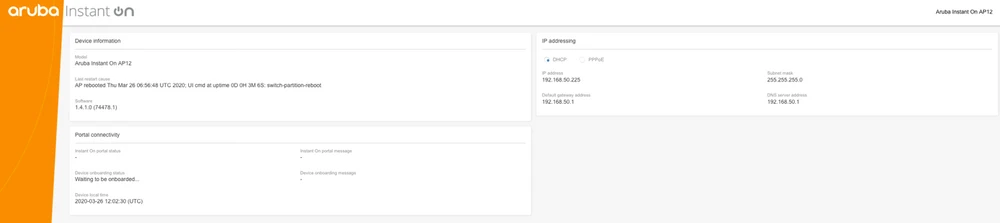
Of course, apart from the mobile application, we have the Aruba Portal, which allows you to remotely configure the basic parameters of the wireless network. A very big surprise is the fact how much and what statistics are made available for the manufacturer's network servers.
Test environment
The purpose of our tests is to check the performance of the wireless mesh network created by two Aruba Instant On Ap12 Access Points.The network is checked for both signal coverage and real speeds obtained in the building. For 2.4GHz frequency connections, we have adopted the maximum channel width of 40MHz, and for 5GHz the 80MHz channel width. Although some devices in the 5GHz band can operate at 160MHz, due to the still limited number of terminal devices (phones/laptops) supporting such a channel width, we have omitted these tests.
Network diagram
The testing device was a MacBook Pro A1502, equipped with an AirPort Extreme WiFi card (Broadcom BCM4360 3x3, 1.3 Gbps PHY). The built-in wireless card supports 802.11a/b/g/n/ac standards.
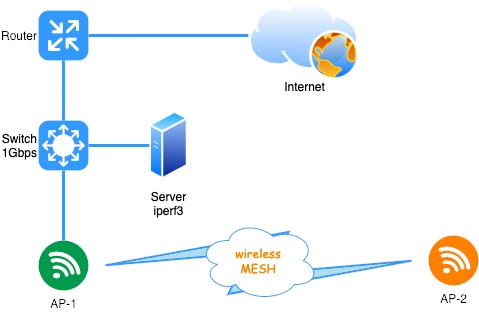
Before testing the wireless network, we verified the maximum performance of the LAN and server iperf3. The aforementioned laptop was connected with a 10/100/1000Mbps network card to the switch. For one TCP stream we obtained the following speeds:
- downloading 894Mbps
- downloading 958Mbps
AirSurvey signal map
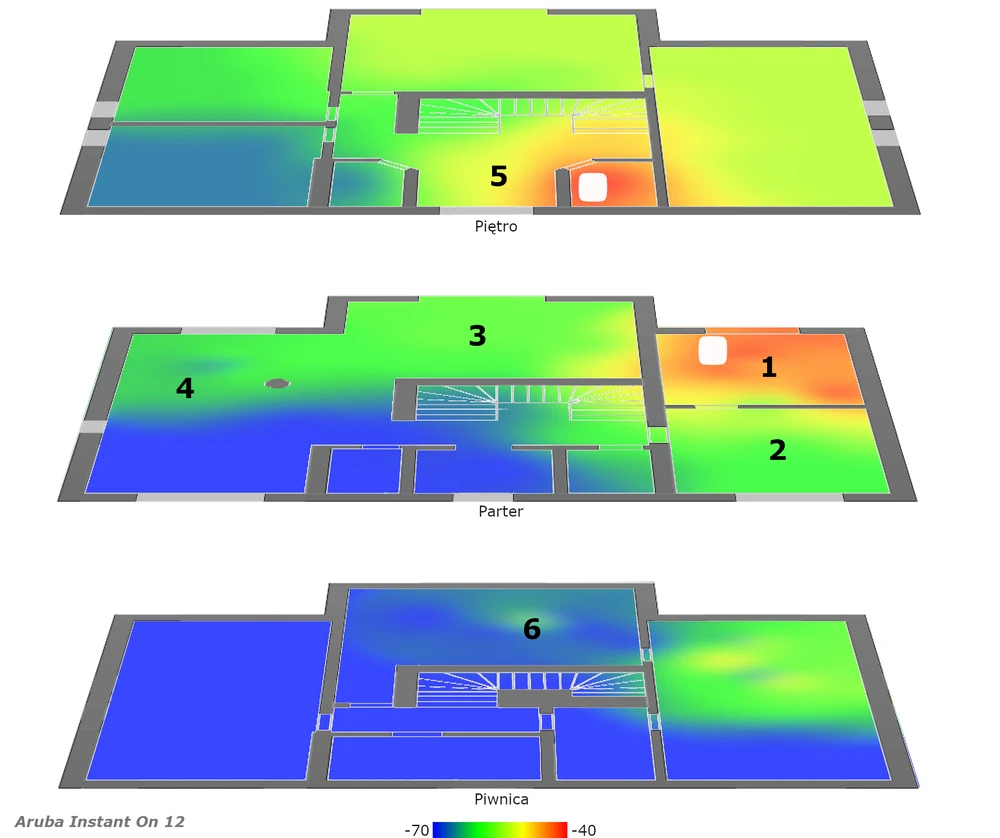
We used AirSurvey software, which we already used in part one to make a reliable signal map, the second part and third of our test cycle. In order to correctly read the levels of individual signals, please refer to the colour legend at the bottom of the picture.
- Location of individual Access Points has been marked with an appropriate icon.
- The device on the "ground floor" has been connected to the switch via Ethernet 1Gbps port.
Aruba Instant On Ap12 performance tests
Ensuring that our performance tests of the mesh network built with Aruba Instant On Ap12, were very reliable, our series of speed measurements, was performed in the same way as the tests in the previous tests. Speed tests were performed using the WiFiPerf software, while the speed test server was running iperf3 software. A series of tests were carried out using the TCP protocol and the duration cycle 60s. Below are the results of Aruba Instant On Ap12 speed tests in relation to individual measurement points:
- measuring point No. 1
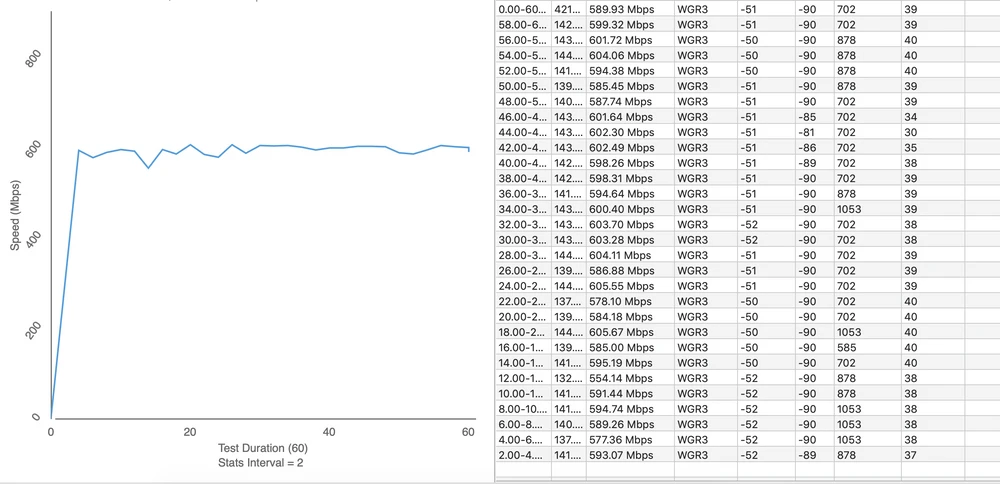
Upload 563Mbps
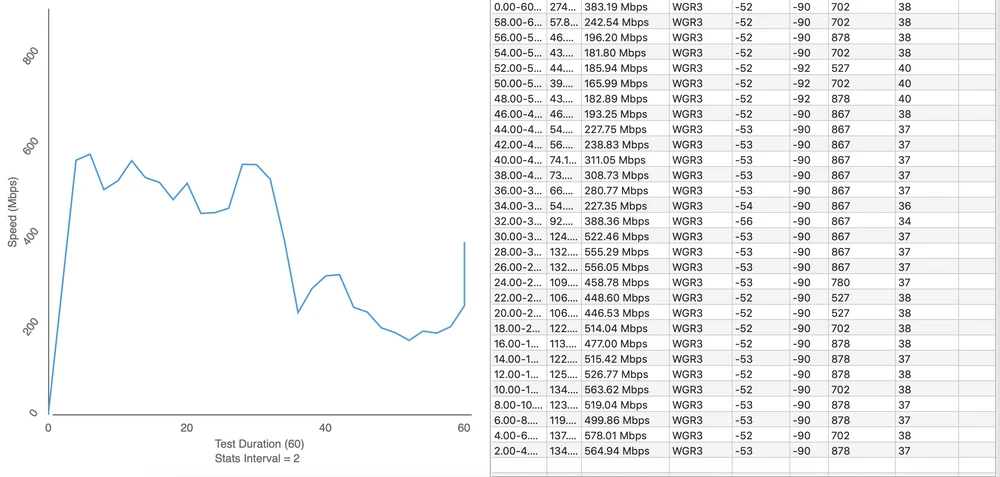
- measuring point No. 2
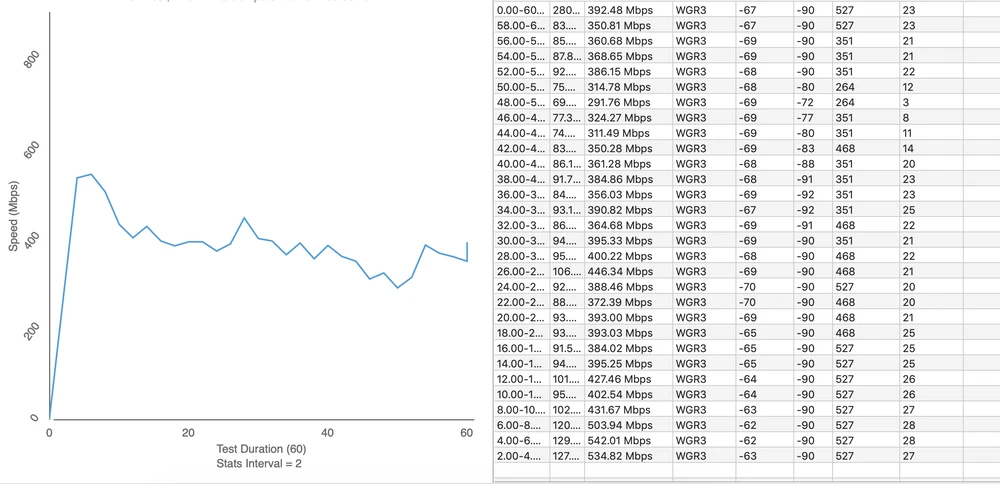
Upload 347Mbps
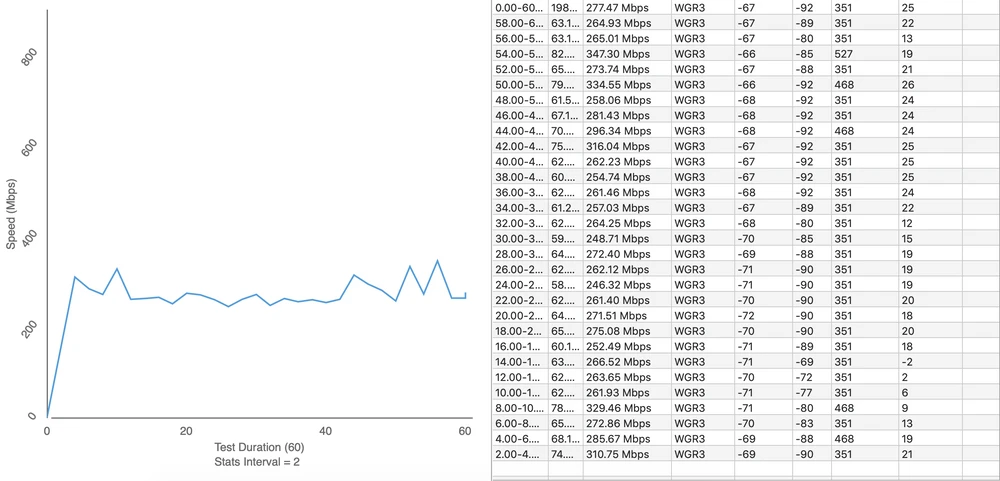
- measuring point No. 3
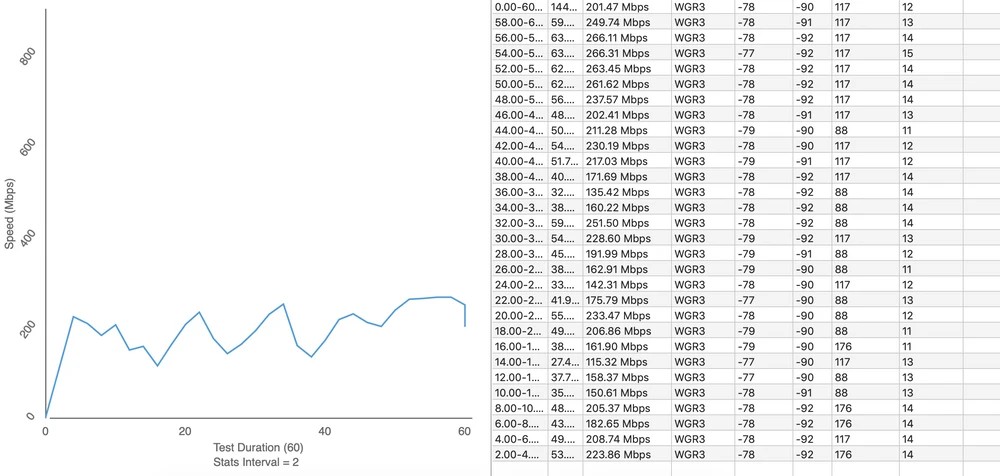
Upload 92Mbps
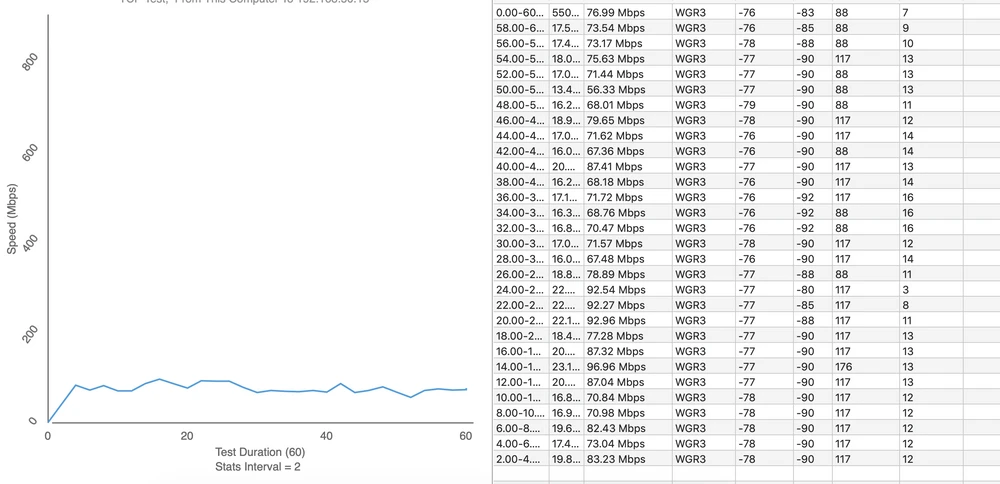
- measuring point No. 4
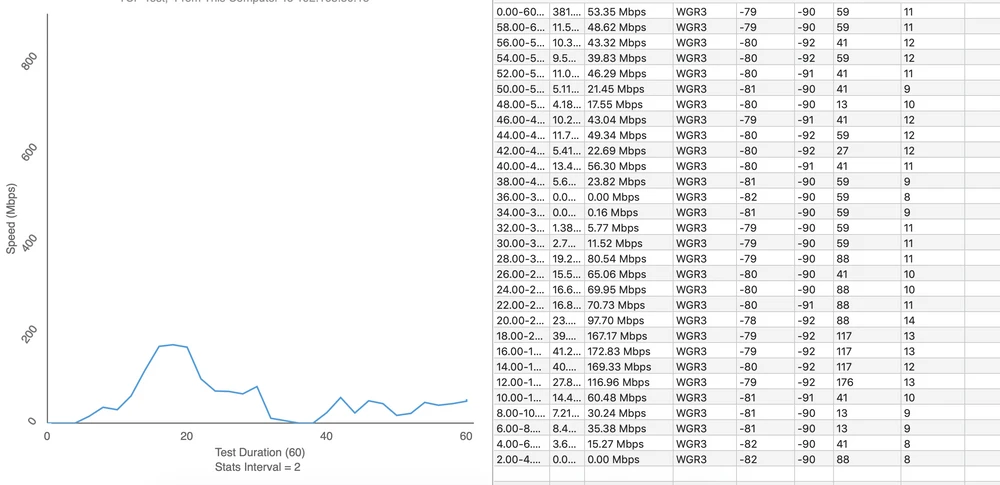
Upload 49Mbps
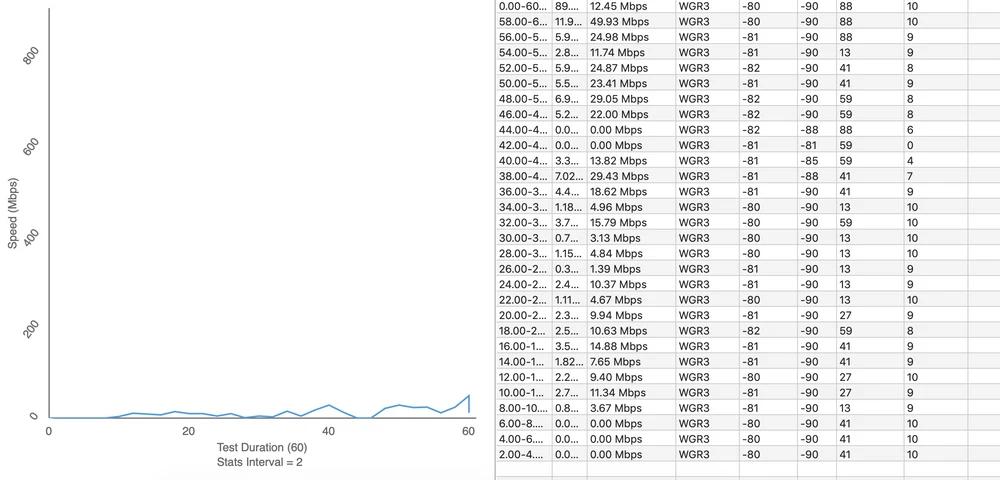
- measuring point No. 5
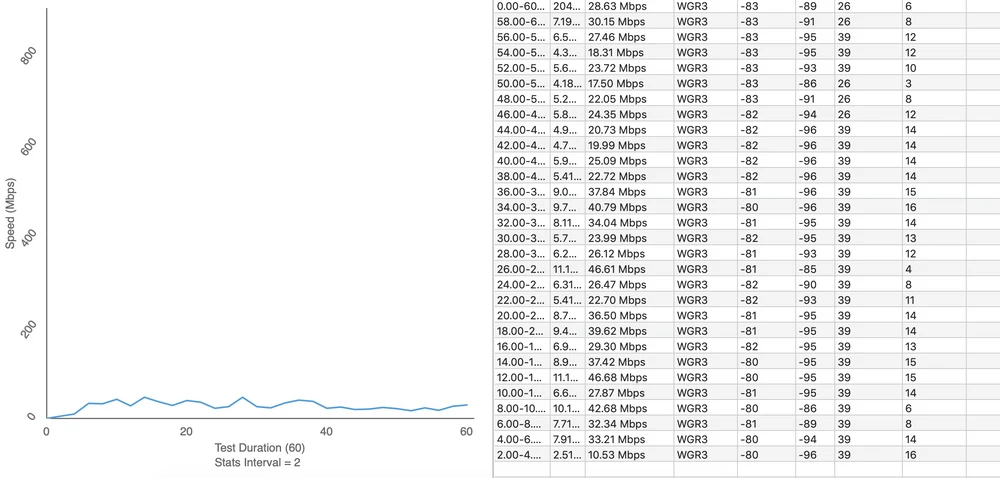
Upload 17Mbps
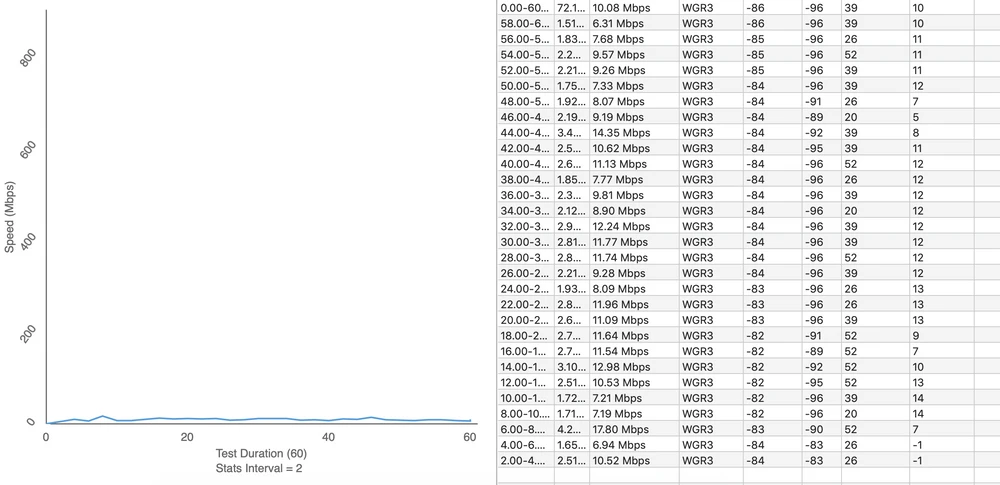
- measuring point No. 6
Upload 90Mbps
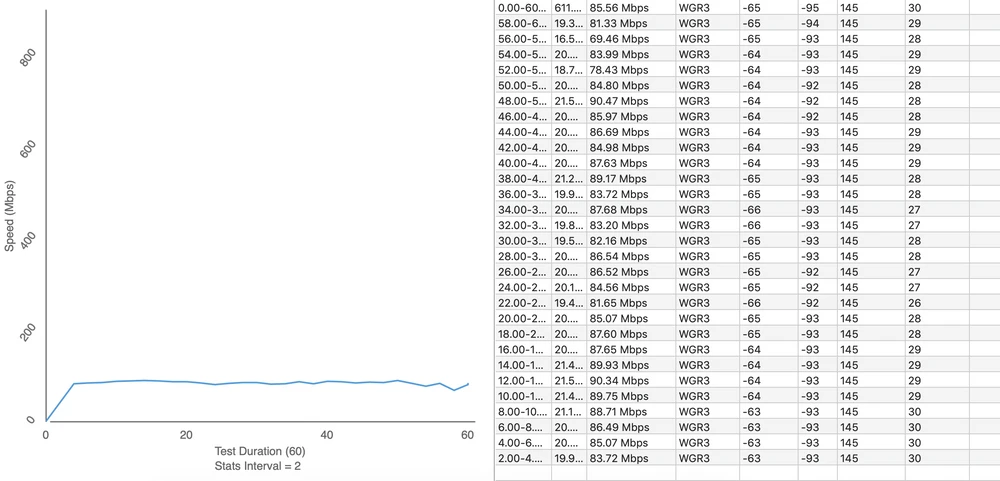
In measurement point No.5 , connection to AP-2 was not possible. The AP-1 and AP-2 devices did not establish a connection in MESH wireless mode at the tested distance. Therefore, for speed tests, the AP-2 was disabled.
Instant On - Software Release 2.0
It is also worth mentioning the latest software update to Aruba Instant On devices, which appeared a few days ago in version 2.0.1. As soon as the access points are connected to the Internet source, they download new software automatically.
I'm sure you'll be curious to know what innovations new firmware updates bring. The most important changes are listed in a few points below:
- Application and portal support for new 1930 switches, which will appear at the end of May.
- Service and configuration of shared services (wired and wireless) like chromecast or airplay.
- support and support VPN via NordVPN
- Shared ACL services - both in Access Points and switches
- Additional native support for 3rd party captive portals
Summary and conclusions
Aruba instant On Ap12 is a very aesthetic, extremely easy to configure Access Point from Aruba. However, there are a few details that may not necessarily influence our assessment of this access point well. First of all, quite a big surprise is the fact that the packaging Aruba Instant On Ap12 (RW version) lacks a PoE power supply and we have to buy it separately. The next issue is the necessity to use the mobile application during the installation of the device (no typical WEB GUI). The lack of security of changing the network connection method (DHCP/PPPoE client) and limited number of radio and network parameters, which we can set by ourselves, also gives a lot to think about. Very poor wireless coverage and therefore poor speeds obtained during our tests. We also noticed that the AP stubbornly holds client devices at 5GHz, even if the device is far away from our access point. Of course you can also notice the advantages of using Aruba Instant On Ap12. Ease of configuration! We have to admit that Aruba Instant On access point is an extremely easy device to configure. There is no need to have technical knowledge to configure the AP quickly and efficiently. Also noteworthy is the fact that the back of the case, which is made of aluminum. Thanks to that, Aruba Instant On AP12 very well isolates noise of the devices that are perfectly behind it. In general, Aruba Instant On is quite an interesting device, considering all the products we have managed to test so far. Particularly noteworthy is the free management from the cloud with a mobile application. However, it is quite difficult to draw any constructive conclusions from our tests, so we leave the summary for you...
For further discussion we invite you to visit our Forum, where the whole community exchanges their observations and opinions about the products Aruba InstantOn.
Loading...