



How to start and configure a NAS file server?

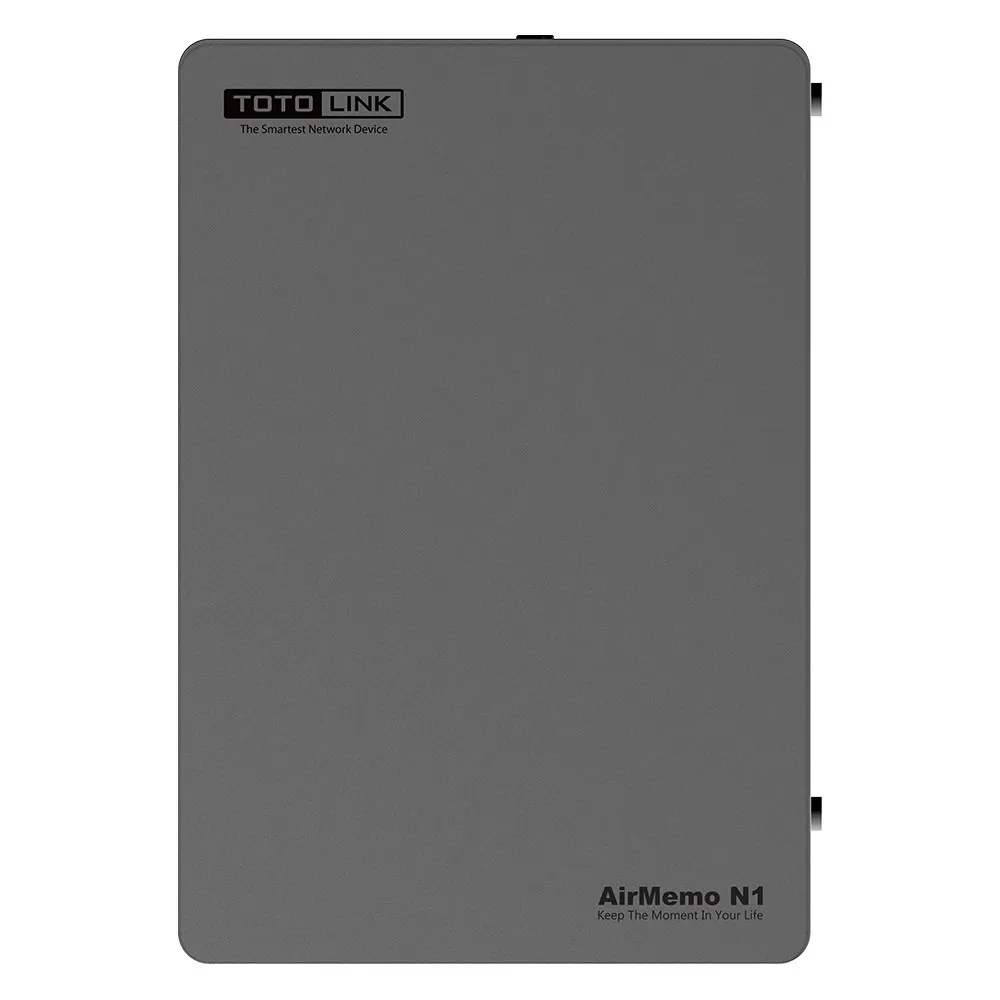
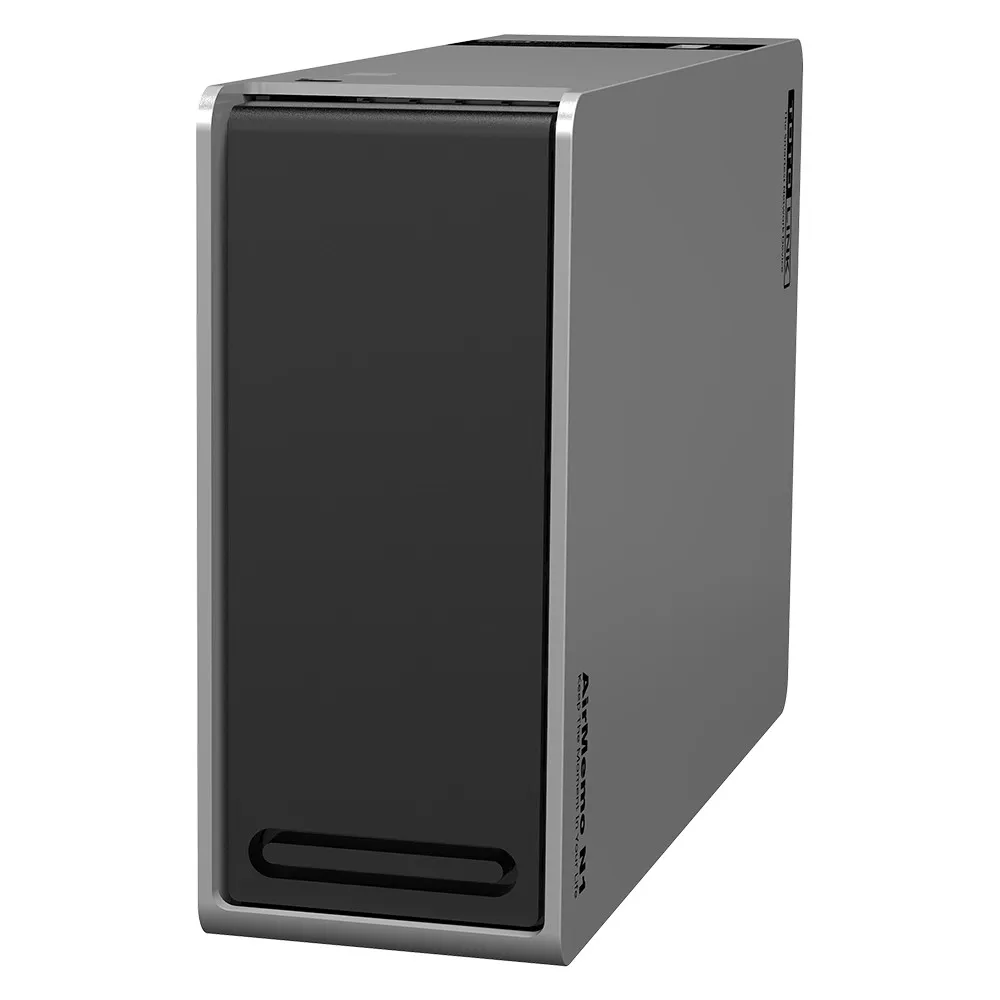
In this tutorial we will describe in a few steps the process of setting up a home NAS file server. In addition, we will present all the capabilities of the file server Totolink Airmemo N1. We invite you to read on.
With a file server, our data is safely stored and we can share it with specific users. Perhaps most importantly, with a NAS server we can access our files anytime and anywhere. All we need is an Internet connection.
What is a home NAS file server?
So by way of explanation. NAS, or Network Attached Storage, is a storage device connected to our Internet network. It can act as a file server, a media library and a safe, where we safely keep, for example, backups from other drives.With a file server, our data is safely stored and we can share it with specific users. Perhaps most importantly, with a NAS server we can access our files anytime and anywhere. All we need is an Internet connection.
For whom?
For everyone! NAS will be great for home storage of photos, e-books, music, videos, important documents, as well as disk backups of other devices.Why should you have a file server at home?
NAS servers work great both at home and in all kinds of offices. After all, we live in such times where probably each of us has a very large number of different types of files such as music, photos, videos, etc. That's why it's a good idea to equip yourself with a home file server for your convenience and that of other household members or co-workers.
If you want to securely store documents, study materials, research papers, or publications of various kinds, then a NAS server is the ideal solution.
And best of all! If we have an Apple laptop, a Windows computer and an Android smartphone, then a NAS file server, will integrate all these platforms. That's it in a nutshell, why we need a NAS server:
If you want to securely store documents, study materials, research papers, or publications of various kinds, then a NAS server is the ideal solution.
And best of all! If we have an Apple laptop, a Windows computer and an Android smartphone, then a NAS file server, will integrate all these platforms. That's it in a nutshell, why we need a NAS server:
- easy storage
- simple home server setup (first run)
- you can access your media from anywhere in the world
- possibility to mount various hard drives (including western digital)
- convenience
- versatility
- plenty of space for files
- security
- private cloud
- alternative to Google Photos
- an irreplaceable accessory for an IP camera
What are the advantages of a home file server?
First of all, with a NAS home file server, we get easy and inexpensive access to large amounts of data. In addition, we access our data from a mobile app on our smartphone. Of course, we can access our media library from anywhere in the world at no charge. The only condition is access to the Internet.Totolink AirMemo N1 - technical specifications
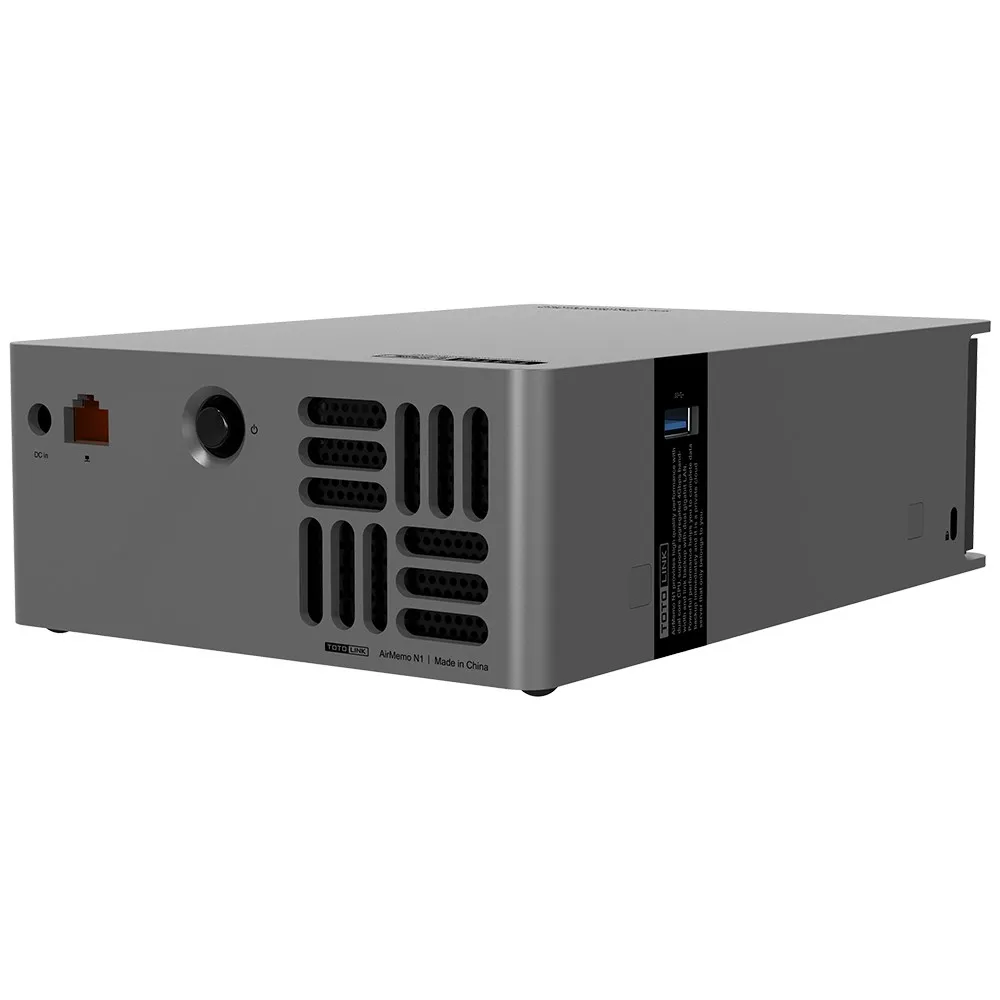
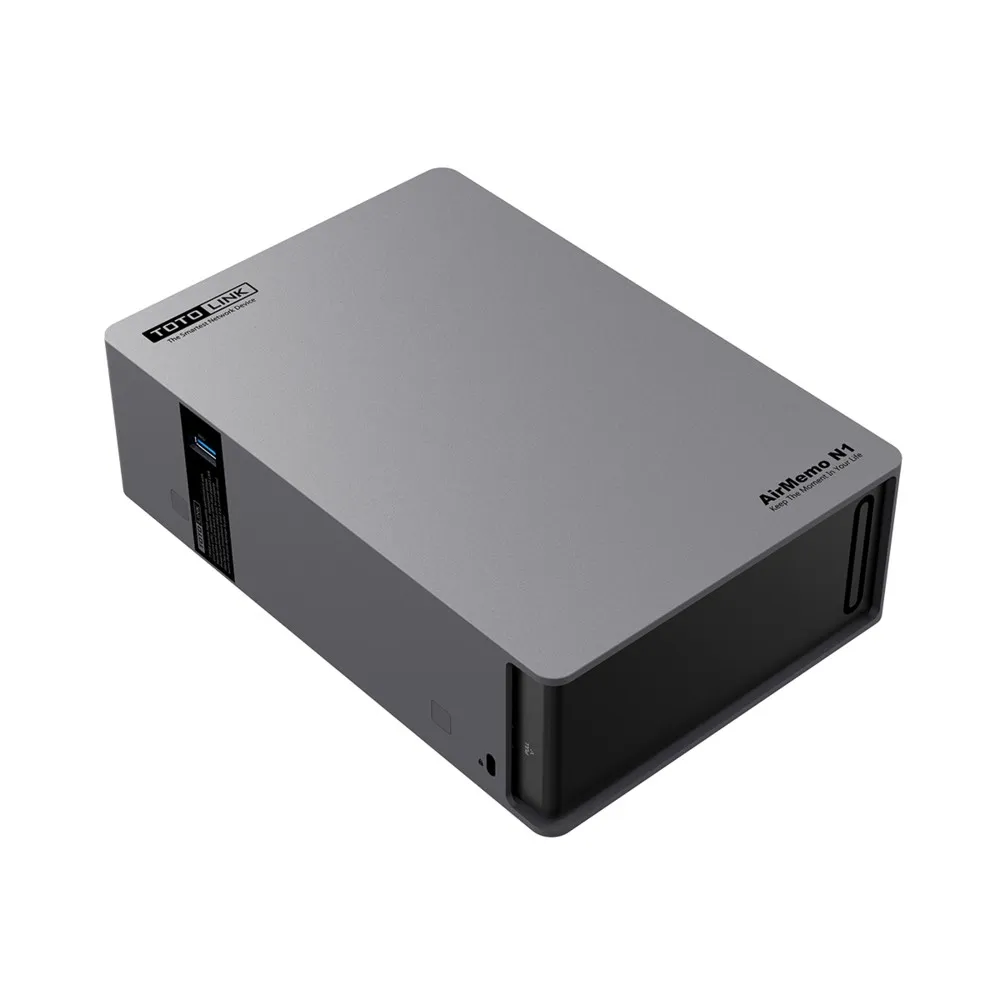
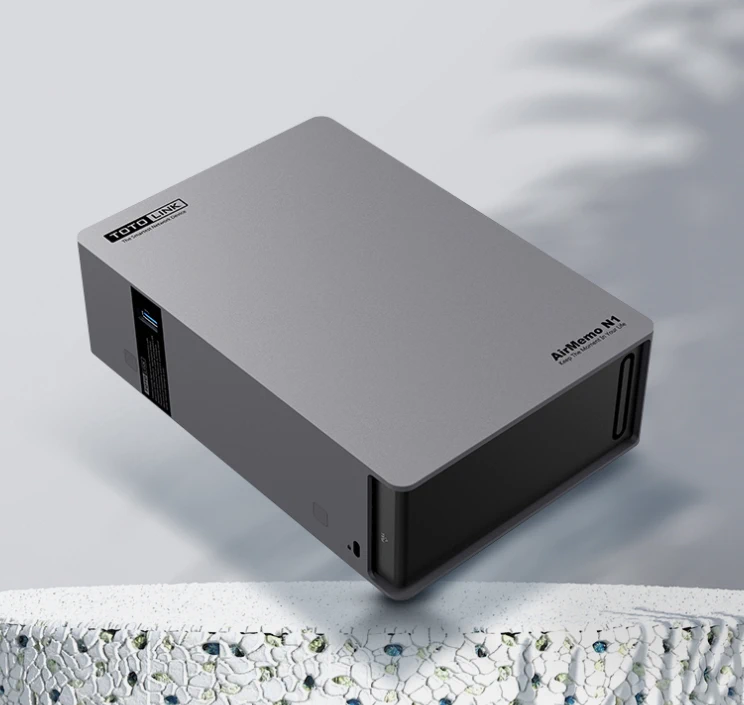
We will present our setup guide based on a home NAS file server - Totolink AirMemo N1
Setup and operation. Is it complicated?
Both configuration and operation are trivial and require no advanced knowledge. Below, we present the first startup and configuration of a home NAS file server in a few steps.
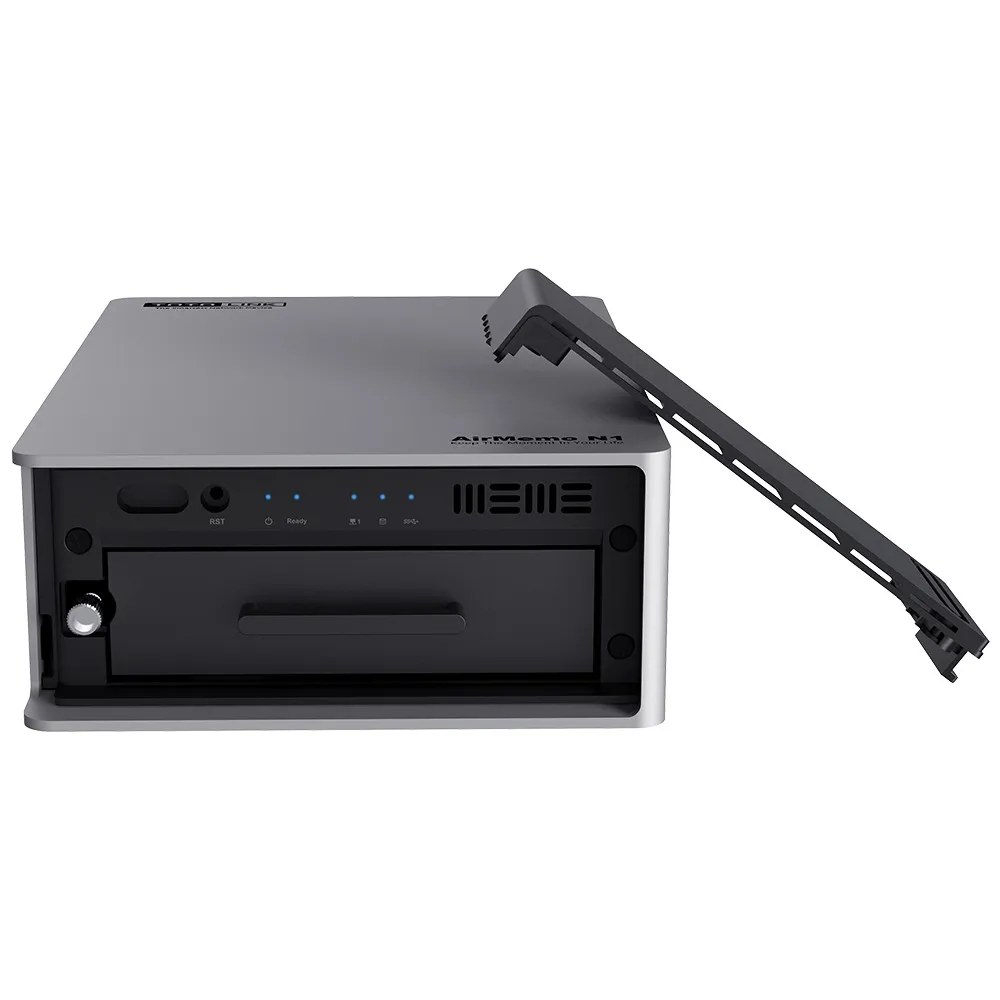
Installing the drive
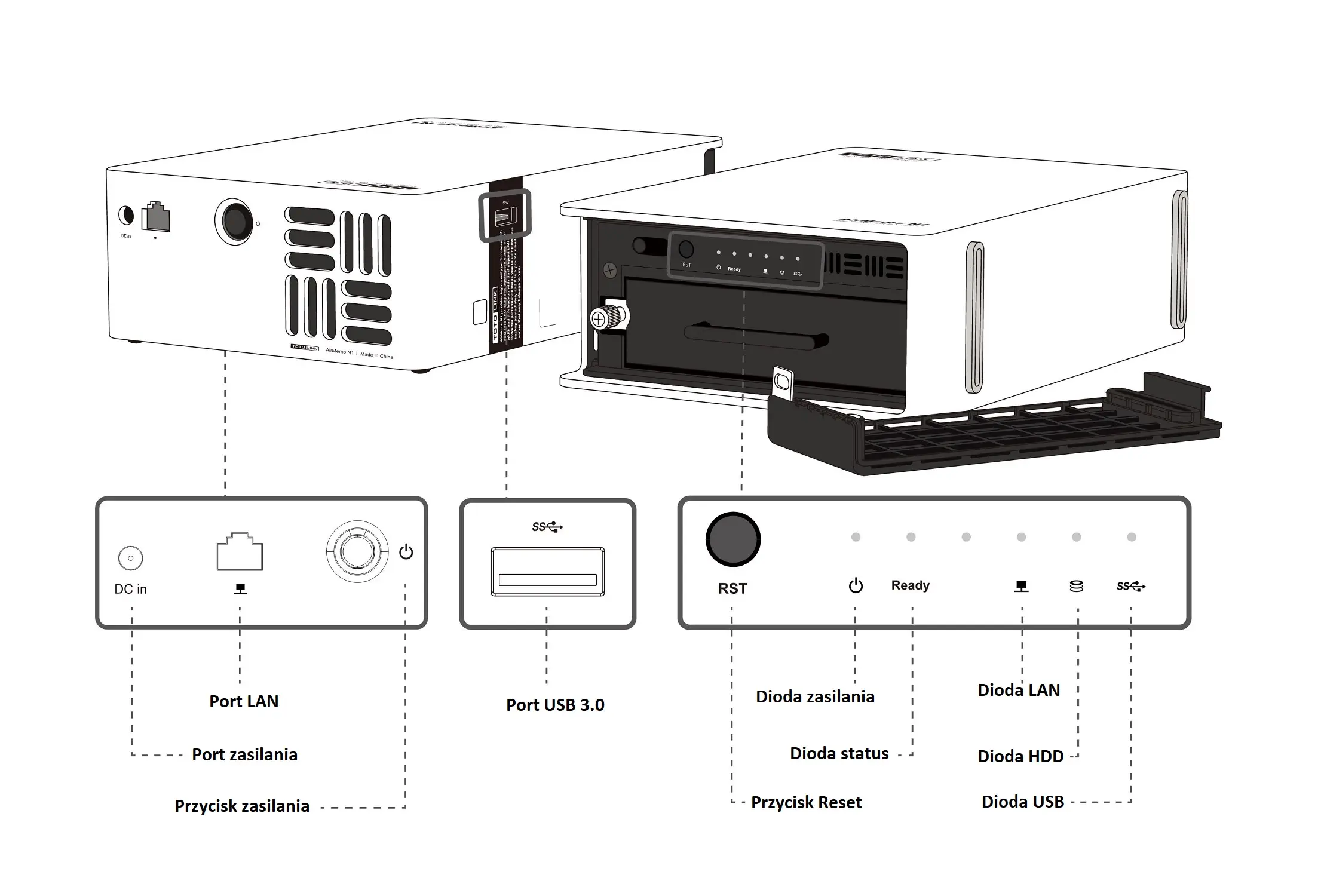
(1) Remove the hard drive tray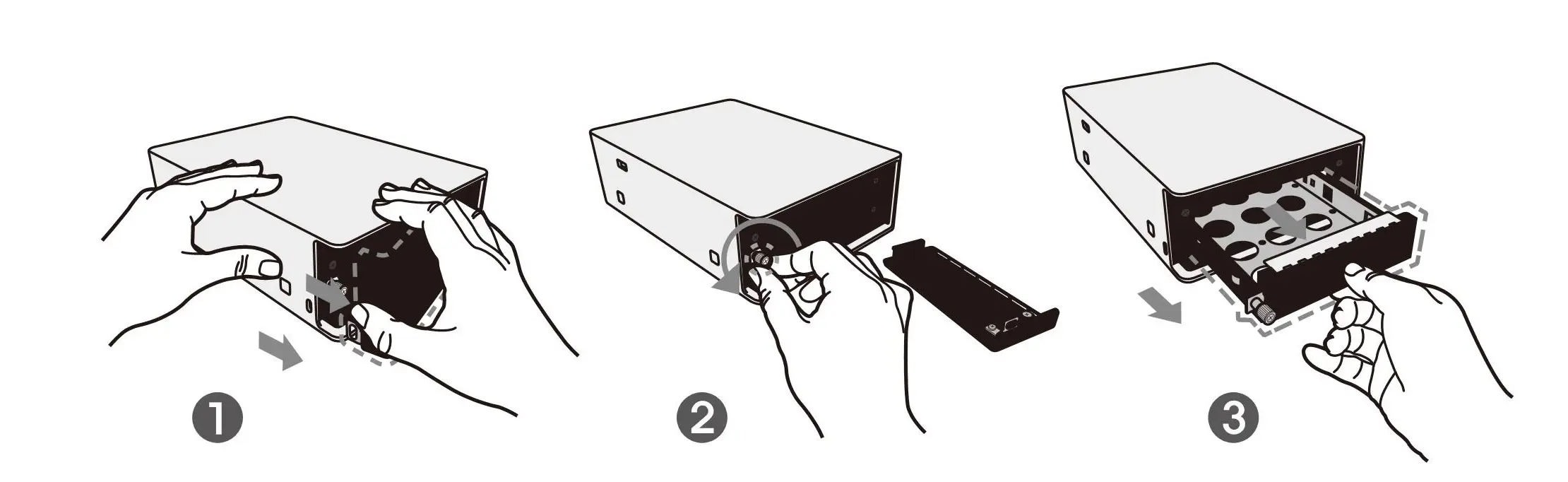
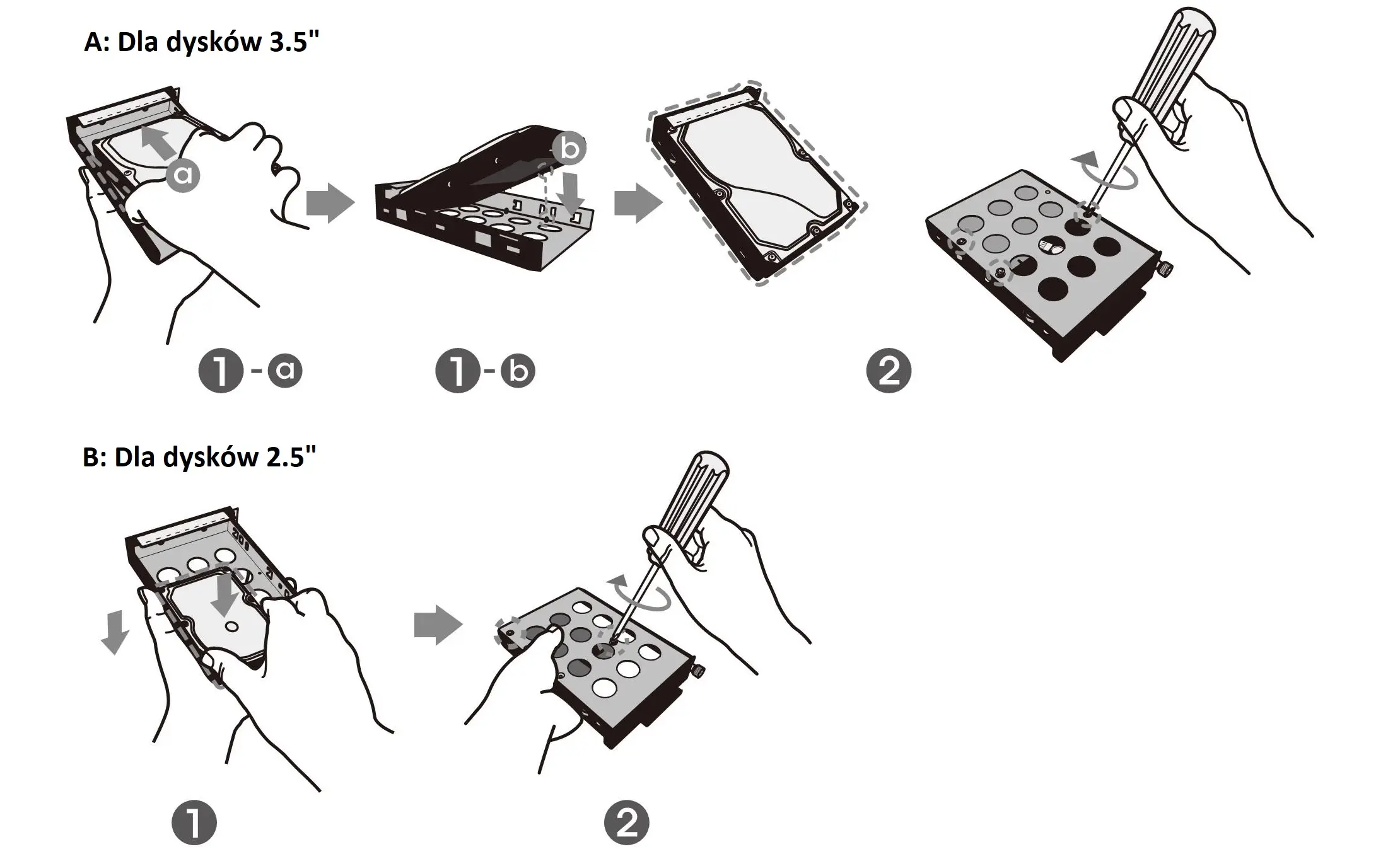
(2) Mount the hard drive
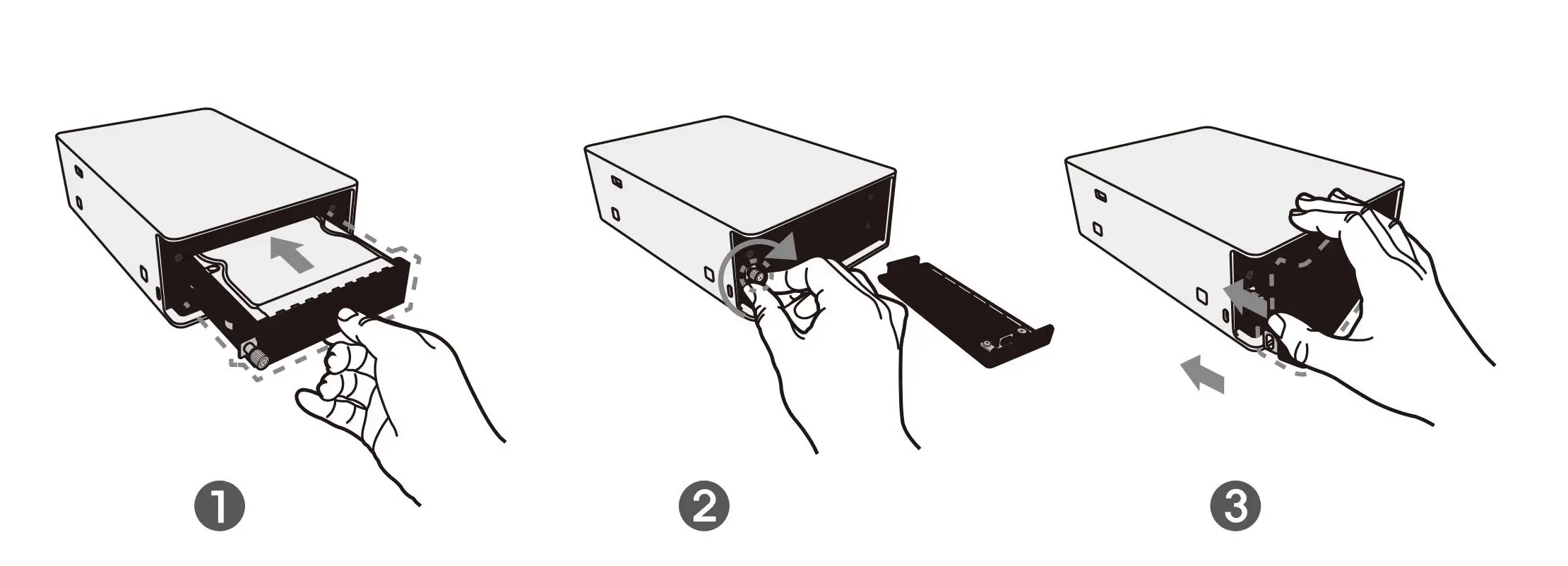
(3) Insert the tray with the drive installed
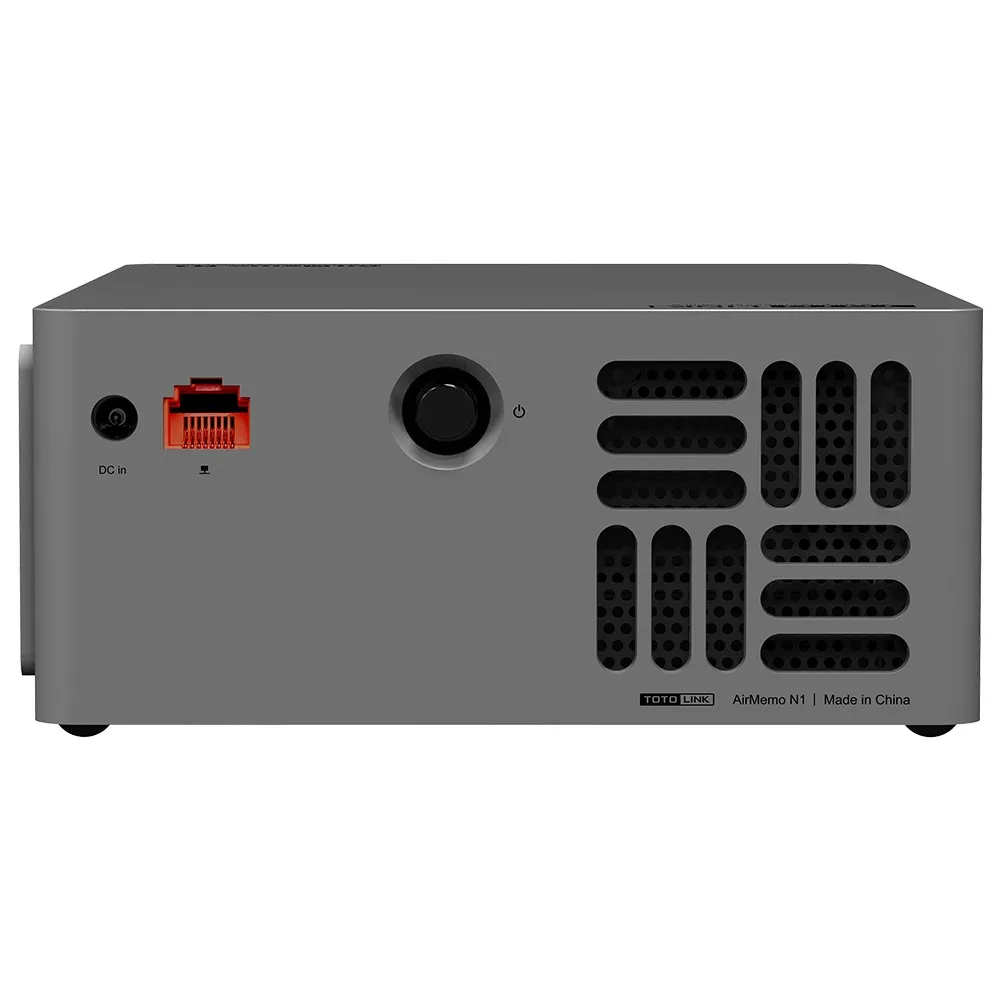
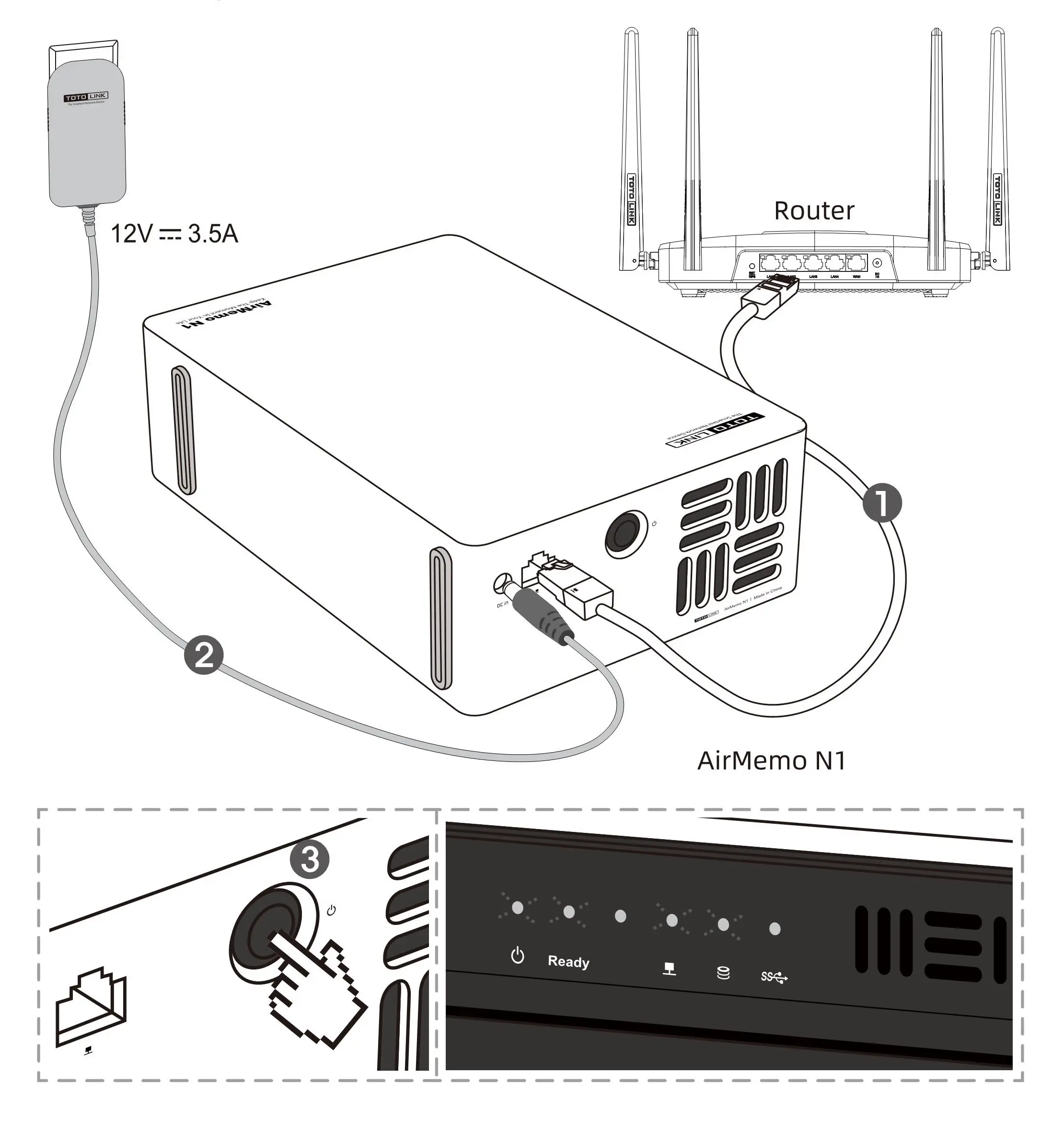
Connecting the device
- Use the LAN cable to connect the device to the router
- Connect the power adapter to the device's power port and electrical outlet to provide power
- Press the power button to turn on the device, make sure the blue LED indicator lights up on the front panel
T-Home client installation
- To download the mobile app, scan the QR code below or search for "T-Home" in the mobile app store.
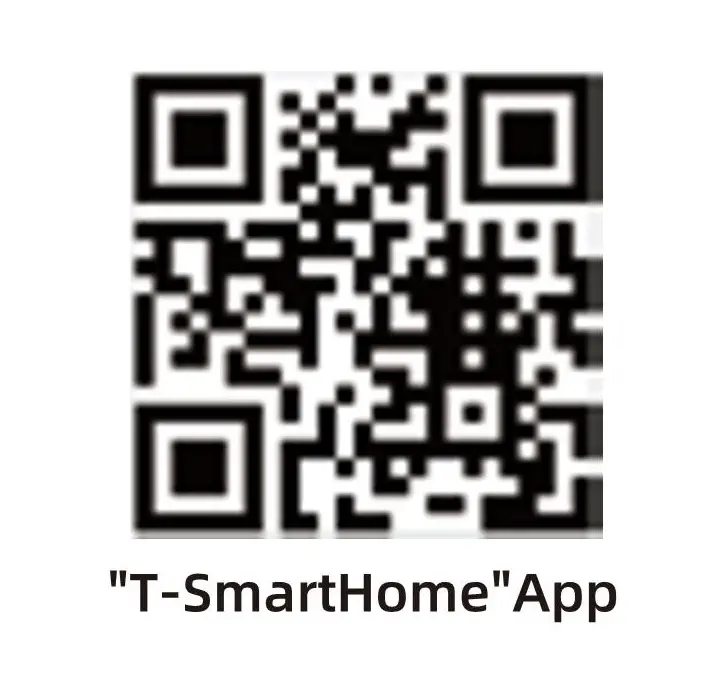
- Next, we need to turn on the wireless network (Wi-Fi) on our phone and we need to be connected to the same network as the home network drive.
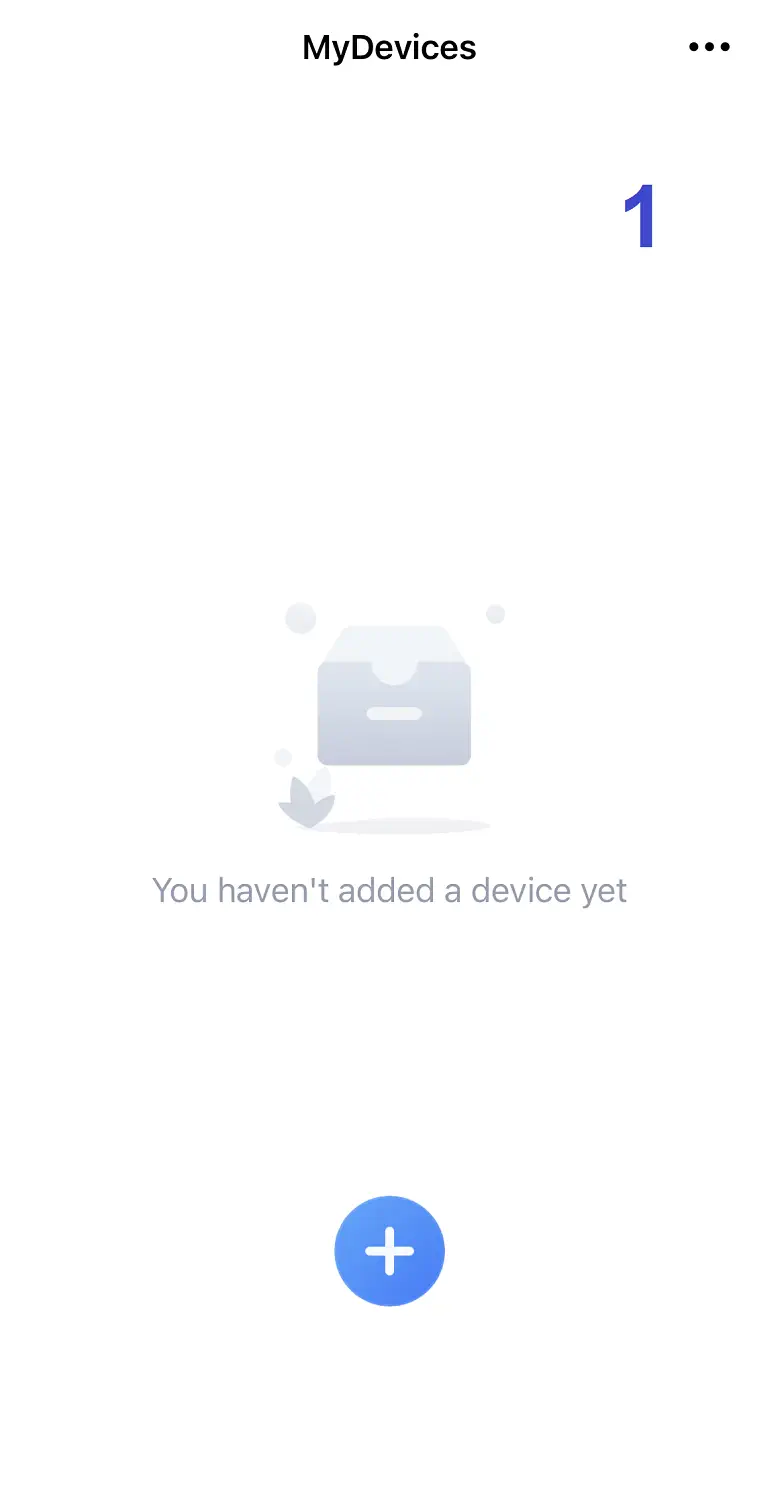
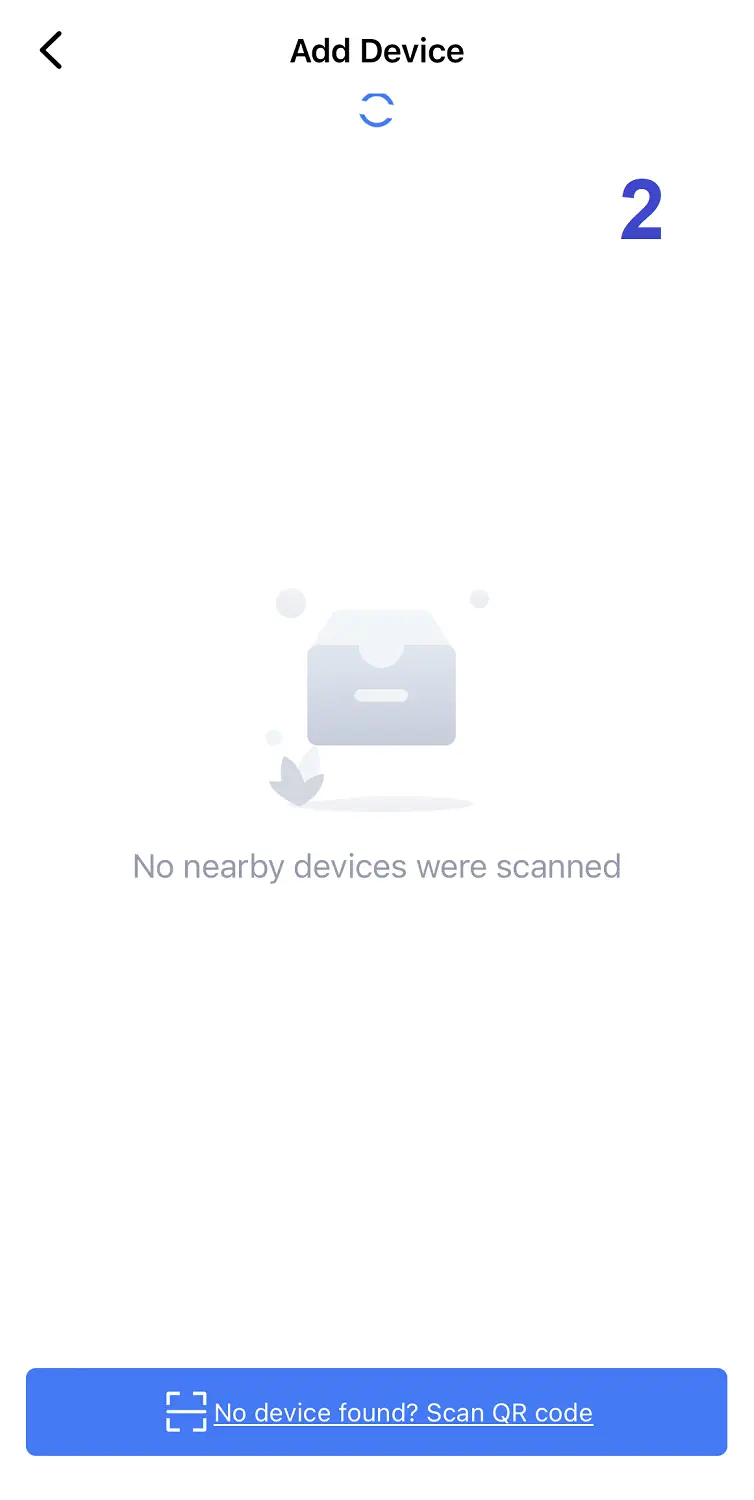
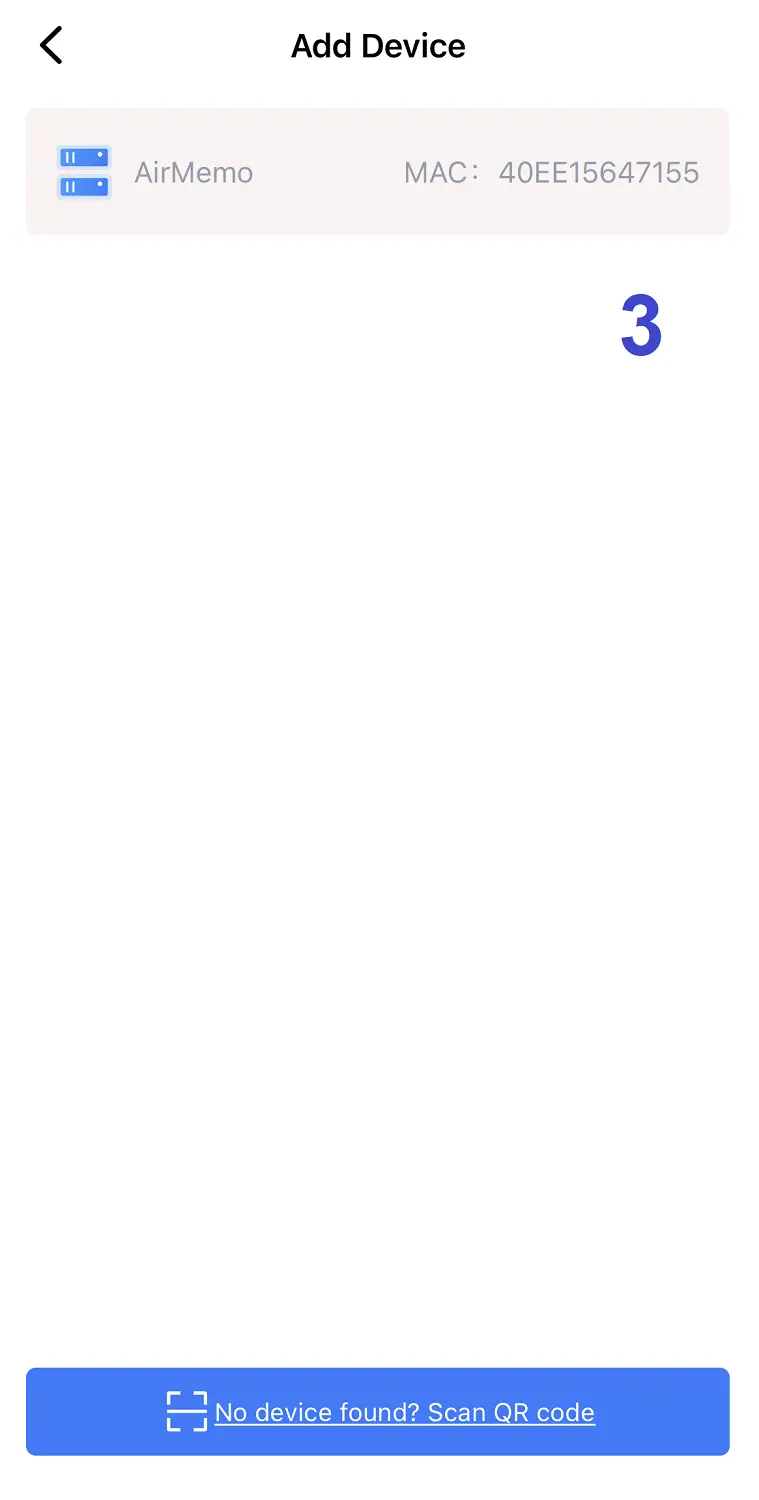
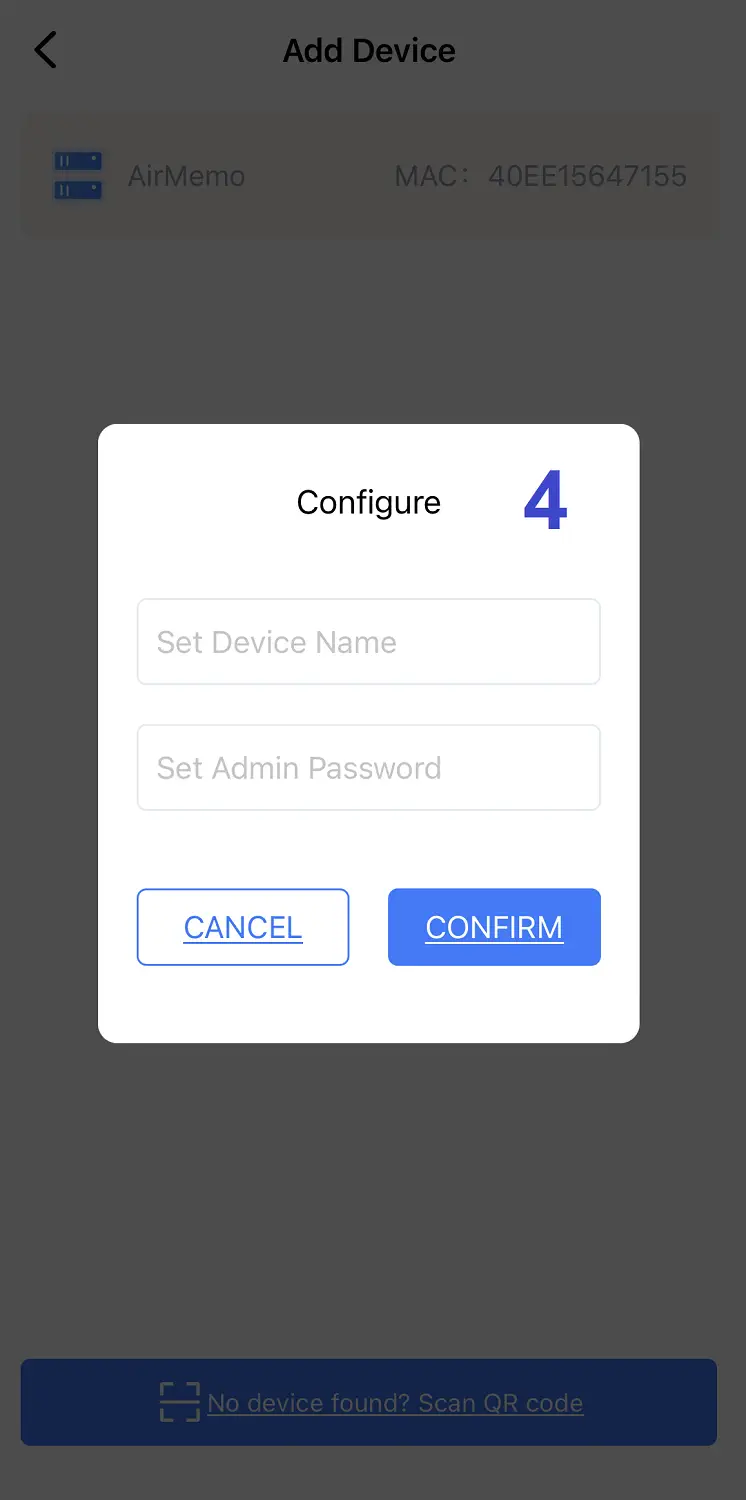
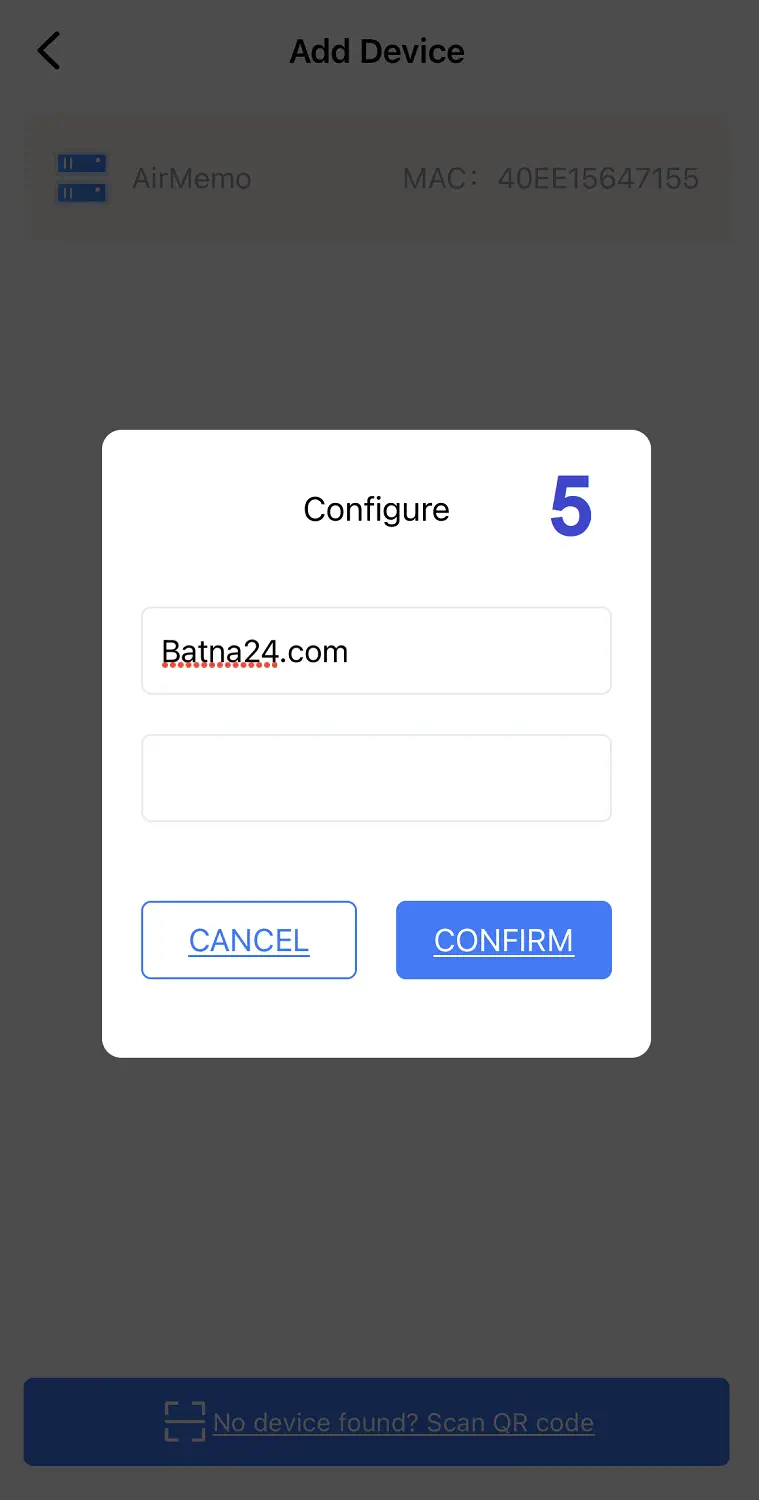
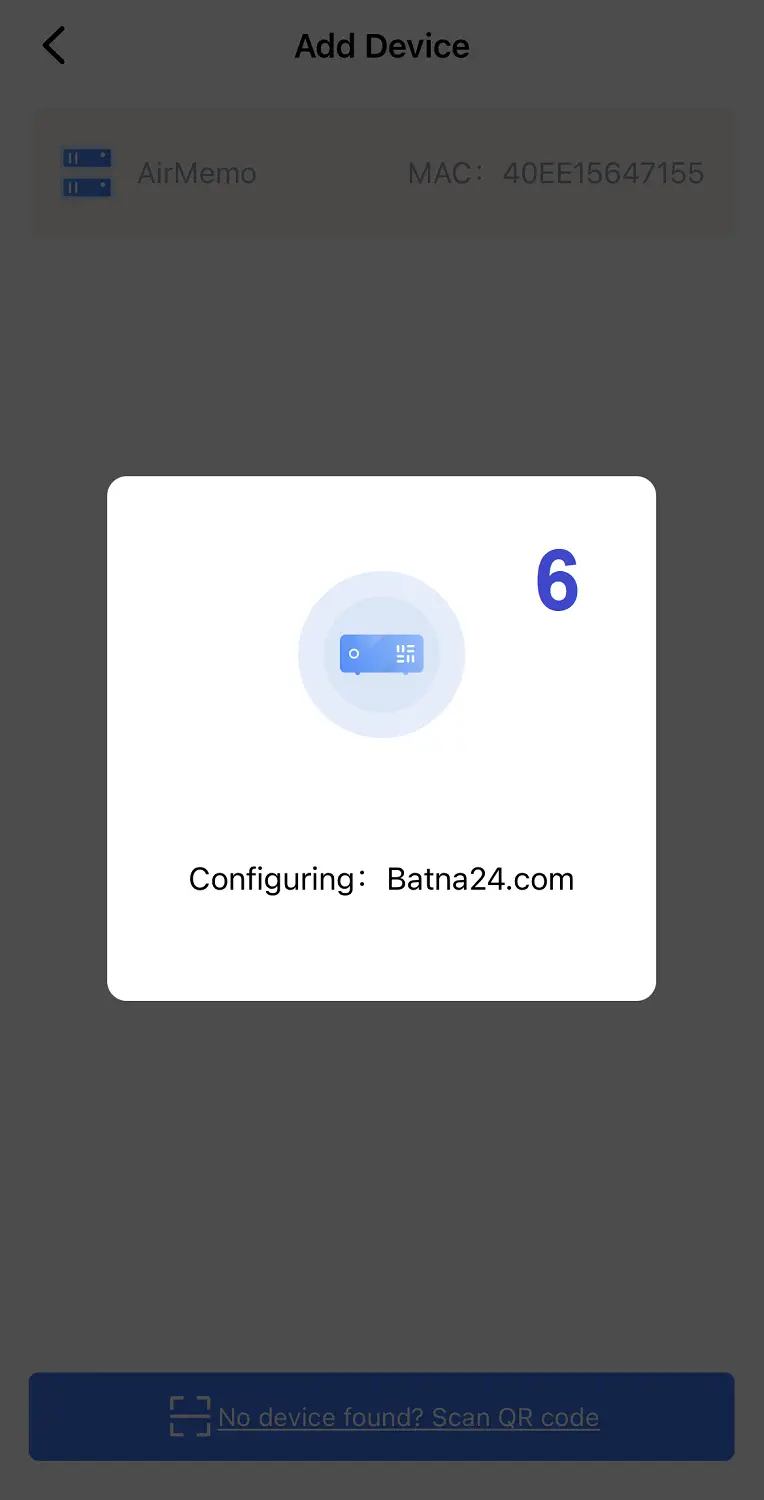
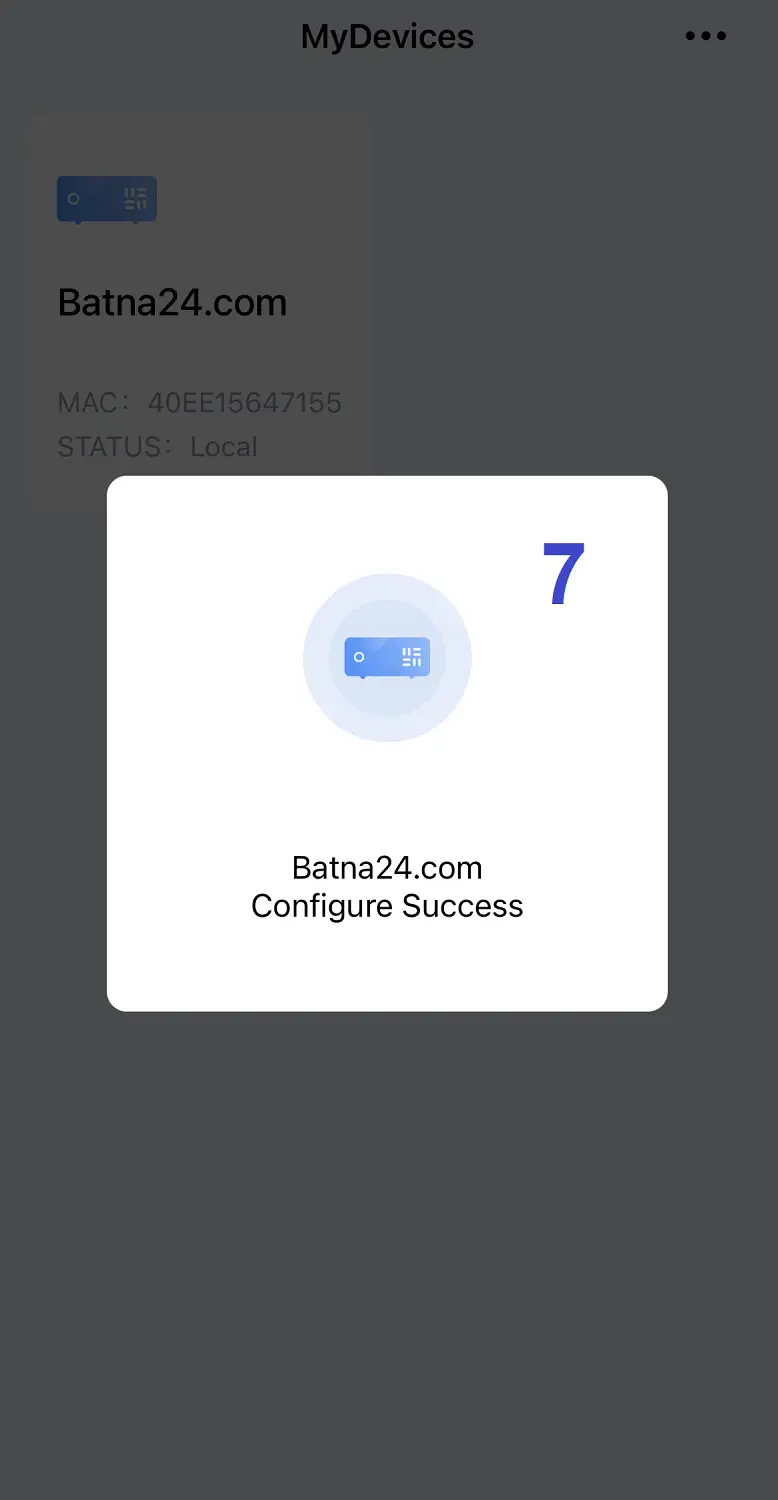
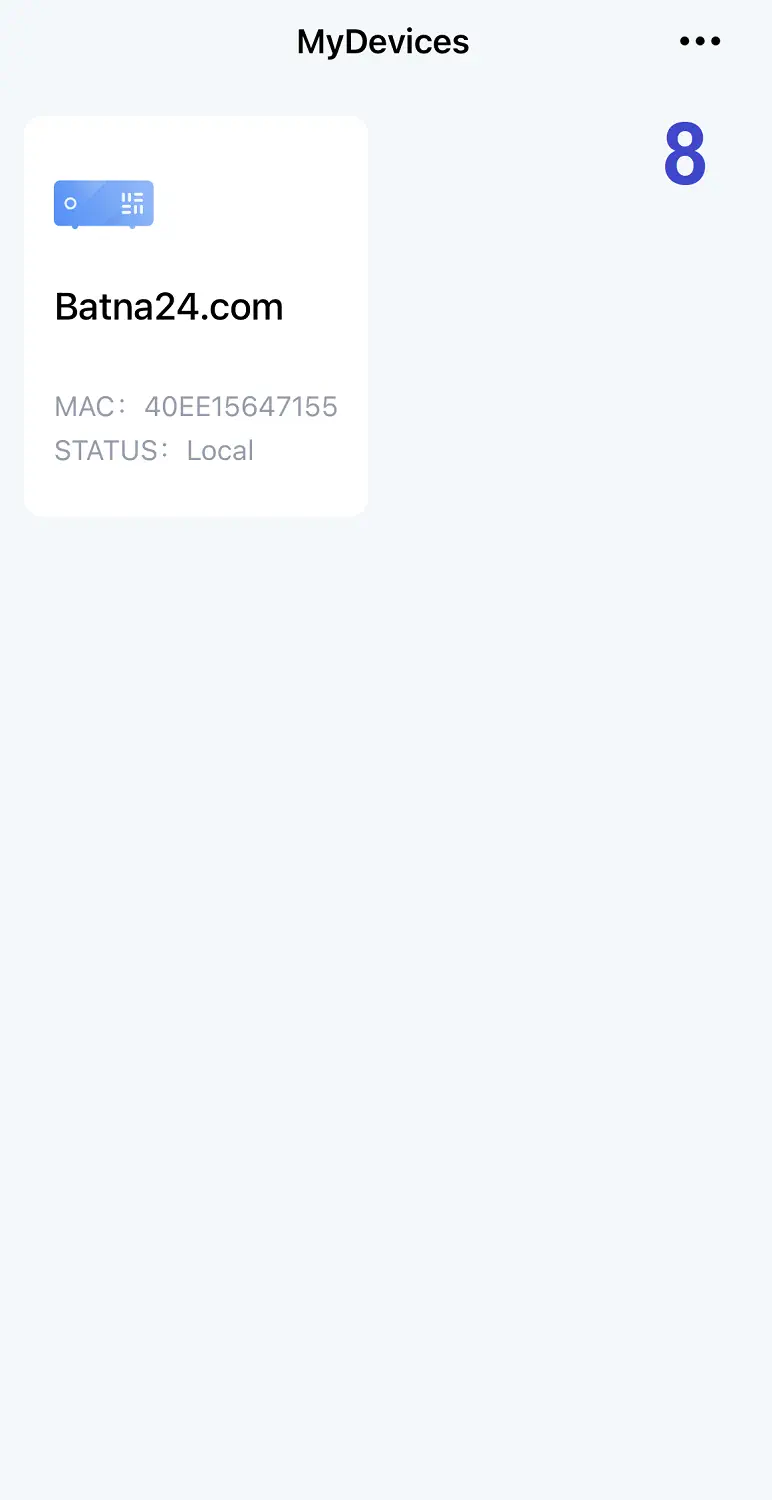
- We open the application, register an account and log in. Next, we click [Add Device] to add our device. The app will automatically search for the NAS storage device. We then follow the directions and the device is ready to use.
Setting up a home NAS server - mobile app
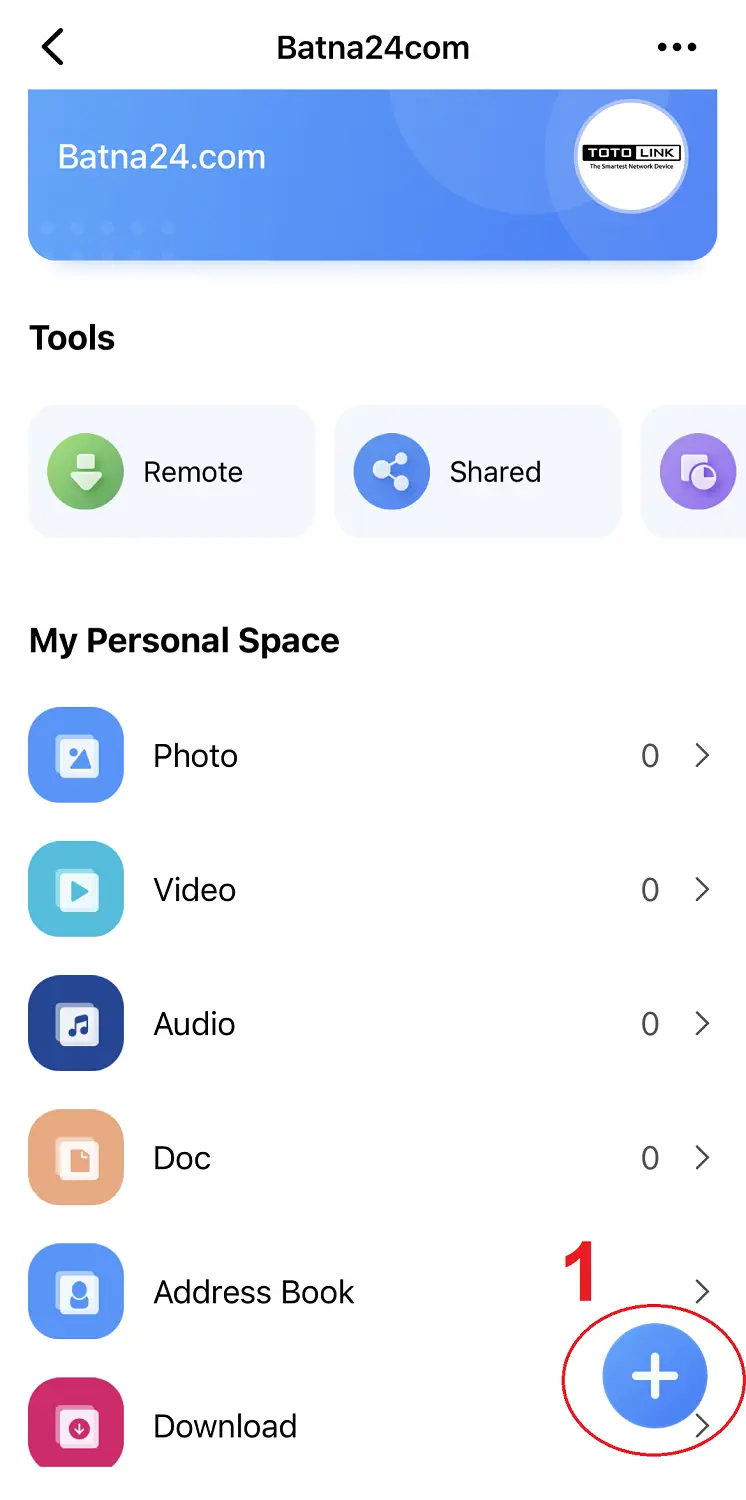
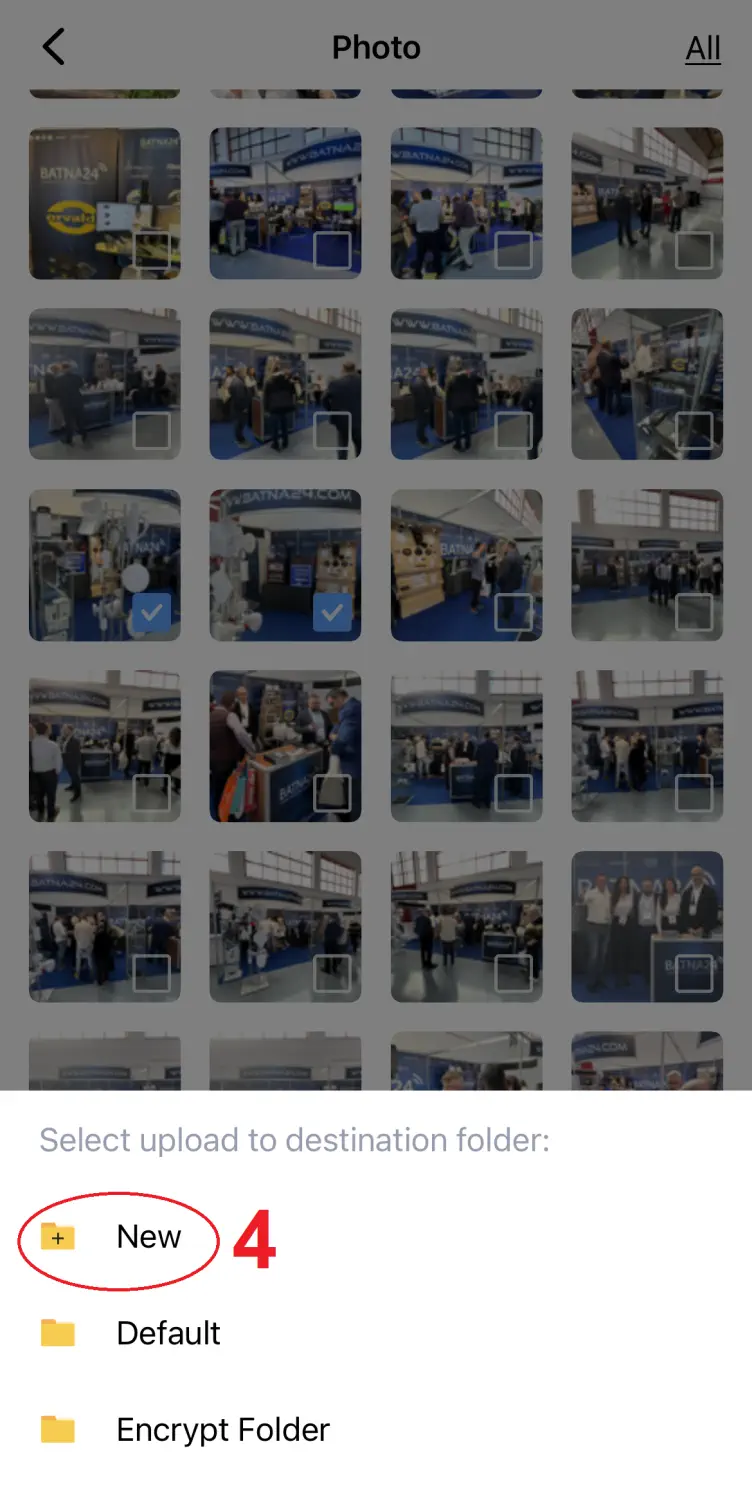
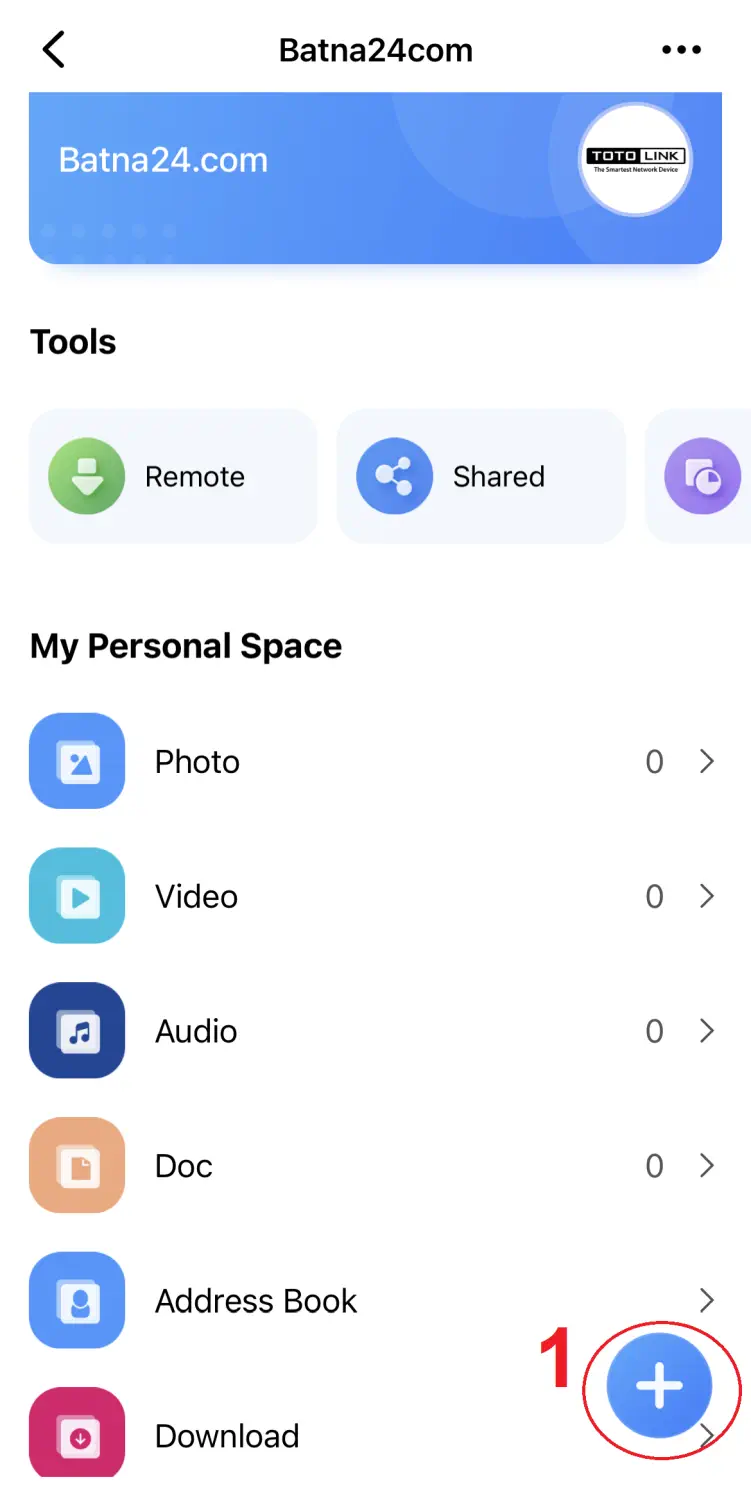
As already mentioned, we can configure the home file server Totolink AirMemo N1 we can configure through the"T-Home" mobile application. Both configuration and use are extremely simple and clear. Below, in a few slides, we provide a detailed step-by-step configuration.
NAS file server support
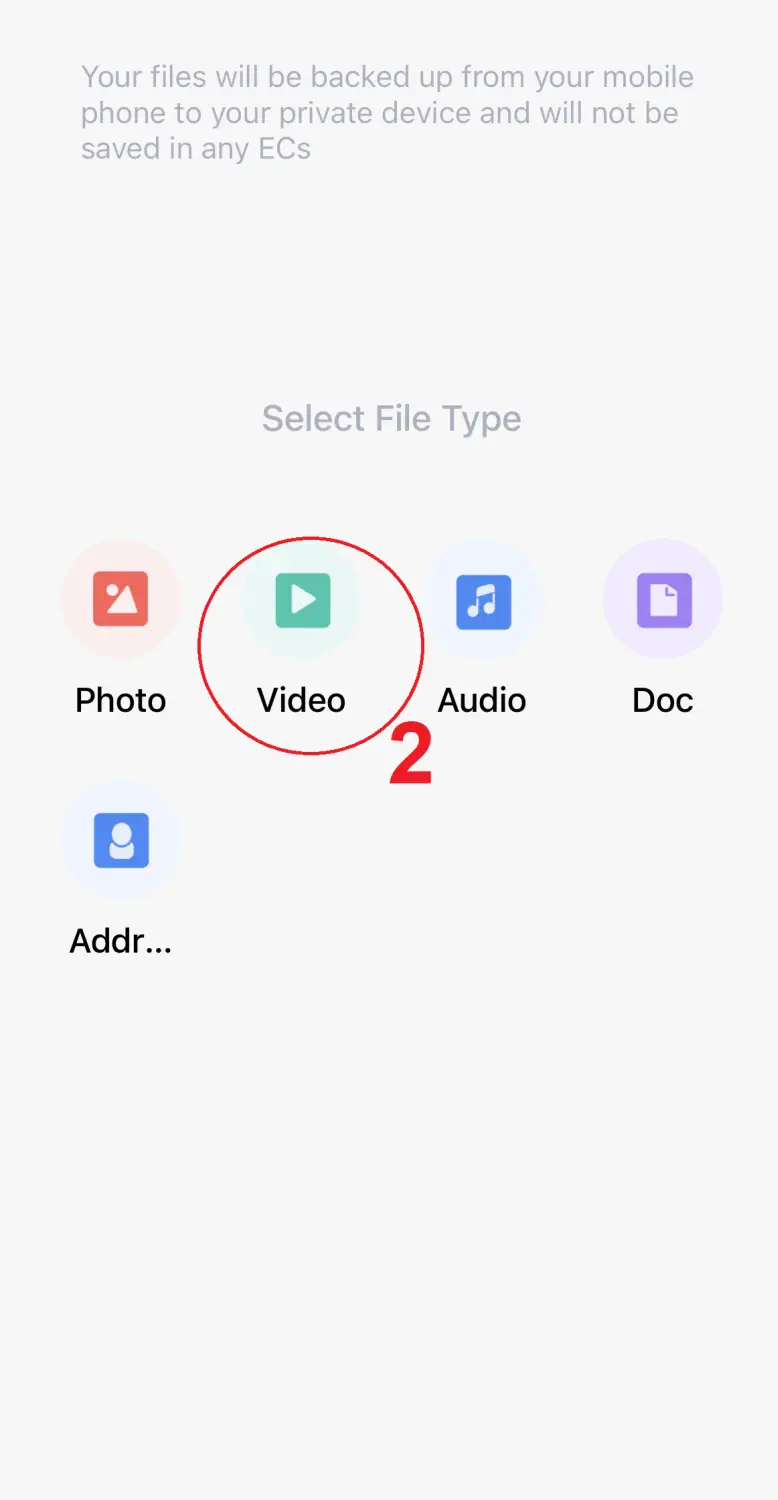
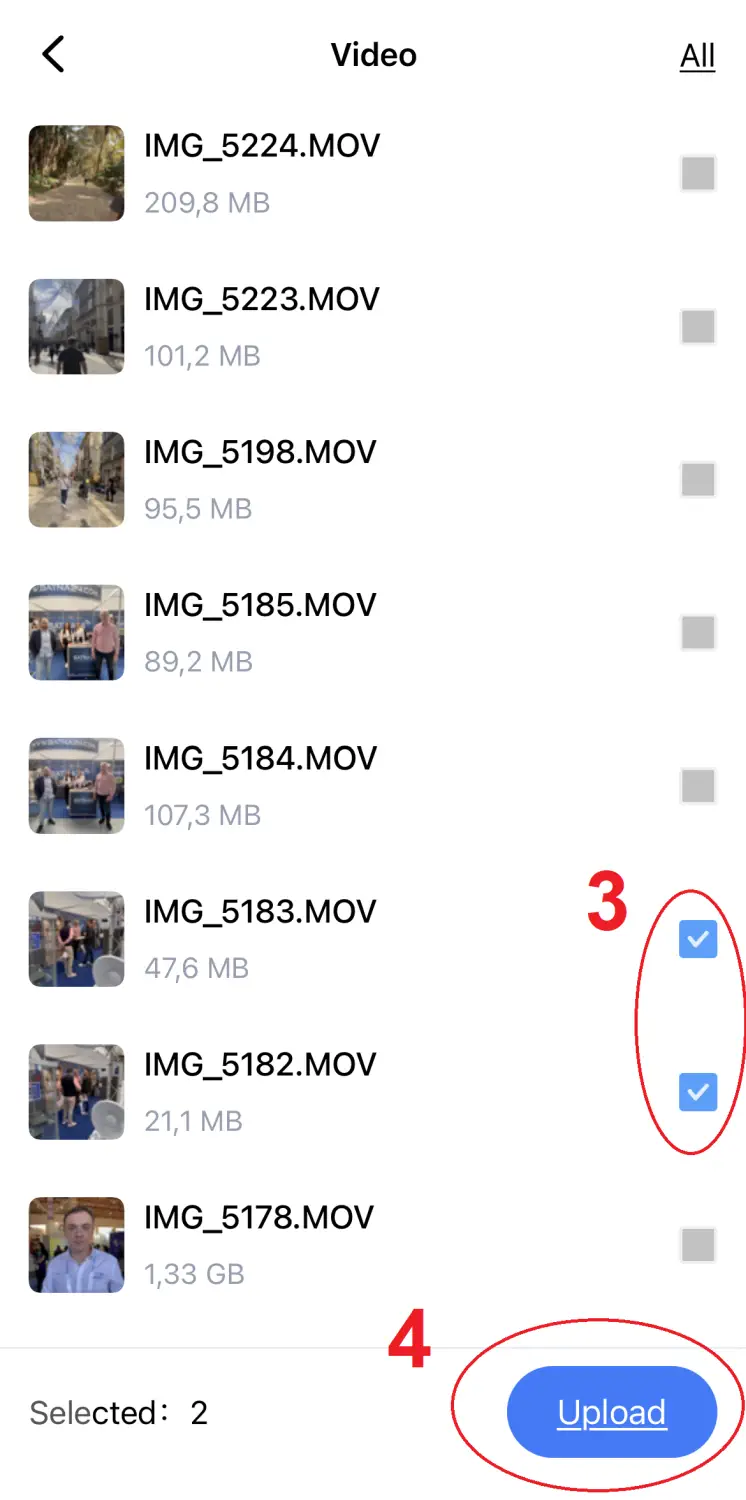
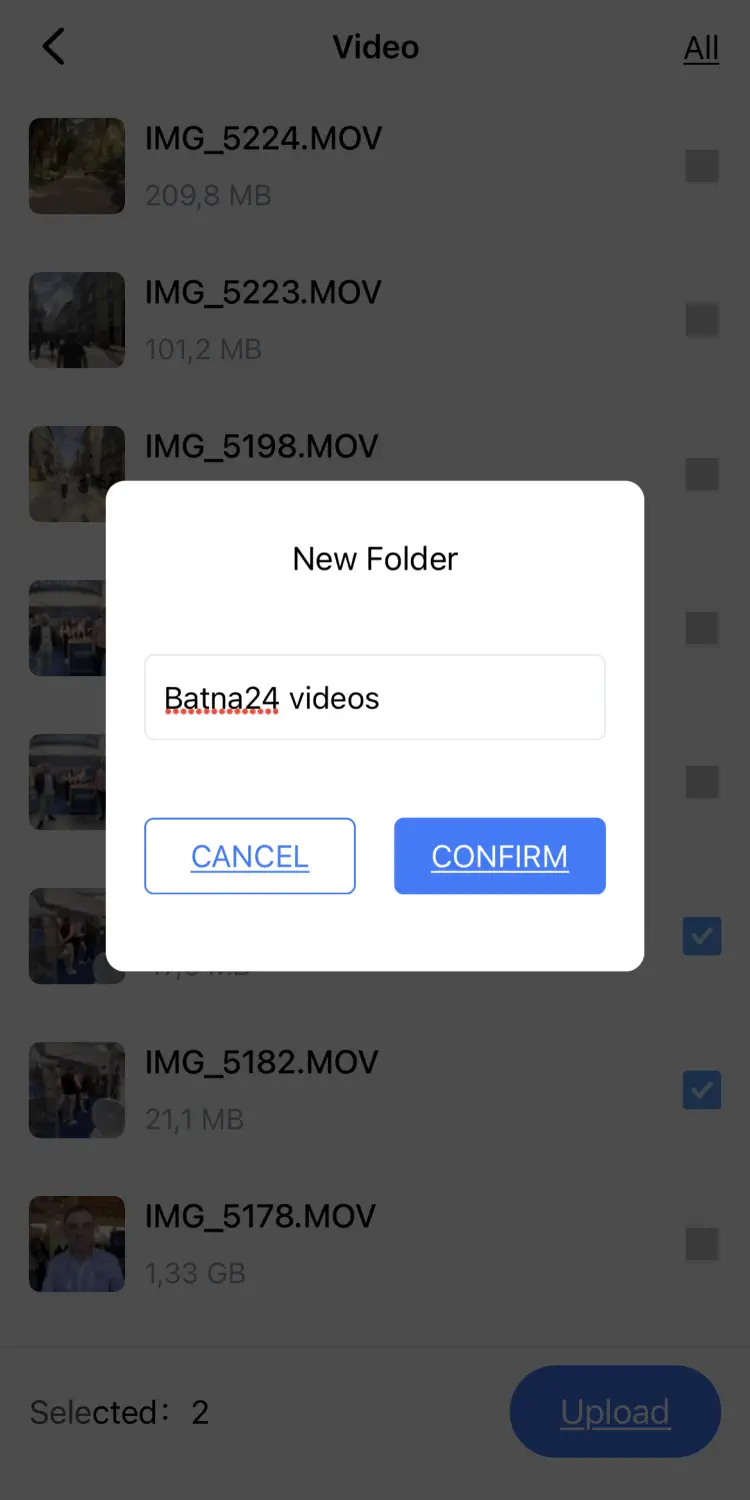
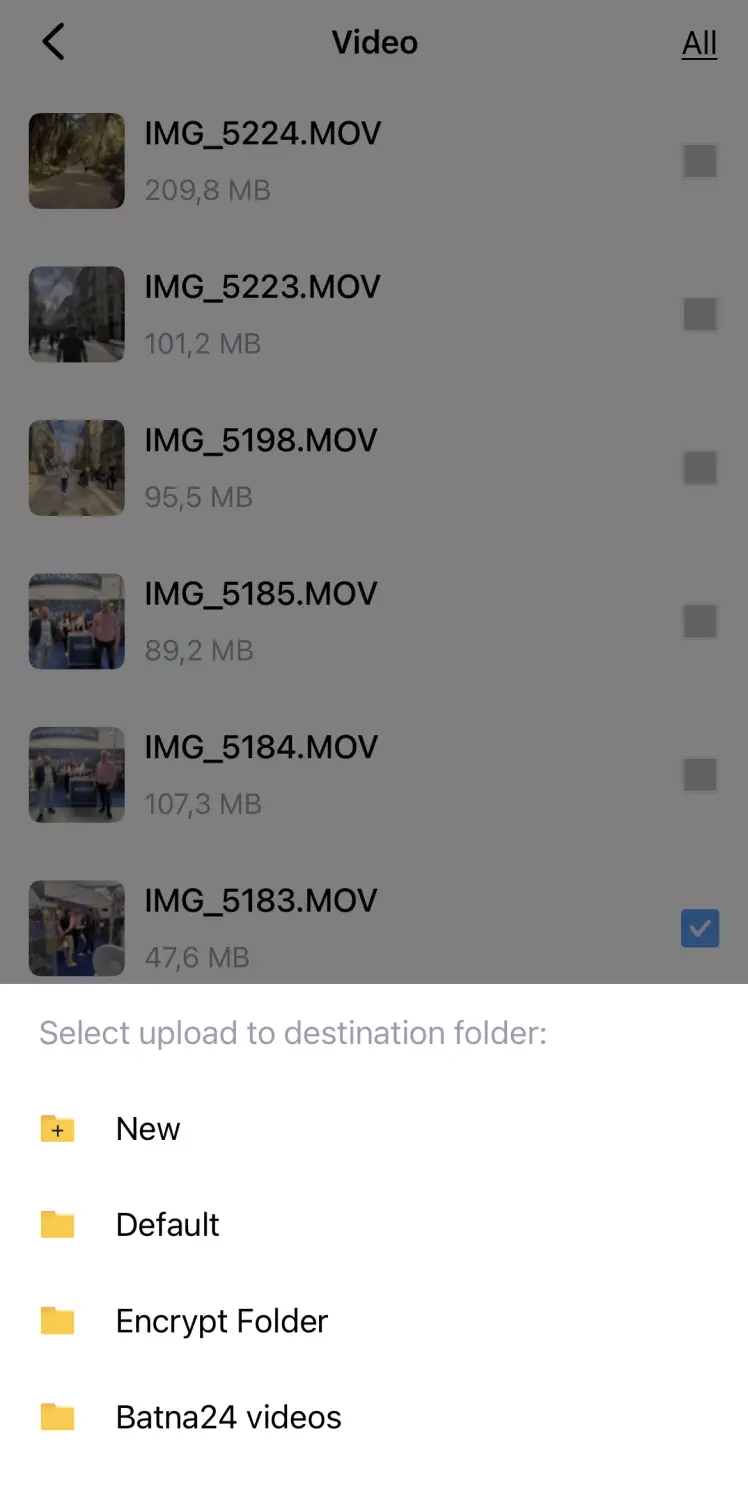
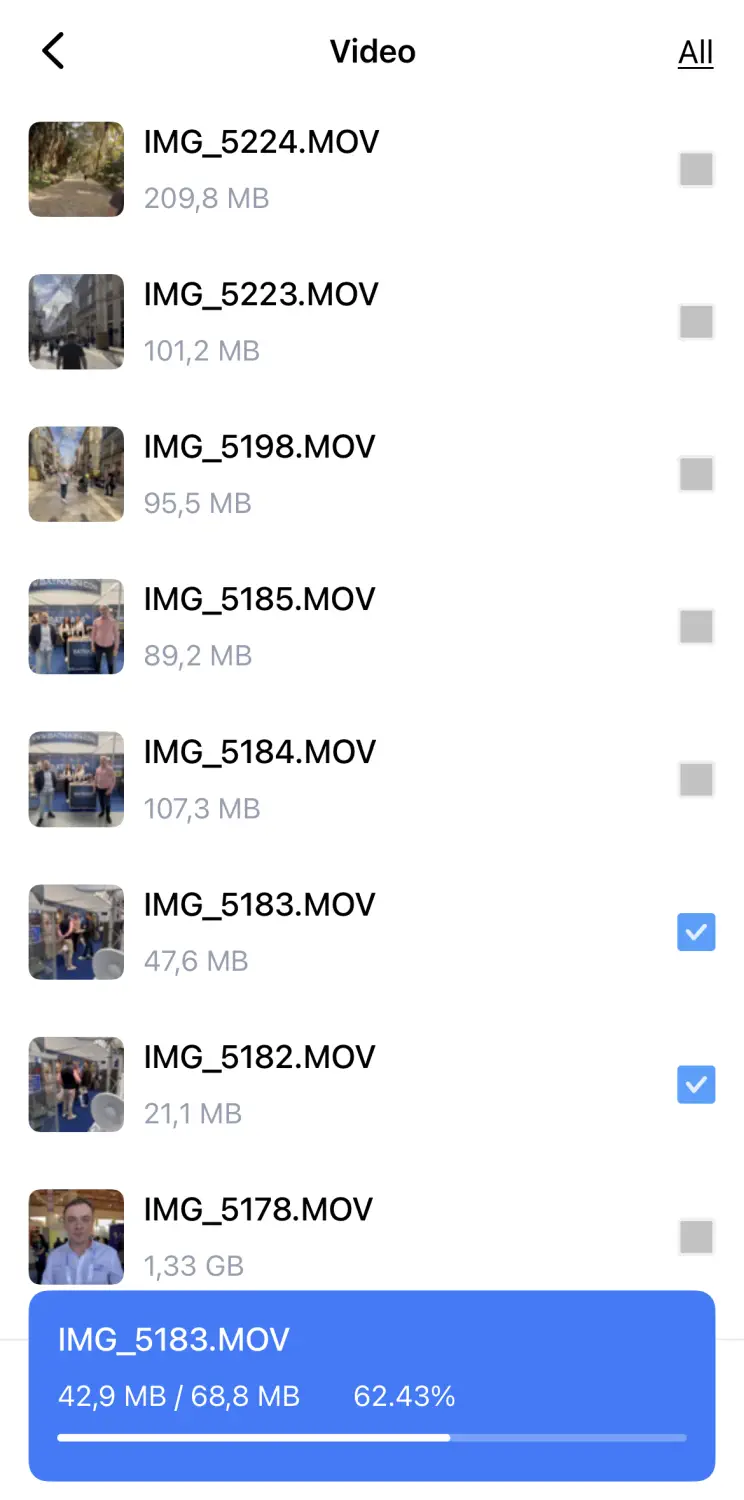
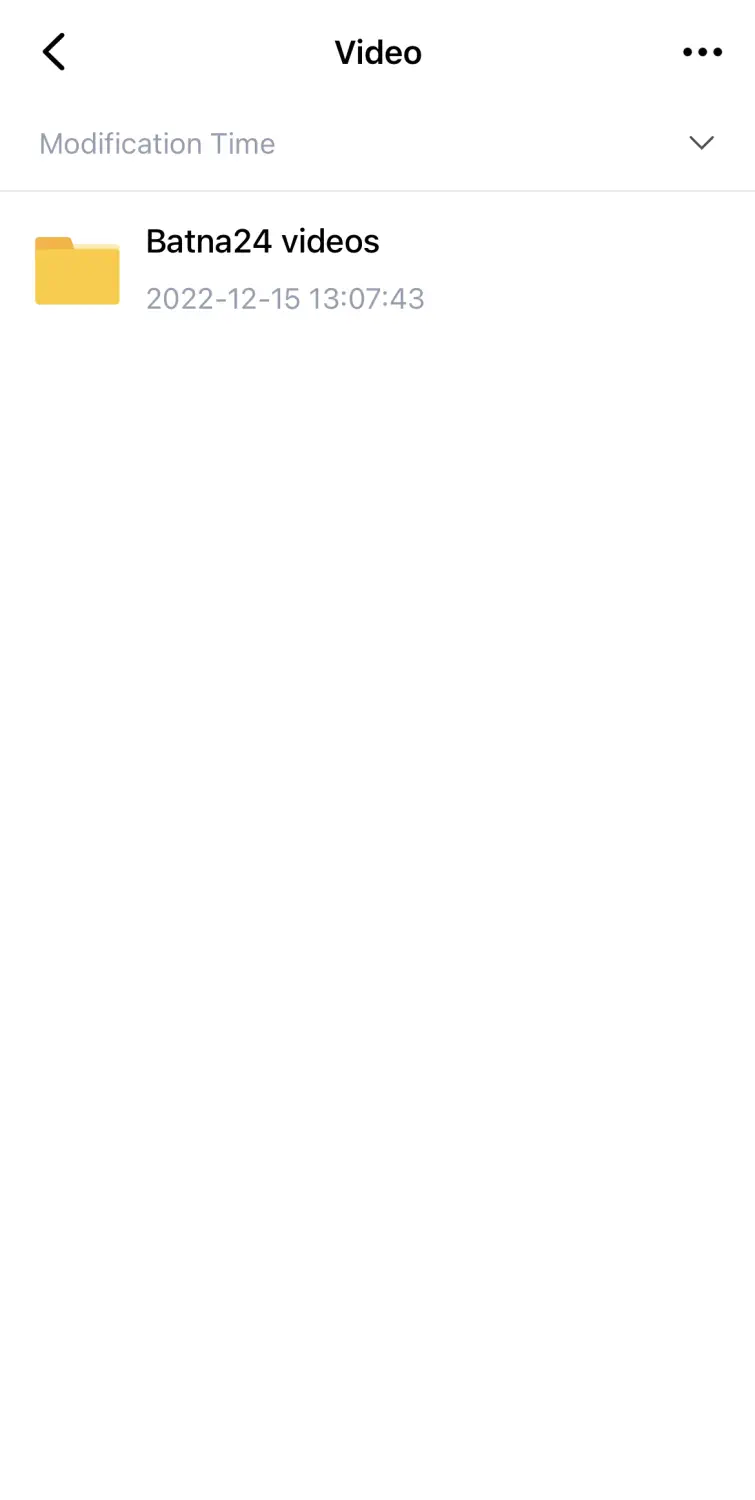
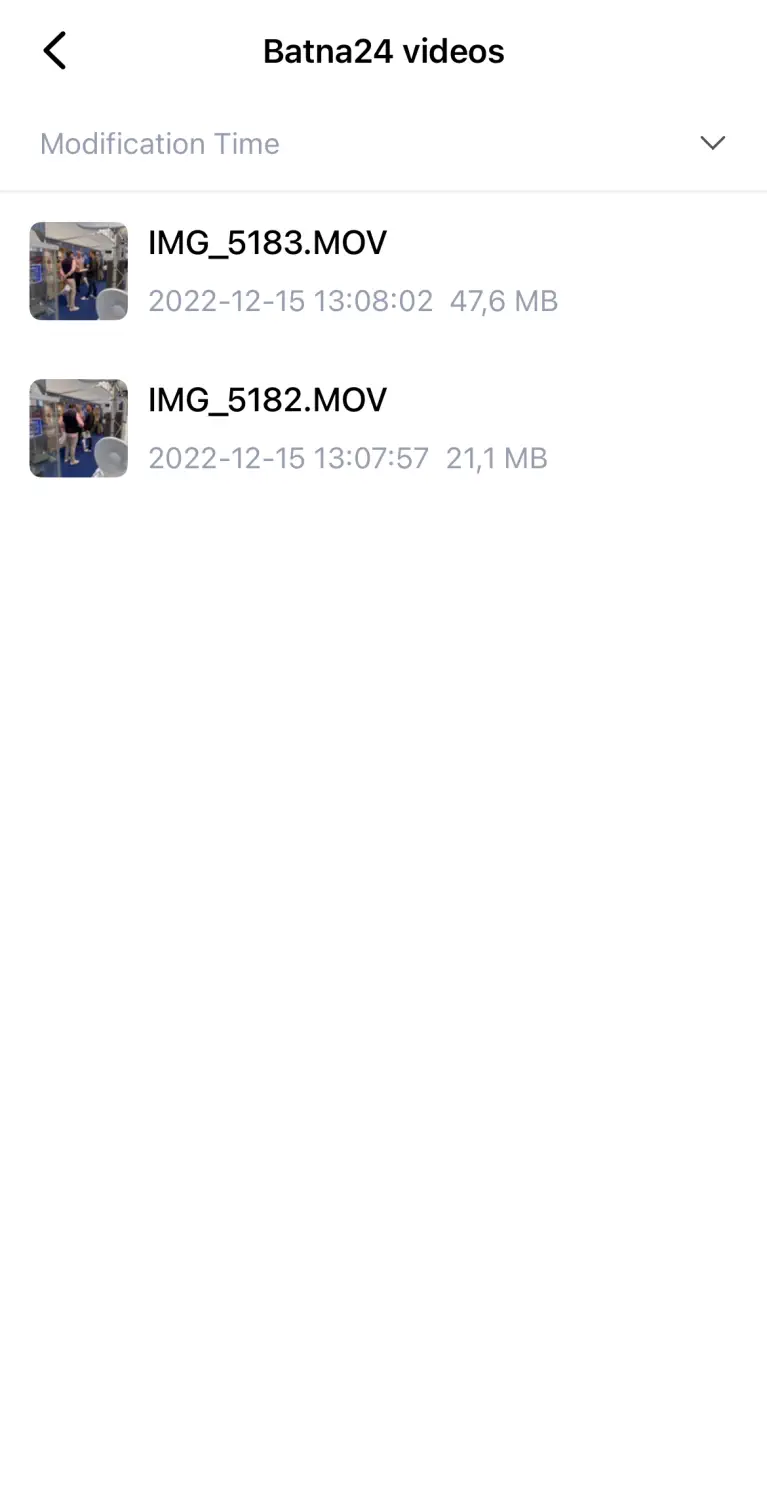
It must be said that the application is extremely pleasant to use. All functions (and the control panel) are extremely clear, while the import/export of files itself is trivial. The application allows us to create new folders and separate data into photos, videos, documents, backups, etc.... In a very quick and easy way we can "flip" all the data directly from our phone to the file server. Here are some examples of the functionality of the Totolink AirMemo N1 home NAS file server.
Photo files




Video files
Summary and conclusions
We live in such times where everyone has a huge amount of different kinds of data: videos, photos, music, documents, etc.. A home file server is extremely necessary for each of us. It makes it extremely easy to access our multimedia library, both for us and also for our friends and household members. Totolink Airmemo N1 is a great solution comparing value for money and is sure to find a use for each of us. Feel free to share your opinions about this product at www.batna24.com.
Author:
Leszek Blaszczyk
Author:
Leszek Blaszczyk
