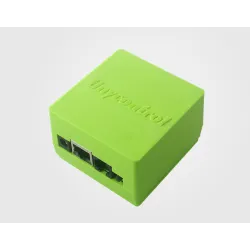
Low-cost web-enabled alarm? - Tinycontrol LAN controller
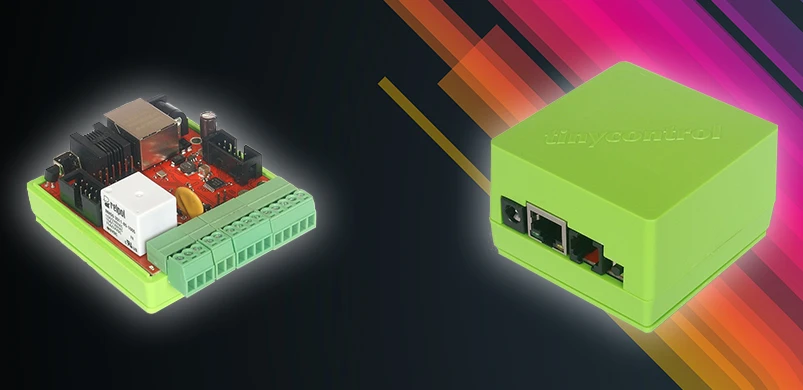

Simple use of the TinyControl LAN Controller
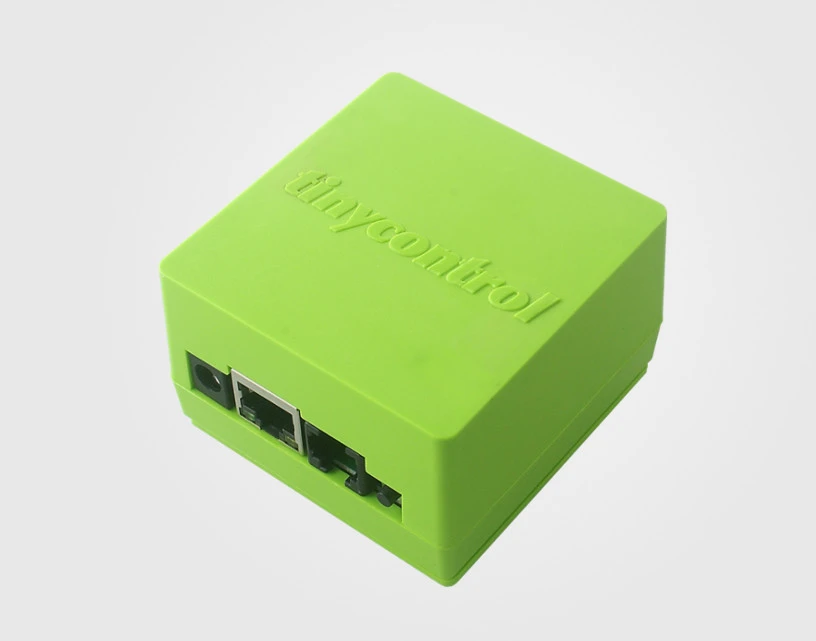
- Analog inputs,
- Digital inputs,
- Built-in relay,
- Additional relays from expansion boards,
- Digital output connectors
It is primarily designed to operate various types of sensors, such as temperature, humidity, gas or motion. The manufacturer of TinyControl provides a number of suggestions, as well as detailed instructions for using the devices. LAN controller is suitable for industrial and home automation systems, or for remote switching on, off or resetting connected devices.
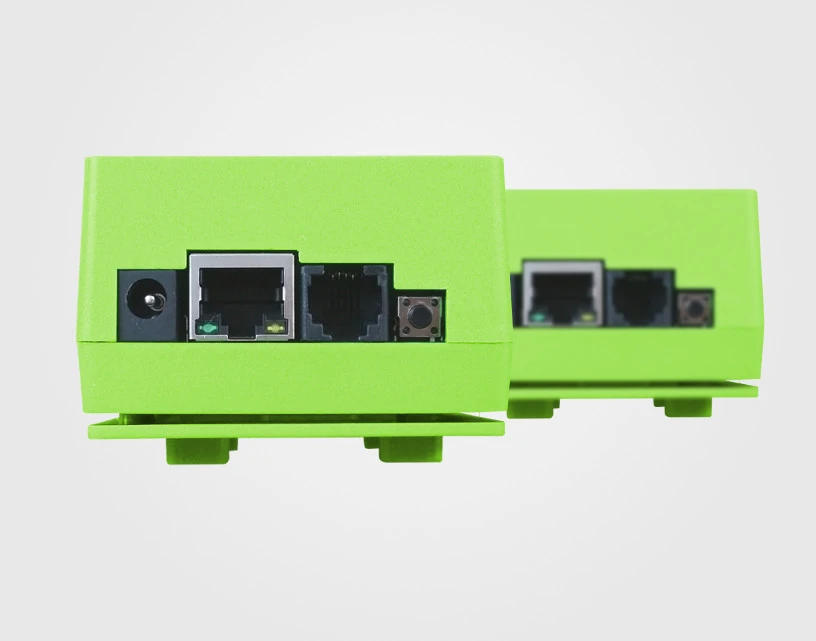
Alarm concept based on Tinycontrol LAN controller
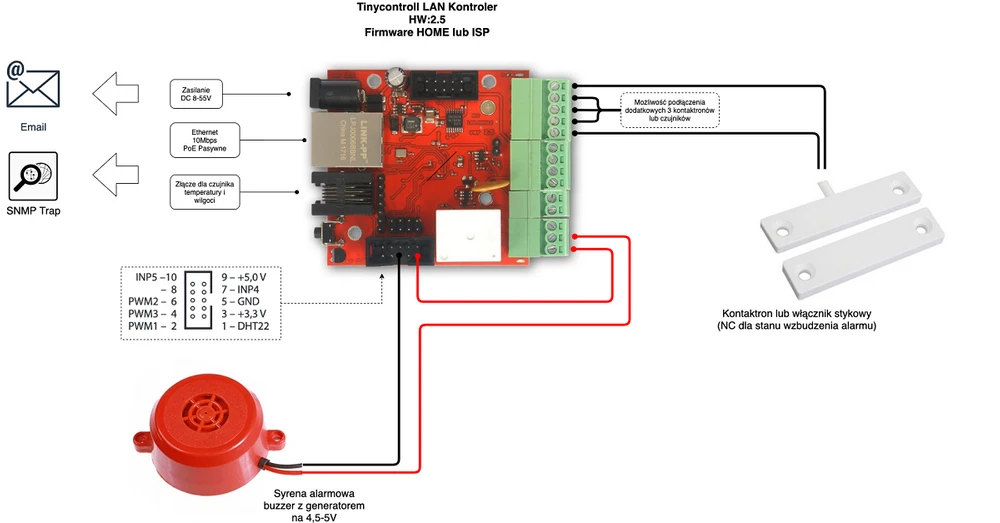
- Tinycontrol LAN Controller V2.5,
- Power source: DC power supply or PoE passive power supply,
- Reed switch or contact switch
- Buzzer or siren with generator powered by 4.5 to 5 V.
- Installation components - cables.
To take full advantage of the controller, it is recommended to update its software. Changing the version from HOME to ISP allows you to use the watchdog function. Configuration of the device does not require advanced programming skills.
LAN controller firmware update
For Windows you need to download LKTools for Windows from manufacturer's website: HERE. Additionally, you also need to download firmware binaries, also from Tinycontrol website.
The LKTools application needs to be unpacked and run - LKTools.exe. LAN controller must be powered and connected to the computer's network card via Ethernet. The device defaults to IP 192.168.1.100, so communication with it will be possible if the computer is assigned an address from the same network 192.168.1.x/24.
To flash the firmware you need to do the following:.
- Find and select the connected LAN controller - Find LKs button.
- Enable flashing for a given device using the Show selected in Flasher button.
- In the tab, select the path for the downloaded firmware file lc25_v2_01.bin or later - Select local file.
- Begin the upload process with the Flash firmware button.
Please ensure a stable power source and device connection, so that the uploading process will not be interrupted. The application window will display information about the size of the firmware being uploaded, the number of packages, and the progress of the process. After the process is finished you can go to the configuration.
Settings for a simple alarm
Particular steps to configure LAN Controller v2.5 are:
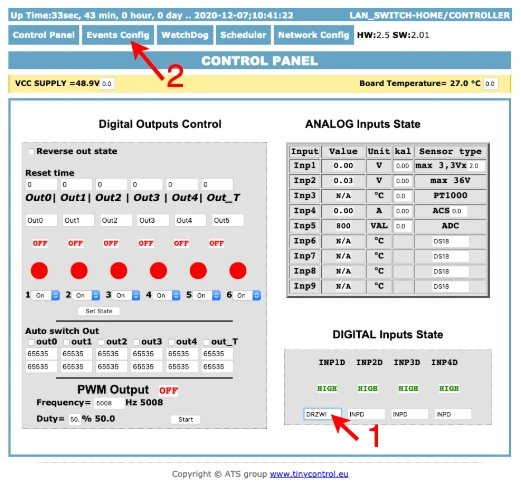
- the first step is to give the sensor a name that will make it easy to identify. In the CONTROL PANEL - DIGITAL INPUTS STATE enter a name, e.g. DOOR, for the INP1D input, where it has been connected according to the diagram,
- then go to the events configuration - EVENTS CONFIG
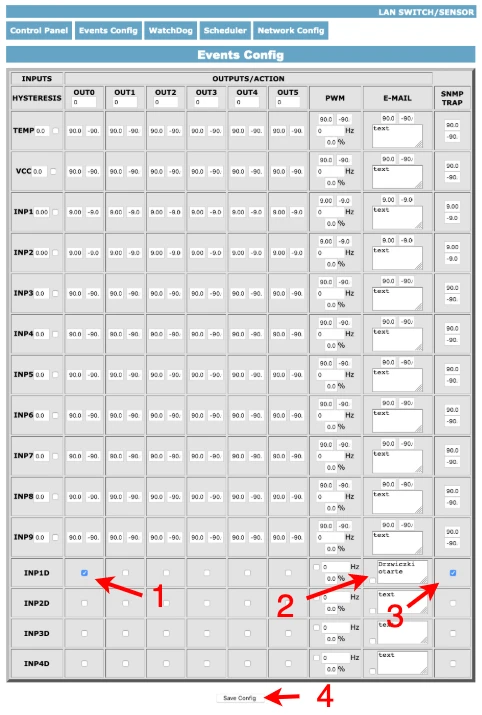
- Find input INP1D (DOORS) in the list and mark that it should activate the first relay (OUT1 - to which the alarm should be connected).
- Additionally, for e-mail notifications, click the checkbox and enter text, for example "door open".
- For communicating with the network monitoring system, the SNMP Trap option is checked
- After programming the events, save them with the Save Config button at the bottom.
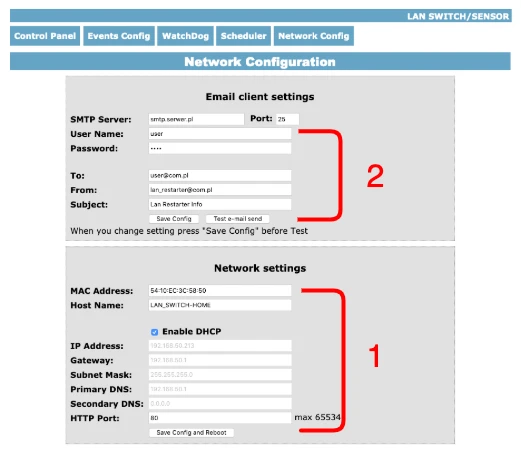
- In the Network Config panel, change the network settings according to the local network in which the LAN controller is to operate. It is possible to set up DHCP and assign a custom host name, as well as assign all IP addresses, gateway, subnet mask, DNS, or HTTP port number manually. After changing the settings you must save them by rebooting the device using the Save Config and Reboot button.
- For emails to arrive, it is also necessary to configure the email client, as well as the address to which emails should be sent. Once this has been done and Save Config saved, a test email can be sent using the button provided.
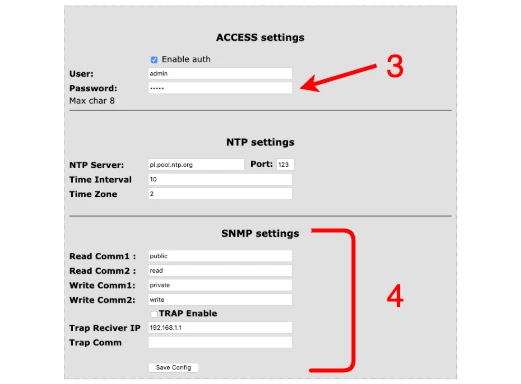
- It is also worth setting the access parameters in the ACCESS Settings section - authentication capability, custom login and password.
- The SNMP Settings section configures SNMP/TRAP parameters.
SPEC
SUMMARY
Everything you need for your project can be found at Batna24.com.