MikroTik netPower 15FR - practical application
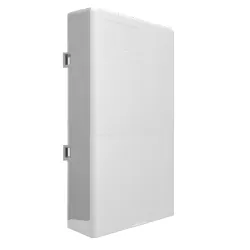
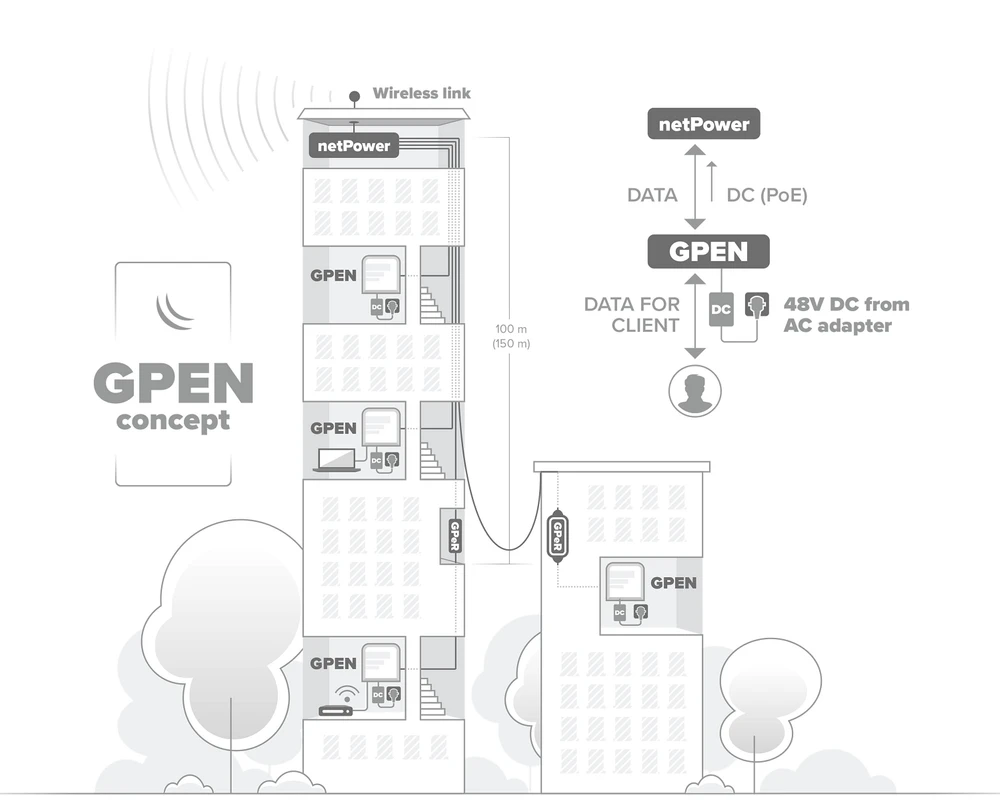
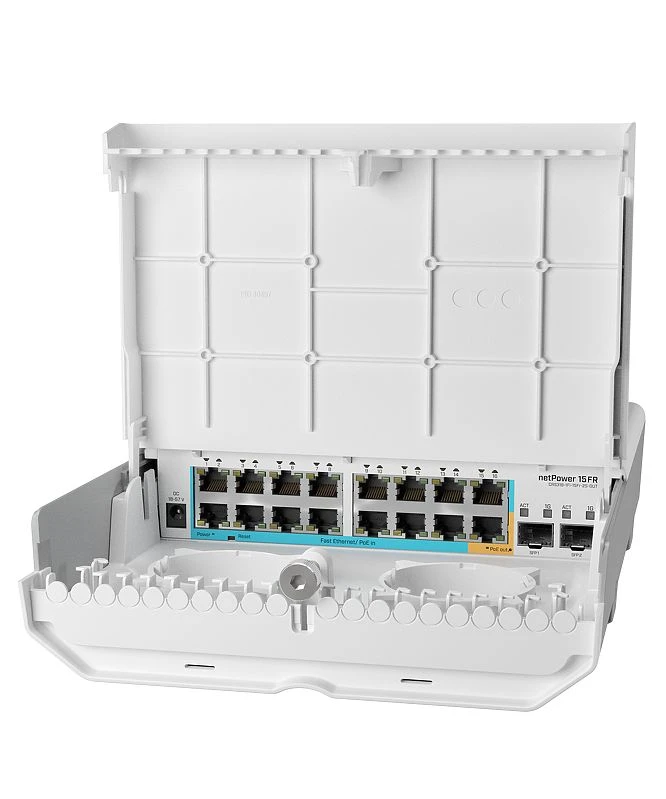
MikroTik netPower 15FR otherwise known as CRS318-1Fi-15Fr-2S-OUT, is a powerful switch that is part of the MikroTik GPEN concept. The GPEN concept (an alternative to GPON) is designed to provide speed and versatility of fiber optic network, while using the advantages of Ethernet. netPower 15FR is equipped with 15 PoE reversible ports and depending on the configuration, netPower can draw the necessary amount of power even from one client. The 15th port can power other PoE-capable devices.
Of course there is no shortage of SFP ports! TheCRS318-1Fi-15Fr-2S-OUT has been equipped with two SFP ports to connect the optical fibre. The device is typically designed for outdoor use. The casing allows to install the switch in different types of environments. These can be e.g. attics, which are always humid, elevator shafts, rooftops, or poles.
Of course there is no shortage of SFP ports! TheCRS318-1Fi-15Fr-2S-OUT has been equipped with two SFP ports to connect the optical fibre. The device is typically designed for outdoor use. The casing allows to install the switch in different types of environments. These can be e.g. attics, which are always humid, elevator shafts, rooftops, or poles.
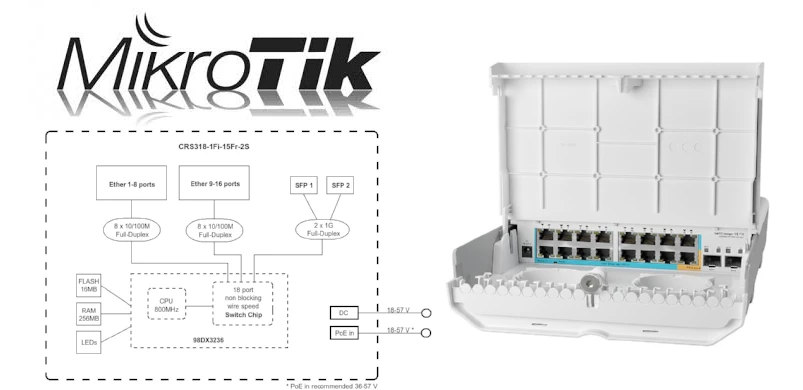
MicroTik netPower 15FR - specification
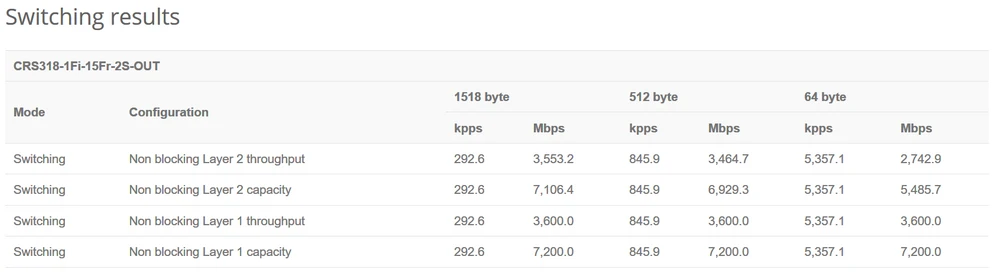
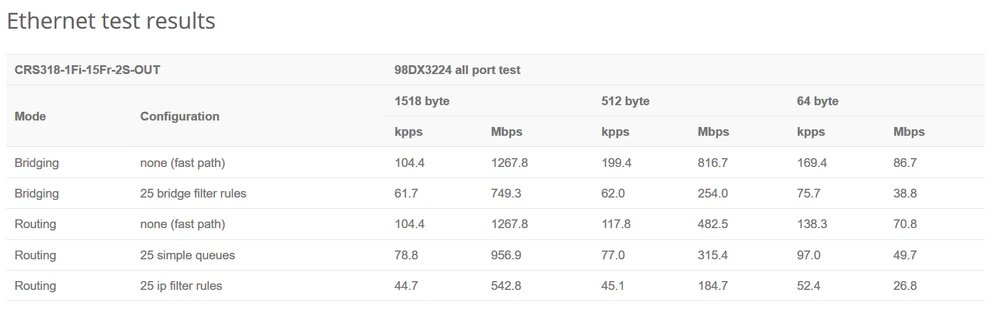
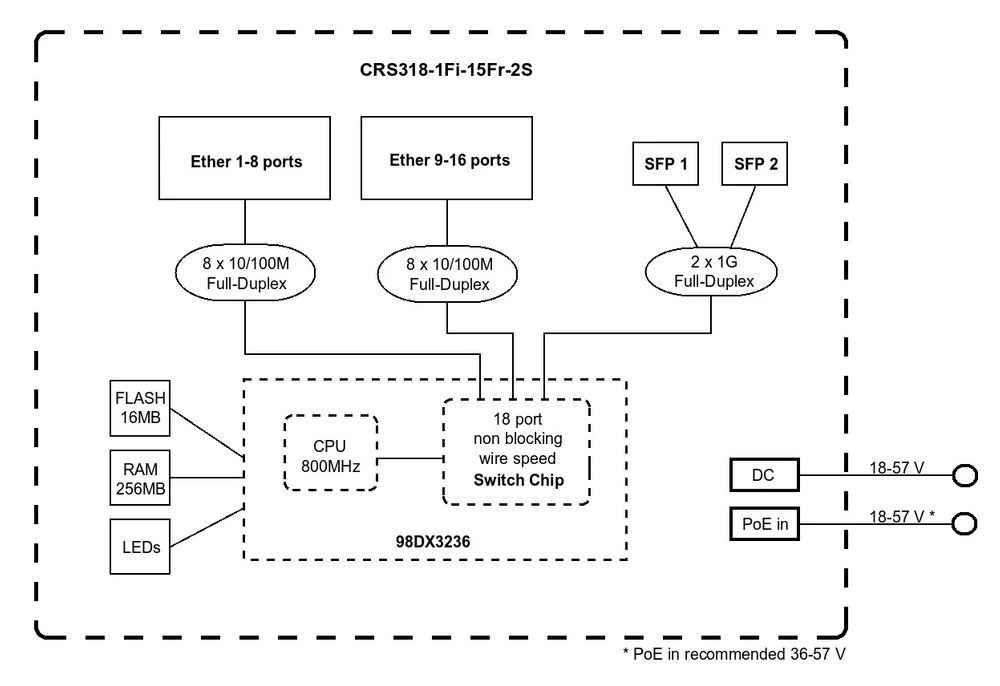
CRS318-1Fi-15Fr-2S-OUT has been equipped with a 98DX224S processor (ARM 32bit) with one 800MHz core. Additionally, the manufacturer has equipped the switch with 256MB RAM memory and 16 MB FLASH memory. Mikrotik netPower 15FR has a RouterOS level 5 license and has the ability to Dual boot, so we can work on both SwOS and RouterOS platforms. All this makes the switch has a non-blocking capacity of 3.6Gbps, switching performance 7.2Gbps, and forwarding rate 5.4Mpps.
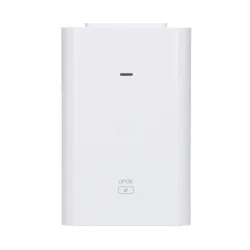
CRS318-1Fi-15Fr-2S-OUT - power supply
Software 6.46.x has problems with limiting traffic on ports and vlan (hardware offload), only in software 6.47.x limiting transmission per port and per vlan works properly.
Limiting transmission per vlan works only in the direction of incoming traffic.
Limiting transmission per vlan works only in the direction of incoming traffic.
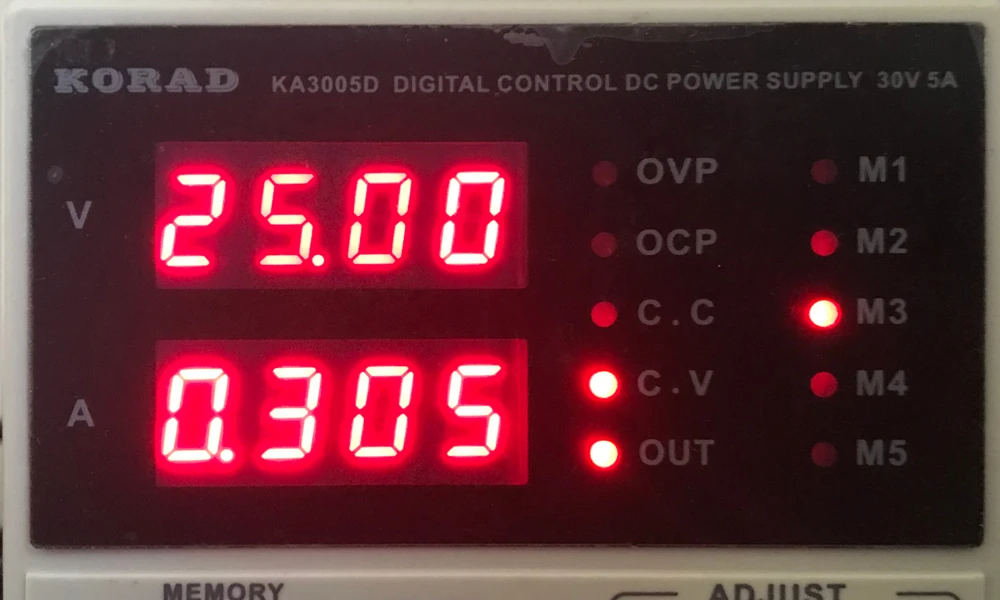
According to typical documentation MikroTik there is a big suggestion to power focal points through dedicated client adapters GPEN (Gigabit Passive Ethernet Network Concept). After the cost calculation it comes out that per client you have to spend about 40PLN and buy a separate 12-57V power supply (recommended 48V), which together gives a total of 70-100PLN. Please note that power supplies below 28-30W are not recommended for installations that use the PoE OUT port to power another device. The typical most popular 48V power supply has 0.3-0.5A and may be insufficient to power the whole installation in case of a device connected to the Poe-Out port. The switch itself with 3 LAN ports used and two SFP cartridges consumes 0.31A at 25V and each additional port should be added 0.005A of consumption, which when you fill all ports gives a consumption of less than 0.4A
Experiment
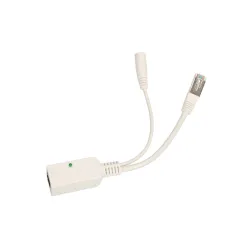
We decided to conduct a week-long experiment, which was carried out b the irreplaceable Wojtek Repiński. Our experiment showed that netPower 15FR can also be powered by other power sources like GPEN11 or GPEN21.
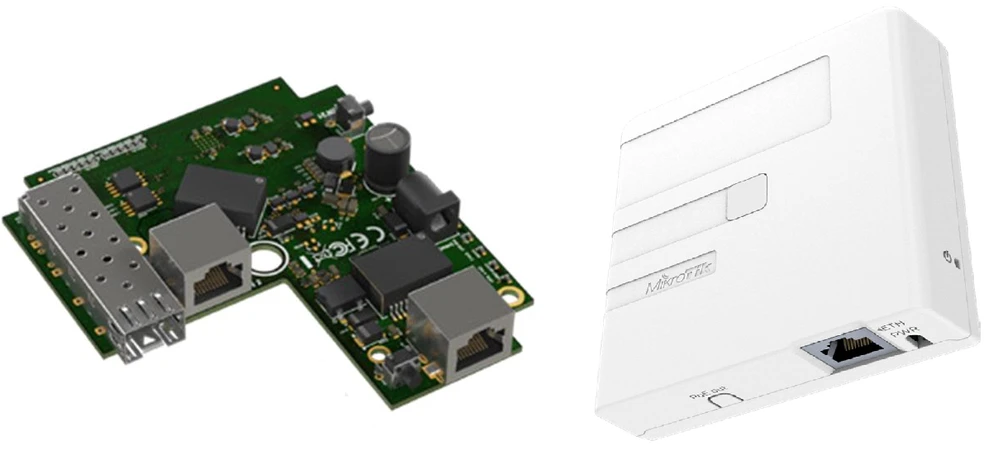
In our laboratory tests we tested several popular power supplies. Their design allows, among other things, for elegant wall mounting, as in the case of GPEN11, and they cost much less:
The switch currently draws current from only one power source, the others are in standby mode and have a current consumption below 0.002A. The current draw is not distributed fairly among all customers. The power supply that has the highest voltage (volts) is selected.
If the device is powered by 24V and a 48V gets connected, netPower 15FR will automatically switch to power from a stronger source. This allows you to decide in some way which power source will be the "main" one and thus which client will bear the cost of the power supply.
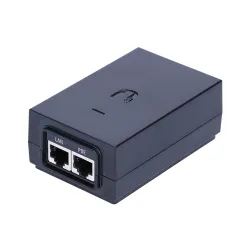
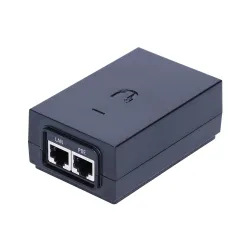
- OK - UBNT U-POE-AF (48V 0,32A)
- OK - UBNT POE-48-24W-G (48V 0,5A)
- NO - UBNT Gigabit POE-50-60W (50V 1,2A passive)
- NO - power supply UBNT Gigabit POE-24-30W (24V 1,25A)
- NO - power supply UBNT Gigabit POE-24-24W-G (24V 1A)
- OK - MikroTik GPOE on 48V 0,95A
- OK - MicroTik GPOE on 24V 1A
Important
The switch currently draws current from only one power source, the others are in standby mode and have a current consumption below 0.002A. The current draw is not distributed fairly among all customers. The power supply that has the highest voltage (volts) is selected.
If the device is powered by 24V and a 48V gets connected, netPower 15FR will automatically switch to power from a stronger source. This allows you to decide in some way which power source will be the "main" one and thus which client will bear the cost of the power supply.
Examples of application
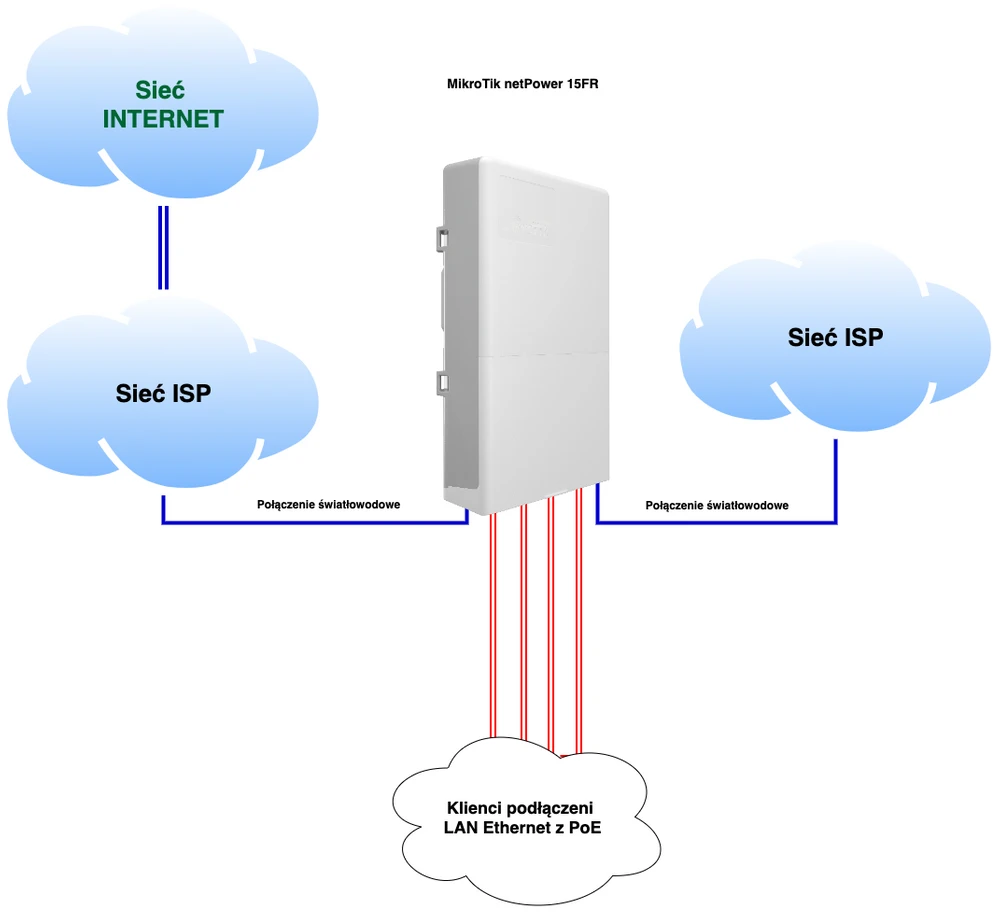
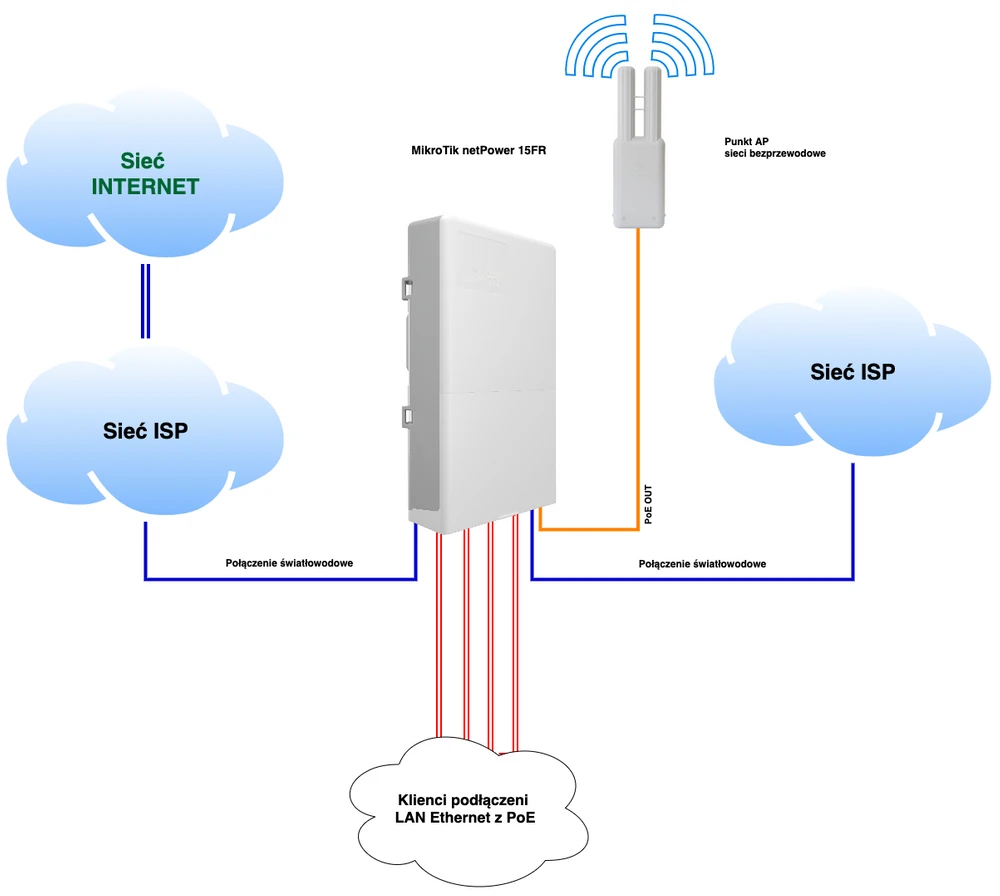
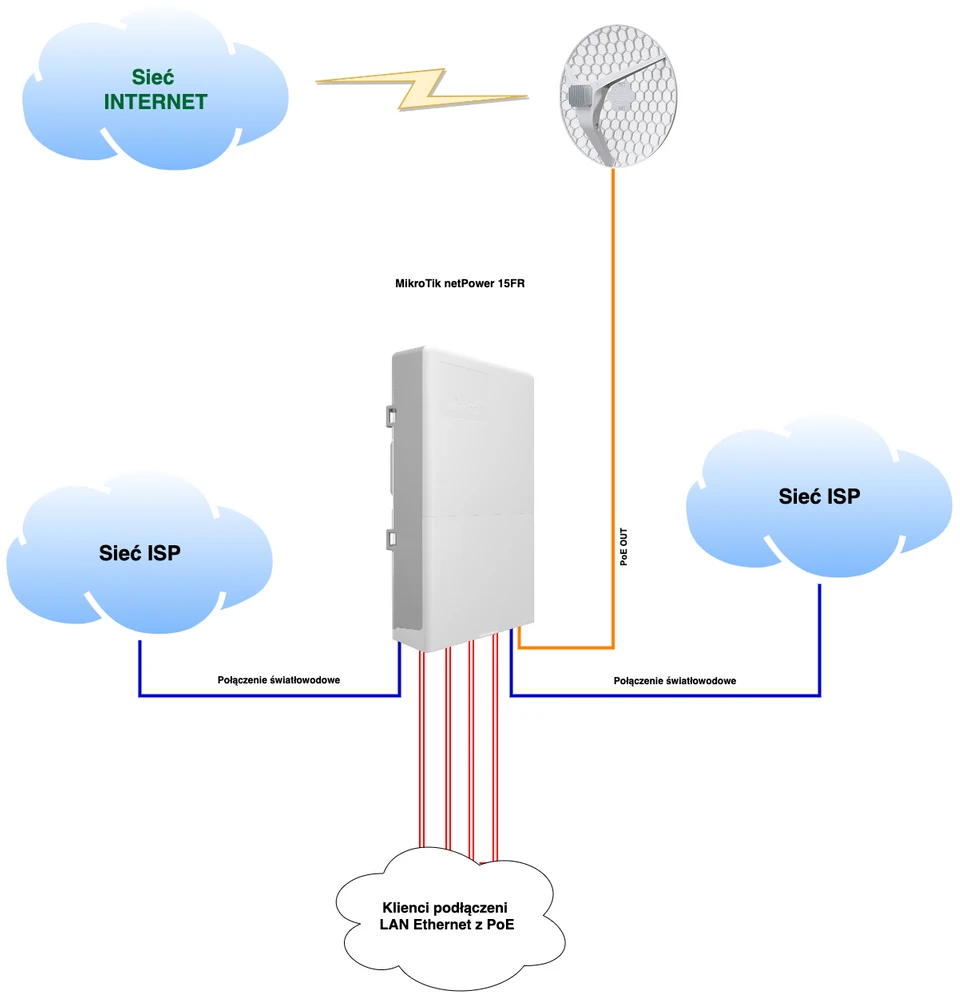
We have prepared several practical application schemes of MikroTik netPower15FR in various types of networks. Thanks to such a large number of reverse PoE ports and a PoE out option on the last LAN port, the device becomes very versatile and can be used in virtually any location. On the diagrams below you can see that this switch will perfectly fit into any network topology. We can connect e.g. a MikroTik LHG XL 52ac to receive the main Internet source from an external ISP. We can also connect MikroTik Omnitik 5 and thus we have a very efficient access point. What's most important! Each of the presented diagrams is based on the power supply from customers through the reverse PoE option! Below you will find some interesting examples of using MikroTik netPower15FR.
Speed limit on selected VLAN
Time for some practice! Below, in a few steps, we present an instruction how to limit the speed (Upload/Download) on the selected VLAN.
A RouterOS version 6.47.x is necessary due to the possibility of performing configuration via the WinBox application.
A RouterOS version 6.47.x is necessary due to the possibility of performing configuration via the WinBox application.
The VLAN speed limit can only be set for traffic entering through the selected VLAN port. To provide bidirectional bandwidth control we need to set limits for VLAN on both ports.
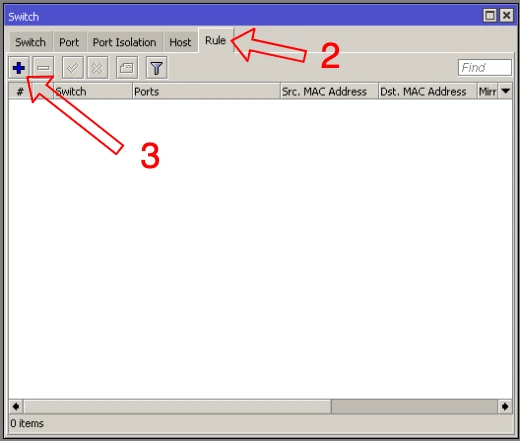
- Choose the Switch option from the menu
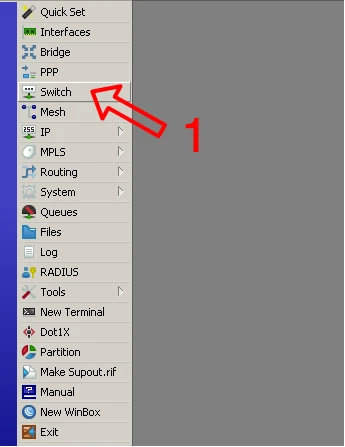
- Enter the "Rule" tab.
- Add a speed limit with the "+" button for traffic entering the port .
- Select the port which will limit the traffic entering through a given VLAN.
- Enter the VLAN number to limit
- Enter the speed limit. The "M" means Mb/s (Mbps).
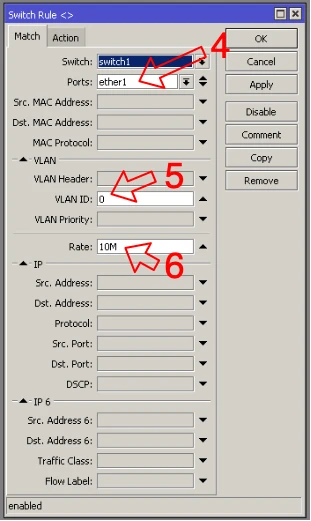
WARNING: Restrictions defined for a specific VLAN take precedence over the general restriction on the same port for incoming traffic.
For software version 6.46.x the limitation per VLAN can only be executed from the command line. Below is an example.
/interface ethernet switch rule add ports=ether1 rate=10M switch=switch1 vlan-id=100
add ports=sfp1 rate=25M switch=switch1 vlan-id=100
For software version 6.46.x the limitation per VLAN can only be executed from the command line. Below is an example.
/interface ethernet switch rule add ports=ether1 rate=10M switch=switch1 vlan-id=100
add ports=sfp1 rate=25M switch=switch1 vlan-id=100
Speed limit on selected port
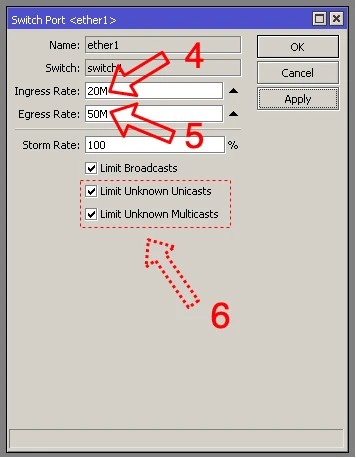
This time we will present how to quickly limit the speed on the selected port switch from the MikroTik CRS 3xx series. The configuration is done on RouterOS version 6.46.x, due to the fact that we can use Winbox tool.
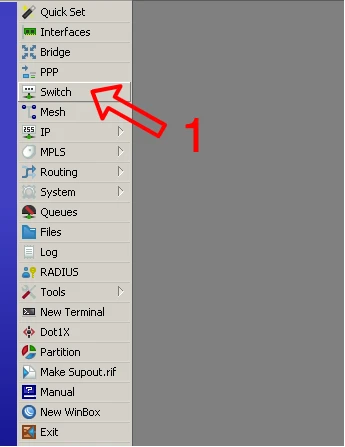
- Select "Switch" from the menu
- Go to the "Port" tab
- Select the switch interface on which you want to limit the speed.
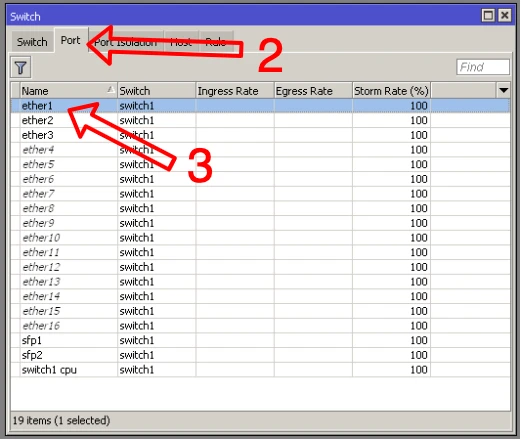
- Set a limit for incoming port traffic.
- Set a limit for outgoing port traffic.
- Optionally, we can set special restrictions for Unicast and Multicast packages
Summary and conclusions
It can be admitted with certainty that CRS318-1Fi-15Fr-2S-OUT is a very universal switch, which will work well in every network topology. The reverse PoE ports, which repeatedly solve the power supply problem, are extremely important. Although there is a lack of gigabit LAN ports, because netPower15FR is equipped with 10/100Mbps ethernet. But we can't forget that we have two SFP 1Gbps fiber optic ports available. Nevertheless, if all LAN ports are busy, aggregate the SFP port traffic, because the client load may be too high for one SFP port.
One thing is certain! After our tests, we found out that 24V power supplies below 1A should not be used!
Of course, like any device, netPower15FR has its advantages and disadvantages. The 10/100Mbps ports are certainly not its advantage, as well as the fact that RouterOS version 6.47.7 cannot recognize which model of switch is mounted in the device. But the switch also has a number of advantages. First of all, the possibility to use both RouterOS and SwitchOS systems deserves attention. The possibility of using other power supplies than dedicated modules and an LED, near the ETH port, which indicates exactly what port the device is powered by. You can also not forget about the versatility of wall and mast mounting, and the set includes a template for making holes. Generalizing. I guess everyone has been waiting a long time for a solution with the option of reversible PoE ports. The solution will work perfectly in any network topology and is a great solution for many ISPs. MikroTik clearly stood up to the challenge! We only have to wait for similar switches, but maybe this time with 1Gbps and maybe even 2.5Gbps ports. Bravo MikroTik! We are waiting for more!
Authors:
Leszek Błaszczyk
Wojciech Repiński
Of course, like any device, netPower15FR has its advantages and disadvantages. The 10/100Mbps ports are certainly not its advantage, as well as the fact that RouterOS version 6.47.7 cannot recognize which model of switch is mounted in the device. But the switch also has a number of advantages. First of all, the possibility to use both RouterOS and SwitchOS systems deserves attention. The possibility of using other power supplies than dedicated modules and an LED, near the ETH port, which indicates exactly what port the device is powered by. You can also not forget about the versatility of wall and mast mounting, and the set includes a template for making holes. Generalizing. I guess everyone has been waiting a long time for a solution with the option of reversible PoE ports. The solution will work perfectly in any network topology and is a great solution for many ISPs. MikroTik clearly stood up to the challenge! We only have to wait for similar switches, but maybe this time with 1Gbps and maybe even 2.5Gbps ports. Bravo MikroTik! We are waiting for more!
Authors:
Leszek Błaszczyk
Wojciech Repiński