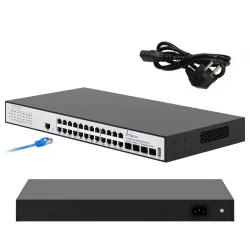
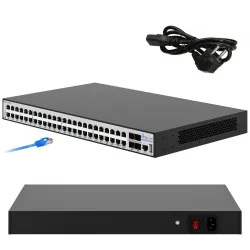
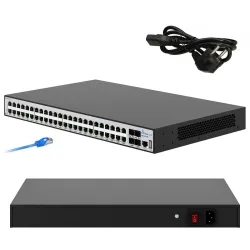
Simple, reliable Level 3 switches for long-lasting performance at a windmill price - all Extralink Nemesis and Hypnos!
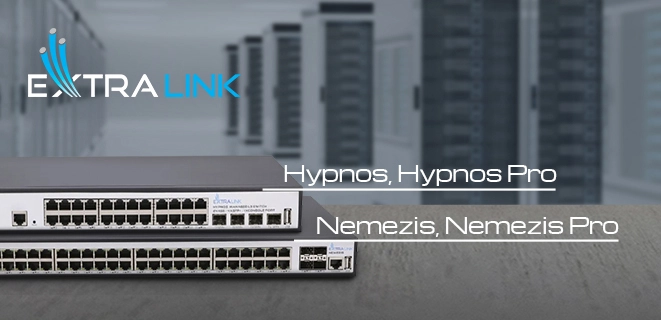
The server room in any company, today, is the heart of the entire establishment. Thanks to it, we can exchange files, receive emails, view new posts on social networks, conduct business, watch TV, make calls to another continent and much more! And with our current heavy reliance on fast information transfer - server rooms strive to build long and seamless. For this reason, good (that is, expensive) equipment is usually installed in server rooms. Hardware from brands such as HP, Huawei, Dell, Aruba or Netgear is considered the most reliable and durable.
But what if you are told that you can use a budget solution, but it is not inferior in features and uptime to expensive equipment? Let's check it out using the example of a new product from the brand Extralink: 24- and 48-portExtralink Hypnos and Extralink Nemezis switches.
But what if you are told that you can use a budget solution, but it is not inferior in features and uptime to expensive equipment? Let's check it out using the example of a new product from the brand Extralink: 24- and 48-portExtralink Hypnos and Extralink Nemezis switches.
EXTRALINK

Brand Extralink has existed for about 10 years as a manufacturer of equipment, devices and accessories for fiber optic and local area networks. Extralink equipment has long been patented as trouble-free and easy to use. Extralink positions itself as a team of excellent professionals and a large and modern warehouse and office space. All of this allows the brand to take a comprehensive approach to the customer, with customization and division of the offer into a BUSINESS zone and a more intimate and heavily developed SMART HOME space.
Many companies (small and large) are already operating on Extralink equipment and network cables and speak very highly of the brand. The brand is growing more and more every day and is already going to many countries such as Germany, Portugal, Spain, Italy, Turkey, Ukraine, Kazakhstan, Dubai, African countries and many others.
Many companies (small and large) are already operating on Extralink equipment and network cables and speak very highly of the brand. The brand is growing more and more every day and is already going to many countries such as Germany, Portugal, Spain, Italy, Turkey, Ukraine, Kazakhstan, Dubai, African countries and many others.
Extralink Hypnos / Hypnos Pro
Extralink Hypnos is a 24-port Layer 3 managed switch that supports most modern data transmission standards.
Older Extralink Hypnos Pro has 24 ports with PoE power and a total power of 450W.
Older Extralink Hypnos Pro has 24 ports with PoE power and a total power of 450W.


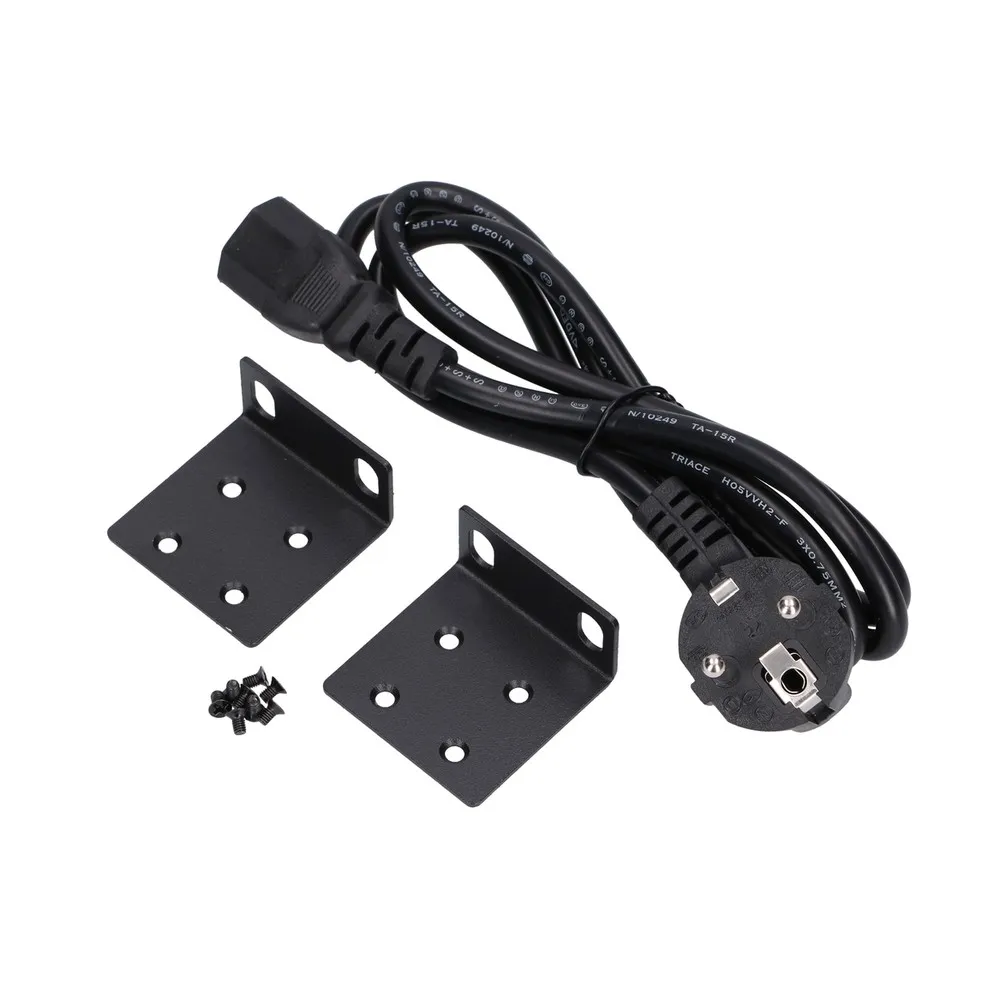
Extralink Nemezis / Nemezis Pro
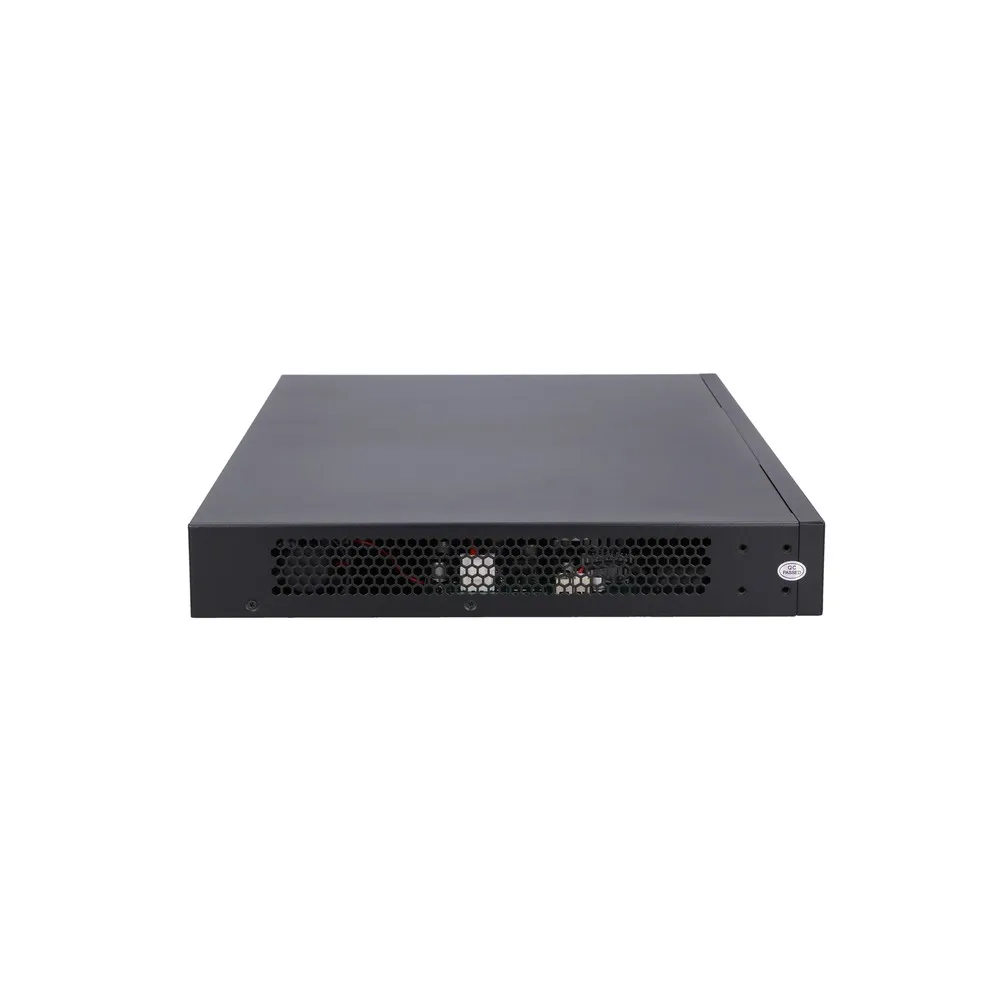
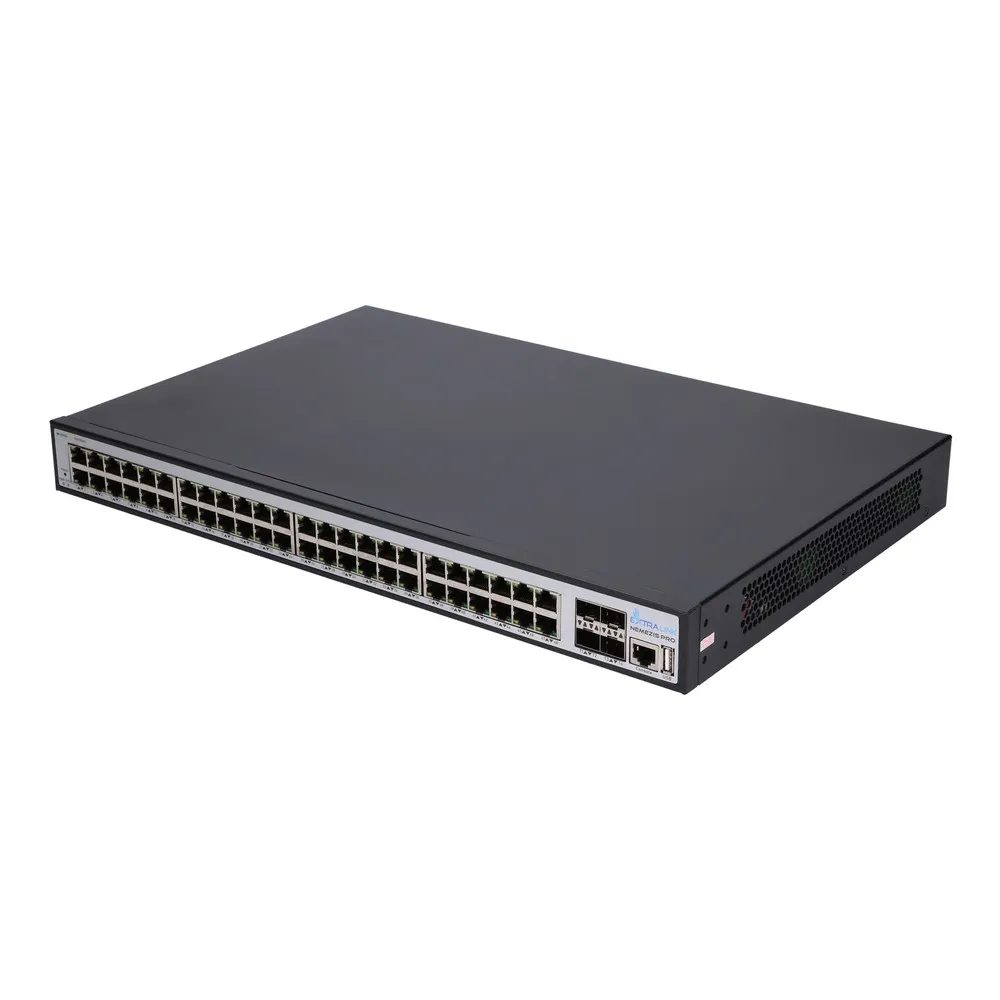
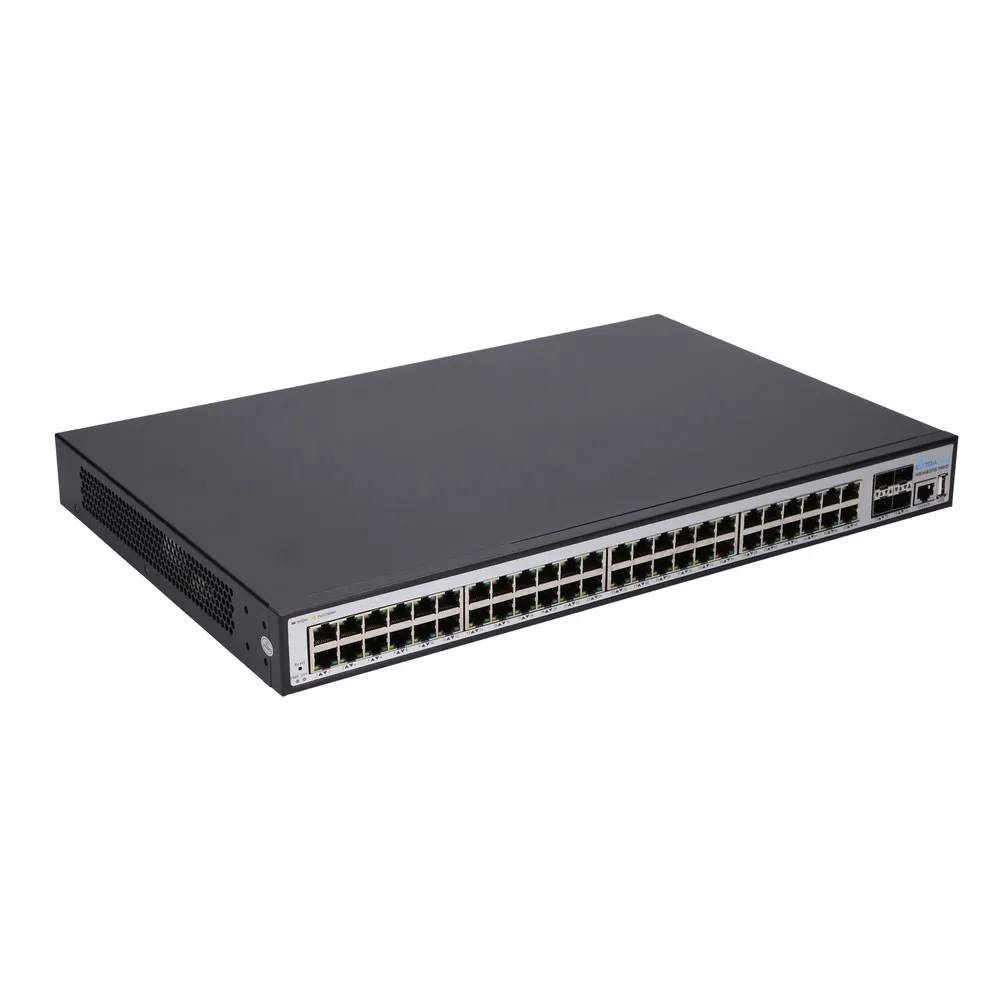
The Extralink Nemesis is a new product that features 48 Gigabit Ethernet ports, as well as 4 10Gigabit SFP ports. The switch is also a Layer 3 managed switch, which allows management of static and dynamic routes. Thanks to a new processor, the Extralink Nemesis switch has the ability to find the shortest route for forwarding data packets, allowing your network to operate properly and quickly.
Like the Hypnos Pro - the Nemesis Pro has the ability to power connected devices via PoE on all of its 48 ports. Conveniently, you can control the power on the ports, and you can turn it off if necessary. The Nemesis has a total power of 500W, which is enough to use all ports with VoIP telephony, for example.
Like the Hypnos Pro - the Nemesis Pro has the ability to power connected devices via PoE on all of its 48 ports. Conveniently, you can control the power on the ports, and you can turn it off if necessary. The Nemesis has a total power of 500W, which is enough to use all ports with VoIP telephony, for example.



User interface
Out of the box, the Nemesis/Nemesis Proand Hypnos/Hypnos Pro do not have the DHCP server enabled, so when you connect your laptop to the switch, you can't just connect to it. First, we need to configure the Ethernet interface on our laptop with an address of 192.168.1.x and a mask of 255.255.255.0. The address cannot be 192.168.1.200, as this is the default address of the Nemesis/Nemesis Pro and Hypnos/Hypnos Pro.
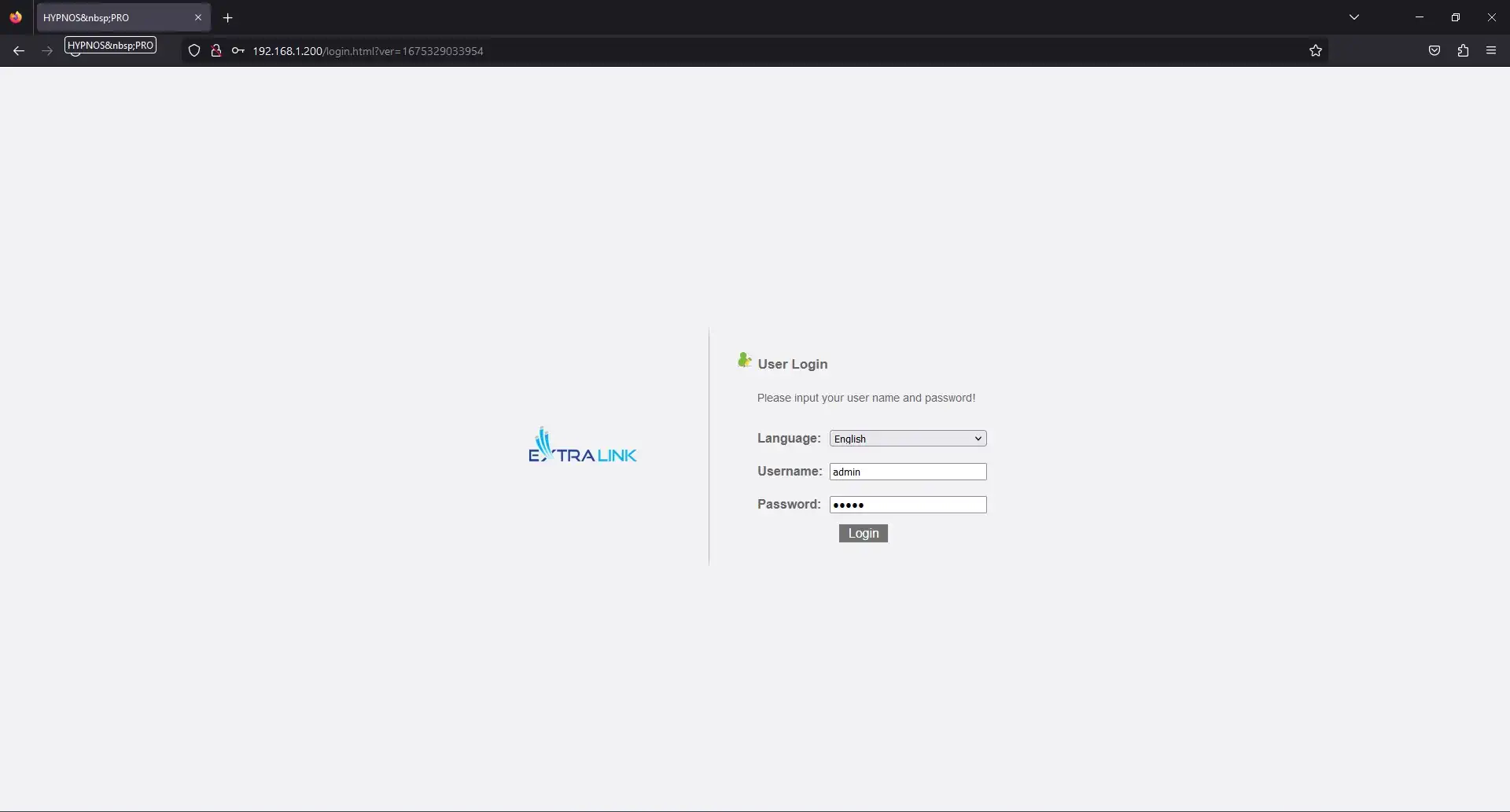
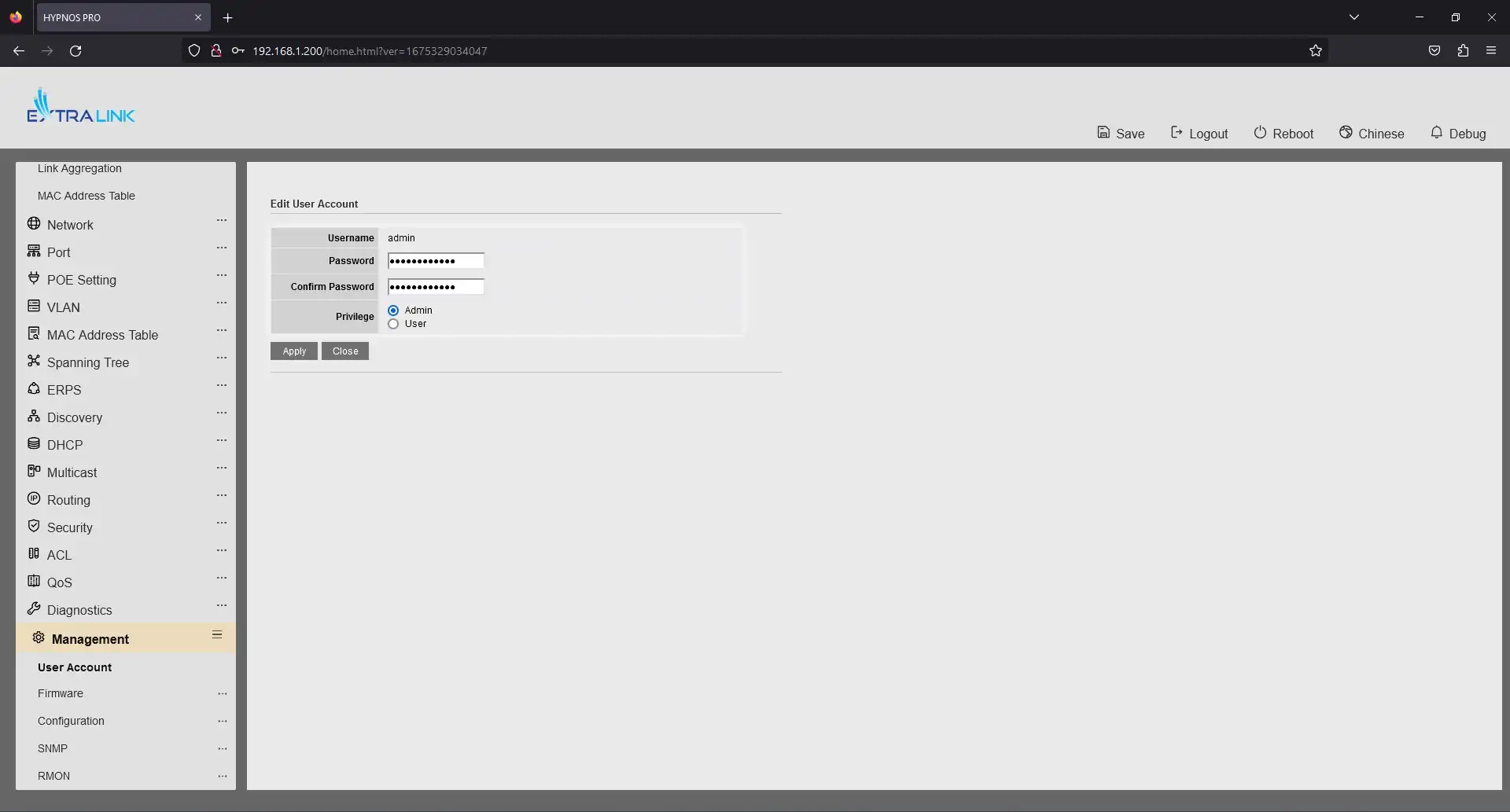
By default, the switches can be accessed via the console port or via HTTP at 192.168.1.200. The standard login and password for the devices is admin/admin, which necessarily needs to be changed to a more difficult one.
By default, the switches can be accessed via the console port or via HTTP at 192.168.1.200. The standard login and password for the devices is admin/admin, which necessarily needs to be changed to a more difficult one.
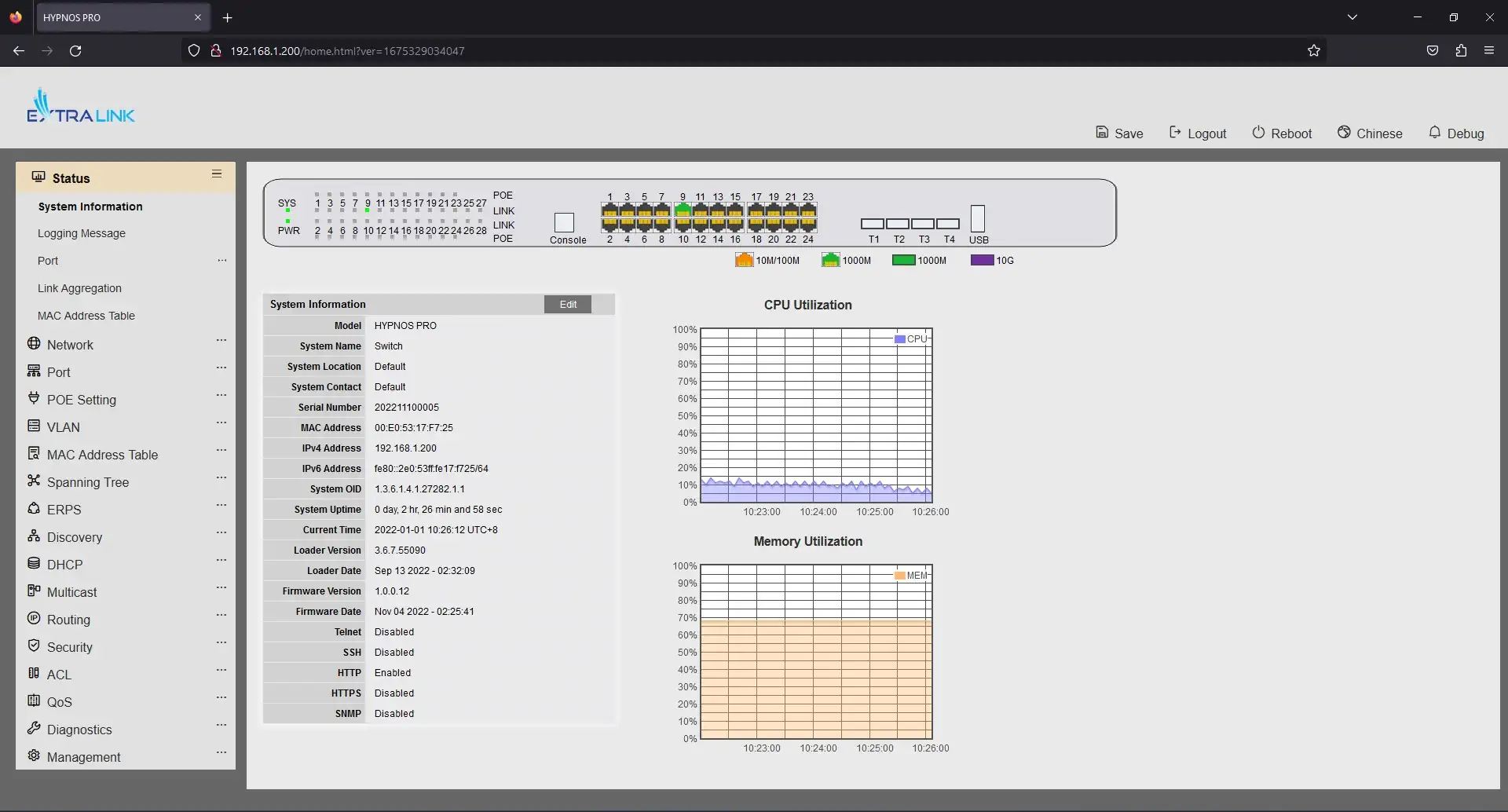
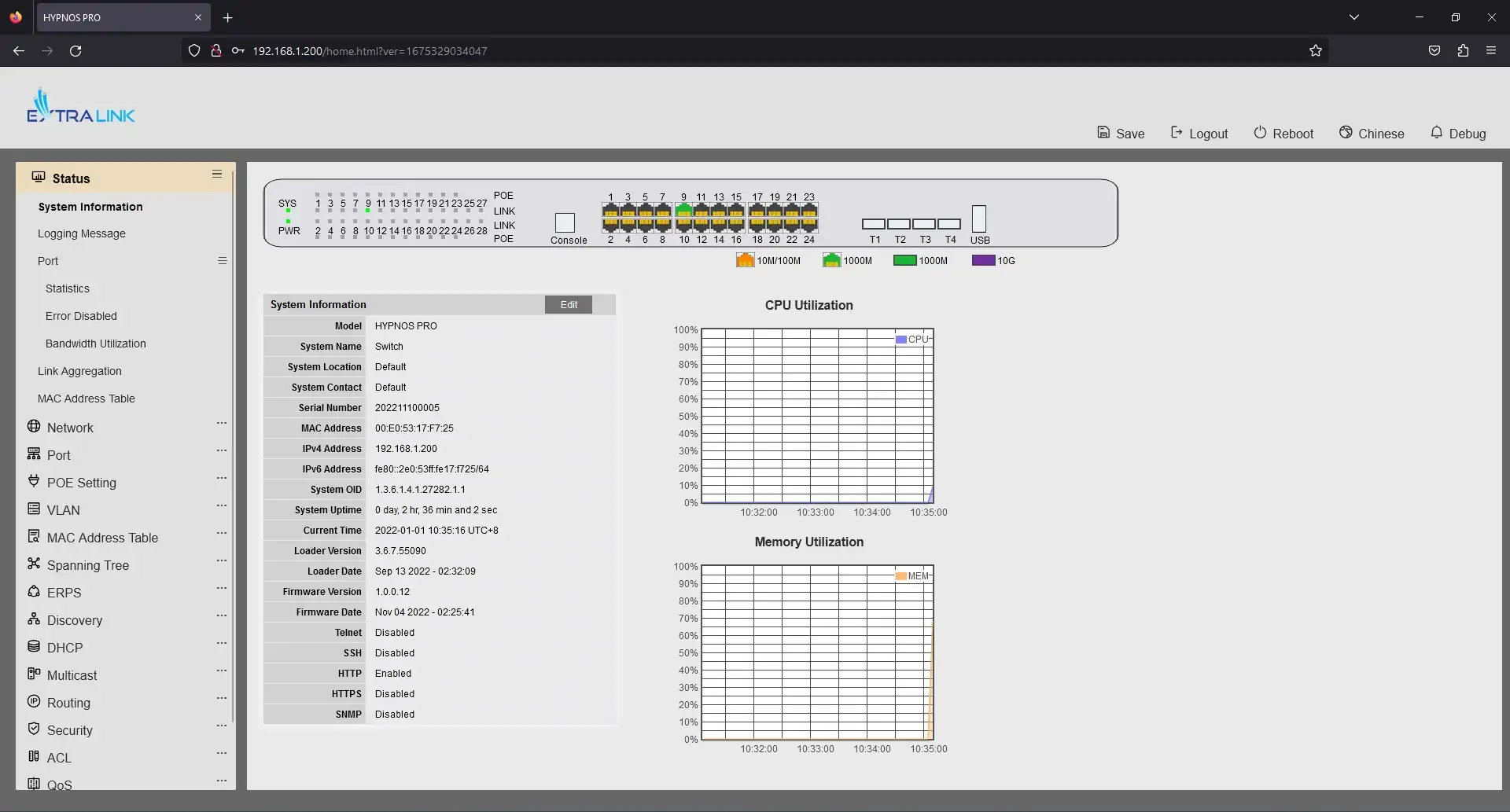
The interface's start page immediately shows information about the device. In addition, the CPU load and RAM usage are displayed. The device's ports are very conveniently visualized, you can immediately see which ports are currently in use, you can view the port information, and even click on the port to go to the edit settings page on that port.
The first Status tab contains: general device information, device logs, port information (you can learn information, statistics, errors separately for each port), mac address table, port aggregation table.
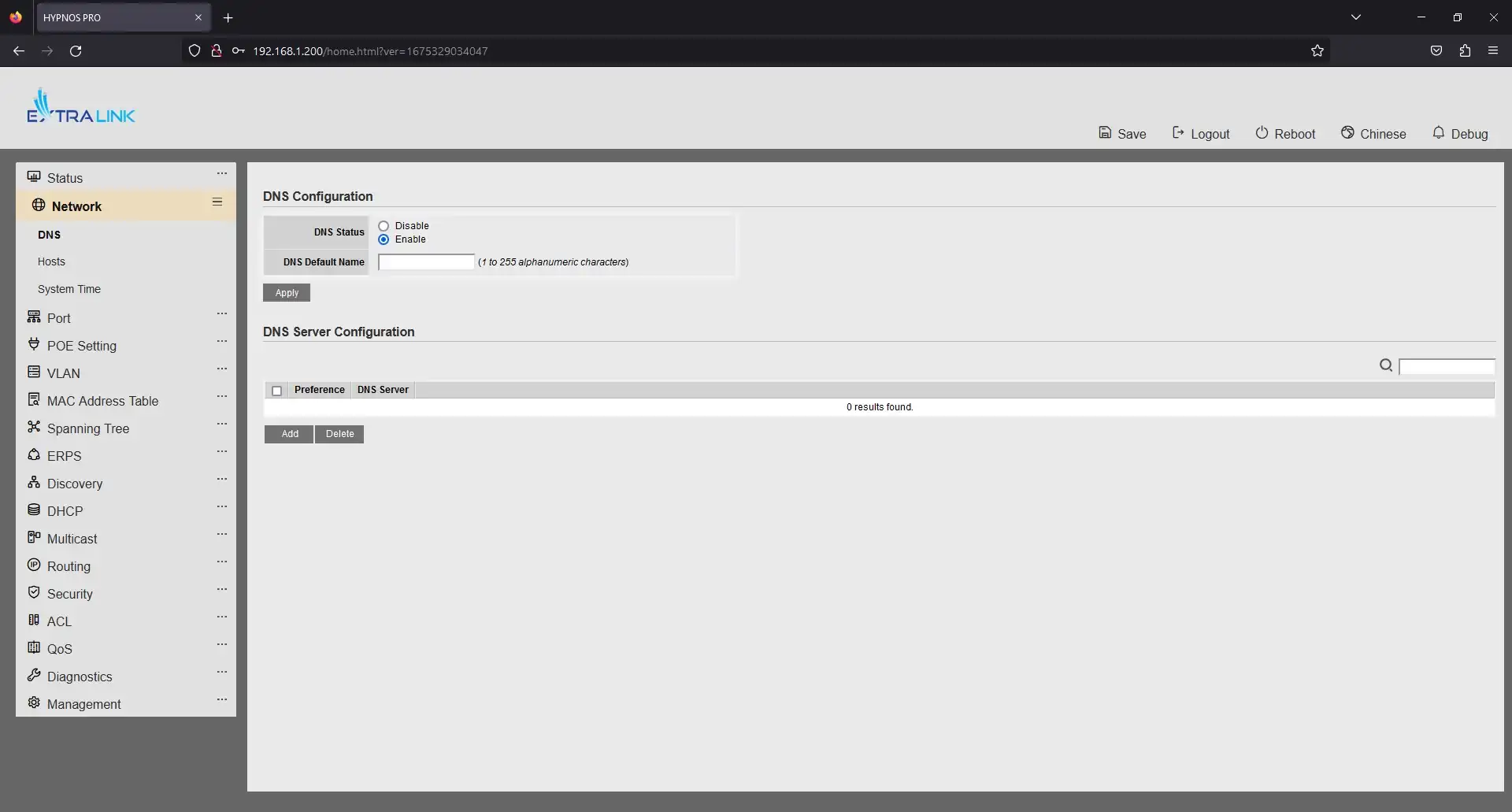
In the Network tab, you can configure DNS, add/change or delete hosts, and set the device time.
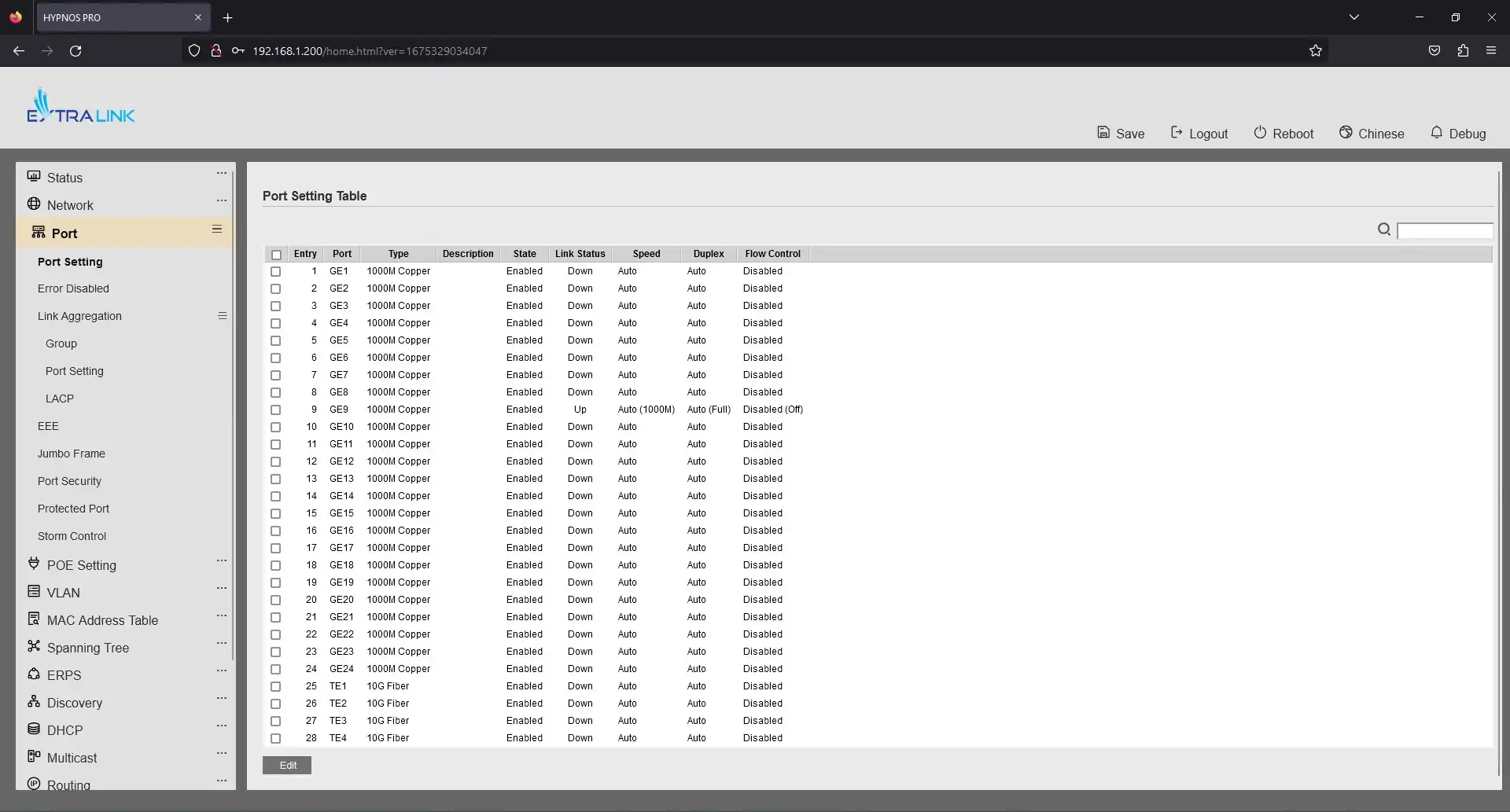
The Port tab contains settings such as Configure each port, disable error checking, channel aggregation settings, EEE and Jumbo Frame. Also configuration of locking on ports and Storm Controle.
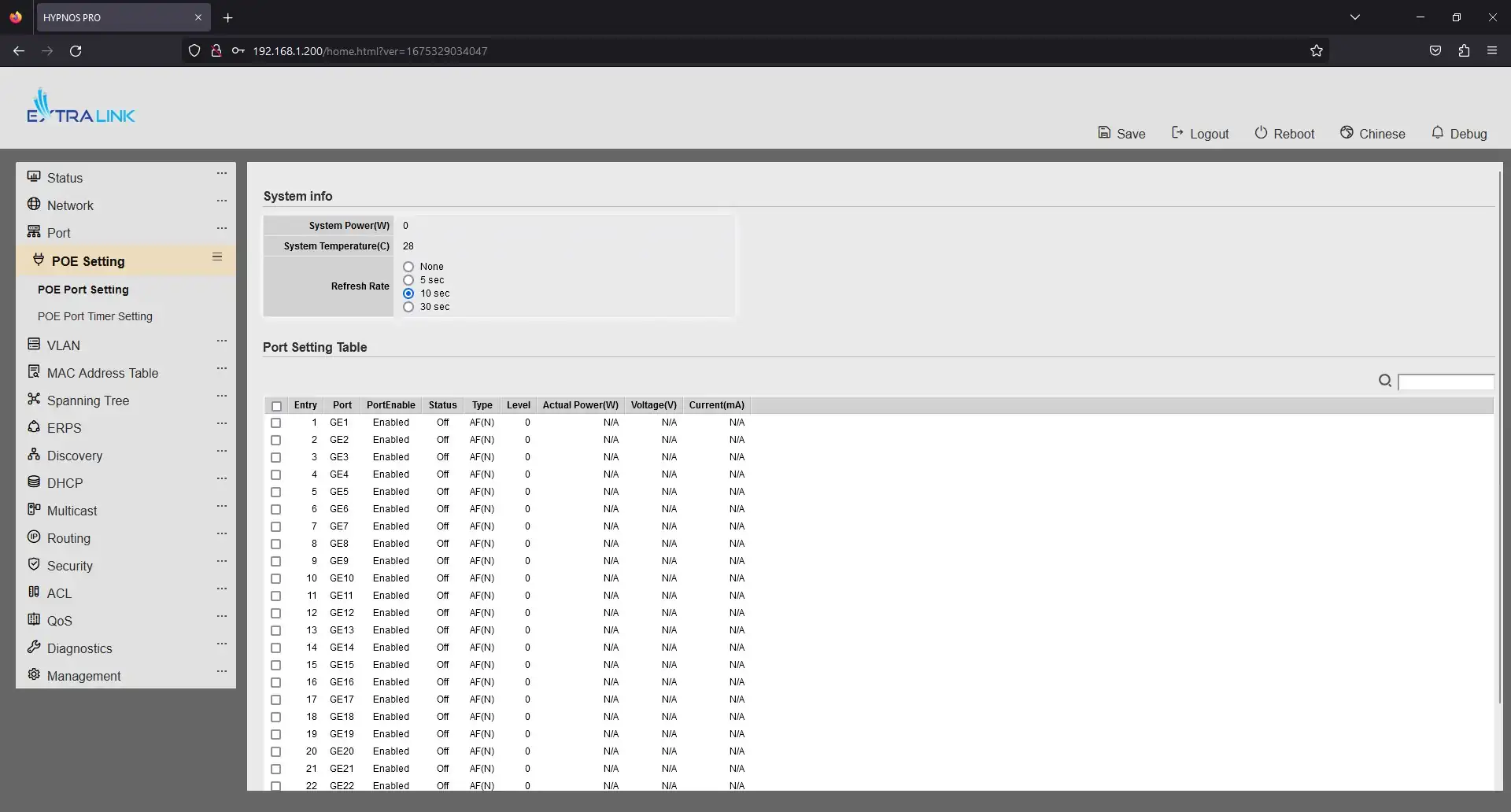
Another POE Settings tab allows you to see the total power consumption and temperature of the switch, as well as enable or disable PoE power on the ports. There's also an interesting option - it's to turn PoE power on and off on ports by schedule, which can be used for VoIP telephony, turning them off on weekends and after hours, thus saving electricity.
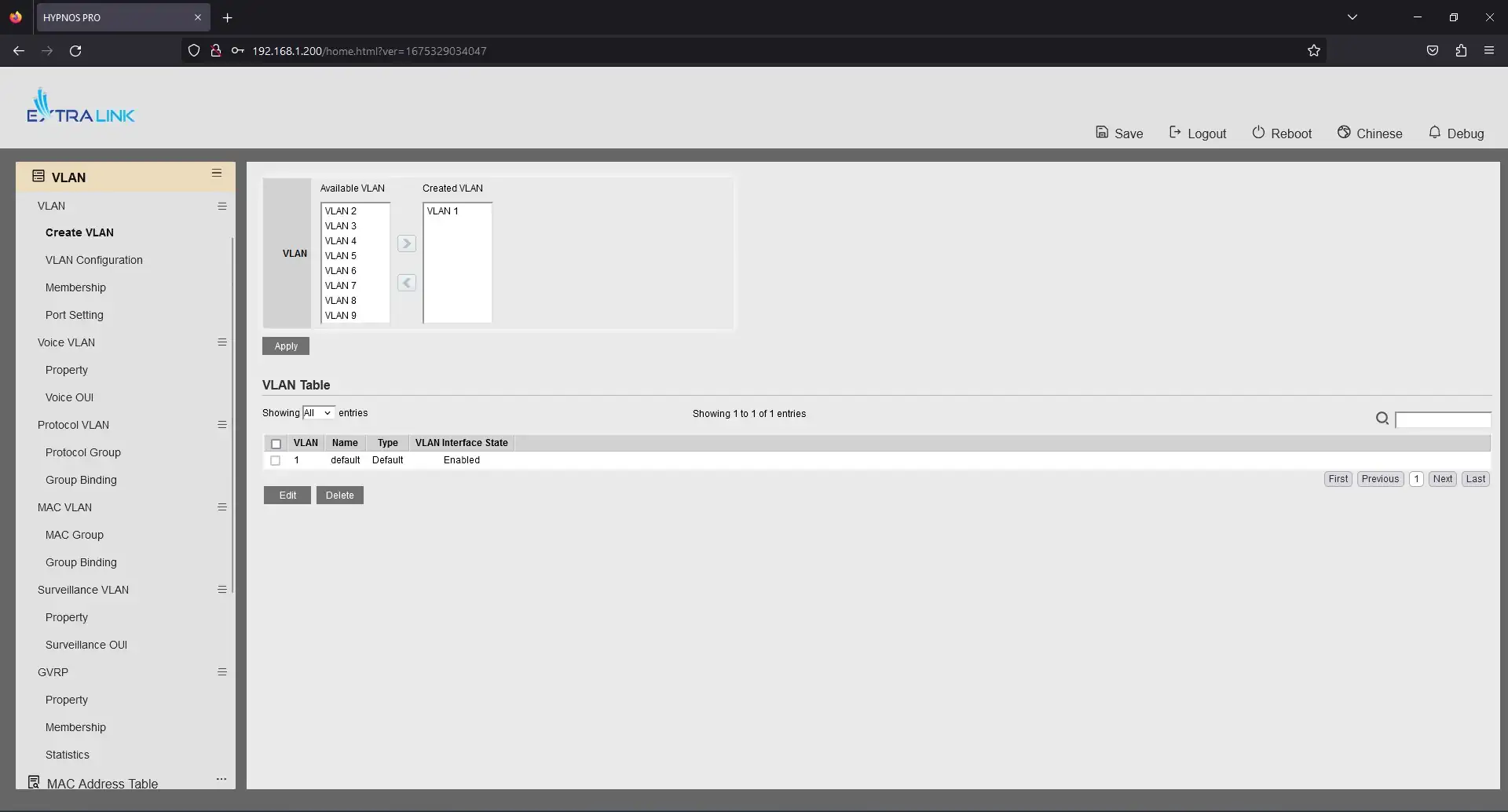
The VLAN tab allows you to create, configure, delete and assign virtual networks to ports or port groups.
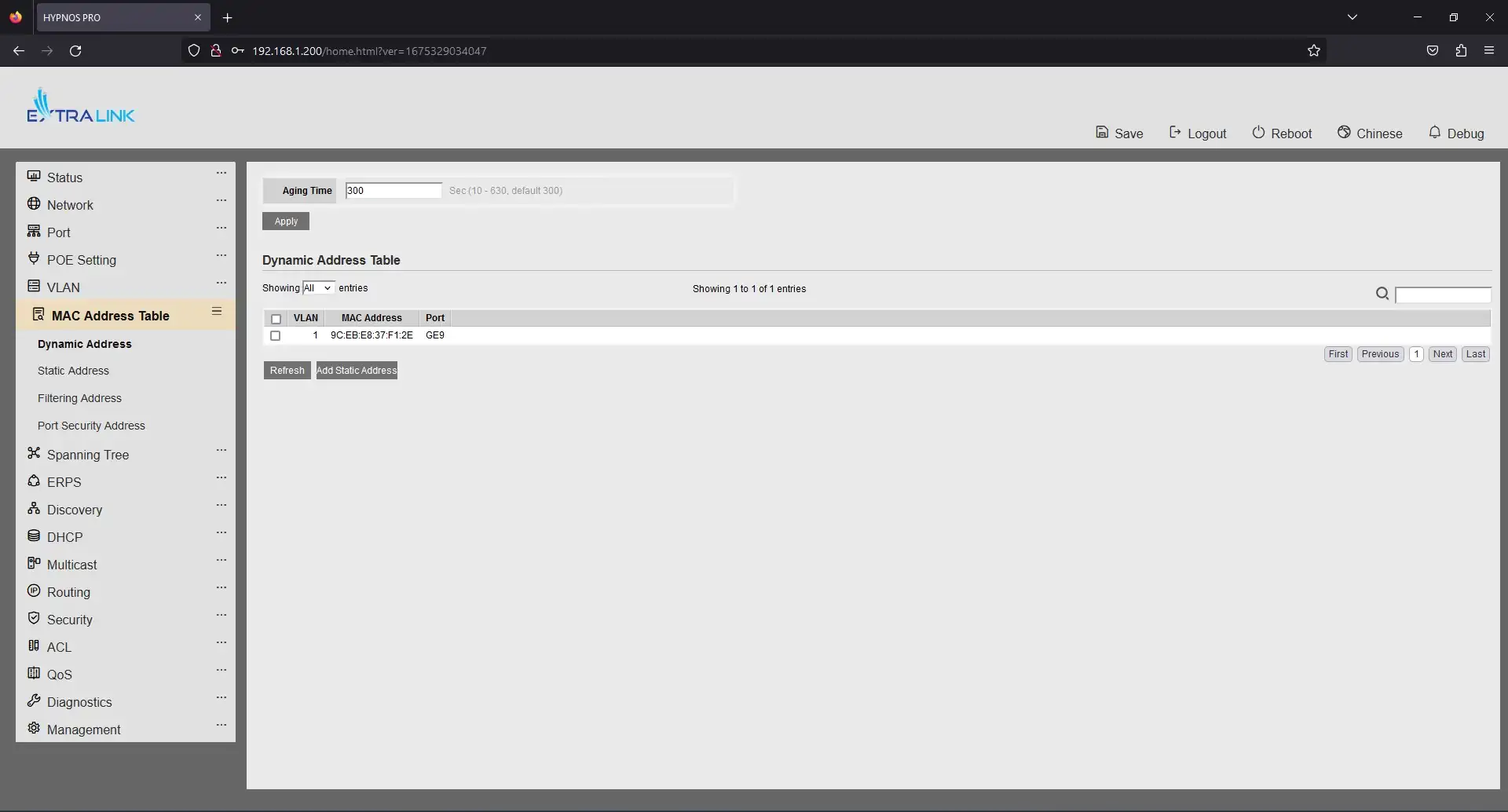
The MAC Address Table tab below shows a table of MAC addresses, allows you to statically define a VLAN for a specific MAC address, and accurately configure everything related to the MAC address.
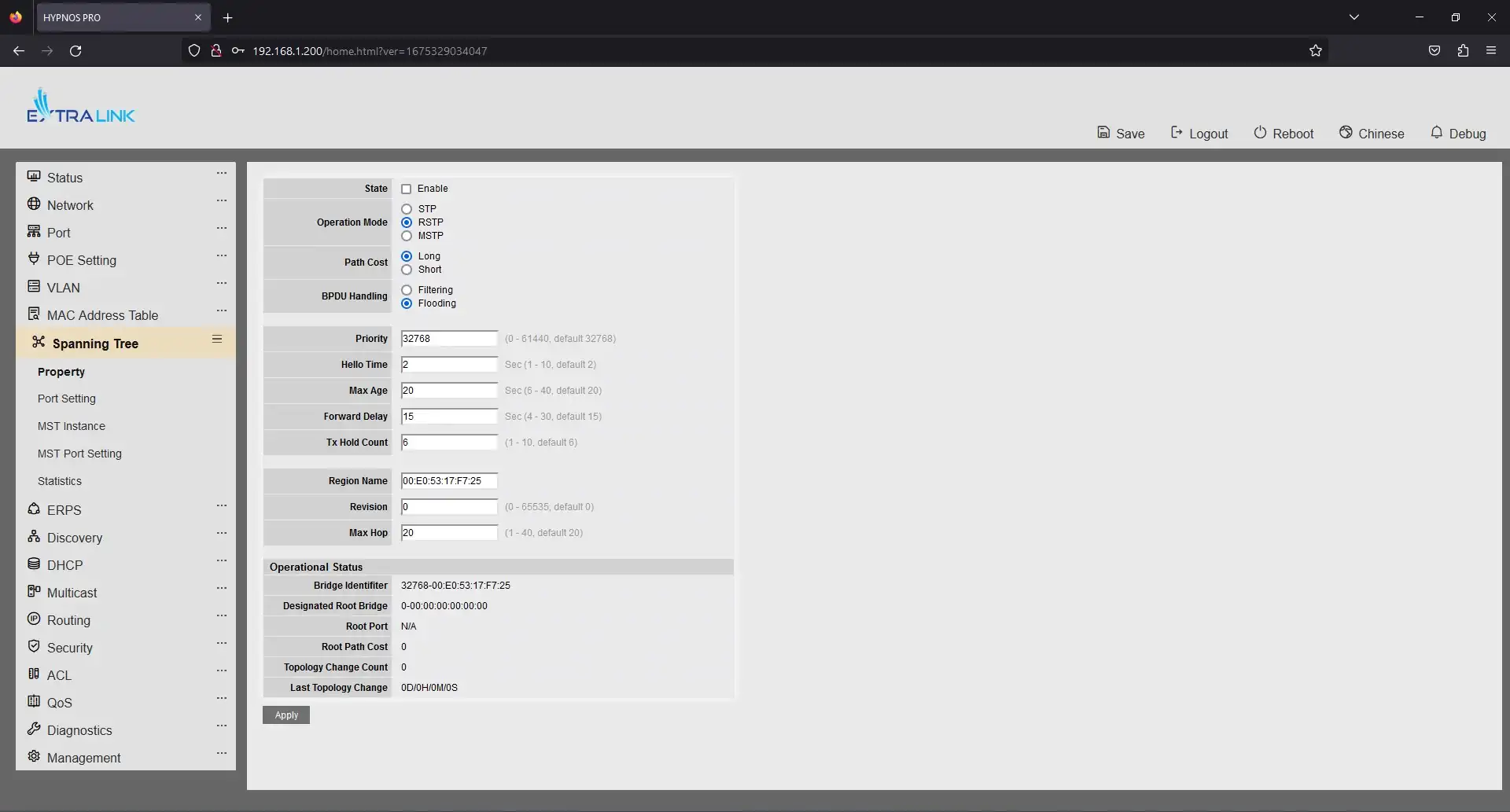
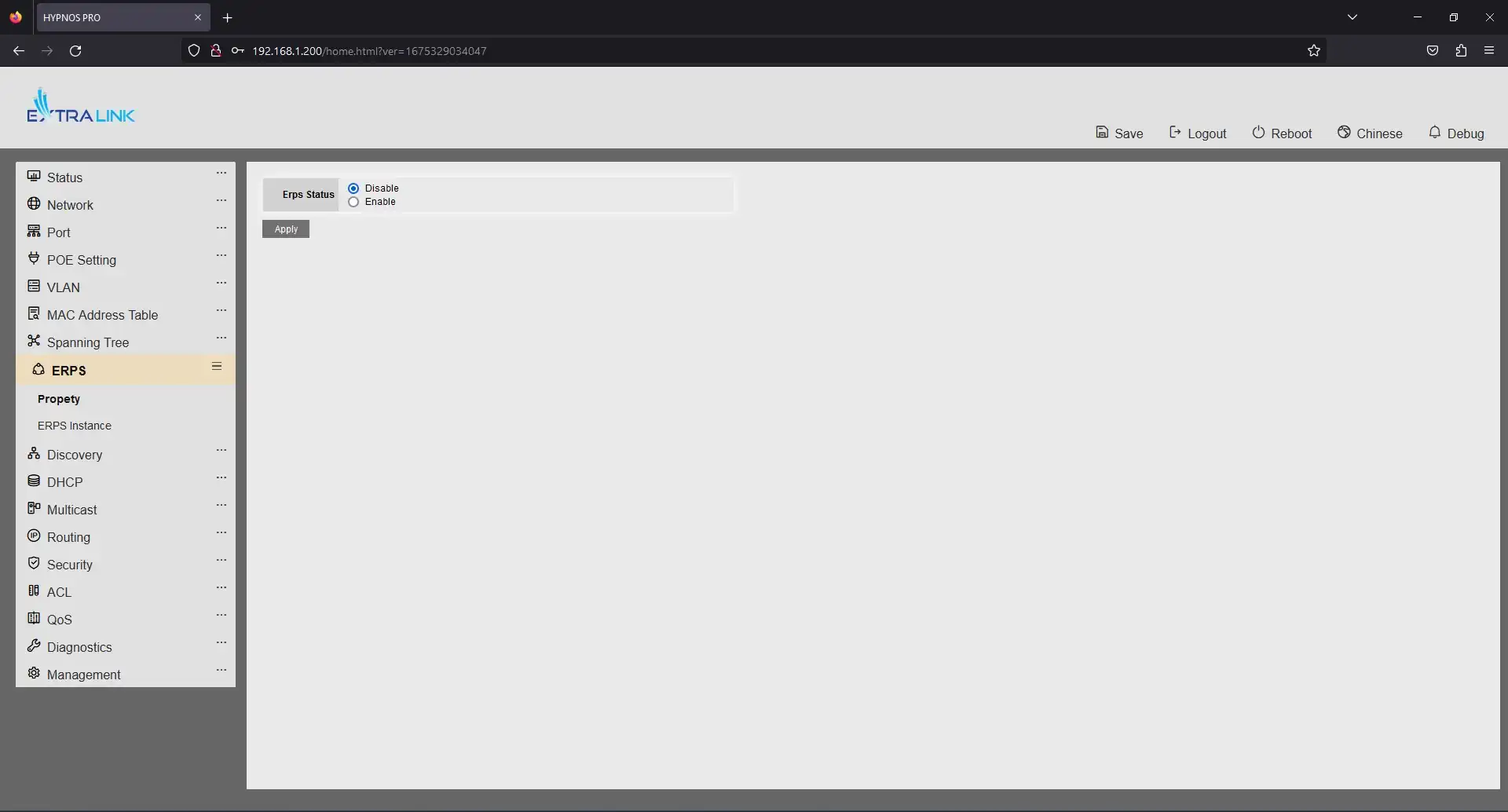
The Spanning Tree and ERPS tabs allow you to tune your device and ports very carefully to avoid loops and network problems.
The first Status tab contains: general device information, device logs, port information (you can learn information, statistics, errors separately for each port), mac address table, port aggregation table.
In the Network tab, you can configure DNS, add/change or delete hosts, and set the device time.
The Port tab contains settings such as Configure each port, disable error checking, channel aggregation settings, EEE and Jumbo Frame. Also configuration of locking on ports and Storm Controle.
Another POE Settings tab allows you to see the total power consumption and temperature of the switch, as well as enable or disable PoE power on the ports. There's also an interesting option - it's to turn PoE power on and off on ports by schedule, which can be used for VoIP telephony, turning them off on weekends and after hours, thus saving electricity.
The VLAN tab allows you to create, configure, delete and assign virtual networks to ports or port groups.
The MAC Address Table tab below shows a table of MAC addresses, allows you to statically define a VLAN for a specific MAC address, and accurately configure everything related to the MAC address.
The Spanning Tree and ERPS tabs allow you to tune your device and ports very carefully to avoid loops and network problems.
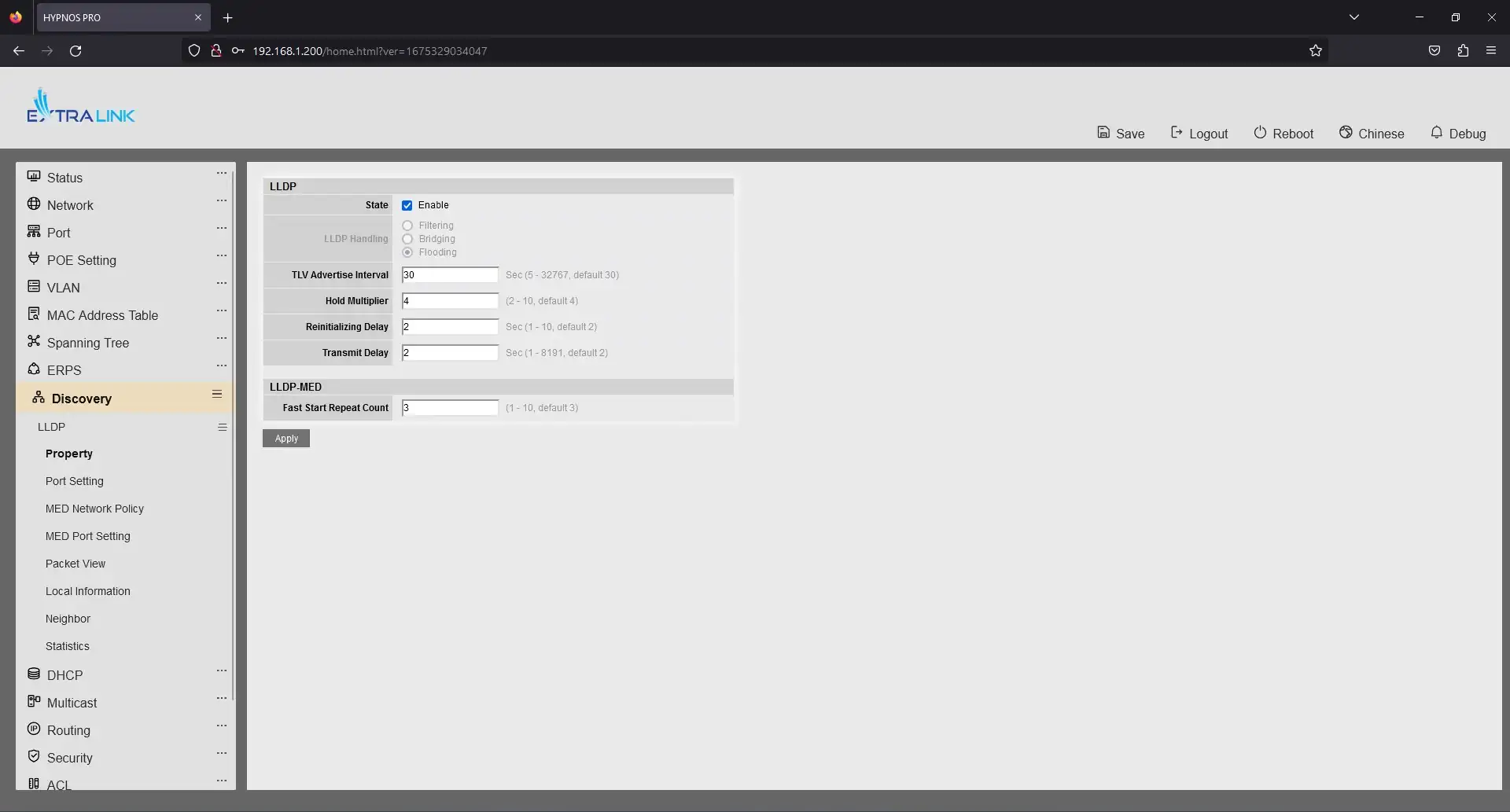
The Discovery tab allows you to configure the Link Layer Discovery Protocol (LLDP), which allows network devices to "communicate" with each other by sending and receiving important information.
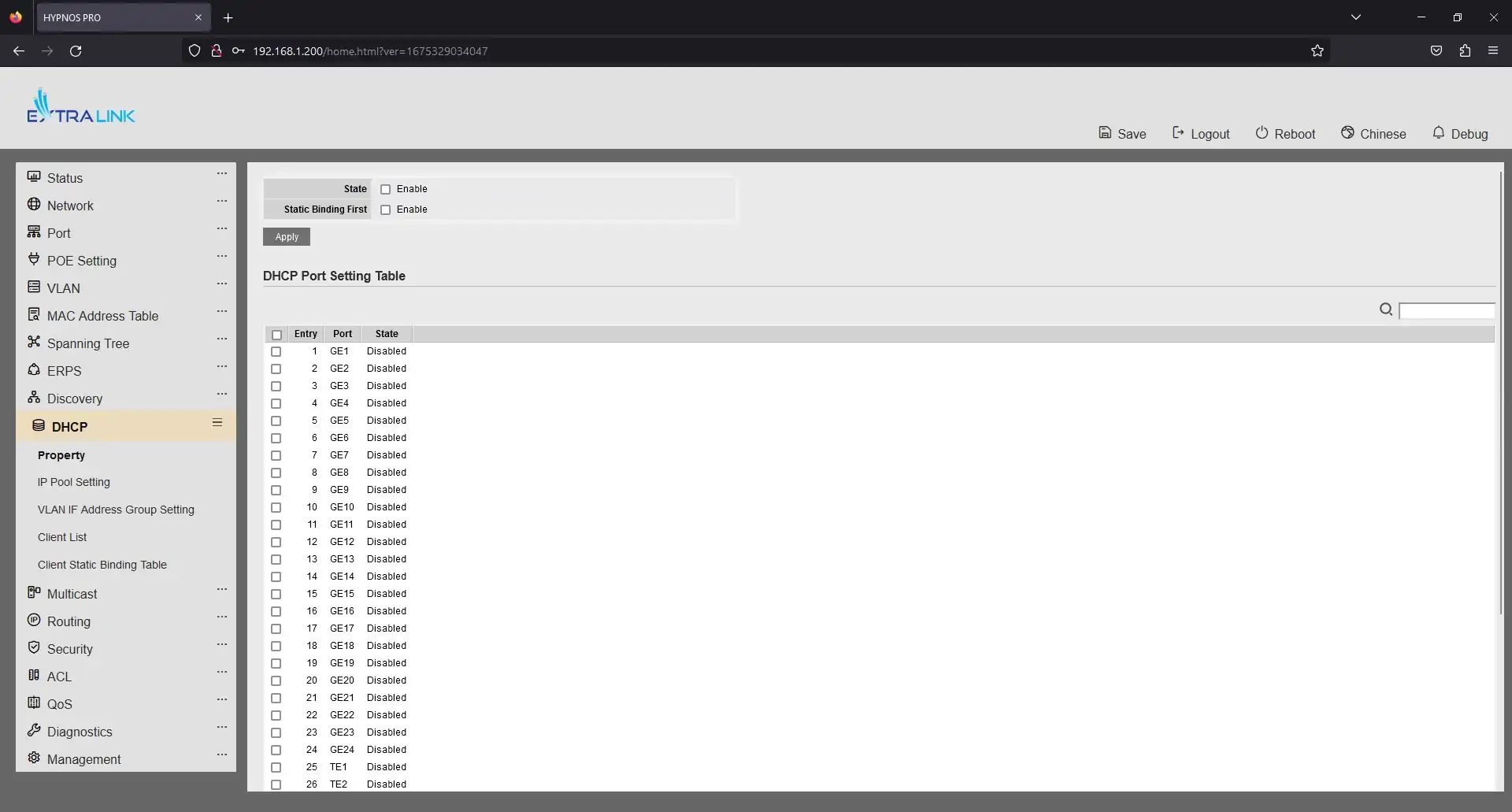
The DHCP tab allows you to enable or disable DHCP (Dynamic Host Configuration Protocol) and configure IP address pools of DHCP servers.
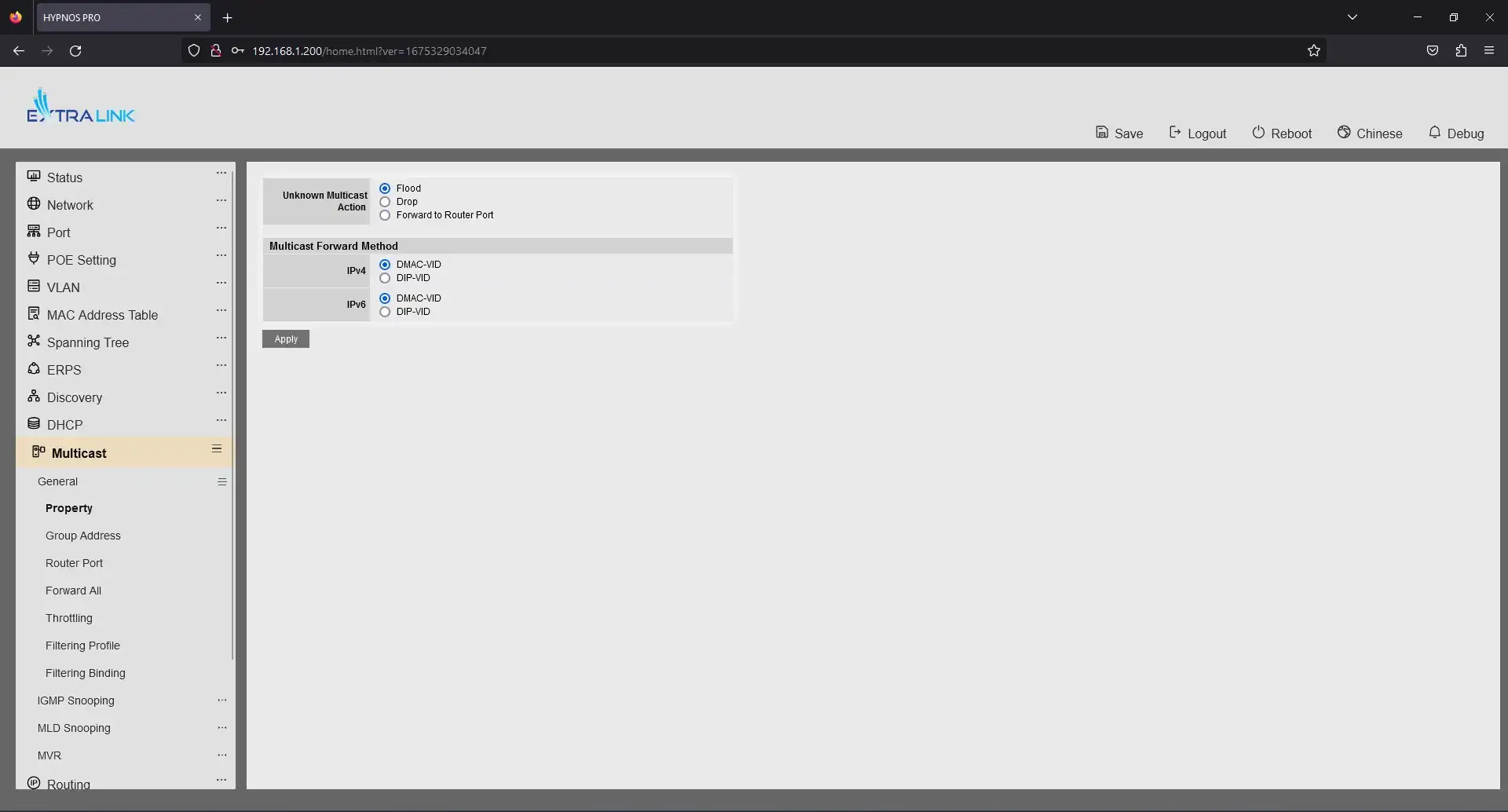
Multicast - allows you to fine tune this multicast protocol. There are many different configuration options: by address, by group, by VLAN. You can also tune IGMP (Internet Group Management Protocol), MLD Snooping and MVR in IP-based networks.
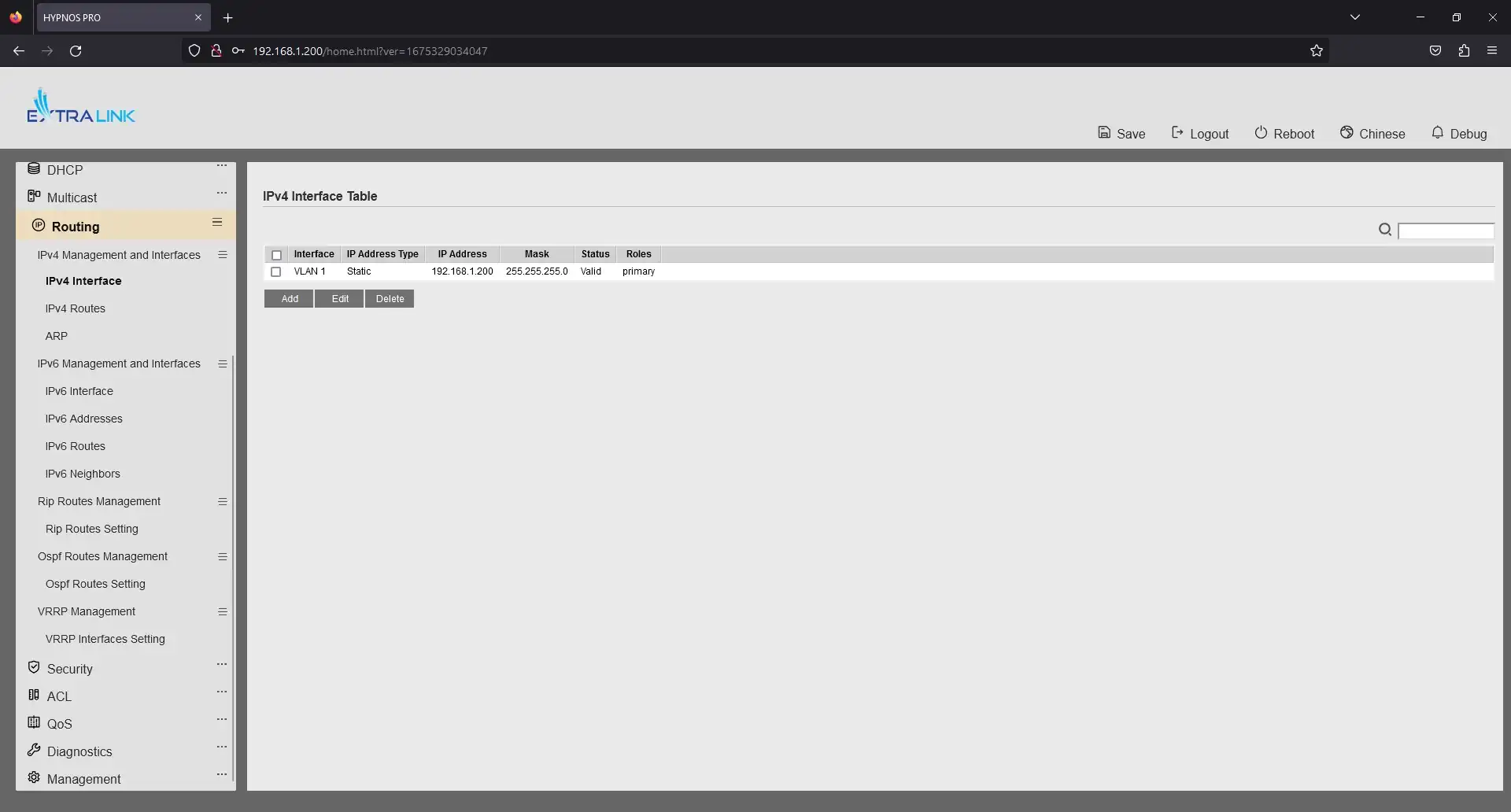
The Routing tab (one of the main features differentiating the Level 2 switch from Level 3) allows you to create static and dynamic routes between local and virtual networks. It is possible to tune routes according to IPv4, IPv6, Rip, Ospf standards.
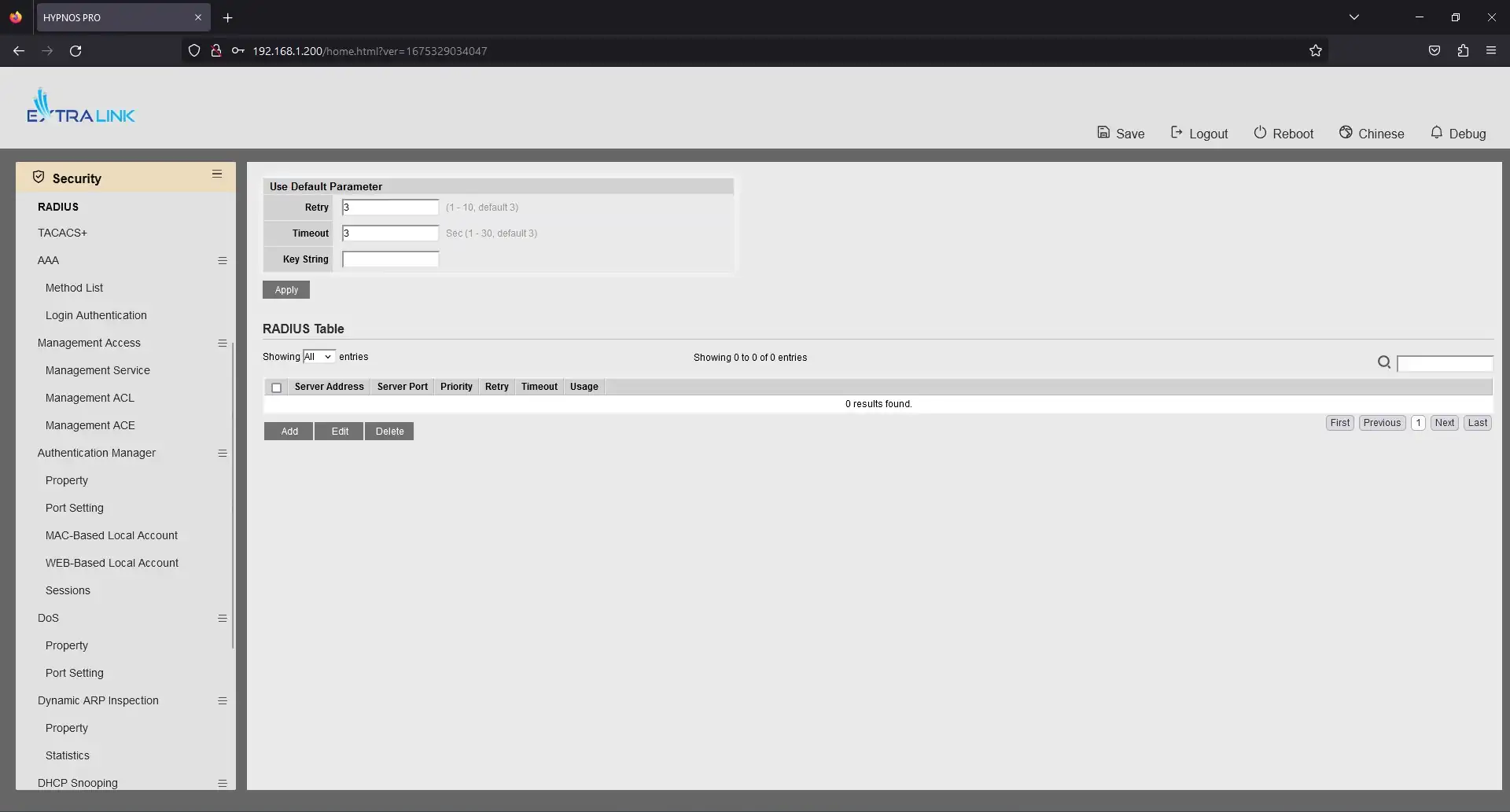
Another tab, Security, contains a large number of settings and protocols to protect the network from DoS attacks, third-party interference, device authentication and more. This tab also allows you to configure management and control of the device through various protocols such as SSH, Telnet, HHTP, HTTPS, SNMP.
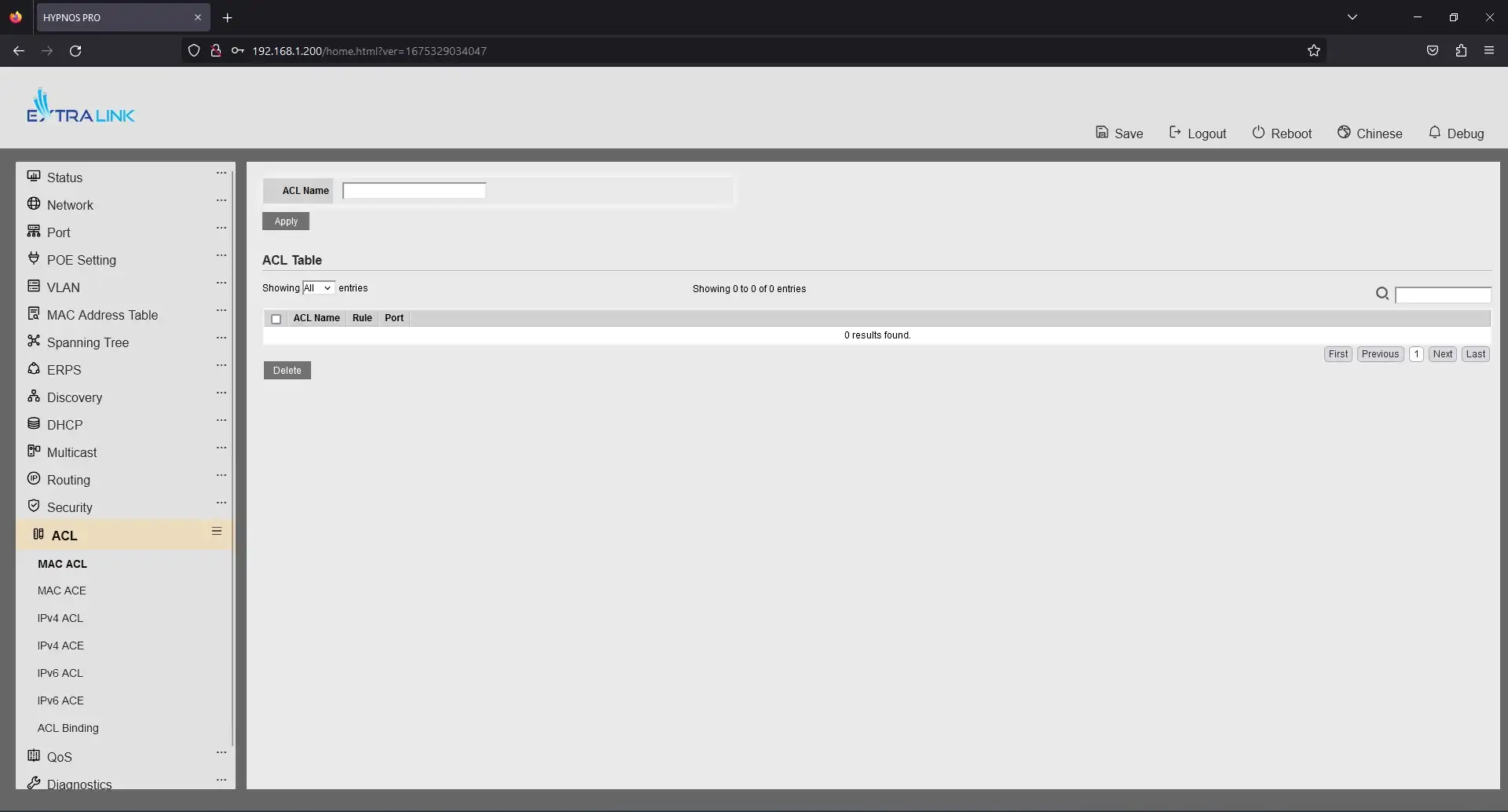
The ACL (Access Control List) tab allows you to configure a list of rules that define the service ports or domain names available on a host or other OSI Layer 3 device, each with a list of hosts and/or networks that have the right to access the service. Network ACLs can be configured on a router and can manage incoming and outgoing traffic like a firewall.
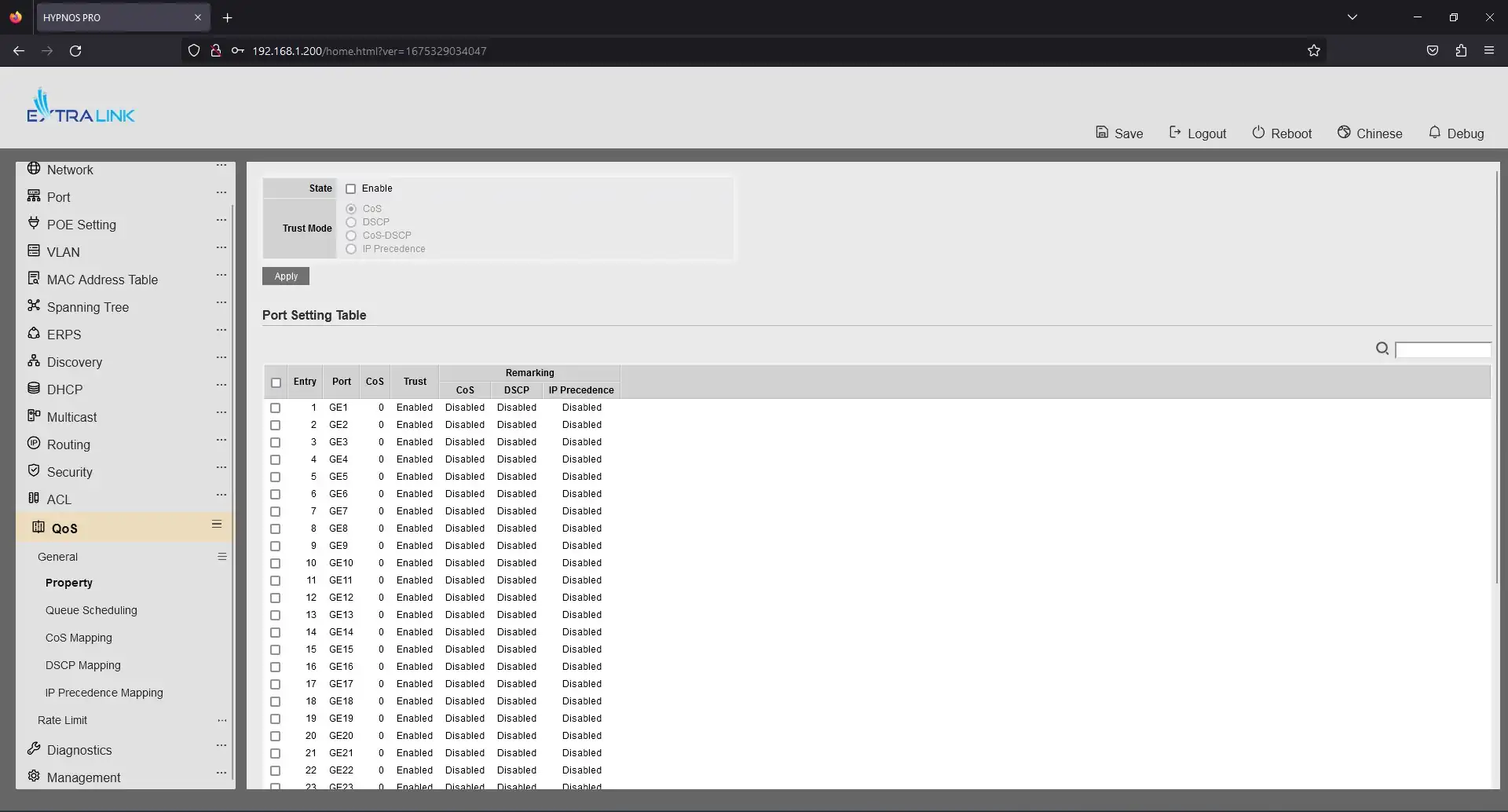
The QoS tab contains tools for configuring the priority of forwarded packets. QoS has 8 priority levels, making it easy to set priorities for VoIP packets, IPTV, multimedia and video streams. In addition, it's also possible to configure rate limiting for transmitting or receiving information packets.
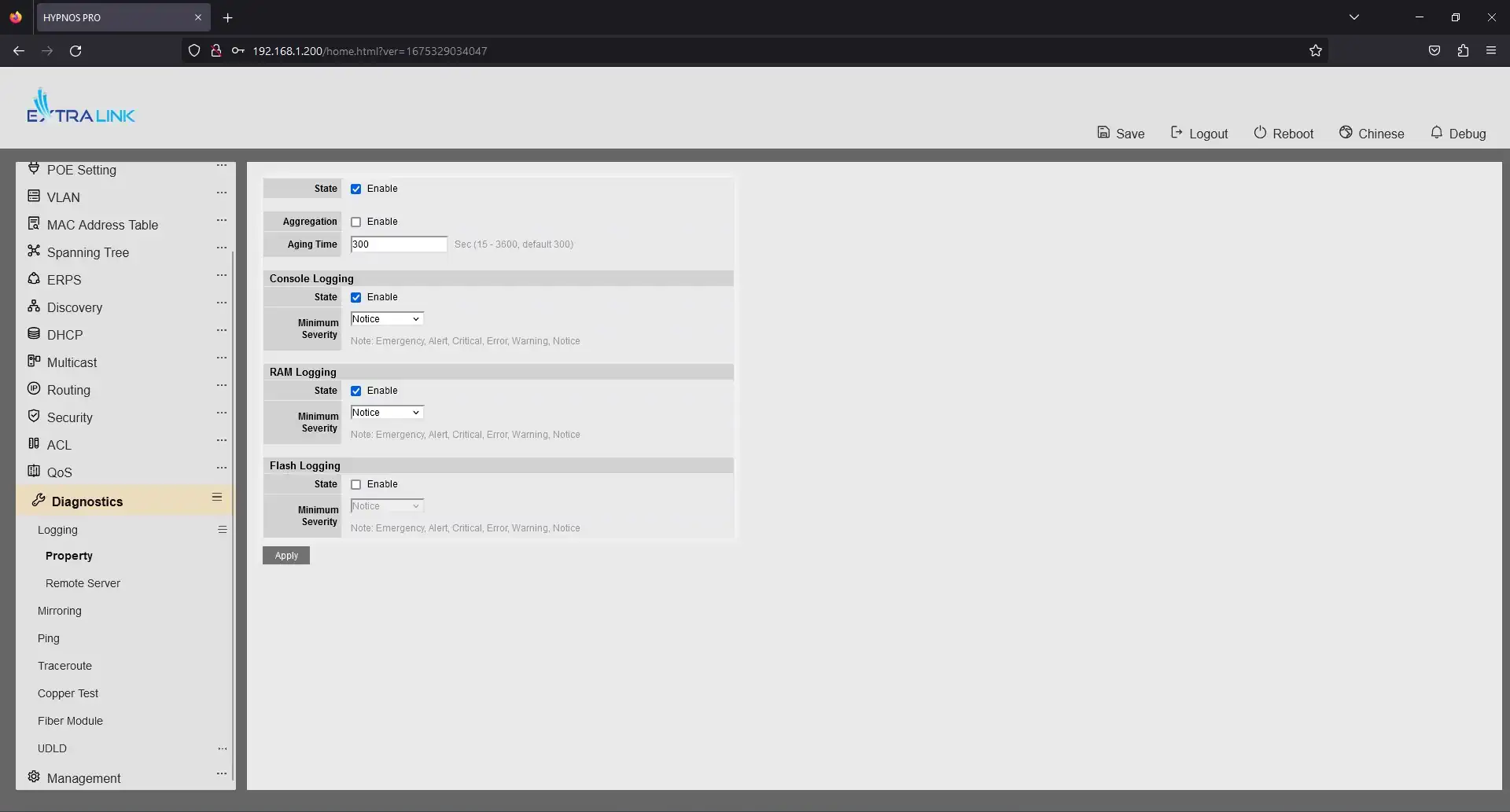
Another Diagnostics tab allows us to set the recording of the device's or network's operating or error history, as well as diagnose ports and SFP modules, check the availability of a remote host and the path to it. Also check if the patchcord is OK and what length it is.
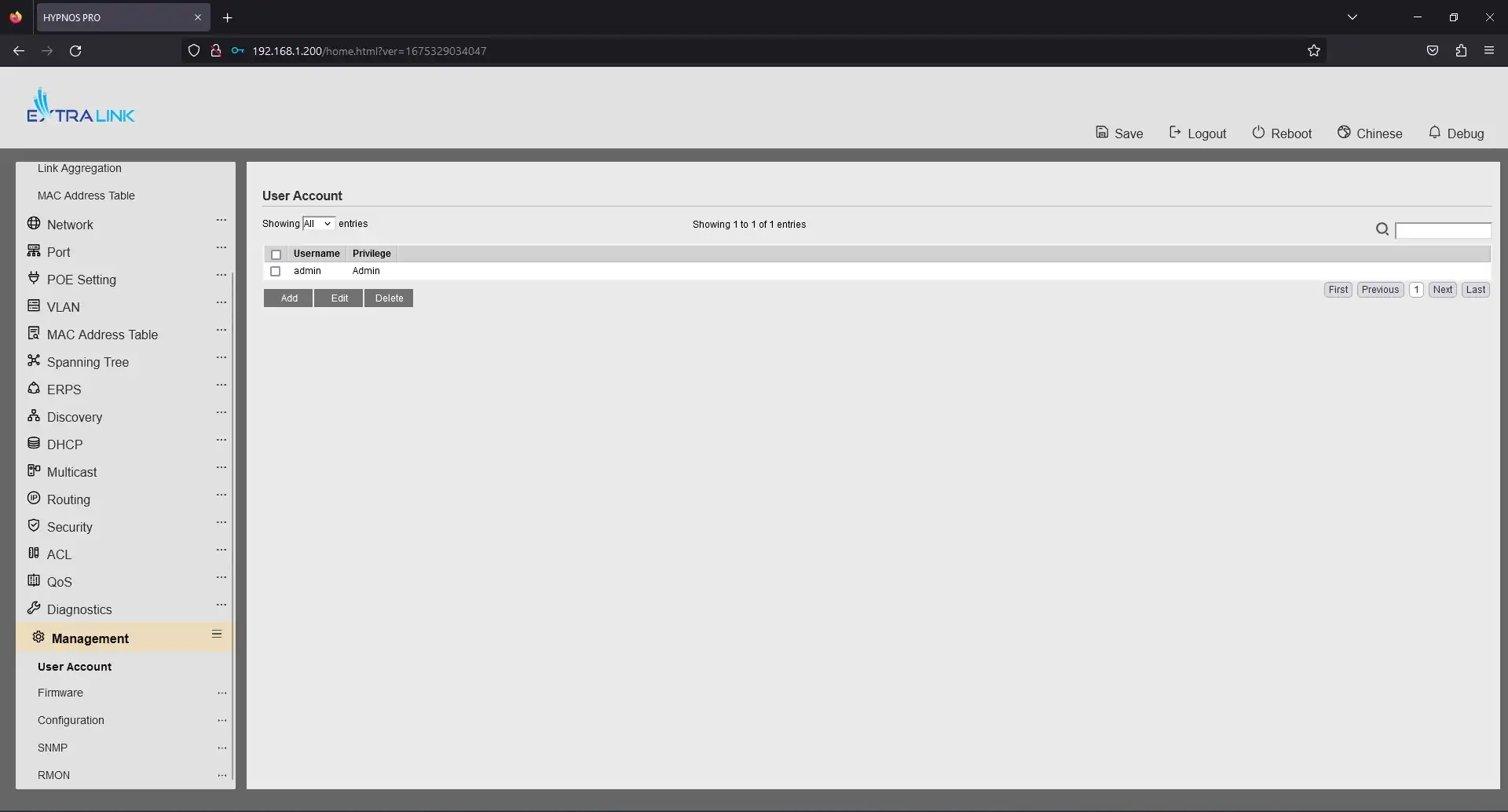
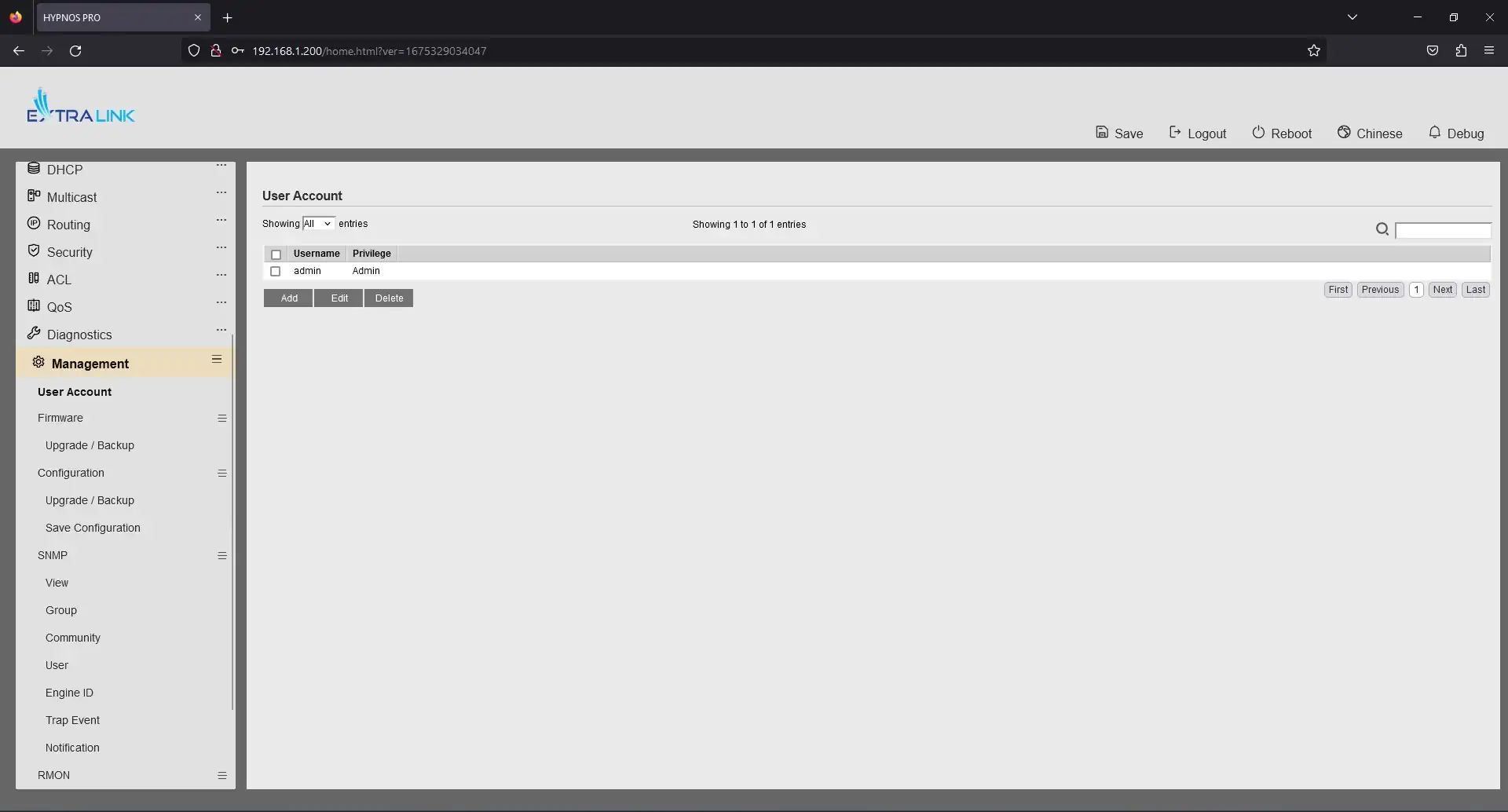
The last tab, Management, allows you to add, change or delete a user account with access to the switch, change the password or change the priority. It is also possible to back up the device's settings, restore the settings and update the device's firmware.
The DHCP tab allows you to enable or disable DHCP (Dynamic Host Configuration Protocol) and configure IP address pools of DHCP servers.
Multicast - allows you to fine tune this multicast protocol. There are many different configuration options: by address, by group, by VLAN. You can also tune IGMP (Internet Group Management Protocol), MLD Snooping and MVR in IP-based networks.
The Routing tab (one of the main features differentiating the Level 2 switch from Level 3) allows you to create static and dynamic routes between local and virtual networks. It is possible to tune routes according to IPv4, IPv6, Rip, Ospf standards.
Another tab, Security, contains a large number of settings and protocols to protect the network from DoS attacks, third-party interference, device authentication and more. This tab also allows you to configure management and control of the device through various protocols such as SSH, Telnet, HHTP, HTTPS, SNMP.
The ACL (Access Control List) tab allows you to configure a list of rules that define the service ports or domain names available on a host or other OSI Layer 3 device, each with a list of hosts and/or networks that have the right to access the service. Network ACLs can be configured on a router and can manage incoming and outgoing traffic like a firewall.
The QoS tab contains tools for configuring the priority of forwarded packets. QoS has 8 priority levels, making it easy to set priorities for VoIP packets, IPTV, multimedia and video streams. In addition, it's also possible to configure rate limiting for transmitting or receiving information packets.
Another Diagnostics tab allows us to set the recording of the device's or network's operating or error history, as well as diagnose ports and SFP modules, check the availability of a remote host and the path to it. Also check if the patchcord is OK and what length it is.
The last tab, Management, allows you to add, change or delete a user account with access to the switch, change the password or change the priority. It is also possible to back up the device's settings, restore the settings and update the device's firmware.
Summary
We turned on the Extralink Nemesis and Hypnos switches and checked how well they met current standards and the realities of the networking industry. We were pleasantly surprised by the speed of the devices and the number of settings and statistics. We found the user interface to be very intuitive and easy to use.
All Extralink Nemesis and Hypnos devices have active cooling, which allows them to operate under load without overheating.
After comparing the prices of similar switches from HP, Cisco, Dell, Aruba, D-Link, Netgear clearly, for ourselves, we have identified the price favorite - and these are switches from Exrtalink, with similar performance.
Thus, the emerging Extralink brand stands on a par with global brands in the networking industry.
Best prices on network devices from Extralink and other well-known brands can always be found on our website or by contacting our salesmen, who will individually meet your expectations.
All Extralink Nemesis and Hypnos devices have active cooling, which allows them to operate under load without overheating.
After comparing the prices of similar switches from HP, Cisco, Dell, Aruba, D-Link, Netgear clearly, for ourselves, we have identified the price favorite - and these are switches from Exrtalink, with similar performance.
Thus, the emerging Extralink brand stands on a par with global brands in the networking industry.
Best prices on network devices from Extralink and other well-known brands can always be found on our website or by contacting our salesmen, who will individually meet your expectations.